
1. Introduction
This manual provides detailed instructions for the installation, operation, and maintenance of your Schneider Electric Unica RJ45 Socket, Cat 6 FTP, Model NU341918. This communication connector is designed for reliable Ethernet cable connections, ensuring high-speed data transmission in your network infrastructure. Please read this manual thoroughly before installation and use.
2. Safety Information
Always observe the following safety precautions to prevent injury or damage to the product:
- Disconnect Power: Before performing any installation or maintenance, ensure that the power supply to the installation area is completely disconnected at the main circuit breaker.
- Qualified Personnel: Installation and wiring should only be performed by qualified and authorized personnel in accordance with local electrical codes and regulations.
- Proper Tools: Use appropriate insulated tools for wiring and installation.
- Avoid Moisture: Do not install or operate the device in wet or damp conditions.
- Correct Wiring: Ensure all wiring connections are correct and secure to prevent short circuits or poor performance.
3. Package Contents
Verify that all components are present in the package:
- One (1) Schneider Electric Unica RJ45 Socket, Cat 6 FTP, 2 modules, White (mechanism only)
4. Setup (Installation)
Follow these steps for proper installation of the RJ45 socket:
- Prepare the Installation Area: Ensure the electrical power to the installation area is turned off. Remove the existing faceplate or prepare the wall box for installation.
- Prepare the Cable: Strip approximately 2-3 cm of the outer jacket from the Cat 6 FTP Ethernet cable. Carefully untwist the pairs and arrange the individual wires according to the T568A or T568B wiring scheme, as required by your network setup.
- Connect Wires to the Module: Insert each colored wire into its corresponding slot on the RJ45 module. The module typically has color-coded labels for T568A and T568B. Use a punch-down tool to secure the wires firmly into place, ensuring good contact and trimming any excess wire.
- Mount the Module: Snap the wired RJ45 module into the appropriate opening of the Unica frame or faceplate.
- Secure the Faceplate: Carefully push the assembled faceplate and module into the wall box, ensuring wires are not pinched. Secure the faceplate to the wall box using the provided screws.
- Restore Power: Once installation is complete and all connections are secure, restore power to the circuit.
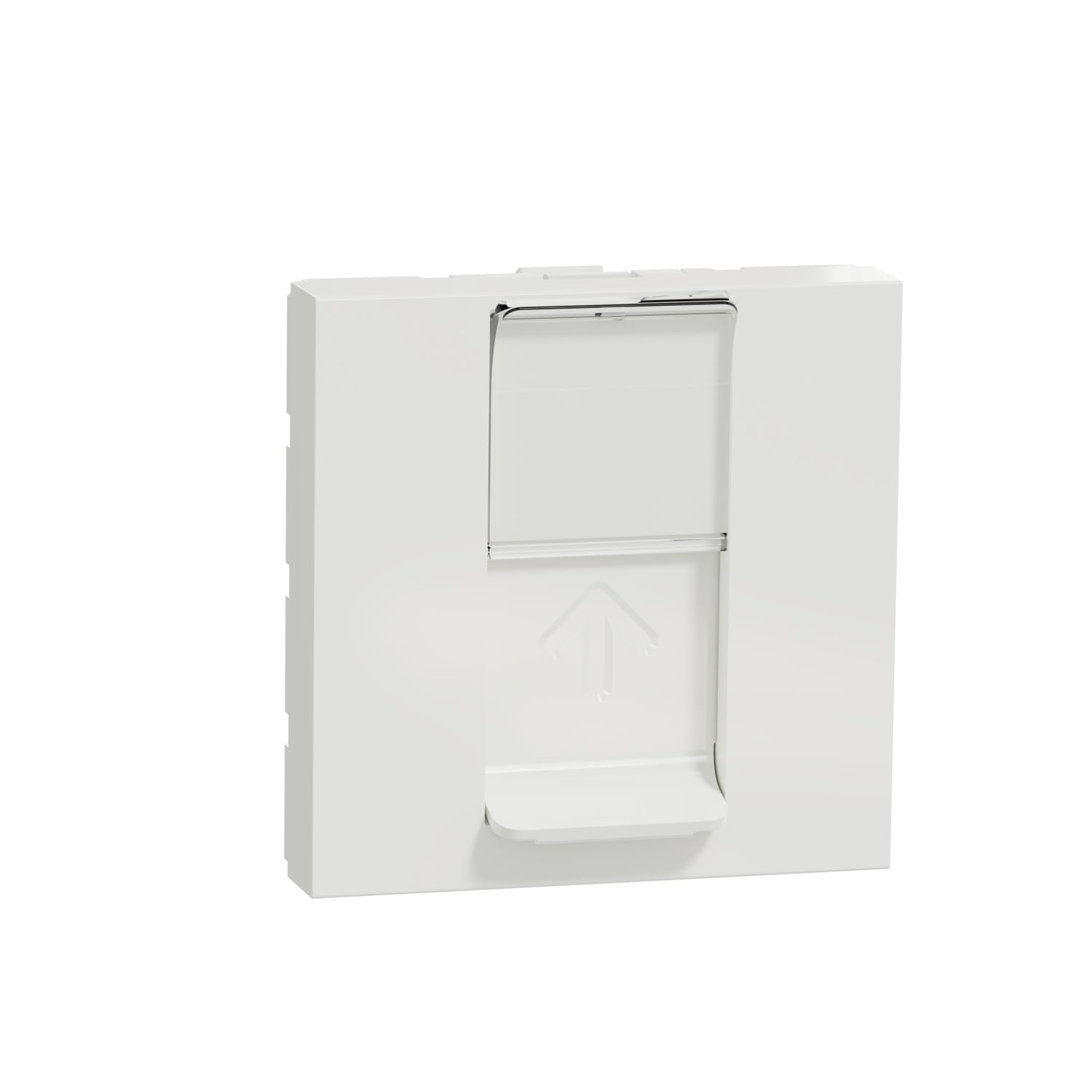
Image 1: Schneider Electric Unica RJ45 Socket Cat 6 FTP (NU341918). This image shows the front view of the white RJ45 socket module, ready for installation into a compatible faceplate.
5. Operating
Once the Schneider Electric Unica RJ45 Socket is correctly installed, its operation is straightforward:
- Connect an Ethernet Cable: Insert a standard RJ45 Ethernet cable from your network device (e.g., computer, laptop, printer, router, network switch) into the RJ45 port on the socket.
- Secure Connection: Ensure the Ethernet cable clicks securely into place, indicating a proper connection.
- Verify Connectivity: Check your device's network status to confirm a successful connection and data transmission.
6. Maintenance
The Schneider Electric Unica RJ45 Socket requires minimal maintenance:
- Regular Inspection: Periodically inspect the socket for any visible damage, loose connections, or discoloration.
- Cleaning: Clean the surface of the socket with a dry, soft, lint-free cloth. Do not use abrasive cleaners, solvents, or excessive moisture, as these can damage the finish or internal components.
- Environmental Conditions: Ensure the operating environment remains within specified temperature and humidity ranges to prevent premature wear or malfunction.
7. Troubleshooting
If you encounter issues with your RJ45 socket, consider the following troubleshooting steps:
- No Network Connection:
- Verify that the Ethernet cable is securely plugged into both the socket and your network device.
- Test the Ethernet cable with another device or port to rule out a faulty cable.
- Check the network settings on your device.
- Ensure the network equipment (router, switch) is powered on and functioning correctly.
- If comfortable and qualified, carefully inspect the wiring connections at the back of the socket for any loose or incorrect punch-downs (ensure power is off before inspection).
- Slow Network Speed:
- Ensure you are using a Cat 6 or higher rated Ethernet cable.
- Check other components in your network (router, switch, other cables) for potential bottlenecks.
- Verify that your network adapter on the device supports the expected speed.
- Intermittent Connection:
- Check for any physical damage to the socket or the connected Ethernet cable.
- Ensure all wiring connections are firm and not loose.
If problems persist after these steps, contact Schneider Electric customer support.
8. Specifications
| Brand | Schneider Electric |
| Model Number | NU341918 |
| Product Function | RJ45 Connector |
| Device Function | Communication |
| Cable Category | Category 6 (Cat 6) FTP |
| Connector Type | RJ45 |
| Cable Type | Ethernet |
| Color | White |
| Number of Pins | 8 |
| Number of Modules | 2 |
| Product Dimensions (L x W x H) | 4.05 x 4.5 x 4.5 cm |
| Weight | 40 grams |
| Manufacturer Part Number | NU341918 |
9. Warranty and Support
This Schneider Electric product is covered by the manufacturer's standard warranty. For specific warranty terms and conditions, please refer to the documentation provided with your purchase or visit the official Schneider Electric website.
For technical assistance, product support, or to inquire about warranty claims, please contact Schneider Electric customer service. You can find contact information and additional resources on the official Schneider Electric website: www.se.com
