
1. Introduction
The JBL Xtreme 2 is a portable Bluetooth speaker designed to deliver dynamic and immersive stereo sound. It features a rugged, waterproof design, making it suitable for various environments. This manual provides essential information for setting up, operating, maintaining, and troubleshooting your speaker.

Figure 1: JBL Xtreme 2 Portable Bluetooth Waterproof Speaker (Camouflage)
2. What's in the Box
- JBL Xtreme 2 Speaker
- Power Adaptor
- Quick Start Guide
- Carrying Strap
3. Setup
3.1 Charging the Battery
Before initial use, fully charge your JBL Xtreme 2 speaker. Connect the provided power adaptor to the charging port located under the sealed flap on the back of the speaker. The LED indicators on the speaker will show the charging status. A full charge provides up to 15 hours of playtime.
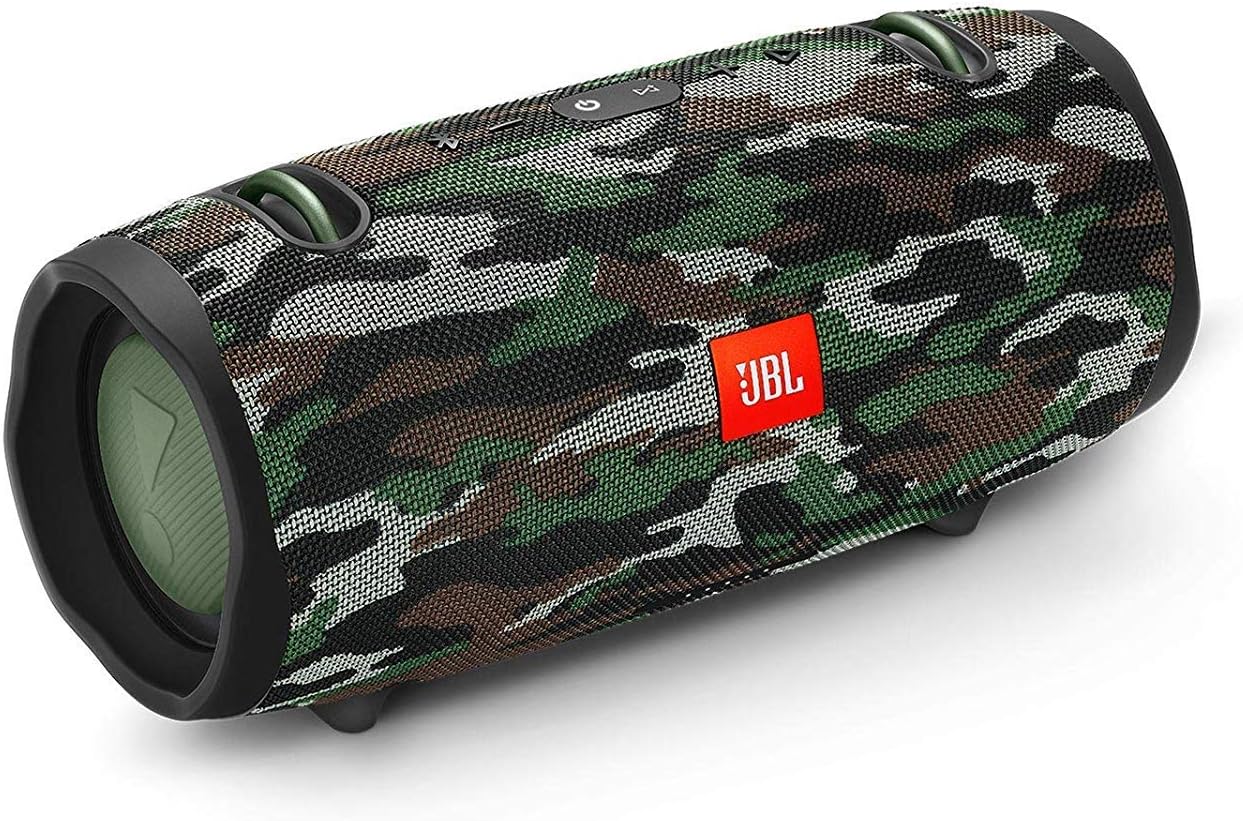
Figure 2: Rear view showing the sealed port cover for charging and other connections.
3.2 Attaching the Carrying Strap
Attach the included carrying strap to the metal hooks on the top of the speaker for easy portability. The strap is adjustable for comfortable carrying.

Figure 3: JBL Xtreme 2 with carrying strap attached.
4. Operating Instructions
4.1 Power On/Off
- To power on, press the Power button on the top panel.
- To power off, press the Power button again.
4.2 Bluetooth Pairing
- Power on the JBL Xtreme 2.
- Press the Bluetooth button on the top panel. The LED indicator will flash blue, indicating it's in pairing mode.
- On your mobile device (smartphone or tablet), go to Bluetooth settings and select "JBL Xtreme 2" from the list of available devices.
- Once connected, the Bluetooth LED will glow solid blue.
4.3 Volume Control and Playback
- Use the '+' and '-' buttons on the top panel to adjust the volume.
- Press the Play/Pause button to control music playback.
- Double-press the Play/Pause button to skip to the next track.
4.4 JBL Connect+
The JBL Xtreme 2 supports JBL Connect+, allowing you to wirelessly link more than 100 JBL Connect+ enabled speakers for an enhanced audio experience. Refer to the JBL Connect+ app for detailed instructions on multi-speaker pairing.
4.5 Speakerphone Function
When connected to your smartphone, the JBL Xtreme 2 can be used as a speakerphone. Press the Play/Pause button to answer or end a call.
4.6 USB Charge Out
The speaker features a convenient USB charge out port. Connect your mobile device to this port using a USB cable to charge it directly from the speaker's internal battery.
5. Maintenance
5.1 Waterproof Design (IPX7)
The JBL Xtreme 2 is IPX7 rated, meaning it can be submerged in water up to 1 meter (3 feet) for up to 30 minutes. To maintain its waterproof integrity, ensure all port covers on the back of the speaker are securely closed before exposure to water.

Figure 4: Side view of the JBL Xtreme 2, highlighting its durable fabric.
5.2 Cleaning
To clean the speaker, use a soft, damp cloth. Avoid using harsh chemicals or abrasive materials that could damage the fabric or rubber components.
5.3 Battery Care
For optimal battery life, avoid fully discharging the speaker frequently. Recharge the battery when the low battery indicator appears. Store the speaker in a cool, dry place when not in use for extended periods.
6. Troubleshooting
- No Power: Ensure the battery is charged. Connect the speaker to the power adapter and allow it to charge for a few minutes before attempting to power on.
- Bluetooth Not Connecting:
- Ensure the speaker is in Bluetooth pairing mode (flashing blue LED).
- Check that Bluetooth is enabled on your device.
- Move the speaker closer to your device.
- Forget "JBL Xtreme 2" from your device's Bluetooth settings and attempt to re-pair.
- Poor Sound Quality:
- Ensure the speaker and your device are within Bluetooth range and there are no obstructions.
- Check the volume levels on both the speaker and your connected device.
- If using a wired connection, ensure the 3.5mm stereo cable is fully inserted.
- Charging Issues: Ensure the power adapter is correctly connected to both the speaker and a working power outlet.
7. Specifications
| Feature | Detail |
|---|---|
| Model Name | JBL Xtreme 2 - Squad Camo |
| Wireless Communication Technology | Bluetooth |
| Connectivity Technology | Wired, Wireless |
| Power Source | Battery Powered |
| Battery Capacity | 10000 mAh Li-ion |
| Playtime | Up to 15 hours |
| Water Resistance Level | IPX7 (Waterproof) |
| Speaker Maximum Output Power | 40 Watts |
| Audio Output Mode | Stereo |
| Product Dimensions | 13"D x 7"W x 7"H |
| Item Weight | 5.3 Pounds |
| Included Components | Speaker, Power Adaptor, Quick Start Guide, Strap |
8. Warranty and Support
The JBL Xtreme 2 comes with a Limited Warranty. For detailed warranty information, product support, or service inquiries, please refer to the official JBL website or contact their customer service. Keep your proof of purchase for warranty claims.


