
1. Introduction
This manual provides essential information for the proper installation, operation, and maintenance of your PORTER-CABLE OEM 5140169-07 Pressure Switch. This genuine replacement part is designed to ensure the correct functioning of compatible air compressor models by regulating the pressure within the system. Please read this manual thoroughly before installation and retain it for future reference.
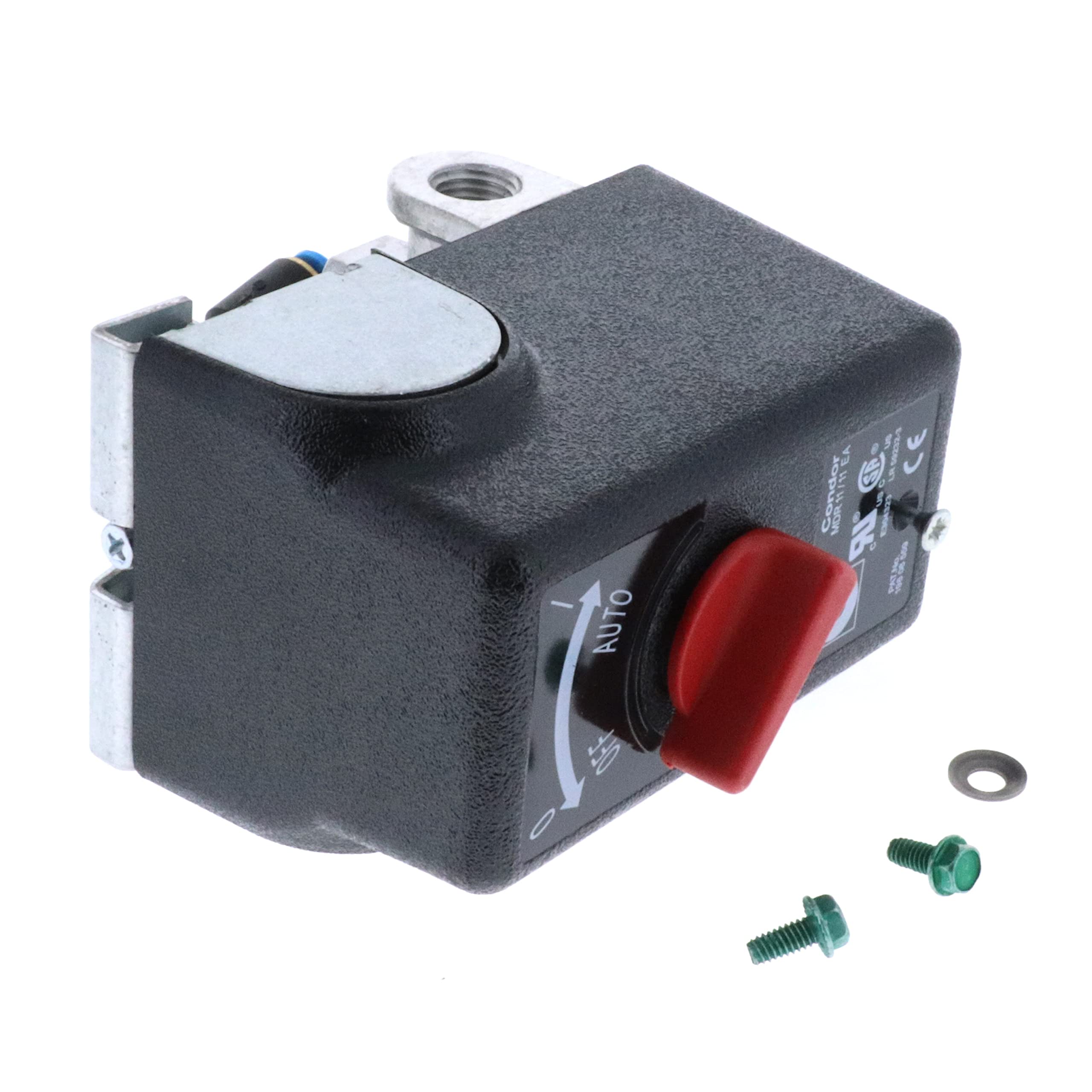
Image 1.1: The PORTER-CABLE OEM 5140169-07 Pressure Switch. This component is crucial for maintaining optimal pressure in your air compressor system.
2. Safety Information
Always observe the following safety precautions to prevent personal injury or damage to the equipment:
- Disconnect Power: Before attempting any installation, maintenance, or repair, ensure the air compressor is completely disconnected from its power source.
- Depressurize System: Fully depressurize the air tank before working on the pressure switch or any part of the air system.
- Qualified Personnel: Installation and repair should only be performed by qualified individuals familiar with air compressor systems and electrical components.
- Use Correct Tools: Use appropriate tools for installation to avoid damaging the switch or other components.
- Inspect for Damage: Before installation, inspect the new pressure switch for any signs of shipping damage. Do not install damaged parts.
3. Package Contents
Your package should contain the following item:
- One (1) PORTER-CABLE OEM 5140169-07 Pressure Switch
4. Setup and Installation
This pressure switch is compatible with PORTER-CABLE air compressor models DXCM301, PXCM301, PXCM301-CA, and DXCM301-CA. Follow these steps for proper installation:
- Prepare Compressor: Ensure the air compressor is unplugged from its power source and the air tank is fully depressurized.
- Locate Old Switch: Identify the existing pressure switch on your compressor. Note the electrical connections and any pressure lines connected to it. It is recommended to take a photograph for reference.
- Remove Old Switch: Carefully disconnect all electrical wires and pressure lines from the old switch. Unmount the old switch from its position.
- Install New Switch: Mount the new PORTER-CABLE OEM 5140169-07 Pressure Switch in the same location. Ensure it is securely fastened.
- Reconnect Connections: Reconnect the electrical wires to the appropriate terminals on the new switch. Ensure all connections are tight and secure. Reconnect any pressure lines.
- Verify Installation: Double-check all connections and mounting to ensure everything is correctly installed and secure.
- Test System: Plug the air compressor back into its power source. Monitor the compressor's operation to ensure the pressure switch functions correctly, turning the compressor on and off at the appropriate pressure settings.
5. Operating Principles
The PORTER-CABLE OEM 5140169-07 Pressure Switch is an automatic control device designed to regulate the air pressure within your compressor's tank. It monitors the tank pressure and automatically activates the compressor motor when the pressure drops below a preset minimum, and deactivates it when the pressure reaches a preset maximum. This ensures a consistent supply of compressed air for your tools. While the primary operation is automatic, some pressure switches may include a manual control or reset mechanism, often touch-activated, to override or reset the switch if needed.
6. Maintenance
Regular maintenance helps ensure the longevity and reliable operation of your pressure switch:
- Periodic Inspection: Periodically inspect the pressure switch and its connections for any signs of wear, corrosion, or damage.
- Clean Connections: Ensure electrical terminals and pressure ports are clean and free from debris or oxidation.
- Check for Leaks: Regularly check for air leaks around the pressure switch connections, which can cause the compressor to cycle more frequently.
- Tighten Fasteners: Ensure all mounting screws and electrical terminal screws remain tight.
7. Troubleshooting
If you encounter issues with your air compressor's pressure regulation, consult the following table:
| Problem | Possible Cause | Solution |
|---|---|---|
| Compressor does not start. | Faulty pressure switch, loose electrical connections, no power. | Check power supply. Inspect electrical connections to the switch. If connections are secure and power is present, the switch may need replacement. |
| Compressor does not shut off. | Faulty pressure switch, air leak in the system. | Check for air leaks in the tank or lines. If no leaks are found, the pressure switch may be faulty and not sensing the correct pressure, requiring replacement. |
| Compressor cycles too frequently. | Air leak in the system, pressure switch set points are too close. | Inspect for air leaks. If the switch has adjustable settings, ensure the cut-in and cut-out pressures are adequately separated (refer to compressor manual). |
8. Specifications
Key technical specifications for the PORTER-CABLE OEM 5140169-07 Pressure Switch:
| Feature | Detail |
|---|---|
| Model Number | 5140169-07 |
| Part Number | 5140169-07 |
| Brand | PORTER-CABLE |
| Switch Type | Pressure Switch |
| Operation Mode | Automatic with potential manual reset/control |
| Contact Type | Normally Open |
| Connector Type | Screw |
| Terminal | Screw |
| Circuit Type | 1-way |
| Actuator Type | Plunger |
| Control Method | Touch (for manual reset/control) |
| Compatible Devices | DXCM301, PXCM301, PXCM301-CA, DXCM301-CA |
| Color | Black |
| Item Dimensions (L x W x H) | 4.25 x 5 x 2.65 inches |
| Contact Material | Brass |
| International Protection Rating | IP00 |
9. Warranty and Support
This PORTER-CABLE OEM 5140169-07 Pressure Switch is a genuine replacement part and is typically covered by the manufacturer's standard warranty for replacement parts. For specific warranty details, please refer to the documentation provided with your original air compressor or contact PORTER-CABLE customer support directly.
For technical assistance, troubleshooting beyond this manual, or to inquire about warranty claims, please contact PORTER-CABLE customer service through their official website or the contact information provided with your product purchase.
Online Resources: For additional information and support, visit the official PORTER-CABLE website: www.portercable.com


