
1. Introduction
Thank you for purchasing the Kid Galaxy Soft Body Recycle Truck R/C. This remote-controlled toy is designed for young children, featuring a soft, squeezable body and simple controls for an engaging play experience. This manual provides important information for the safe and proper use, setup, and maintenance of your new toy.
2. Safety Information
- Adult supervision is recommended during play.
- Keep the toy away from water or excessive moisture to prevent damage to electronic components.
- Do not mix old and new batteries. Do not mix alkaline, standard (carbon-zinc), or rechargeable (nickel-cadmium) batteries.
- Ensure batteries are inserted with correct polarity (+ and -).
- Remove batteries from the toy and remote control when not in use for extended periods.
- Dispose of used batteries responsibly according to local regulations.
- Avoid operating near other radio-controlled devices to prevent interference.
3. Package Contents
Please check to ensure all items are present in the package:
- Kid Galaxy Soft Body Recycle Truck
- Remote Control

Image 3.1: The Kid Galaxy Soft Body Recycle Truck with its accompanying remote control. The truck is green and white, featuring 'RECYCLE' text and recycling symbols. The remote is black with a red button.
4. Setup
4.1. Battery Installation for the Recycle Truck
- Locate the battery compartment on the underside of the Recycle Truck.
- Using a Phillips head screwdriver, unscrew the battery compartment cover.
- Insert 3 x AA batteries (not included), ensuring correct polarity (+/-).
- Replace the battery compartment cover and secure it with the screw.
4.2. Battery Installation for the Remote Control
- Locate the battery compartment on the back of the remote control.
- Using a Phillips head screwdriver, unscrew the battery compartment cover.
- Insert 2 x AAA batteries (not included), ensuring correct polarity (+/-).
- Replace the battery compartment cover and secure it with the screw.
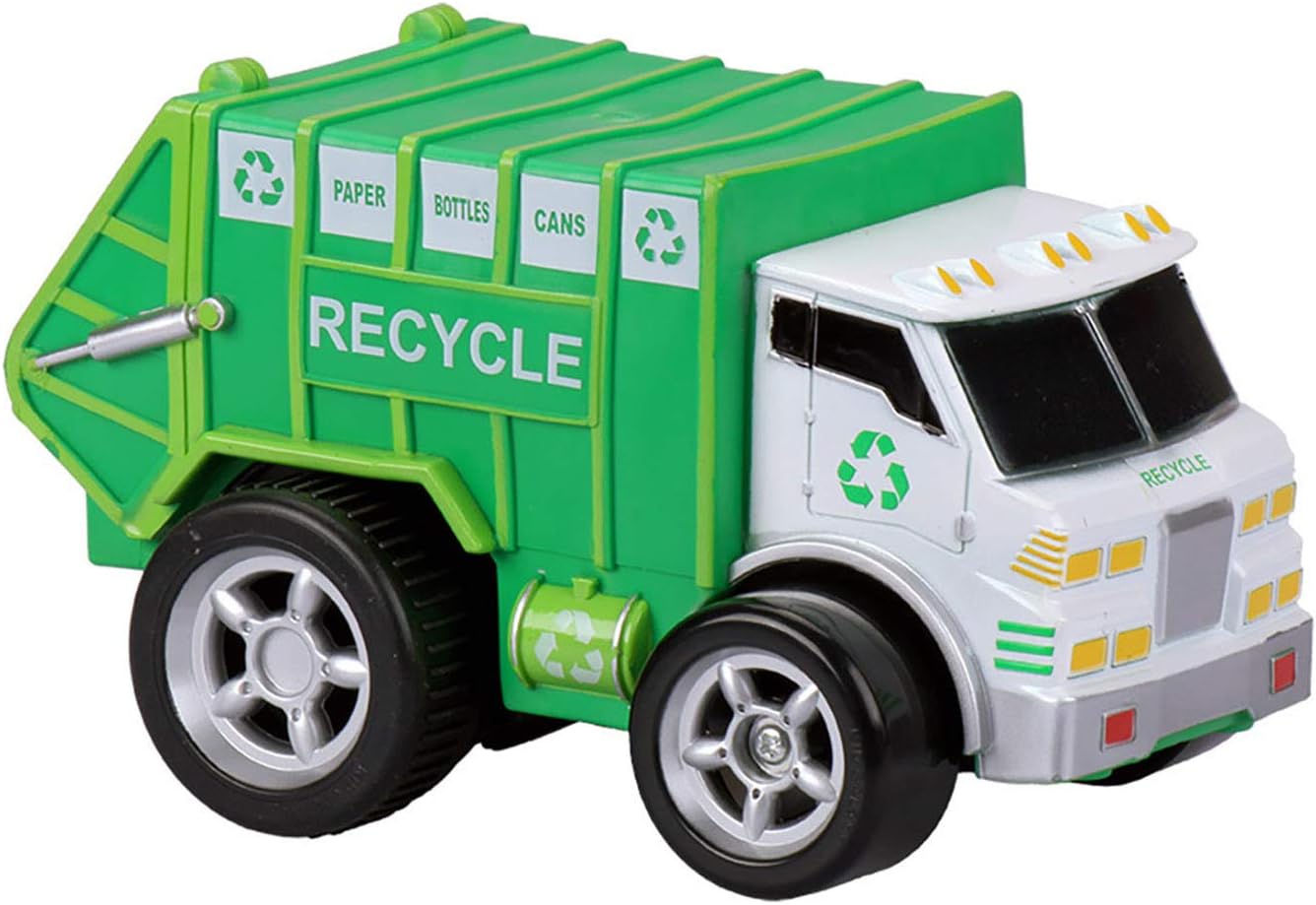
Image 4.1: A detailed view of the Kid Galaxy Soft Body Recycle Truck. The truck is green and white, with 'RECYCLE' text on its side and recycling symbols. The wheels are large and grey.
5. Operating Instructions
The Kid Galaxy Soft Body Recycle Truck features a simple, single-function remote control designed for ease of use by young children.
- Ensure both the Recycle Truck and the remote control have fresh batteries installed.
- Turn on the power switch on the Recycle Truck (usually located on the underside).
- The remote control does not typically have a separate power switch; it activates when a button is pressed.
- To move forward: Press and hold the 'UP' button on the remote control. The truck will move straight forward.
- To spin: Press and hold the 'DOWN' button on the remote control. The truck will spin in circles.
- The truck features a special clutch design to protect it if it is driven by hand while the power is on.
- The soft and squeezable body is designed for safety and durability during play.
6. Maintenance
6.1. Cleaning
- Wipe the truck and remote control with a soft, damp cloth.
- Do not immerse the toy or remote control in water.
- Avoid using harsh chemicals or abrasive cleaners.
6.2. Battery Care
- Remove batteries if the toy will not be used for an extended period to prevent leakage.
- Replace all batteries at the same time when they become weak.
7. Troubleshooting
| Problem | Possible Cause | Solution |
|---|---|---|
| Truck does not move or respond to remote. | Batteries are low or incorrectly installed. Power switch is off. | Check battery polarity and replace with fresh batteries in both the truck and remote. Ensure the truck's power switch is ON. |
| Limited range or intermittent control. | Low batteries. Interference from other electronic devices. | Replace batteries. Move to an area free from other radio-controlled toys or strong electronic signals. |
| Truck moves slowly. | Batteries are weak. | Replace batteries in both the truck and remote. |
8. Specifications
- Model Number: 10939
- Product Dimensions: 9.5 x 4.5 x 6 inches
- Item Weight: 15.8 ounces
- Recommended Age: 18 months and up
- Truck Batteries: 3 x AA (not included)
- Remote Control Batteries: 2 x AAA (not included)
- Brand: Kid Galaxy
9. Warranty and Support
For warranty information or product support, please contact Kid Galaxy customer service directly. Refer to the product packaging or the official Kid Galaxy website for contact details.