1. Introduction
This manual provides essential information for the safe and effective installation, operation, and maintenance of the ABB OVR T2+3 20 275P SPD 1P 20KA QS Surge Protective Device. Please read this manual thoroughly before using the product.
2. Safety Information
Always adhere to local electrical codes and regulations. Installation and maintenance should only be performed by qualified personnel. Disconnect power before working on the device.
- Ensure proper grounding.
- Do not operate the device if it appears damaged.
- Wear appropriate personal protective equipment (PPE).
- Refer to the wiring diagrams for correct connections.
3. Product Overview
The ABB OVR T2+3 20 275P SPD operates automatically to protect against transient overvoltages. It is a single-pole Surge Protective Device designed for robust protection of electrical installations. It features a compact design suitable for various applications.
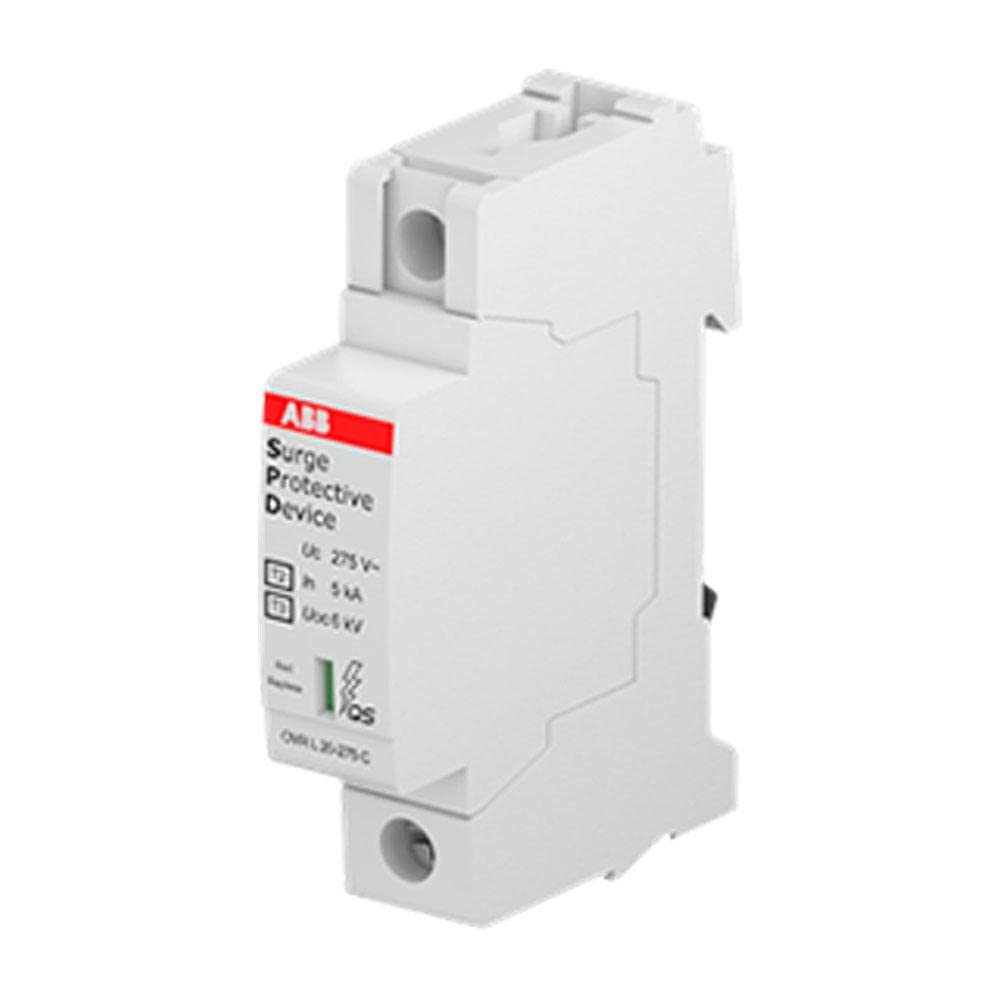
Figure 3.1: Front view of the ABB OVR T2+3 20 275P SPD. This image shows the compact white housing of the surge protective device, with the ABB logo and "Surge Protective Device" label clearly visible on the front. Key specifications like "Uc 275V~" and "In 5kA" are also printed on the label.
Key Features:
- Single-pole configuration.
- Rated for 275V AC systems.
- Nominal discharge current (In) of 20kA.
- Quick-connect (QS) terminals for easy installation.
4. Setup and Installation
Before installation, ensure the main power supply is disconnected. This device is designed for DIN rail mounting.
- Mount the SPD onto a standard DIN rail within an electrical enclosure.
- Connect the phase conductor to the designated input terminal.
- Connect the neutral or ground conductor to the appropriate output terminal.
- Ensure all connections are secure and tightened to the manufacturer's specified torque.
- Verify all wiring against the system's electrical diagram.
- Restore power and check the device's status indicator.
Note: For detailed wiring diagrams, refer to the product's technical datasheet or consult a qualified electrician.
5. Operating Instructions
The ABB OVR T2+3 20 275P SPD operates automatically to protect against transient overvoltages. No user intervention is required during normal operation.
Status Indicator:
The device features a visual status indicator. A green indicator typically signifies normal operation, while a red indicator or absence of indication may suggest the device needs replacement or inspection.
- Green: Device is operational and providing protection.
- Red/No Indication: Device has absorbed a significant surge and may require replacement.
6. Maintenance
Regular inspection of the SPD is recommended to ensure continued protection. Maintenance should only be performed by qualified personnel with power disconnected.
- Periodically check the visual status indicator.
- Inspect terminals for secure connections and signs of overheating or corrosion.
- Clean the device exterior with a dry, lint-free cloth. Do not use solvents or abrasive cleaners.
- If the status indicator shows red or no indication, the device has reached its end-of-life and must be replaced.
7. Troubleshooting
| Problem | Possible Cause | Solution |
|---|---|---|
| Status indicator is red or off. | Device has absorbed a significant surge and is at end-of-life. | Replace the SPD with a new unit. |
| No power to protected equipment. | Incorrect wiring or tripped circuit breaker. | Check wiring connections. Inspect and reset upstream circuit breaker. |
| Device feels warm to the touch. | Normal operation or potential overload/fault. | Slight warmth is normal. If excessively hot, disconnect power and consult a qualified electrician. |
8. Specifications
| Parameter | Value |
|---|---|
| Model Number | 2CTB803871R2400 |
| Manufacturer | ABB |
| Type | Surge Protective Device (SPD) |
| Configuration | 1P (Single Pole) |
| Nominal Voltage (Uc) | 275V AC |
| Nominal Discharge Current (In) | 20kA |
| Item Weight | 6.1 ounces |
| Product Dimensions (L x W x H) | 0.79 x 4.92 x 4.72 inches |
| Color | White |
| Included Components | OVR T2+3 20 275P SPD 1P 20KA QS |
9. Warranty and Support
This ABB product comes with a Worldwide ABB Warranty. For specific warranty terms and conditions, please refer to the official ABB website or contact ABB customer support.
For technical assistance or further inquiries, please visit the ABB Store on Amazon or the official ABB support channels.


