
Introduction
Thank you for choosing the SIRUI A-10R Professional Ball Head. This manual provides essential information for the proper setup, operation, and maintenance of your new equipment. Please read it thoroughly before use to ensure optimal performance and longevity.
Product Overview
The SIRUI A-10R is a professional-grade ball head designed for photographers requiring precise control and robust support for their camera equipment. It features a gear-supported locking mechanism, panoramic capabilities, and separate friction control for enhanced usability.
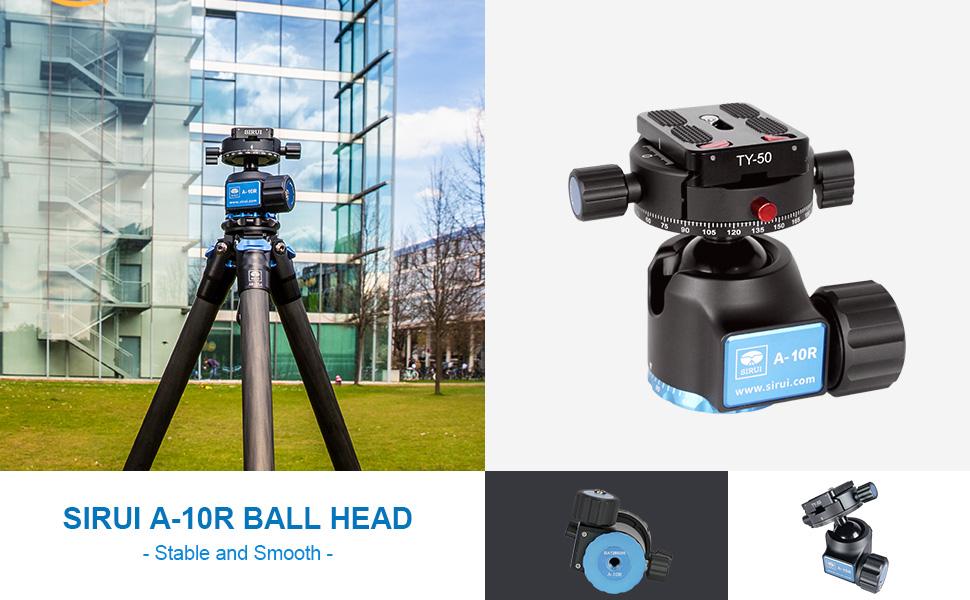
Image 1: Detailed diagram of the SIRUI A-10R Ball Head components, including the 1/4" screw with D-ring, quick release plate, bubble level, QR plate locking knob, platform locking knob, main locking knob with built-in adjustment dial, base locking knob, and 3/8" screw hole.

Image 2: Close-up view of the SIRUI A-10R Ball Head, highlighting the quick release plate, plate lock, panorama platform locking knob, panorama base lock, 360° panorama base, and main locking knob.
Setup
- Attaching to a Tripod:
Locate the 3/8" screw hole at the base of the ball head. Align this with the mounting screw on your tripod. Rotate the ball head clockwise until it is securely fastened to the tripod. Ensure it is tight to prevent wobbling.

Image 3: Underside of the ball head showing the 3/8" screw hole for tripod attachment and the 1/4" screw thread on the quick release plate.
- Mounting the Quick Release Plate (TY-50):
The quick release plate (TY-50) attaches to your camera. Use the 1/4" screw with D-ring on the plate to secure it to your camera's tripod socket. Tighten the D-ring by hand or with a coin until the plate is firmly attached. The plate features anti-slip rubber mats and anti-slip blocks for added security.

Image 4: Close-up of the TY-50 Quick Release Plate, detailing its dimensions (40mm/1.57" width, 50mm/1.97" length, 10mm/0.39" height) and features like anti-slip rubber mats, anti-slip blocks, and the 1/4" screw with D-ring.
- Attaching Camera to Ball Head:
Ensure the QR plate locking knob on the ball head is loosened. Slide the quick release plate with your camera into the clamp on the ball head. Once positioned, tighten the QR plate locking knob firmly to secure the camera. A bubble level is integrated for precise leveling.
Operating Instructions
- Adjusting Ball Head Angle:
Loosen the Main Locking Knob to allow free movement of the ball. Position your camera to the desired angle. Once the desired angle is achieved, tighten the Main Locking Knob securely to lock the ball in place. The gear-supported locking capacity ensures stability even with heavy loads.

Image 5: Detailed view of the main locking knob, which controls the ball's movement and friction.
- Panoramic Panning:
The A-10R features a 360° panoramic base. To pan horizontally, loosen the Base Locking Knob. Rotate the camera to the desired panoramic position. Tighten the Base Locking Knob to secure the panoramic base. The integrated scale allows for precise adjustments.

Image 6: Illustration of the 360° panoramic panning feature of the SIRUI A-10R Ball Head, showing the rotational movement and scale markings.
- Friction Control:
The Main Locking Knob includes an integrated separate friction control. This allows you to adjust the tension of the ball movement when the main knob is loosened, preventing sudden drops of your camera and providing smoother adjustments.
Maintenance
- Cleaning: Use a soft, dry cloth to wipe down the ball head after each use. For stubborn dirt, a slightly damp cloth can be used, followed by immediate drying. Avoid abrasive cleaners or solvents.
- Lubrication: The internal mechanisms are factory-lubricated. Do not attempt to lubricate the ball or locking mechanisms yourself, as this can attract dust and impair performance.
- Storage: Store the ball head in a dry, dust-free environment. If storing for extended periods, ensure all knobs are slightly loosened to prevent components from seizing.
- Inspection: Regularly inspect all screws and moving parts for any signs of wear or damage. Ensure all connections remain tight.
Troubleshooting
| Problem | Possible Cause | Solution |
|---|---|---|
| Camera wobbles on ball head. | Quick release plate not securely attached to camera or ball head. | Ensure the 1/4" screw on the quick release plate is tightly fastened to the camera. Verify the QR plate locking knob on the ball head is fully tightened. |
| Ball head movement is stiff or jerky. | Friction control too tight; dust/debris in ball mechanism. | Adjust the friction control to a looser setting. Clean the ball head thoroughly with a soft, dry cloth. If the issue persists, contact customer support. |
| Camera slowly sags after locking. | Main locking knob not tight enough; excessive load. | Ensure the Main Locking Knob is fully tightened. Verify that the total weight of your camera and lens does not exceed the maximum load capacity of 20 kg. |
| Panoramic base does not rotate smoothly. | Base locking knob not fully loosened; dust/debris. | Ensure the Base Locking Knob is completely loosened. Clean the panoramic base area. |
Specifications
| Feature | Detail |
|---|---|
| Model Number | A-10R |
| Maximum Load Capacity | 20 kg (44.1 lbs) |
| Height | 83.5 mm (3.3 inches) |
| Weight | 0.36 kg (0.8 lbs) |
| Ball Diameter | 33 mm (1.3 inches) |
| Material | Aluminum Alloy |
| Quick Release Plate | TY-50 (Arca-Swiss compatible) |
| Mounting Screw (Camera) | 1/4" with D-ring |
| Mounting Thread (Tripod) | 3/8" |
| Panoramic Rotation | 360° with scale |
| Bubble Level | Integrated |

Image 7: The SIRUI A-10R Ball Head mounted on a tripod, supporting a large camera with a telephoto lens, demonstrating its extra stable, low-profile design and load capacity of 20 kg.
Warranty Information
SIRUI products typically come with a limited warranty covering manufacturing defects. Please refer to the warranty card included with your product or visit the official SIRUI website for detailed warranty terms and conditions specific to your region.
Customer Support
For technical assistance, product inquiries, or warranty claims, please contact SIRUI customer support through their official website or the contact information provided in your product packaging. You can also visit the Sirui Store on Amazon for more product information.