
Introduction
Thank you for choosing the SIRUI MS-01K Tripod Selfie Stick. This versatile accessory is designed to enhance your smartphone photography and videography experience, offering stability and flexibility for various shooting scenarios. Please read this manual carefully before use to ensure proper operation and to maximize the product's potential.
Product Overview
Familiarize yourself with the components of your SIRUI MS-01K Tripod Selfie Stick.

Image: Product Components. This diagram illustrates the various parts of the SIRUI MS-01K Tripod Selfie Stick, including the pneumatic cell phone clip, 1/4" screw, mounting platform, tilt lock, retractable aluminum column, flip lock, spreader, Bluetooth remote, tripod legs, and tripod foot pad.
- Pneumatic Cell Phone Clip: Securely holds your smartphone.
- 1/4" Screw: Standard screw for attaching cameras or other accessories.
- Mounting Platform: Base for attaching the phone clip or other devices.
- Tilt Lock: Mechanism to adjust and secure the tilt angle.
- Retractable Aluminum Column: Extensible shaft for height adjustment.
- Flip Lock: Locks the extended sections of the column.
- Spreader: Connects the tripod legs for stability.
- Bluetooth Remote: Wireless shutter control for your smartphone.
- Tripod Legs: Provides stable support when used as a tripod.
- Tripod Foot Pad: Non-slip pads on the tripod legs.
What's in the Box
Upon unboxing, ensure all the following items are present:

Image: Package Contents. This image displays the SIRUI MS-01K Tripod Selfie Stick, the auto-open mobile phone clamp, and the Bluetooth remote control, which are included in the package.
- 1 x SIRUI MS-01K Tripod Selfie Stick
- 1 x SIRUI MP-AC-01 Smartphone Clamp
- 1 x SIRUI Bluetooth® Remote Control
Setup Instructions
- Unfold the Tripod Legs: Gently pull the tripod legs outwards until they are fully extended and stable. The feet serve as a handle when folded.
- Extend the Column: Unlock the flip locks on the retractable aluminum column. Extend the column to your desired height. Secure each section by closing the flip locks. The tripod features 5 extensible sections.
- Attach the Smartphone Clamp: The smartphone clamp can be screwed onto the 1/4" standard thread at the top of the tripod. Ensure it is securely tightened.
- Insert Smartphone: Open the pneumatic cell phone clip and carefully insert your smartphone. Ensure it is held firmly.
- Pair Bluetooth Remote:
- Turn on the Bluetooth remote control.
- On your smartphone, go to Bluetooth settings and search for available devices.
- Select "SIRUI Remote" or a similar name to pair.
- Once paired, the remote can be used to trigger your smartphone's camera shutter.
Operating Instructions
Height Adjustment
The SIRUI MS-01K offers flexible height adjustment for various shooting needs.

Image: Free Height Adjustment. This image demonstrates how to adjust the height of the tripod by extending its five sections, showing the minimum height of 434mm (17") up to the maximum height of 1420mm (55.9"). It also shows the lock and unlock mechanism for the sections.
- To extend: Open the flip locks on each section of the aluminum column. Pull the sections upwards to the desired height.
- To secure: Close the flip locks firmly to prevent the column from collapsing.
- The tripod can extend up to 5 sections, reaching a maximum height of 138 cm (54.3 inches).
Orientation Adjustment
Adjust your smartphone's orientation for landscape or portrait shots.

Image: Landscape or Portrait Orientation Installation. This image illustrates that the tripod can be horizontally rotated 180 degrees, and the phone clamp can be rotated 360 degrees, allowing the tripod to be vertically rotated 180 degrees for flexible shooting orientations.
- Horizontal Rotation: The tripod head can be rotated 180 degrees horizontally.
- Phone Clamp Rotation: The phone clamp itself can be rotated 360 degrees.
- Vertical Rotation: The tripod can be vertically rotated 180 degrees, allowing for easy switching between landscape and portrait modes.
- Use the tilt lock to secure your desired angle.
Using the Bluetooth Remote
The included Bluetooth remote allows for convenient wireless shutter control.
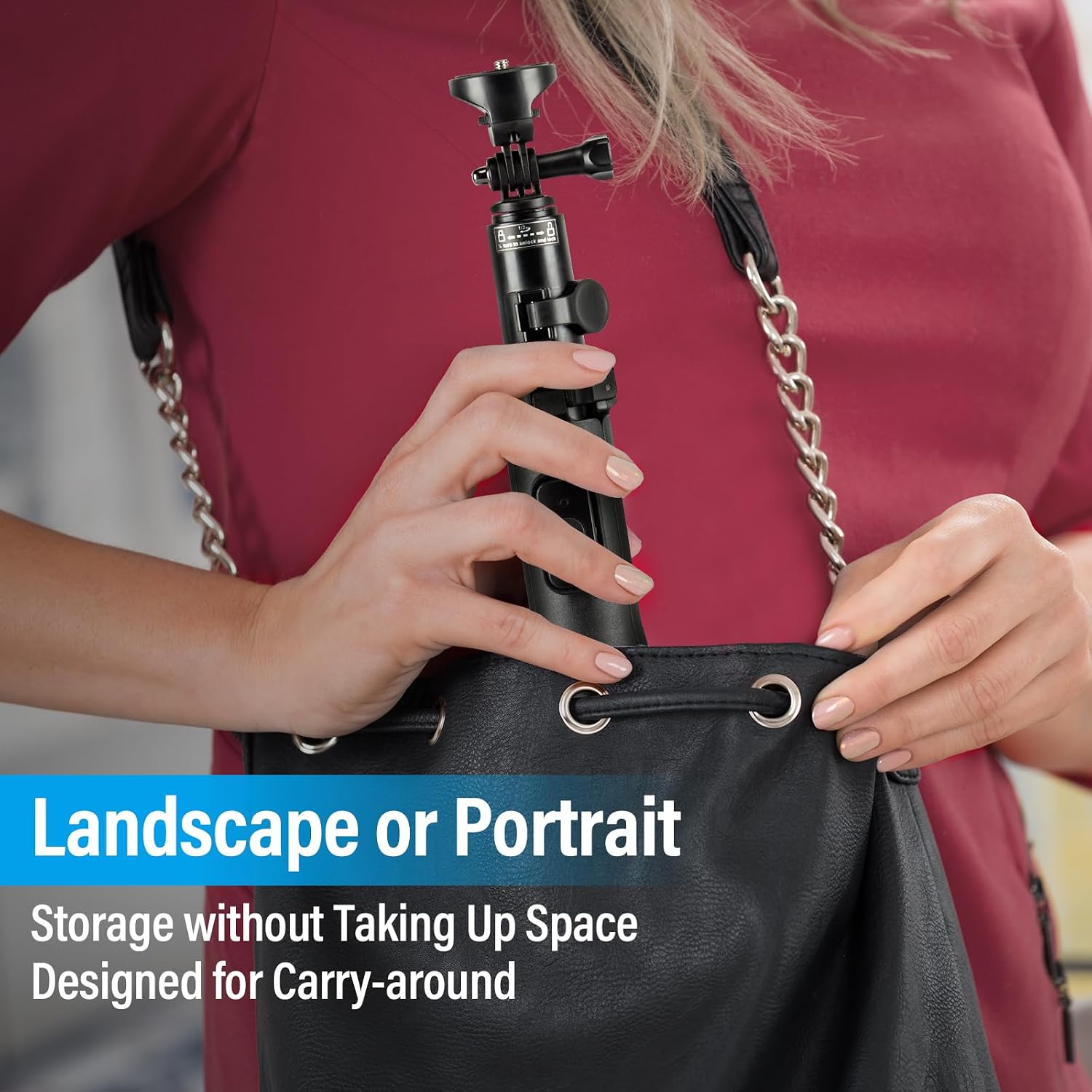
Image: Bluetooth Remote in Use. This image shows a hand holding the Bluetooth remote control, positioned near a smartphone mounted on the SIRUI MS-01K tripod, indicating its use for remote photo capture from up to 32.8 feet away.
- Ensure the remote is paired with your smartphone (refer to Setup Instructions).
- Press the button on the remote to trigger the camera shutter.
- The remote has an operating range of approximately 32.8 feet (10 meters).
- The remote is powered by a button cell battery.
Compatibility
The 1/4" screw mount provides broad compatibility with various devices.

Image: Device Compatibility. This image highlights the 1/4" screw at the top of the tripod, indicating compatibility with various devices such as SLR cameras, digital cameras, phone clips, microphones, LED lights, and mini camera clips.
- The top of the tripod is equipped with a standard 1/4" screw.
- This allows direct attachment of compact cameras, action cameras, LED lights, microphones, or other accessories with a 1/4" thread.
- The included smartphone clamp also uses this 1/4" screw.
Usage Scenarios
The SIRUI MS-01K is suitable for a variety of applications.

Image: Versatile Scenarios. This image displays four different use cases for the SIRUI MS-01K: live streaming, taking selfies, travel photography with scenic views, and recording exercise routines, demonstrating its versatility.
- Selfies: Extend the column to use as a selfie stick.
- Live Streaming/Video Calls: Set up the tripod on a flat surface for stable hands-free use.
- Travel Photography: Lightweight and portable design makes it ideal for on-the-go use.
- Recording: Stable base for recording videos, tutorials, or time-lapses.
Maintenance
- Cleaning: Wipe the tripod and remote with a soft, dry cloth. Avoid using harsh chemicals or abrasive materials.
- Storage: When not in use, collapse the tripod to its minimum size and store it in a dry, cool place away from direct sunlight.
- Battery Replacement (Bluetooth Remote): If the remote stops responding, the button cell battery may need replacement. Refer to the remote's compartment for battery type and replacement instructions.
- Avoid Overloading: Do not exceed the maximum weight limit of 400 grams (0.88 lbs) to prevent damage.
- Check Connections: Periodically check all screws and locks to ensure they are tight and secure.
Troubleshooting
| Problem | Possible Cause | Solution |
|---|---|---|
| Tripod is unstable. | Legs not fully extended or locked. Uneven surface. Overloaded. | Ensure legs are fully extended and flip locks are closed. Place on a flat, stable surface. Check device weight against maximum load. |
| Bluetooth remote not connecting. | Remote not turned on. Not paired. Battery low. Out of range. | Ensure remote is on. Re-pair with smartphone. Replace battery. Move closer to smartphone (within 32.8 ft). |
| Smartphone not held securely. | Phone clip not fully engaged. Phone too large/small for clip. | Ensure phone is centered and clip is fully closed. The clip is designed for standard smartphones. |
| Column sections slide down. | Flip locks not properly closed. | Ensure all flip locks are firmly closed after extending each section. |
Specifications
| Feature | Detail |
|---|---|
| Model | MS-01K |
| Weight | 390 g (0.86 lbs) |
| Minimum Height | 400 mm (15.7 inches) |
| Folded Height | 355 mm (13.98 inches) |
| Number of Sections | 5 |
| Maximum Load | 400 g (0.88 lbs) |
| Maximum Height | 1380 mm (54.3 inches) |
| Tube Diameter | 25 mm (0.98 inches) |
| Material | Aluminum, Plastic |
| Compatible Devices | Smartphone, devices with 1/4" screw mount |
| Special Features | Portable, Lightweight, Bluetooth Remote Control |
| Tripod Head Type | Ball Head |
| Country of Origin | China |
| Water Resistance Level | Not Water Resistant |
Warranty and Support
SIRUI offers a comprehensive warranty for its products.

Image: Warranty Information. This image displays a "6 Years Warranty" badge and outlines SIRUI's warranty policy, stating that tripods purchased from SIRUI ES receive a free replacement for 6 years due to structural or functional defects under normal use. Lifetime repair support is also provided with applicable service costs. (Note: Damage due to misuse requires repair at cost).
Warranty Policy: Tripods purchased from SIRUI ES (Amazon Spain) are eligible for a free replacement for 6 years in case of structural or functional defects under normal use conditions. Lifetime repair support is also available, with applicable service costs.
Note: Damage resulting from misuse requires repair at the customer's expense.
For further support or warranty claims, please contact SIRUI customer service through their official website or the retailer where the product was purchased.