
1. Introduction
This manual provides comprehensive instructions for the installation, operation, and maintenance of your Falcon CB846 F 626 SFIC 6-Pin Core. Please read this manual thoroughly before installation and retain it for future reference. Proper installation and care will ensure optimal performance and longevity of the product.
2. Product Overview
The Falcon CB846 F 626 SFIC 6-Pin Core is a Small Format Interchangeable Core designed for use in various locksets and cylinders. This specific model features a 6-pin configuration with an F keyway and is supplied uncombinated, meaning it does not come with pre-cut keys and requires professional keying. The satin chrome finish provides a durable and aesthetic appearance. It is non-handed, allowing for versatile installation.
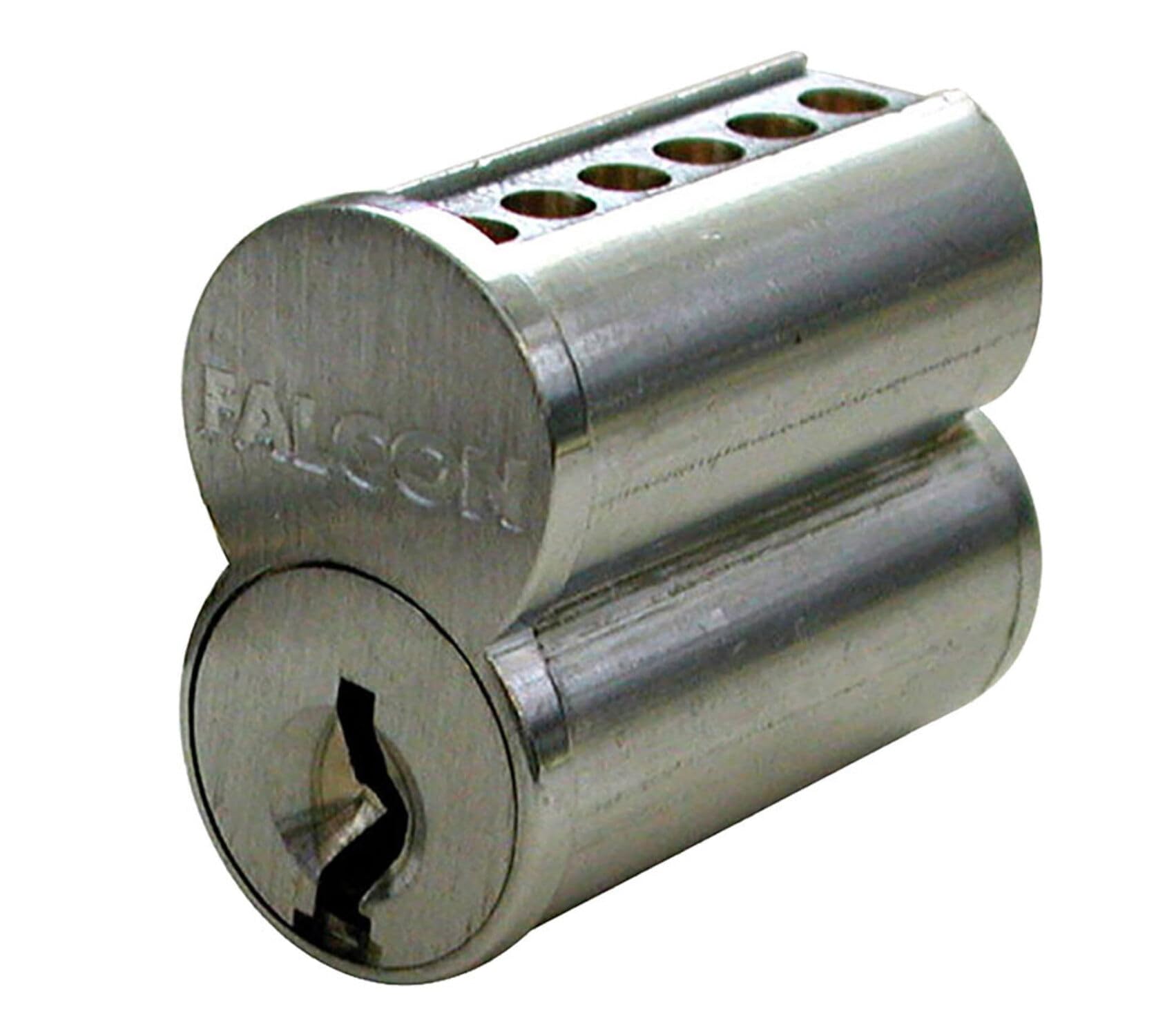
Figure 2.1: Falcon CB846 F 626 SFIC 6-Pin Core. This image displays the cylindrical core with its distinct keyway and satin chrome finish, ready for installation into compatible lock hardware.
3. Safety Information
Always observe the following safety precautions during installation and handling:
- Wear appropriate personal protective equipment (PPE), such as safety glasses, to prevent injury.
- Ensure the work area is well-lit and clear of obstructions.
- Handle the core carefully to avoid damage to its internal components.
- Keep small parts away from children to prevent choking hazards.
- If you are unsure about any step of the installation process, consult a qualified locksmith or professional.
4. Package Contents
Verify that all components are present before beginning installation:
- 1x Falcon CB846 F 626 SFIC 6-Pin Core (Uncombinated)
- Note: Keys are not included as this core is uncombinated. Keying must be performed by a qualified locksmith.
5. Setup & Installation
This SFIC core is designed for quick and easy installation into compatible hardware. Professional keying is required before the core can be used.
5.1 Keying the Core (Professional Service Required)
As an uncombinated core, the Falcon CB846 F 626 SFIC 6-Pin Core requires keying by a qualified locksmith. The locksmith will:
- Disassemble the core to access the pin chambers.
- Install the appropriate pins according to the desired keying system (e.g., master keying, construction keying).
- Reassemble and test the core with the newly cut keys.
5.2 Installing the Core into Hardware
Once the core has been properly keyed, follow these steps to install it into compatible lock hardware (e.g., knob, lever, deadbolt):
- Prepare the Hardware: Ensure the lockset or cylinder housing is clean and free of debris.
- Insert Control Key: Insert the control key (provided by your locksmith after keying) into the SFIC core.
- Rotate Control Key: Rotate the control key approximately 15-20 degrees clockwise or counter-clockwise (depending on the specific core design) to align the control lugs.
- Insert Core: Carefully slide the core into the cylinder housing. It should slide in smoothly. Do not force it.
- Remove Control Key: Once the core is fully seated, return the control key to the neutral position and remove it. The core is now secured in the housing.
- Test Operation: Insert an operating key (also provided by your locksmith) and test the lock's function to ensure smooth operation.
Important: The control key is essential for removing and installing SFIC cores. Keep it in a secure location.
6. Operation
Once installed and keyed, the Falcon CB846 F 626 SFIC 6-Pin Core operates like any standard lock cylinder.
- Locking: Insert the operating key into the keyway and rotate it to engage the locking mechanism.
- Unlocking: Insert the operating key into the keyway and rotate it to disengage the locking mechanism.
- Key Removal: The key can only be removed when it is in the neutral (vertical) position.
Note: The control key is used only for core removal and installation, not for daily locking/unlocking.
7. Maintenance
Regular maintenance helps ensure the smooth and reliable operation of your SFIC core.
- Lubrication: Apply a small amount of graphite-based lubricant or a silicone-free lock lubricant into the keyway every 6-12 months, or if operation becomes stiff. Avoid oil-based lubricants as they can attract dirt and debris.
- Cleaning: Keep the keyway free of dirt, dust, and foreign objects. Use compressed air to clear any blockages if necessary.
- Key Care: Do not use bent or damaged keys, as this can damage the internal pinning of the core.
- Professional Inspection: If the core experiences significant wear, damage, or persistent operational issues, consult a qualified locksmith for inspection and repair.
8. Troubleshooting
If you encounter issues with your Falcon CB846 F 626 SFIC 6-Pin Core, refer to the following table:
| Problem | Possible Cause | Solution |
|---|---|---|
| Key is difficult to insert or turn. | Dirt/debris in keyway, lack of lubrication, bent key. | Clean keyway with compressed air. Apply graphite lubricant. Use a new, undamaged key. |
| Core does not lock/unlock smoothly. | Internal wear, improper keying, misalignment with hardware. | Lubricate the core. Consult a locksmith for inspection or re-keying. Ensure hardware is correctly installed. |
| Control key does not remove the core. | Control key not fully inserted, not rotated correctly, or incorrect control key. | Ensure control key is fully inserted and rotated to the correct position (approx. 15-20 degrees). Verify it is the correct control key for the core. |
If troubleshooting steps do not resolve the issue, contact Falcon customer support or a qualified locksmith.
9. Specifications
| Feature | Detail |
|---|---|
| Model | CB846 F 626 SFIC 6-Pin Core |
| Core Type | Small Format Interchangeable Core (SFIC) |
| Pin Configuration | 6-Pin |
| Keyway | F Keyway |
| Keying | Uncombinated (0 Keys) - Requires professional keying |
| Finish | Satin Chrome (626) |
| Handing | Non-Handed |
| Manufacturer | Falcon |
10. Warranty and Support
Falcon products are manufactured to high standards and are backed by a manufacturer's warranty. For specific warranty details, please refer to the official Falcon website or contact their customer service directly. Keep your purchase receipt as proof of purchase.
Customer Support:
For technical assistance, troubleshooting, or warranty claims, please contact Falcon customer support:
- Website: www.falconlock.com (Note: This is a placeholder URL, please verify the actual manufacturer's website.)
- Phone: Refer to the Falcon website for regional contact numbers.
When contacting support, please have your product model number (CB846 F 626 SFIC 6-Pin Core) and purchase information readily available.