
Introduction
This manual provides detailed instructions for the proper setup, operation, and maintenance of your SIRUI ST-125+VA-5 Carbon Fiber Tripod with VA-5 Fluid Video Head. Please read this manual thoroughly before using the product to ensure optimal performance and longevity.
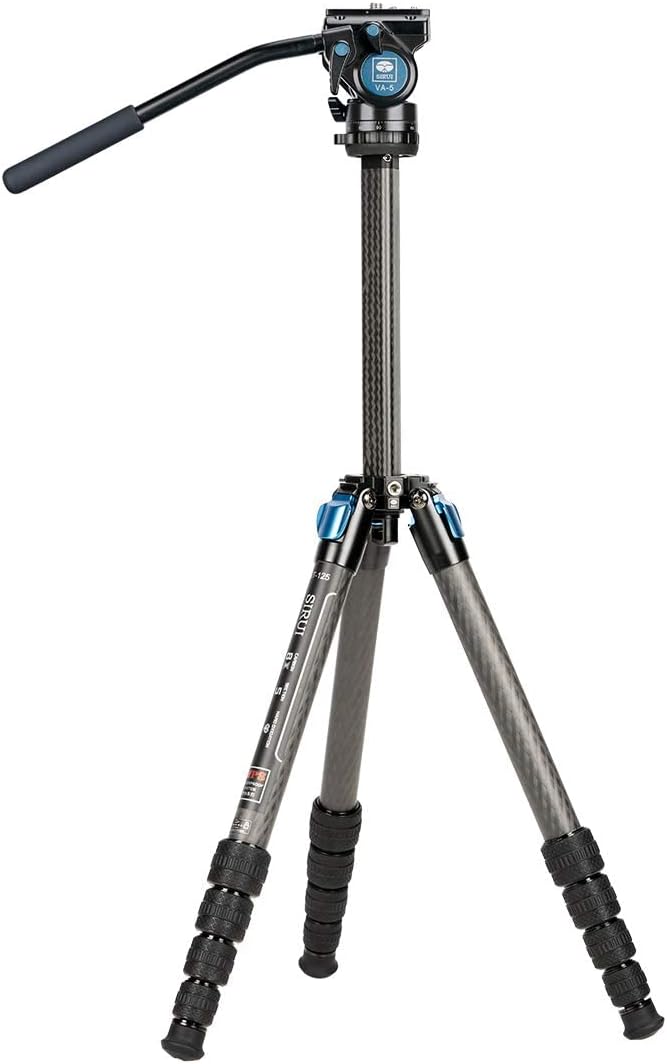
Image: The SIRUI ST-125+VA-5 Carbon Fiber Tripod with the VA-5 Fluid Video Head attached, fully extended.
Product Components and Features
The SIRUI ST-125+VA-5 tripod system is designed for stability and portability, featuring a unique triangular center column and waterproof leg locks. Key components and features include:
- VA-5 Fluid Head: Provides smooth pan and tilt movements for video recording and precise adjustments.
- Triangular Carbon Fiber Center Column: Offers a compact folded size and enhanced stability compared to traditional round columns.
- Waterproof Twist Leg Locks: Seals the leg sections to prevent water, dust, and debris from entering.
- Carbon Fiber Construction: Lightweight yet strong, ensuring durability and stability.
- 1/4" and 3/8" Screw Ports: For attaching various accessories.
- Bubble Level: Integrated into the fluid head for precise leveling.

Image: An annotated diagram highlighting the fluid head, bubble level, triangular center column, screw ports, carbon fiber construction, and waterproof leg locks.
Setup Instructions
1. Unpacking
Carefully remove all components from the packaging. Verify that all items listed in the product contents are present. The package typically includes the ST-125 tripod, VA-5 fluid head, carrying bag, and adjustment tools.
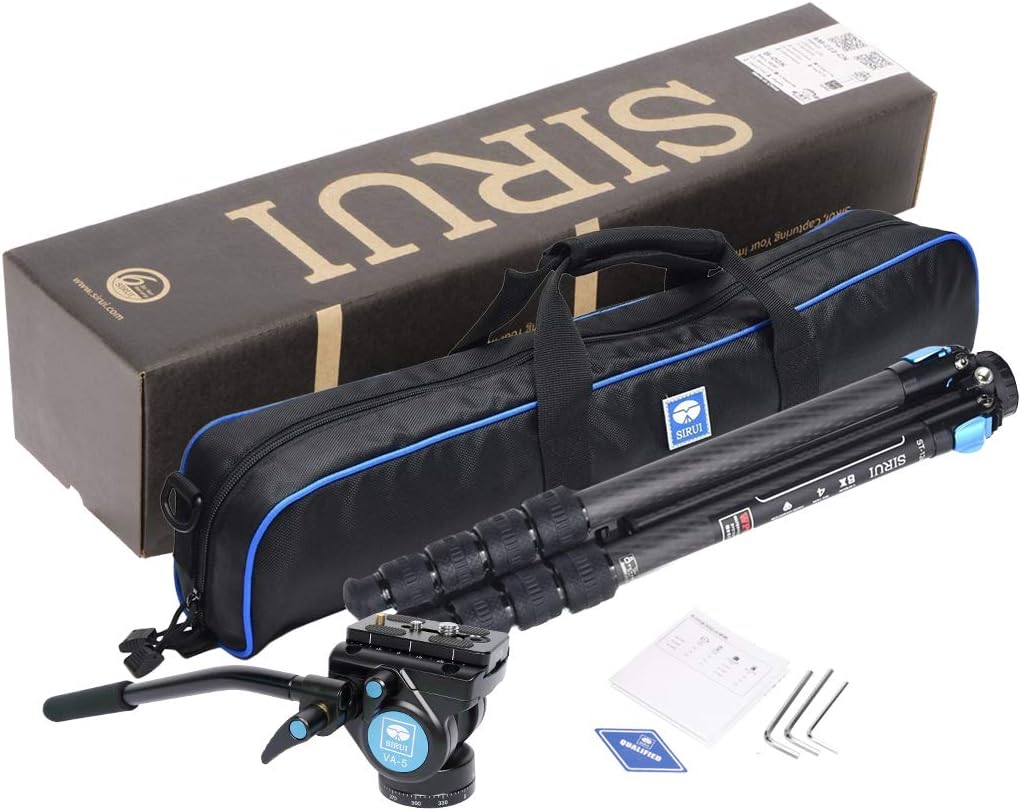
Image: The SIRUI ST-125+VA-5 tripod, VA-5 fluid head, carrying bag, and small accessory box as they appear when unpacked.
2. Attaching the VA-5 Fluid Head
- Ensure the tripod's mounting plate is clean and free of debris.
- Align the base of the VA-5 fluid head with the 3/8" mounting screw on the tripod's center column.
- Rotate the fluid head clockwise until it is securely tightened. Use the included adjustment tools if necessary to ensure a firm connection.
3. Leg Extension and Angle Adjustment
- To extend a leg section, twist the leg lock counter-clockwise to loosen it. Pull the leg section outwards to the desired length.
- Twist the leg lock clockwise to secure the leg section firmly. Repeat for all leg sections.
- To adjust the leg angle, press the leg angle lock tab at the top of each leg and move the leg to one of the preset angles (e.g., 22°, 55°, 85°). Release the tab to lock the leg in position.
4. Center Column Operation
The triangular center column can be extended for additional height or reversed for low-angle shooting.
- Extending: Loosen the center column locking knob, pull the column upwards to the desired height, and tighten the knob securely.
- Reversing: Fully extend and remove the center column. Invert the column and reinsert it into the tripod spider from below. Tighten the center column locking knob. This allows for extreme low-angle photography.
5. Retractable Spikes
The rubber feet of the tripod legs can be retracted to reveal metal spikes, providing enhanced stability on soft or uneven terrain like ice or dirt. To deploy the spikes, twist the rubber foot counter-clockwise and pull it down. To retract, push the foot up and twist clockwise to secure.
Operating the VA-5 Fluid Head
The VA-5 Fluid Head is designed for smooth and precise camera movements.

Image: An annotated diagram of the VA-5 Fluid Head, showing the Quick Release Clamp, Quick Release Plate, Handle, Handle Locking Knob, Tilt Lock, Pan Lock, Bubble Level, and Security Pin.
1. Mounting the Camera (Quick Release Plate)
- Detach the quick release plate from the fluid head by loosening the Quick Release Clamp Locking Knob and sliding the plate out.
- Attach the quick release plate to the bottom of your camera using the 1/4" or 3/8" screw. Ensure it is tightened securely.
- Slide the camera with the attached quick release plate back into the fluid head's clamp. Ensure the security pin engages.
- Tighten the Quick Release Clamp Locking Knob to secure the camera.
2. Pan and Tilt Adjustments
- Pan Movement: Loosen the Pan Lock knob to allow horizontal rotation (360°). Tighten to lock the pan movement.
- Tilt Movement: Loosen the Tilt Lock knob to allow vertical tilting (-60° to +90°). Tighten to lock the tilt movement.
- Friction Control: The fluid head features a dynamic balancing system for smooth movements. Adjust the friction as needed for your camera setup.

Image: A diagram illustrating the advanced locking system of the VA-5 Fluid Head, showing the Tilt Lock, Pan Lock, and the Left-Right Interchangeable Handle.
3. Bubble Level
Use the integrated bubble level on the fluid head to ensure your camera is perfectly level for accurate horizons and compositions.
Maintenance
- Cleaning: After use, especially in dusty or wet environments, wipe down the tripod and head with a soft, dry cloth. For stubborn dirt, use a slightly damp cloth and then dry thoroughly.
- Waterproof Leg Locks: While the leg locks are designed to be waterproof, it is recommended to clean and dry the leg sections if they have been exposed to water or mud to prevent long-term buildup.
- Lubrication: The fluid head mechanisms are factory-lubricated. Do not attempt to lubricate them yourself unless specifically instructed by SIRUI support.
- Storage: Store the tripod in its carrying bag in a cool, dry place when not in use.
Troubleshooting
- Tripod instability: Ensure all leg locks are fully tightened and the leg angles are securely set. Check that the center column locking knob is tight.
- Stiff leg sections: If leg sections are difficult to extend or retract, clean them thoroughly to remove any accumulated dirt or sand. Do not force them.
- Fluid head movement issues: If pan or tilt movements are not smooth, ensure the respective locking knobs are sufficiently loosened. Check for any obstructions.
- Camera not secure on head: Verify that the quick release plate is correctly attached to the camera and fully seated in the fluid head's clamp. Ensure the Quick Release Clamp Locking Knob is tightened.
For issues not covered here, please contact SIRUI customer support.
Specifications
| Model | ST-125+VA-5 |
| Material | Carbon Fiber |
| Sections | 5 |
| Minimum Tube Diameter | 14.5mm (0.57") |
| Maximum Height | 1500mm (59") |
| Height (Center Column Down) | 1285mm (50.6") |
| Minimum Height | 291mm (11.5") |
| Retracted Height | 420mm (16.5") |
| Angle Adjustment | 22°, 55°, 85° |
| Weight | 1.20kg (2.6lbs) - Tripod only; 1.8kg (3.96lbs) - Total with head |
| Maximum Load | 12kg (26.5lbs) |
| Compatible Devices | Mirrorless Cameras |
| Fluid Head Type | VA-5 Fluid Video Head |
Support and Warranty Information
For technical assistance, warranty claims, or further inquiries regarding your SIRUI ST-125+VA-5 tripod system, please refer to the official SIRUI website or contact their customer support directly. Keep your purchase receipt as proof of purchase for warranty purposes.


