
1. Introduction
This manual provides detailed instructions for the setup, operation, and maintenance of your Nobsound NS-20G Mini Bluetooth 5.0 Power Amplifier. The NS-20G is a compact 2.0 channel stereo amplifier featuring Bluetooth 5.0 connectivity, a headphone output, and Digital Signal Processing (DSP) for enhanced audio quality. It is designed for home and desktop audio systems, delivering up to 200W (100W x 2) of output power.
2. What's in the Box
- Nobsound NS-20G Amplifier Unit
- Power Supply
- RCA Audio Cable
- 3.5mm Audio Cable
- User Manual
3. Product Features
- Compact Design: Mini size suitable for home and desktop use.
- High Output Power: Delivers 200W (100W x 2) using two TPA3116 chips.
- Hi-Fi Sound Quality: Provides clear audio with minimal noise.
- Bluetooth 5.0 + EDR + DSP: Ensures wireless lossless signal transmission for high-fidelity sound within a 15-meter range.
- Headphone Amplifier Function: Supports headphones with impedance between 15-32Ω.
- Multiple Inputs: Bluetooth and 3.5mm AUX input for wide compatibility with various devices.
- Speaker Compatibility: Suitable for 5-8 inch speakers with 4-8Ω impedance and 20-120W power.
- 2.1 Channel Audio System Support: Simultaneous speaker and headphone output allows connection to an active subwoofer for enhanced bass.
- Integrated Aluminum Case: Durable and aesthetically pleasing design with crystal speaker jacks and a dynamic volume LED display.

Figure 3.1: Compact Size of the NS-20G Amplifier
This image shows the Nobsound NS-20G amplifier being held in a hand, emphasizing its small and portable design.
4. Device Layout and Connections
Familiarize yourself with the input and output ports on your NS-20G amplifier.
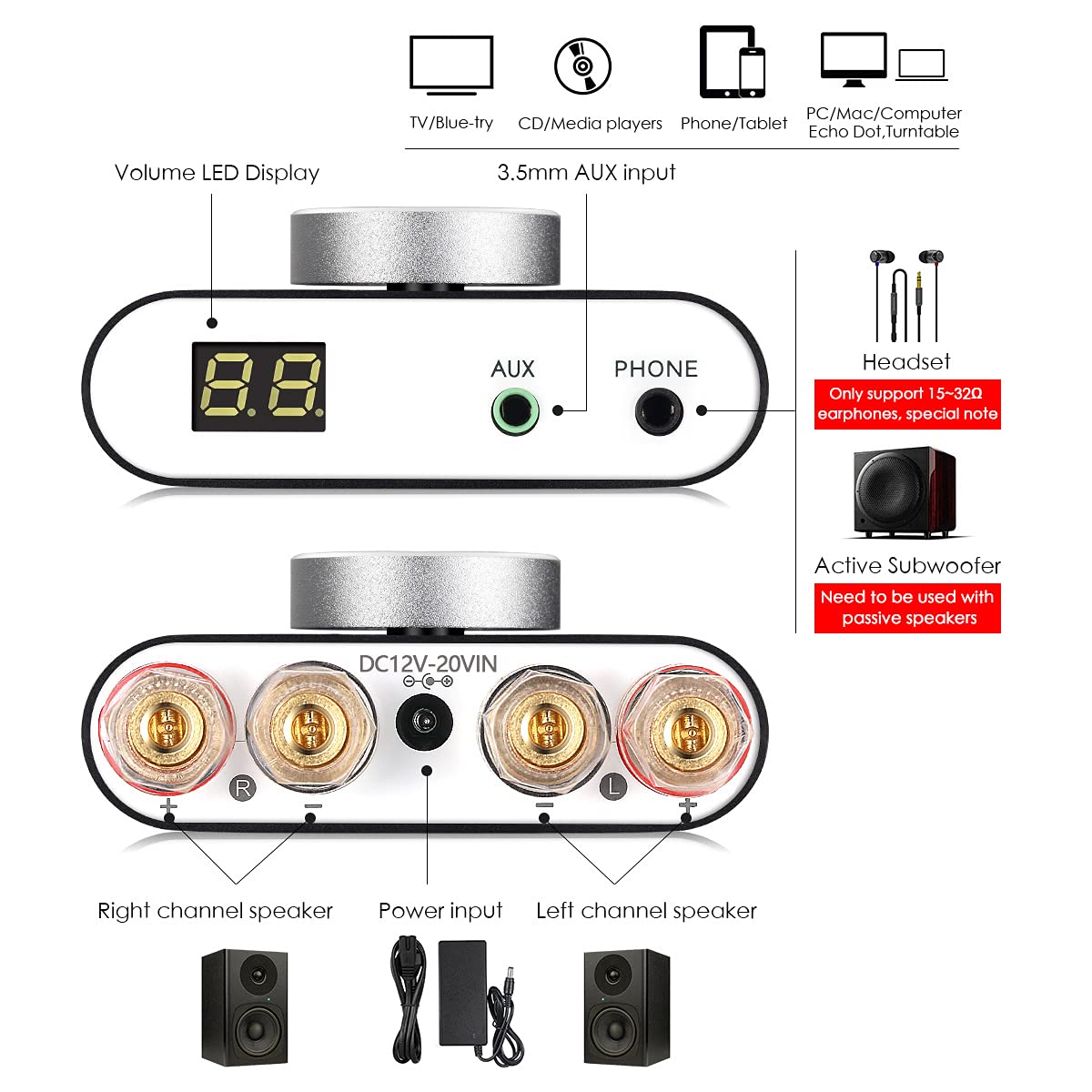
Figure 4.1: Front and Rear Panel Connections
This image displays the front and rear panels of the Nobsound NS-20G amplifier. The front panel shows the volume LED display, 3.5mm AUX input, and 3.5mm headphone output. The rear panel illustrates the DC12V-20VIN power input and the right and left channel speaker outputs.
5. Setup Instructions
- Connect Speakers: Connect your passive speakers to the speaker output terminals on the rear of the amplifier. Ensure correct polarity (red to red, black to black) for both left and right channels. The amplifier supports 5-8 inch speakers with 4-8Ω impedance and 20-120W power.
- Connect Audio Source (AUX): For wired audio, connect your audio device (e.g., TV, CD player, PC) to the 3.5mm AUX input on the front panel using the provided 3.5mm audio cable or an RCA to 3.5mm cable.
- Connect Power: Connect the provided power supply to the DC12V-20VIN port on the rear panel, then plug the power adapter into a wall outlet. The unit will auto-power on upon initial connection.
- Optional Headphone Connection: If using headphones, connect them to the 3.5mm PHONE output on the front panel. Note that only 15-32Ω headphones are supported.
- Optional Subwoofer Connection: To create a 2.1 channel system, connect the headphone output to an active subwoofer while passive speakers are connected to the speaker jacks.
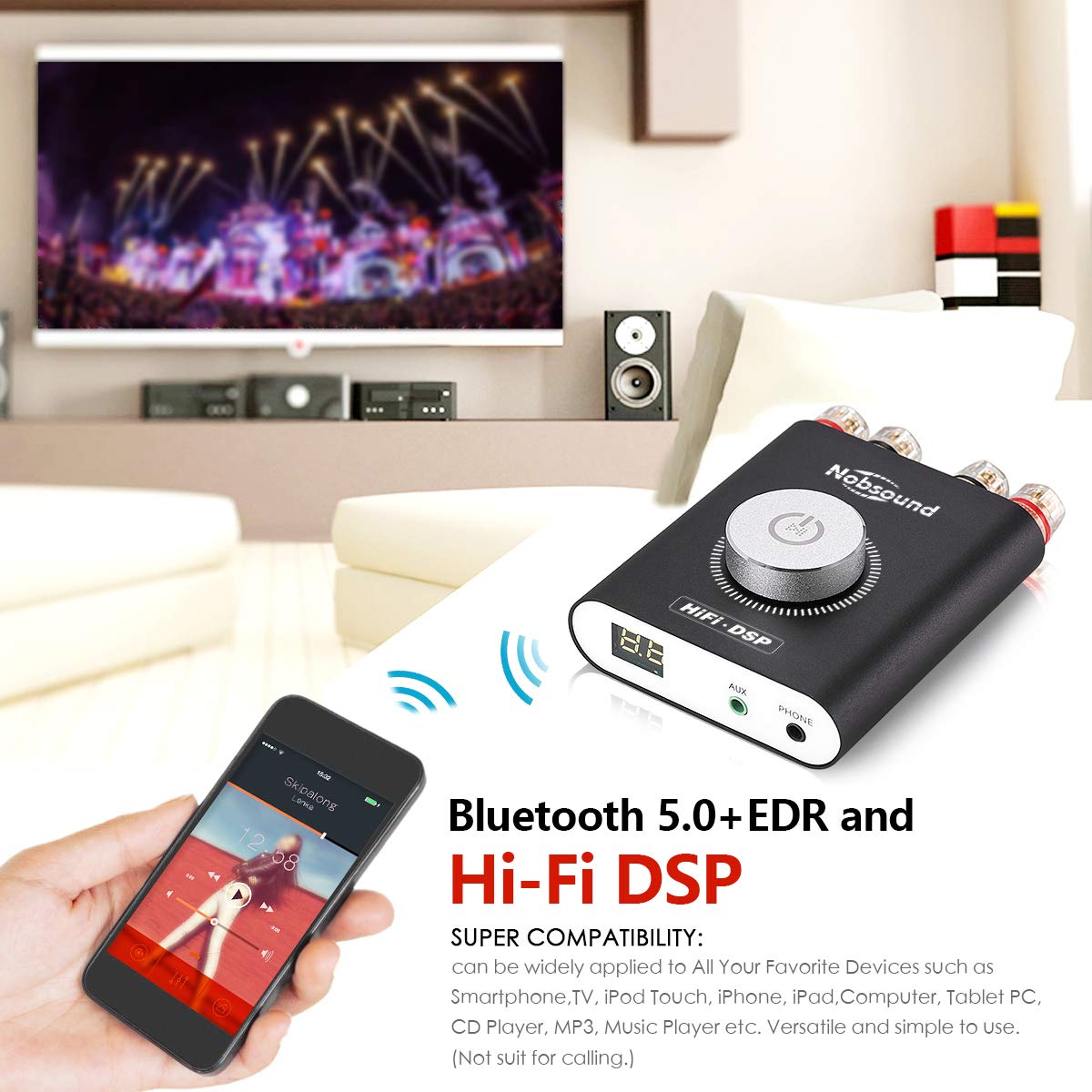
Figure 5.1: Bluetooth Connectivity Example
This image shows the Nobsound NS-20G amplifier wirelessly connected to a smartphone via Bluetooth, demonstrating its compatibility with various devices for audio playback.
6. Operating Instructions
- Power On/Off: The unit will automatically power on when connected to power. To manually power on/off, long press the multifunction volume knob for 2 seconds.
- Volume Control: Rotate the multifunction volume knob to adjust the volume. The volume level (0-31) will be displayed on the LED screen.
- Input Selection: The amplifier automatically detects the input source. When both AUX and Bluetooth are connected, the last active source will play. To switch between inputs, ensure the other source is paused or disconnected.
- Bluetooth Pairing:
- Ensure the amplifier is powered on.
- Activate Bluetooth on your audio device (e.g., smartphone, tablet).
- Search for "Nobsound NS-20G" or a similar device name in your device's Bluetooth settings.
- Select the amplifier to pair. A confirmation sound may indicate successful pairing.
- Play/Pause: Short press the multifunction volume knob to play or pause audio. The LED screen will flash when music is paused.

Figure 6.1: Multifunction Volume Knob and Display
This image highlights the multifunction volume knob and the LED display on the Nobsound NS-20G amplifier, illustrating how to control volume and view settings.
Video 6.1: Nobsound NS-20G Amplifier Overview
This video provides a 30-second overview of the Nobsound NS-20G Mini Bluetooth 5.0 Power Amplifier, showcasing its design, inputs, and outputs.
7. Maintenance
- Cleaning: Use a soft, dry cloth to clean the amplifier's exterior. Avoid using liquid cleaners or solvents.
- Ventilation: Ensure the amplifier has adequate ventilation to prevent overheating. Do not block ventilation openings.
- Storage: When not in use for extended periods, store the amplifier in a cool, dry place away from direct sunlight and extreme temperatures.
- Power Disconnection: Disconnect the power supply from the wall outlet before cleaning or if the unit will be unused for a long time.
8. Troubleshooting
| Problem | Possible Cause | Solution |
|---|---|---|
| No sound output. |
|
|
| Bluetooth connection issues. |
|
|
| Unit gets warm during operation. |
|
|
| Sound distortion or poor quality. |
|
|
9. Specifications
| Feature | Detail |
|---|---|
| Brand | Douk Audio (Nobsound) |
| Model Number | DZ045S (NS-20G) |
| Output Power | 200 Watts (100W x 2) |
| Number of Channels | 2 |
| Bluetooth Version | 5.0 + EDR + DSP |
| Input Voltage (DC) | 9 - 20 Volts (Recommended 19V) |
| Supply Current | 4.74 Amps |
| Headphone Impedance | 15-32Ω |
| Speaker Impedance | 4-8Ω |
| Material | Aluminum |
| Item Weight | 1.19 pounds |
| Package Dimensions | 6.61 x 5.79 x 2.56 inches |
10. Warranty and Support
For warranty information and technical support, please refer to the documentation included with your purchase or contact Douk Audio directly. You can often find support contact details on the manufacturer's official website or through the retailer where the product was purchased.
For additional resources and product information, you may visit the Douk Audio Store on Amazon.


