Introduction
This user manual provides comprehensive instructions for the operation and maintenance of your Gemini MPA-2400 Portable Bluetooth Speaker. Designed for powerful audio performance and portability, this speaker features a durable, water-resistant construction, versatile connectivity options, and an integrated LED light show, making it suitable for various indoor and outdoor events.
Important Safety Information
- Do not expose the unit to extreme temperatures or humidity.
- Ensure proper ventilation; do not block any ventilation openings.
- Use only attachments/accessories specified by the manufacturer.
- Disconnect the unit during lightning storms or when unused for long periods.
- Refer all servicing to qualified service personnel.
- Keep the unit away from water and moisture. While IPX4 rated for splashes, it is not submersible.
Package Contents
- Gemini MPA-2400 Portable Bluetooth Speaker
- Power Adapter
- User Manual (this document)
Product Features
- Portable Design: Equipped with a retractable trolley handle and built-in carrying handle for easy transport.
- Powerful Audio: Delivers 240W peak power with a 10-inch woofer and 3-inch tweeter for clear sound and strong bass.
- IPX4 Water Resistant: Protects against splashes and light rain, suitable for outdoor use.
- Dynamic LED Light Show: Multi-color LED lighting on both front and rear for an enhanced visual experience.
- Versatile Inputs: Features dual mic/guitar inputs with independent volume controls and echo effects.
- Extended Battery Life: Built-in rechargeable battery provides up to 1 day of cordless playtime.
- Multiple Connectivity Options: Supports Bluetooth, USB, FM radio, and 3.5mm AUX input.
- Sound Customization: Includes 6 DSP sound presets (Pop, Rock, Jazz, Classical, Country, Normal) and adjustable bass/treble controls.
Controls and Connections
Familiarize yourself with the control panel and various input/output ports on your MPA-2400 speaker.

Figure 1: Control Panel Overview
The control panel features knobs for adjusting master volume, microphone/guitar input volumes, and echo effects. Buttons are provided for source selection (Bluetooth, USB, FM, AUX), track navigation, play/pause, and LED light control. A digital display shows current mode and settings. USB port for playback and charging, and AUX input are also located on the panel.
Rear Panel Features
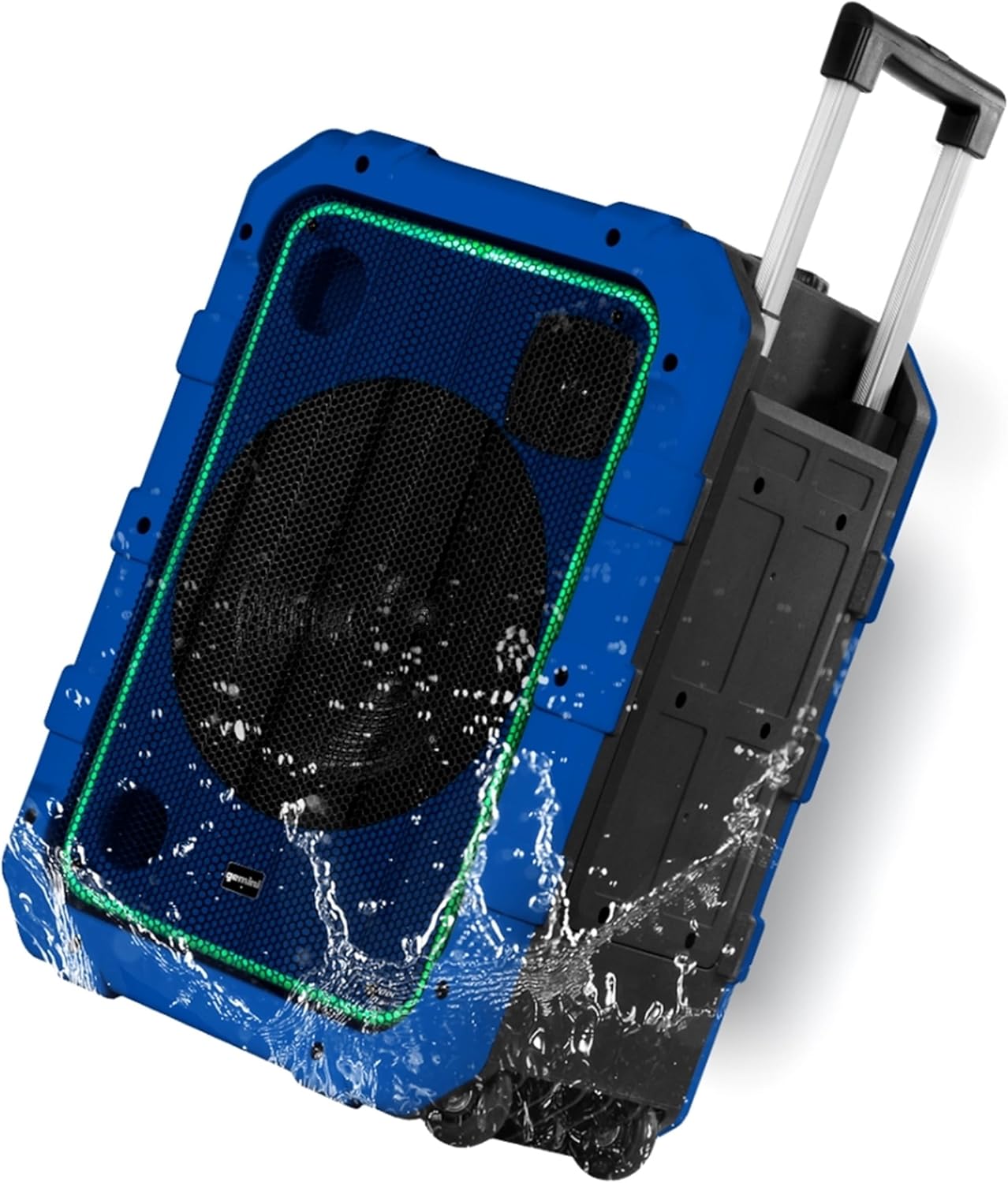
Figure 2: Rear View with Trolley Handle
The rear of the speaker houses the retractable trolley handle and durable wheels for easy transportation. It also features rear LED lighting elements.
Setup
- Initial Charging: Before first use, fully charge the speaker using the provided power adapter. The charging indicator will show status.
- Power On: Press and hold the Power button on the control panel to turn the speaker on.
- Adjust Volume: Start with the master volume at a low level before connecting audio sources.
Operating Instructions
Bluetooth Connectivity
Connect your device wirelessly to the MPA-2400 speaker.

Figure 3: Bluetooth Range up to 50ft
The speaker supports Bluetooth connectivity up to 50 feet (approximately 10 meters) in open areas.
- Turn on the speaker. The Bluetooth indicator will flash, indicating it's in pairing mode.
- Enable Bluetooth on your smartphone, tablet, or other audio device.
- Select "MPA-2400" from the list of available Bluetooth devices.
- Once paired, the Bluetooth indicator will stop flashing and remain solid. You can now play audio wirelessly.
USB Playback
Play audio files directly from a USB flash drive.
- Insert a USB flash drive into the USB port on the control panel.
- Press the "Source" button until "USB" is selected.
- The speaker will automatically begin playing compatible audio files from the drive. Use the track navigation buttons to skip or repeat songs.
FM Radio
Tune into your favorite FM radio stations.
- Press the "Source" button until "FM" is selected.
- Press and hold the Play/Pause button to initiate an automatic station scan. The speaker will save all found stations.
- Use the track navigation buttons to switch between saved FM stations.
AUX Input
Connect external audio devices using a 3.5mm AUX cable.
- Connect one end of a 3.5mm audio cable (not included) to the AUX input on the speaker.
- Connect the other end to the headphone jack or audio output of your external device.
- Press the "Source" button until "AUX" is selected.
- Play audio from your external device.
Microphone/Guitar Inputs
Use the speaker for karaoke or live instrument performance.
- Plug your microphone or guitar into the MIC 1/GUITAR or MIC 2 input jacks.
- Adjust the individual volume knobs for MIC 1/GUITAR and MIC 2 to control their respective levels.
- Use the "MIC ECHO" knob to add an echo effect to the microphone inputs.
DSP Sound Presets and EQ
Optimize audio for different music genres and personal preferences.
- Rotate the "DSP" knob to select from 6 preset equalization modes: Pop, Rock, Jazz, Classical, Country, and Normal.
- Use the "BASS/TREBLE" knob to fine-tune the low and high frequencies for your desired sound.
LED Light Show
Activate and control the multi-color LED lighting.

Figure 4: Multi-Color Party Lighting
The speaker features vibrant LED lights on both the front and rear, enhancing the party atmosphere.
- Press the "LIGHTS" button on the control panel to cycle through different light modes or turn the lights off.
Maintenance
- Cleaning: Wipe the speaker with a soft, dry cloth. For stubborn dirt, use a slightly damp cloth and mild soap, then dry thoroughly. Do not use abrasive cleaners or solvents.
- Storage: Store the speaker in a cool, dry place away from direct sunlight and extreme temperatures.
- Battery Care: To prolong battery life, fully charge the speaker before storing it for extended periods and recharge it every 3-6 months.
Troubleshooting
| Problem | Possible Cause | Solution |
|---|---|---|
| Speaker does not power on. | Battery is depleted. | Connect the speaker to a power outlet using the provided adapter and allow it to charge. |
| No sound from speaker. | Volume is too low; Incorrect source selected; Device not paired (Bluetooth); Cable not connected (AUX). | Increase master volume and source volume. Ensure correct input source is selected. Re-pair Bluetooth device. Check AUX cable connection. |
| Bluetooth device won't pair. | Speaker is not in pairing mode; Device is out of range; Interference. | Ensure speaker is in Bluetooth pairing mode (flashing indicator). Move device closer to speaker. Avoid obstacles and other wireless devices. |
| Poor FM radio reception. | Weak signal. | Reposition the speaker. Perform another auto-scan. |
Specifications
- Model: MPA-2400
- Power Output: 240W Peak
- Speaker Drivers: 10-inch Woofer, 3-inch Tweeter
- Connectivity: Bluetooth, USB, FM Radio, 3.5mm AUX, Dual 1/4" Mic/Guitar Inputs
- Bluetooth Range: Up to 10 meters (33 feet)
- Water Resistance: IPX4 (Splash-proof)
- Battery: Rechargeable 12V battery
- Battery Life: Up to 1 day (depending on usage)
- Dimensions (H x W x D): 20.8" x 14.17" x 10.04"
- Weight: 24.4 lbs (11.07 kg)
- Material: PP Plastic
Warranty and Support
The Gemini MPA-2400 Portable Bluetooth Speaker comes with a limited warranty. For detailed warranty information, product registration, or technical support, please visit the official Gemini Sound website or contact their customer service department. Keep your purchase receipt as proof of purchase.


