
CACAZI A60
CACAZI Wireless Doorbell Instruction Manual
Model: A60
1. Introduction
Thank you for choosing the CACAZI A60 Wireless Doorbell Kit. This manual provides detailed instructions for the proper installation, operation, and maintenance of your new wireless doorbell system. This kit is designed for convenience and reliability, featuring a long operating range, multiple melodies, and a waterproof transmitter.

Image 1: The CACAZI Wireless Doorbell Kit, featuring one white rectangular push-button transmitter with a bell icon and three white rectangular plug-in receivers, each with a blue circular indicator.
2. Package Contents
Please verify that all items are present in your package:
- 1 x Wireless Doorbell Transmitter (Push Button)
- 2 x Plug-In Doorbell Receivers
- 1 x Double-Sided Adhesive Tape (for transmitter mounting)
- 1 x Screw and Anchors (for transmitter mounting)
- 1 x 23A 12V Alkaline Battery (pre-installed in transmitter)
3. Product Specifications
| Feature | Specification |
|---|---|
| Model Number | A60 |
| Operating Range | Up to 1000 feet (300 meters) in open space |
| Melodies | 58 selectable chimes |
| Volume Levels | 4 levels (25dB to 110dB) |
| Transmitter Battery | 1 x 23A 12V Alkaline Battery (included) |
| Receiver Power Source | 110V AC (US Plug) |
| Waterproof Rating | IP44 (Transmitter) |
| Operating Temperature | -30°C to 70°C (-22°F to 158°F) |
| Transmitter Dimensions | 77 x 46 x 20 mm (3.03 x 1.81 x 0.79 inches) |
| Receiver Dimensions | 95 x 65 x 24 mm (3.74 x 2.56 x 0.94 inches) |

Image 2: An illustration showing the CACAZI wireless doorbell transmitter and receiver with concentric circles indicating a wireless operating range of up to 1000 feet (300 meters) in open space.
4. Safety Information
- Do not expose the receiver to water or high humidity.
- Ensure the transmitter is installed in a location that does not interfere with its signal, avoiding metal surfaces like iron doors.
- Keep batteries out of reach of children. Dispose of used batteries responsibly.
- Do not attempt to disassemble or repair the unit yourself. Contact customer support for assistance.
5. Setup and Installation
The CACAZI Wireless Doorbell is designed for easy installation without the need for complex wiring.
5.1. Receiver Installation
- Plug each receiver into a standard electrical outlet (110V) in your desired locations.
- Ensure the outlets are easily accessible and not obstructed.
5.2. Transmitter Installation
The transmitter can be installed using either the provided double-sided adhesive tape or screws and anchors.
- Using Double-Sided Adhesive Tape:
- Clean the mounting surface thoroughly to ensure it is dry and free of dust or grease.
- Peel off one side of the protective film from the double-sided tape and firmly attach it to the back of the transmitter.
- Peel off the other side of the protective film and press the transmitter firmly onto the desired mounting location for at least 30 seconds.
- Using Screws and Anchors:
- Open the transmitter casing to access the screw holes.
- Mark the desired mounting points on the wall.
- Drill pilot holes if necessary and insert the anchors.
- Secure the transmitter to the wall using the provided screws.
- Close the transmitter casing.
Note: The push button cannot be placed on an iron door or metal surface as it may interfere with the wireless signal.

Image 3: This image demonstrates two installation methods for the CACAZI doorbell transmitter: using double-sided adhesive tape or mounting with screws and anchors.
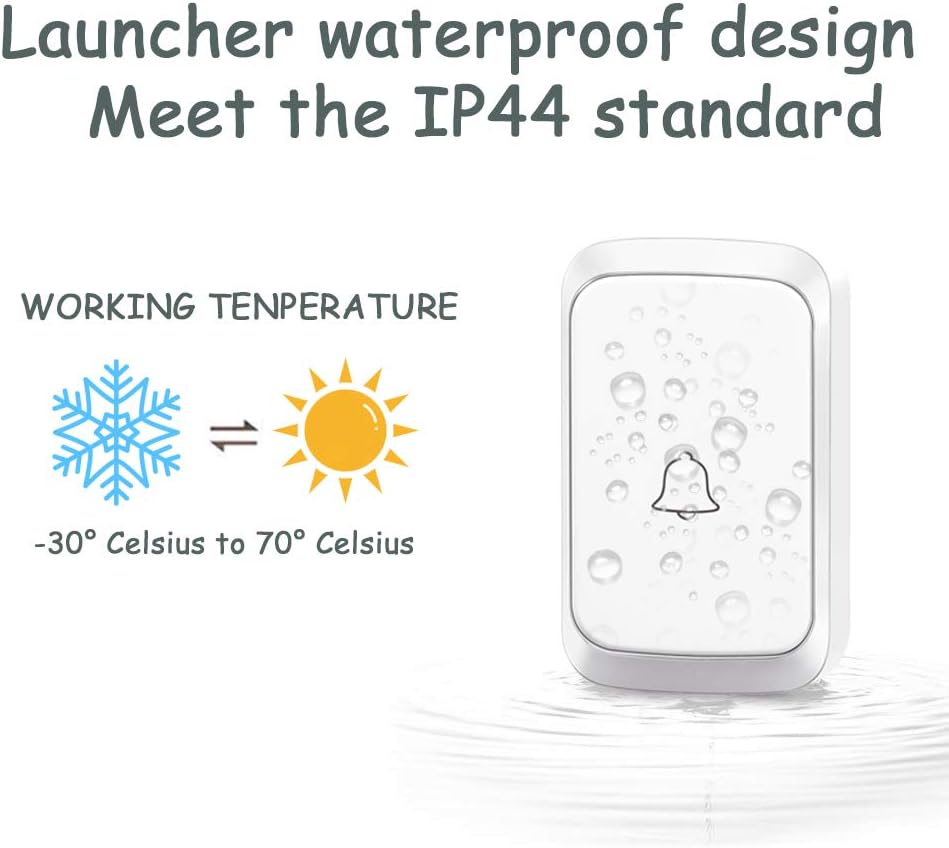
Image 4: This image highlights the waterproof design of the CACAZI doorbell transmitter, showing water droplets on its surface and indicating an IP44 standard rating, suitable for temperatures from -30°C to 70°C.
6. Operating Instructions
6.1. Basic Operation
Once the transmitter is installed and the receivers are plugged in, the system is ready for use. Press the transmitter button, and the receiver(s) will chime and flash a blue LED light.
6.2. Blue LED Flashing Alert
When the transmitter button is pressed, it will flash a blue light, providing a visual indication. The receiver will also ring and flash a blue light upon receiving the signal, which is beneficial for individuals with hearing impairments.

Image 5: This image shows the sequence of the transmitter being pressed, activating the receiver's indicator light and chime. It also details the receiver's controls: an American power plug, a music select key for 58 chimes, and a volume selection for 4 levels, connected to a high-quality speaker.
7. Melody and Volume Adjustment
7.1. Changing the Melody
To change the melody for a receiver:
- On the receiver, press the 'Music Select Key' (refer to Image 5) repeatedly to cycle through the 58 available melodies until you find your desired chime.
- Once the desired melody is playing, press and hold the 'Music Select Key' on the receiver until the receiver rings once. This indicates it is in pairing mode.
- Immediately press the transmitter button. The receiver will ring again with the newly selected melody, confirming successful pairing.
7.2. Adjusting the Volume
To adjust the volume level:
- On the receiver, press the 'Volume Selection' button (refer to Image 5) repeatedly to cycle through the 4 available volume levels (25dB to 110dB). Select the level that suits your preference.

Image 6: An illustration of a house with three doorbell units (one transmitter, two receivers) placed in different areas, suggesting that each button can be set to a different melody to distinguish the location of a guest's visit.
8. Troubleshooting
| Problem | Possible Cause | Solution |
|---|---|---|
| Doorbell does not ring. | Receiver is unplugged or power outage. Transmitter battery is dead. Transmitter is too far from receiver or signal interference. | Ensure receiver is plugged into a working outlet. Replace transmitter battery (23A 12V). Relocate transmitter or receiver closer to each other. Avoid metal surfaces for transmitter installation. |
| Short operating range. | Obstructions (thick walls, metal structures). Low transmitter battery. | Relocate receiver or transmitter to minimize obstructions. Replace transmitter battery. |
| Melody cannot be changed or paired. | Incorrect pairing procedure. | Follow the melody changing steps precisely (Section 7.1). Ensure the receiver is in pairing mode before pressing the transmitter. |
9. Maintenance
- Cleaning: Wipe the doorbell units with a soft, dry cloth. Do not use abrasive cleaners or solvents.
- Battery Replacement: The transmitter uses a 23A 12V alkaline battery. When the blue LED on the transmitter no longer lights up or the range decreases significantly, it's time to replace the battery. To replace, open the transmitter casing, remove the old battery, and insert a new one, ensuring correct polarity.
- Environmental Care: While the transmitter is IP44 waterproof, prolonged exposure to extreme weather conditions may affect its lifespan.
10. Warranty and Support
CACAZI offers a 1-year after-sales service for this wireless doorbell kit. If you encounter any issues or are not satisfied with your product, please do not hesitate to contact our customer support for assistance, replacement, or reimbursement.
For further support or to explore other CACAZI products, please visit the official CACAZI Store.
Related documentsA60


Ask a question about this manual
Ask about setup, troubleshooting, compatibility, parts, safety, or missing instructions. Manuals+ will review the question and use this page’s manual context to help answer it.