
CACAZI A60
CACAZI Wireless Doorbell Kit A60 Instruction Manual
Model: A60

Image: The CACAZI Wireless Doorbell Kit, featuring a transmitter push button and two plug-in receivers.
Introduction
This manual provides comprehensive instructions for the installation, operation, and maintenance of your CACAZI Wireless Doorbell Kit, Model A60. Please read this manual carefully before use to ensure proper function and longevity of your device.
Package Contents
- 1 x Transmitter (Push Button)
- 2 x Receivers (Plug-In Chime Units)
- 1 x Double-sided Adhesive Tape
- 1 x Screw Set (for mounting)
- 1 x 23A 12V Alkaline Battery (pre-installed in transmitter)
Product Features
- Extended Operating Range: Up to 1000 feet (300 meters) in open areas.
- Waterproof Transmitter: IP44 rated for outdoor use, resistant to splashes and dust.
- Multiple Melodies: 58 selectable chimes.
- Adjustable Volume: 4 levels, ranging from 25dB to 110dB.
- Visual Alert: Blue LED flash on both transmitter and receiver for enhanced notification, especially for the hearing impaired.

Image: The wireless doorbell system offers an operating range of up to 1000 feet (300 meters) in open spaces, ensuring reliable signal transmission.
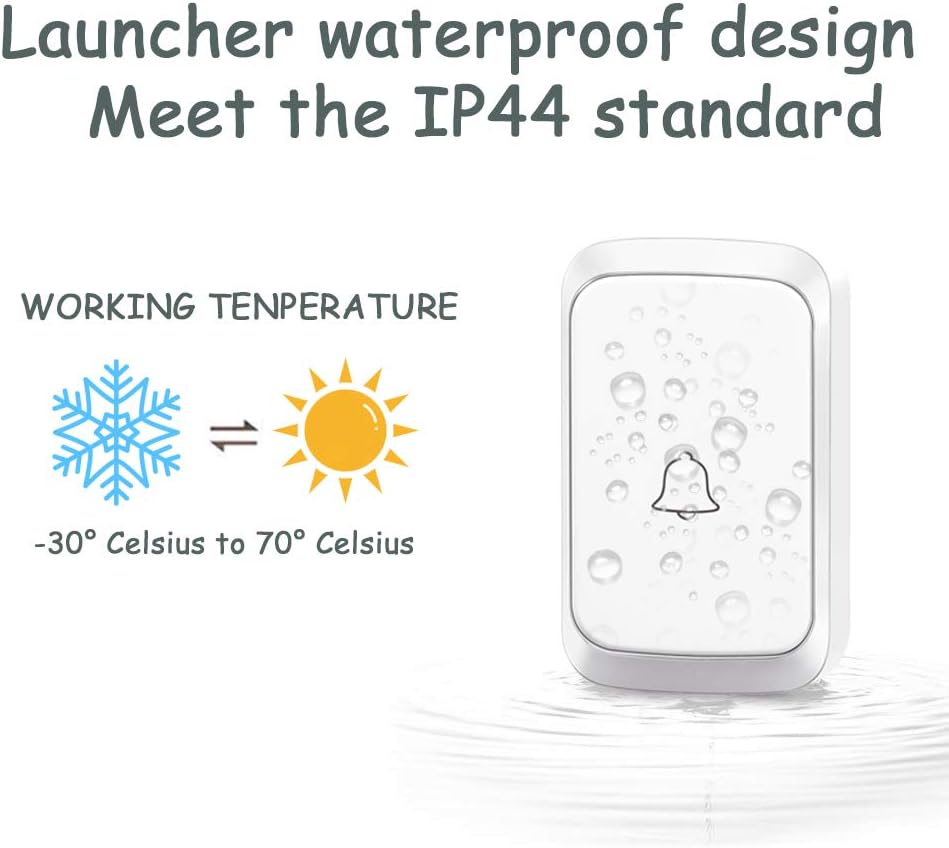
Image: The doorbell transmitter features an IP44 waterproof design, making it suitable for outdoor installation and capable of operating in temperatures from -30°C to 70°C.
Installation
The CACAZI Wireless Doorbell Kit is designed for easy installation without the need for complex wiring.
Transmitter (Push Button) Installation:
- Option 1: Double-Sided Adhesive Tape
- Clean the desired mounting surface thoroughly to ensure it is dry and free of dust or grease.
- Peel off one side of the protective film from the double-sided adhesive tape and apply it firmly to the back of the transmitter.
- Peel off the remaining protective film and press the transmitter firmly onto the cleaned surface for at least 30 seconds.
- Option 2: Screws and Anchors
- Open the transmitter casing to access the screw holes.
- Mark the desired mounting location on the wall.
- Drill pilot holes if necessary and insert wall anchors.
- Secure the transmitter to the wall using the provided screws.
- Close the transmitter casing.
Important Notes:
- Avoid mounting the push button on an iron door or metal surface, as this may interfere with the wireless signal.
- The transmitter requires a 23A 12V alkaline battery, which is included and pre-installed. This battery is not rechargeable.
Receiver (Plug-In Chime Unit) Installation:
- Simply plug the receiver into any standard electrical outlet (110V US plug).
- The receiver does not require batteries.
- You can move the plug-in receivers to different outlets within your home as needed.

Image: The doorbell transmitter can be installed using either the provided double-sided adhesive tape for quick setup or with screws and anchors for a more permanent fixture.
Operating Instructions
Changing the Melody:
- First, select the desired melody by pressing the 'Music Select Key' button on the receiver (refer to the image below for button location). Cycle through the 58 available chimes until you find your preferred one.
- Once the desired melody is playing, press and hold the 'Music Select Key' button on the receiver until the receiver rings once. This indicates it's ready to pair.
- Immediately press the transmitter (push button). The receiver will ring again with the newly selected melody, confirming successful pairing.
Adjusting Volume:
- Press the 'Volume Selection' button on the receiver (refer to the image below for button location) to cycle through the 4 available volume levels (25dB to 110dB).
- Select the volume level that best suits your environment.
LED Flashing Alert:
- When the transmitter button is pressed, it will flash a blue light.
- Upon receiving the signal, the receiver will ring and also flash a blue light. This visual alert is beneficial for individuals with hearing impairments.

Image: This diagram highlights the receiver's controls, including the music select key and volume selection, and illustrates the blue LED flashing alert.

Image: This diagram illustrates how multiple transmitters can be used with a single receiver, allowing each button to be assigned a distinct melody to differentiate entry points.
Maintenance
Transmitter Battery Replacement:
- The transmitter uses a 23A 12V alkaline battery. When the doorbell button stops working or the signal weakens, it's likely time to replace the battery.
- Carefully open the transmitter casing.
- Remove the old battery and insert a new 23A 12V alkaline battery, ensuring correct polarity (+/-).
- Close the casing securely.
Cleaning:
- Wipe the doorbell units with a soft, dry cloth.
- Do not use abrasive cleaners or solvents, as these can damage the finish or internal components.
Troubleshooting
| Problem | Possible Cause | Solution |
|---|---|---|
| Doorbell does not ring. |
|
|
| Short operating range. |
|
|
| Receiver flashes but no sound. | Volume is set to minimum or muted. | Press the "Volume Selection" button to increase the volume. |
Specifications
| Model Number | A60 |
| Operating Range | Up to 1000 ft (300m) in open space |
| Melodies | 58 chimes |
| Volume Levels | 4 levels (25-110dB) |
| Transmitter Battery | 1 x 23A 12V Alkaline Battery (included) |
| Receiver Power Source | 110V AC (US Plug) |
| Transmitter Dimensions | 77 x 46 x 20 mm (approx. 3.0 x 1.8 x 0.8 inches) |
| Receiver Dimensions | 95 x 65 x 24 mm (approx. 3.7 x 2.5 x 0.9 inches) |
| Waterproof Rating | IP44 (Transmitter) |
| Operating Temperature | -30°C to 70°C (-22°F to 158°F) |
Image: A size chart detailing the dimensions of both the receiver and transmitter units in both inches and centimeters for reference.
Warranty and Support
CACAZI provides a 1-year after-sales service for this product. If you encounter any issues or are not satisfied with your wireless doorbell, please do not hesitate to contact the seller for replacement or reimbursement.
For further assistance, please refer to the contact information provided with your purchase or visit the official CACAZI support channels.
Related documentsA60

Ask a question about this manual
Ask about setup, troubleshooting, compatibility, parts, safety, or missing instructions. Manuals+ will review the question and use this page’s manual context to help answer it.