
Introduction
This manual provides comprehensive instructions for the setup, operation, and maintenance of your J-Tech Digital V628M-2.4G Wireless Ergonomic Vertical Mouse. This device is designed to enhance user comfort and reduce wrist strain during extended computer use. Please read this manual thoroughly before using the product.
Product Overview
The J-Tech Digital V628M-2.4G is a wireless mouse featuring an ergonomic vertical design. It connects to your computer via a 2.4G USB Nano Transceiver.

Image: The J-Tech Digital V628M-2.4G Wireless Ergonomic Vertical Mouse, showcasing its unique vertical design.
Button Functions

Image: A diagram illustrating the various buttons on the J-Tech Digital V628M-2.4G mouse and their corresponding functions.
- Left Click: Standard primary mouse button.
- Scroll Wheel: For vertical scrolling and middle-click functionality.
- Right Click: Standard secondary mouse button.
- DPI Cycle: Button to switch between DPI settings.
- Forward: Navigates forward in web browsers or file explorers.
- Backward: Navigates backward in web browsers or file explorers.
- ON/OFF Button: Power switch located on the underside of the mouse.
- USB Receiver and Battery Compartment: Located on the underside of the mouse.
Setup Instructions
Follow these steps to set up your J-Tech Digital V628M-2.4G Wireless Ergonomic Vertical Mouse:
- Insert Battery: The mouse requires one 1.5V/AA battery. Open the battery compartment on the underside of the mouse and insert the included AA battery, ensuring correct polarity.
- Locate USB Receiver: The 2.4G USB Nano Transceiver is stored inside the battery compartment for convenience. Carefully remove it.
- Connect Receiver: Plug the USB Nano Transceiver into an available USB port on your computer. Your operating system should automatically detect and install the necessary drivers.
- Power On: Flip the ON/OFF switch on the underside of the mouse to the 'ON' position. The mouse is now ready for use.

Image: The USB receiver is stored within the battery compartment for secure transport and easy access.
Operating Instructions
Using your J-Tech Digital V628M-2.4G mouse is similar to a traditional mouse, with added ergonomic benefits.
Basic Operation
- Place your hand over the mouse, allowing your palm to rest naturally on its vertical surface.
- Use your thumb for the forward and backward buttons.
- Use your index and middle fingers for the left and right click buttons, and the scroll wheel.
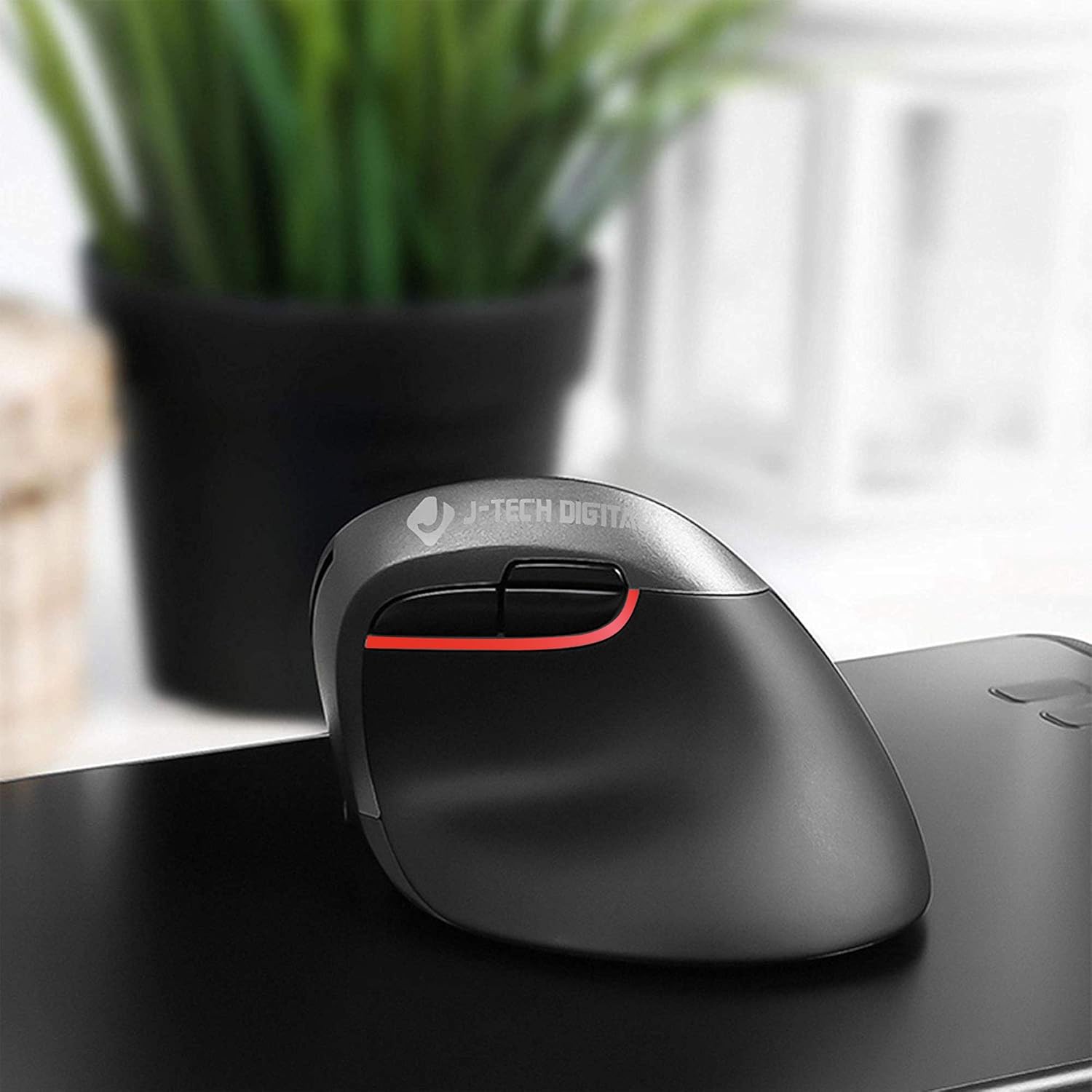
Image: A user's hand comfortably positioned on the vertical ergonomic mouse, demonstrating natural grip.
Adjusting DPI Settings
The mouse features three adjustable DPI (Dots Per Inch) settings to control cursor sensitivity. You can cycle through these settings using the DPI cycle button located near the forward and backward buttons.
- Press the DPI cycle button to switch between 800, 1200, and 1600 DPI.
- A lower DPI setting results in slower, more precise cursor movement.
- A higher DPI setting results in faster cursor movement, suitable for quick navigation.

Image: Visual representation of the three DPI settings (800, 1200, 1600) available on the mouse.
Ergonomic Design and Benefits
The vertical design of the J-Tech Digital V628M-2.4G mouse promotes a natural handshake position, which can significantly reduce wrist strain and discomfort often associated with traditional horizontal mice.

Image: A comparison demonstrating how a vertical ergonomic mouse supports a natural hand position, reducing pressure on the carpal tunnel area, unlike a traditional mouse.
This mouse is specifically designed for users with smaller hands. For individuals with larger hands, J-Tech Digital offers other models such as the V628 and V628P, which provide a more suitable fit.
Maintenance
Battery Replacement
The V628M-2.4G mouse operates on one 1.5V/AA battery. When the mouse performance degrades or it stops responding, it is likely time to replace the battery.
- Turn off the mouse using the ON/OFF switch on the underside.
- Open the battery compartment.
- Remove the old AA battery and dispose of it according to local regulations.
- Insert a new 1.5V/AA battery, ensuring correct polarity.
- Close the battery compartment and turn the mouse back on.
Cleaning
To maintain optimal performance and hygiene, periodically clean your mouse:
- Ensure the mouse is turned off before cleaning.
- Use a soft, dry, lint-free cloth to wipe the exterior surfaces.
- For stubborn dirt, slightly dampen the cloth with water or a mild, non-abrasive cleaner. Avoid excessive moisture.
- Do not use harsh chemicals, solvents, or abrasive materials, as these can damage the mouse's finish.
Troubleshooting
If you encounter issues with your J-Tech Digital V628M-2.4G mouse, refer to the following common solutions:
| Problem | Possible Cause | Solution |
|---|---|---|
| Mouse not responding | Low or dead battery | Replace the AA battery. |
| Mouse not responding | USB receiver not connected or loose | Ensure the USB receiver is firmly plugged into a working USB port. Try a different USB port. |
| Mouse not responding | Mouse is turned off | Check the ON/OFF switch on the underside of the mouse and ensure it is in the 'ON' position. |
| Cursor freezes or lags intermittently | Interference or surface issues | Ensure the mouse is used on a suitable, non-reflective surface. Move the mouse closer to the USB receiver or try a different USB port to reduce potential interference. Replace battery if low. |
| DPI setting not changing | DPI button not pressed correctly | Press the DPI cycle button firmly. Ensure the mouse is powered on. |
Specifications
- Model Number: V628M-2.4G
- Product Dimensions: 3.5 x 4 x 3 inches
- Item Weight: 0.01 ounces
- Batteries: 1 AA battery required (included)
- Connectivity Technology: Wireless (2.4G USB Nano Transceiver)
- Movement Detection Technology: Optical
- DPI Settings: 800 / 1200 / 1600
- Special Feature: Ergonomic Vertical Design
- Compatibility: Mac and PC
Warranty and Support
All J-Tech Digital products are backed by a 1-year manufacturer warranty. Additionally, customers receive free lifetime technical support from our dedicated customer support team.
Our support team is based in Sugar Land, Texas, and is available to assist you Monday through Friday, from 9 AM to 6 PM CST.
For technical assistance or warranty claims, please refer to the contact information available on the J-Tech Digital seller page or the official J-Tech Digital website.


