1. Introduction
Welcome to the Kettler Track S2 Treadmill user manual. This guide provides essential information for the safe assembly, operation, maintenance, and troubleshooting of your new treadmill. Please read this manual thoroughly before using the equipment to ensure proper function and longevity of your product. Retain this manual for future reference.

Figure 1: Kettler Track S2 Treadmill in operational position.
2. Safety Instructions
To prevent injury and ensure safe operation, observe the following safety precautions:
- Consult a physician before starting any exercise program.
- Ensure the treadmill is placed on a flat, stable surface with adequate clear space around it (at least 2 meters behind and 0.6 meters on each side).
- Always wear appropriate athletic footwear and clothing.
- Familiarize yourself with the emergency stop function before beginning your workout.
- Keep children and pets away from the treadmill during operation.
- Connect the treadmill to a properly grounded electrical outlet. Do not use extension cords.
- Inspect the treadmill for loose parts or wear before each use. Do not operate if damaged.
- Do not attempt to service the treadmill beyond the maintenance instructions provided in this manual. Contact qualified service personnel for repairs.
3. Assembly
The Kettler Track S2 Treadmill requires assembly. It is recommended that two people perform the assembly process for safety and ease. All necessary tools and hardware are typically included.
3.1 Included Components
- 1 x Motorised Treadmill (main frame, running deck, console, uprights, and associated hardware).
3.2 Assembly Steps (General Guide)
- Carefully unpack all components and verify against the parts list in your separate assembly guide.
- Attach the uprights to the main base frame, ensuring all cables are routed correctly and not pinched.
- Mount the console onto the uprights, connecting all electrical cables securely.
- Secure all bolts and fasteners according to the specific instructions provided in your assembly manual. Do not overtighten.
- Perform a final check to ensure all connections are tight and the treadmill is stable.
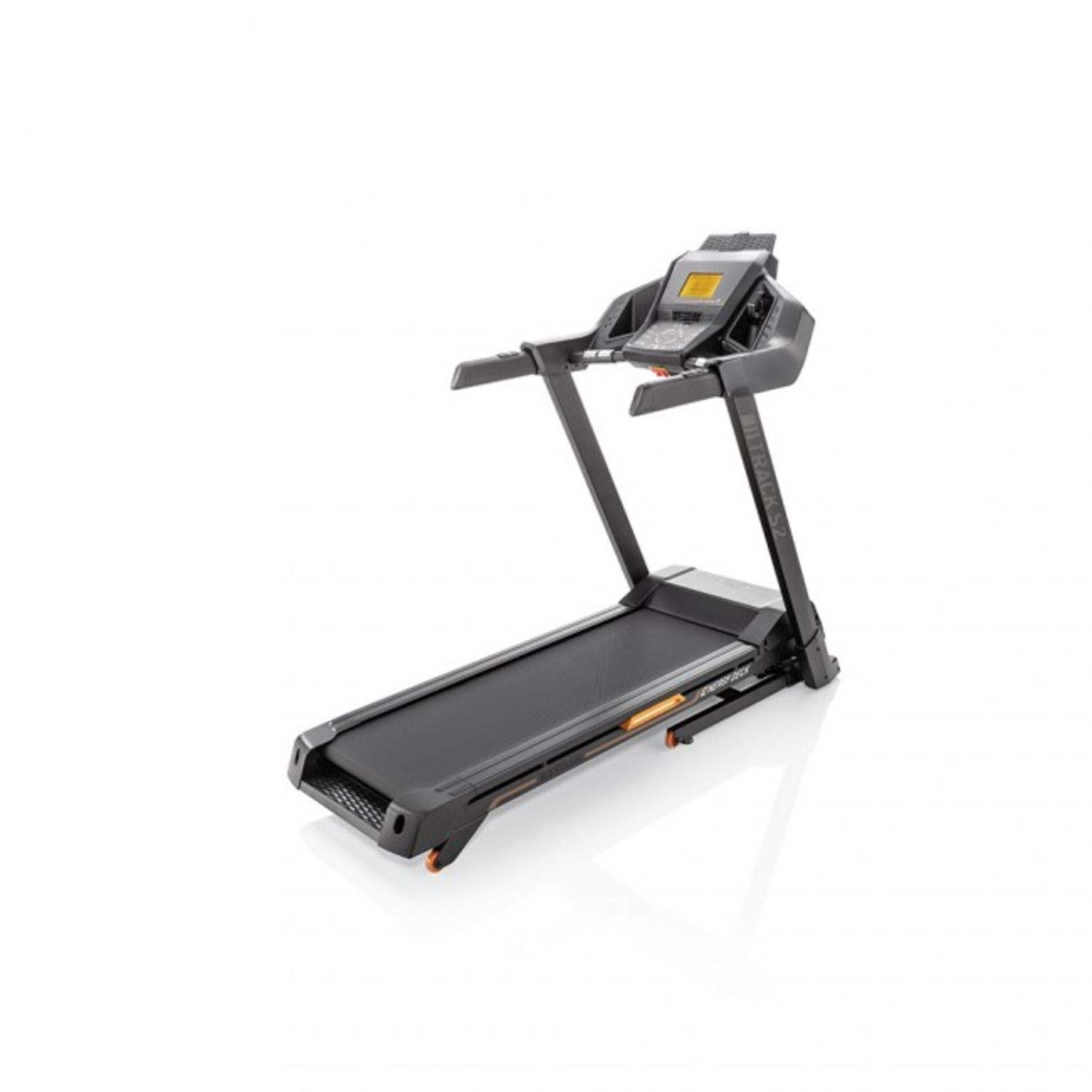
Figure 2: Kettler Track S2 Treadmill in folded position, illustrating its compact storage capability.
4. Operating Instructions
This section outlines the basic operation of your Kettler Track S2 Treadmill.
4.1 Powering On and Off
- To Power On: Plug the power cord into a grounded outlet and flip the main power switch (usually located near the front of the treadmill base) to the 'ON' position. The LCD display will illuminate.
- To Power Off: Flip the main power switch to the 'OFF' position and unplug the power cord from the outlet.
4.2 Using the Control Console

Figure 3: Kettler Track S2 Treadmill control console with LCD display.
- LCD Display: The LCD screen displays workout data such as speed, time, distance, calories burned, and heart rate (if applicable).
- Start/Stop Buttons: Press 'START' to begin your workout. Press 'STOP' to pause or end your workout.
- Speed Adjustment: Use the '+' and '-' buttons to adjust the running speed. The maximum speed is 20 Kilometers per Hour. Quick speed buttons may also be available for instant speed changes.
- Incline Adjustment: If your model includes incline, use the incline '+' and '-' buttons to adjust the gradient of the running deck.
- Program Selection: Use the 'PROGRAM' button to cycle through pre-set workout programs. Refer to the console guide for details on each program.
- Emergency Stop: The safety key must be attached to the console and clipped to your clothing. If the safety key is pulled, the treadmill will stop immediately.

Figure 4: Close-up of the Kettler Track S2 Treadmill's running deck, featuring the ENERGY DECK cushioning.
5. Maintenance
Regular maintenance ensures the longevity and safe operation of your treadmill.
- Cleaning: Wipe down the treadmill after each use with a damp cloth to remove sweat and dust. Avoid abrasive cleaners.
- Lubrication: The running belt may require periodic lubrication. Refer to your specific product manual for the recommended type of lubricant and frequency.
- Belt Tension and Alignment: Check the running belt tension and alignment regularly. Adjust as needed following the instructions in your detailed manual. An overly loose or tight belt can affect performance and safety.
- Bolt Checks: Periodically check all bolts and fasteners to ensure they are tight. Retighten if necessary.
- Motor Cover: Keep the motor cover free from dust and debris to ensure proper ventilation.
6. Troubleshooting
If you encounter issues with your Kettler Track S2 Treadmill, refer to the following common troubleshooting tips:
| Problem | Possible Cause | Solution |
|---|---|---|
| Treadmill does not power on | Power cord unplugged, main switch off, circuit breaker tripped. | Ensure power cord is securely plugged in, main switch is ON, and check household circuit breaker. |
| Running belt slips or hesitates | Belt too loose, belt worn, motor issue. | Adjust belt tension (refer to manual). If problem persists, contact customer support. |
| Unusual noise during operation | Loose components, motor issue, belt friction. | Check all bolts and fasteners for tightness. Ensure treadmill is on a level surface. If noise persists, discontinue use and contact support. |
| Console display not working | Loose cable connection, console malfunction. | Check console cable connections. Power cycle the treadmill. If still not working, contact customer support. |
For issues not listed here or if solutions do not resolve the problem, please contact KETTLER customer support.
7. Specifications
Key technical specifications for the Kettler Track S2 Treadmill:
- Brand: KETTLER
- Model: Track S2
- Colour: Black
- Product Grade: Home
- Item Weight: 84 kg
- Material: Ethylene Vinyl Acetate
- Maximum Speed: 20 Kilometers per Hour
- Special Feature: Portable
- Target Audience: Adult, Youth
- Maximum Horsepower: 2 Horsepower
- Assembly Required: Yes
- Display Type: LCD
- Included Components: 1 x Motorised Treadmill
- Item Dimensions (LxWxH): 2.3 x 0.99 x 0.4 Meters
- Country of Origin: China
8. Warranty and Support
For detailed warranty information, terms, and conditions, please refer to the warranty card or documentation included with your Kettler Track S2 Treadmill purchase. In case of technical issues, service requests, or questions not covered in this manual, please contact KETTLER customer service or the authorized dealer from whom you purchased the product. Ensure you have your proof of purchase and product model information readily available when contacting support.


