
1. Introduction
This manual provides essential information for the proper use and maintenance of Roscoe Medical foam filters. These filters are designed for compatibility with various Philips Respironics CPAP machines, ensuring optimal performance and air quality.
Compatibility:
- Philips Respironics Remstar Plus
- Philips Respironics Remstar Pro
- Philips Respironics BiPap Pro2 with Bi-Flex
- Philips Respironics Remstar Autosmart
These filters are a direct replacement for Respironics OEM part number 1005964.
2. Product Overview
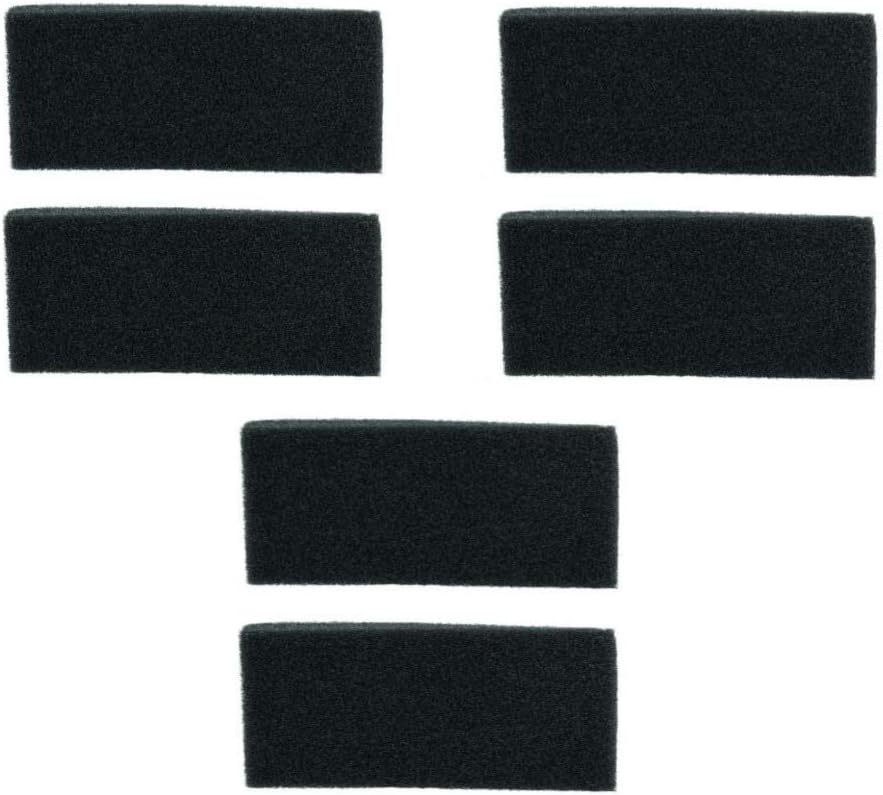
Figure 1: Roscoe Medical Remstar Pro/Plus CPAP Foam Filters. This image displays six individual black foam filters, designed for use with compatible CPAP machines. Each filter is rectangular and made of a porous foam material.
The Roscoe Medical foam filters are essential components for your CPAP therapy, designed to filter airborne particles from the air delivered by your machine. Regular replacement ensures clean air delivery and helps maintain the efficiency of your CPAP device.
3. Setup and Installation
Follow these steps to properly install or replace the foam filter in your compatible Philips Respironics CPAP machine:
- Power Off: Ensure your CPAP machine is turned off and unplugged from the power source before handling any components.
- Locate Filter Slot: Identify the filter slot on your CPAP machine. This is typically located at the air intake port. Refer to your specific CPAP machine's user manual for exact location if unsure.
- Remove Old Filter: Carefully remove the existing filter. If it is a disposable filter, discard it. If it is a reusable foam filter, proceed to the "Maintenance" section for cleaning instructions.
- Insert New Filter: Place the new Roscoe Medical foam filter into the filter slot. Ensure it sits flush and securely within the compartment. Do not force the filter.
- Close Compartment: Close the filter compartment cover, if applicable, ensuring it is properly sealed.
- Power On: Plug in and power on your CPAP machine.
It is recommended to replace foam filters regularly to maintain optimal air filtration and machine performance. Consult your CPAP machine's manual or your healthcare provider for specific replacement schedules.
4. Filter Replacement Frequency
The frequency of filter replacement depends on environmental conditions and personal usage. As a general guideline:
- Disposable Filters: Replace disposable filters every 2-4 weeks, or sooner if visibly dirty.
- Reusable Foam Filters: These Roscoe Medical foam filters are reusable. They should be cleaned weekly and replaced every 6 months, or sooner if they show signs of wear, tear, or permanent discoloration.
Always inspect your filter regularly. A dirty or clogged filter can reduce the efficiency of your CPAP machine and potentially affect air quality.
5. Maintenance and Care
To clean your reusable foam filter:
- Remove Filter: Follow steps 1-3 from the "Setup and Installation" section to remove the foam filter from your CPAP machine.
- Wash: Gently wash the foam filter under running tap water. You may use a mild soap if necessary.
- Rinse Thoroughly: Rinse the filter thoroughly to remove all soap residue.
- Air Dry: Squeeze out excess water and allow the filter to air dry completely before reinserting it into the CPAP machine. Do not use a dryer or direct heat, as this can damage the filter material.
- Reinstall: Once completely dry, reinstall the filter as described in the "Setup and Installation" section.
Do not use harsh chemicals, bleach, or abrasive cleaners on the filter, as these can degrade the material and affect its filtration capabilities.
6. Troubleshooting Common Issues
| Issue | Possible Cause | Solution |
|---|---|---|
| Reduced airflow from CPAP machine | Clogged or dirty filter | Clean or replace the foam filter. |
| Visible dust or particles in air path | Damaged or improperly installed filter | Inspect filter for damage; ensure it is correctly seated in the filter slot. Replace if damaged. |
| Filter does not fit correctly | Incorrect filter model for your CPAP machine | Verify that your CPAP machine model is listed under the compatible devices in this manual. Ensure you are using the correct Roscoe Medical filter. |
7. Specifications
- Product Type: CPAP Foam Filters
- Brand: Roscoe Medical
- Compatibility: Philips Respironics Remstar Plus, Pro, BiPap Pro2 with Bi-Flex, Remstar Autosmart
- OEM Replacement: Replaces Respironics OEM# 1005964
- Material: Foam
- Date First Available: October 30, 2018
8. Important Safety Information
Always use genuine or compatible replacement parts for your medical devices. Using incorrect or damaged filters can compromise the effectiveness of your CPAP therapy and potentially damage your machine. If you experience any issues or have concerns about your CPAP therapy, consult your healthcare provider or the manufacturer of your CPAP machine.
Legal Disclaimer: Statements regarding dietary supplements have not been evaluated by the FDA and are not intended to diagnose, treat, cure, or prevent any disease or health condition. This product is a medical accessory, not a dietary supplement.