
Atomi Smart Smart WiFi Plug (Model: B07K1HFD4T)
Contents
Atomi Smart WiFi Plug User Manual
Model: B07K1HFD4T
Introduction
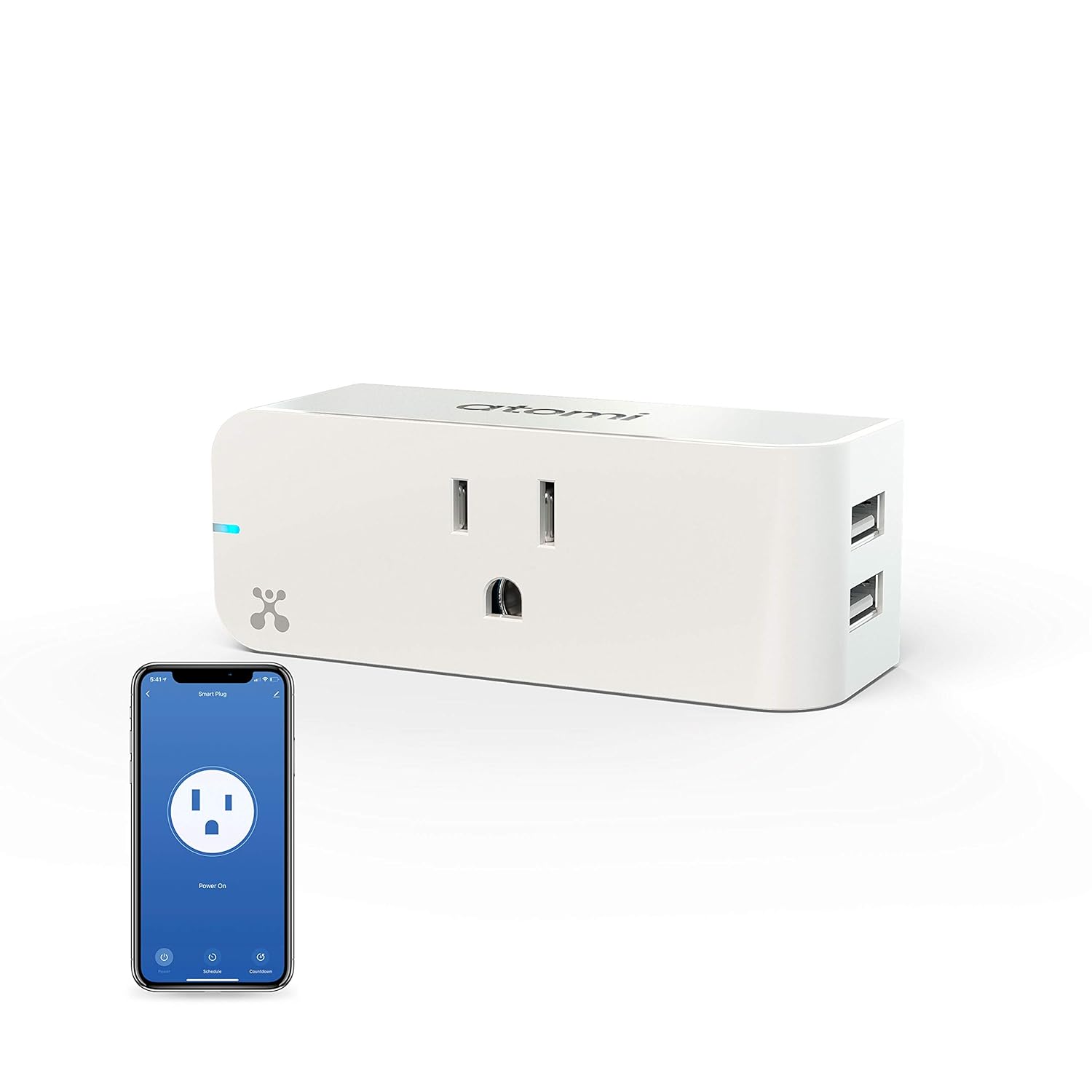
Welcome to the user manual for your Atomi Smart WiFi Plug. This device allows you to control your home appliances and electronics remotely using your smartphone or voice commands. Featuring a compact design with built-in dual 2.4A USB ports, it provides convenient power management and charging capabilities while occupying only one wall socket.
Please read this manual thoroughly before using the product to ensure proper setup and operation.
Key Features
- Remote Control: Control connected devices from anywhere using the Atomi Smart app.
- Voice Control: Compatible with Amazon Alexa and Google Home for hands-free operation.
- Dual USB Ports: Built-in 2.4A USB ports for convenient charging of mobile devices.
- Compact Design: Occupies only one wall socket, allowing access to the second outlet.
- Scheduling: Set custom schedules and timers for automated power management.
- No Hub Required: Connects directly to your existing 2.4GHz Wi-Fi network.
Setup Guide
Follow these steps to set up your Atomi Smart WiFi Plug:
- Download the Atomi Smart App: Search for "Atomi Smart" in the Apple App Store or Google Play Store and download the application to your smartphone.
- Plug In the Smart Plug: Insert the Atomi Smart WiFi Plug into a standard wall outlet. Ensure it is securely plugged in.
- Open the App and Register: Launch the Atomi Smart app. If you are a new user, register for an account. If you already have an account, log in.
- Add Device: In the app, tap the "+" icon or "Add Device" to begin the pairing process. Select "Smart Plug" from the list of available devices.
- Connect to Wi-Fi: Follow the on-screen instructions to connect the smart plug to your 2.4GHz Wi-Fi network. Ensure your phone is connected to the same Wi-Fi network during setup. The plug's indicator light will flash during pairing.
- Name Your Device: Once successfully connected, you can name your smart plug (e.g., "Living Room Lamp," "Coffee Maker") for easy identification and control.
Operating Instructions
Using the Atomi Smart App:
The Atomi Smart app provides comprehensive control over your smart plug:
- On/Off Control: Tap the power icon next to your device name to turn the connected appliance on or off.
- Scheduling: Create custom schedules to automatically turn devices on or off at specific times. This is ideal for lights, coffee makers, or other appliances you want to automate.
- Timers: Set countdown timers for devices to turn off after a set duration.
- Remote Access: Control your smart plug from anywhere with an internet connection.

Voice Control with Alexa & Google Home:
Integrate your Atomi Smart Plug with Amazon Alexa or Google Home for convenient voice commands:
- Link Accounts: In your Alexa or Google Home app, navigate to the "Skills" or "Works with Google" section. Search for "Atomi Smart" and enable the skill/service. Log in with your Atomi Smart account credentials to link the accounts.
- Discover Devices: Once linked, ask your voice assistant to "Discover devices" or manually initiate device discovery in the app.
- Voice Commands: You can now control your smart plug using voice commands. Examples include:
- "Alexa, turn on the Living Room Lamp."
- "Hey Google, turn off the Coffee Maker."
- "Alexa, set the Christmas Tree to off."

Using the Dual USB Ports:
The Atomi Smart WiFi Plug features two built-in 2.4A USB ports for charging your mobile devices, such as smartphones and tablets. Simply plug your USB charging cable into one of the ports to begin charging.

Maintenance
To ensure the longevity and optimal performance of your Atomi Smart WiFi Plug, follow these simple maintenance guidelines:
- Cleaning: Disconnect the smart plug from the power outlet before cleaning. Use a soft, dry cloth to wipe the exterior. Do not use liquid cleaners or abrasive materials.
- Storage: If storing the device for an extended period, keep it in a cool, dry place away from direct sunlight and extreme temperatures.
- Avoid Overloading: Do not exceed the maximum electrical rating of the smart plug. Refer to the specifications section for details.
Troubleshooting
If you encounter issues with your Atomi Smart WiFi Plug, try the following solutions:
| Problem | Possible Cause / Solution |
|---|---|
| Smart Plug is not connecting to Wi-Fi or app. |
|
| Device connected to the plug is not turning on/off. |
|
| Voice commands are not working. |
|
| USB ports are not charging devices. |
|
Specifications
| Feature | Detail |
|---|---|
| Brand | Atomi Smart |
| Model Number | B07K1HFD4T |
| Product Dimensions | 3.5 x 1.25 x 1.3 inches |
| Item Weight | 4.97 ounces |
| Current Rating | 2.4 Amps (USB Ports) |
| Connectivity | Wi-Fi (2.4GHz only) |
| Compatibility | Amazon Alexa, Google Home |
| Mounting Type | Plug-In Mount |
| Manufacturer | ATOMI |
| Date First Available | October 30, 2018 |
Warranty and Support
For detailed warranty information, please refer to the documentation included with your product or visit the official Atomi Smart website. If you require technical assistance or have questions not covered in this manual, please contact Atomi Smart customer support.
You can also refer to the official User Guide PDF for additional information: Atomi Smart WiFi Plug User Guide (PDF)
Ask a question about this manual
Ask about setup, troubleshooting, compatibility, parts, safety, or missing instructions. Manuals+ will review the question and use this page’s manual context to help answer it.