
Introduction
This instruction manual provides essential information for the assembly, operation, and maintenance of your JEKCA Hen 01S Bird Plastic Building Blocks set. Please read this manual carefully before beginning assembly to ensure a smooth and enjoyable building experience. The JEKCA system utilizes a unique interlocking brick-through technology for sturdy and durable models.
What's in the Box
Your JEKCA Hen 01S set includes the following components:
- Building Bricks (approximately 1050 pieces)
- Detailed Instruction Manual
- Pin Driver Tool
- Interlocking Pins
- Quick Guide
Safety Information
Please observe the following safety guidelines:
- Age Recommendation: This product contains small parts and is recommended for individuals aged 14 years and above. Keep out of reach of younger children to prevent choking hazards.
- Handling Small Parts: Exercise care when handling small building bricks and pins.
- Tool Use: Use the provided pin driver tool as instructed. Do not use excessive force.
- Storage: Store unused bricks and the assembled model in a safe place to prevent loss or damage.
Setup and Assembly
The JEKCA Hen 01S model is assembled using a unique interlocking brick-through system, which ensures the stability and durability of the final structure. Follow the steps outlined in the included detailed instruction manual for precise assembly.
Understanding the Interlocking System
Each JEKCA brick has holes designed to accommodate pins. These pins pass through multiple layers of bricks, securing them firmly together. The pin driver tool is used to insert and rotate these pins.

Image: Illustration of the JEKCA interlocking system. Step 1 shows inserting a pin into a brick. Step 2 shows turning the pin 90 degrees with the pin driver to lock it in place, ensuring a sturdy connection.

Image: Detailed diagram showcasing how JEKCA bricks are connected using pins that pass through and lock multiple layers, creating a robust structure.
General Assembly Steps
- Unpack Components: Carefully open the packaging and sort the bricks by color or type if desired. Refer to the Quick Guide for initial sorting tips.
- Follow Manual: Consult the detailed instruction manual provided. Each step is illustrated to guide you through the construction process.
- Insert Pins: As indicated in the manual, place bricks together and insert the interlocking pins through the designated holes.
- Secure with Pin Driver: Use the pin driver tool to turn the pins 90 degrees. This action expands the pin within the bricks, creating a secure lock.
- Layer by Layer: Build the model layer by layer, ensuring each section is firmly connected before proceeding.
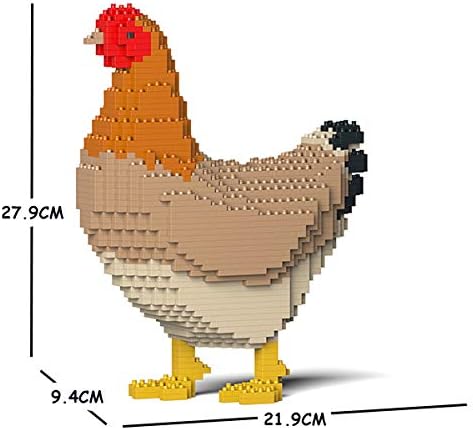
Image: The fully assembled JEKCA Hen 01S model, displaying its approximate dimensions: 27.9 cm (10.98 inches) in height, 9.4 cm (3.7 inches) in width, and 21.9 cm (8.62 inches) in length.

Image: A front perspective of the completed JEKCA Hen 01S model, highlighting the intricate brick patterns and color scheme.
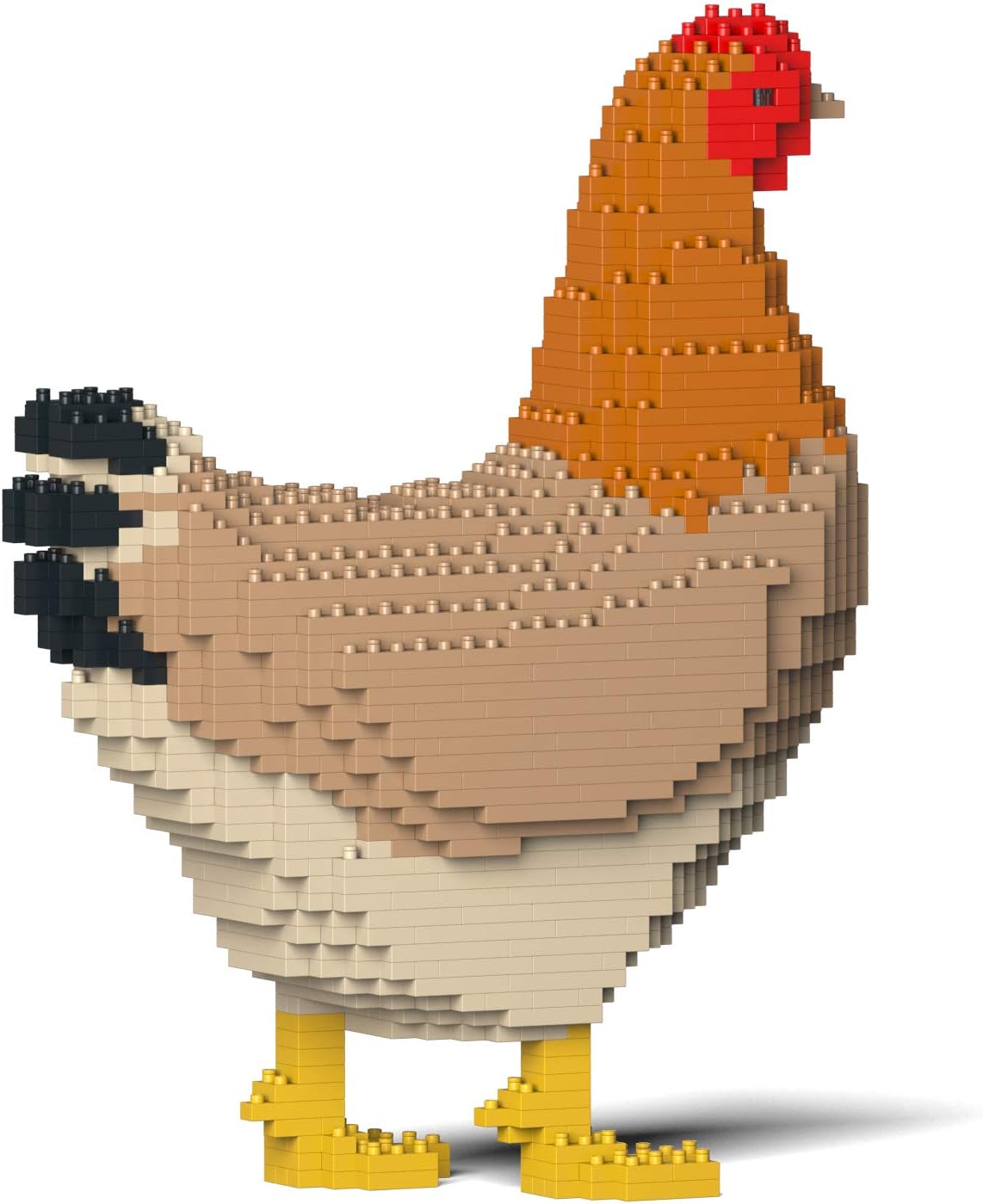
Image: A side view of the finished JEKCA Hen 01S model, illustrating its form and the texture created by the individual building blocks.
Operating (Display and Handling)
Once assembled, your JEKCA Hen 01S model is a sturdy display piece. While the interlocking system provides significant stability, handle the model with care to prevent accidental disassembly or damage.
- Display: Place the model on a flat, stable surface away from direct sunlight or extreme temperatures.
- Handling: When moving the model, support it from the base to distribute weight evenly. Avoid gripping individual parts too tightly.
Maintenance
To keep your JEKCA Hen 01S model in excellent condition:
- Cleaning: Dust the model regularly with a soft, dry cloth or a soft brush. For more stubborn dirt, a slightly damp cloth can be used, but avoid excessive moisture.
- Storage: If disassembling for storage, keep all bricks and pins organized to facilitate future reassembly. Store in a cool, dry place.
Troubleshooting
If you encounter any issues during assembly or with the stability of your model, consider the following:
- Loose Connections: Ensure all pins are fully inserted and rotated 90 degrees with the pin driver. A properly locked pin will feel secure.
- Missing Pieces: Double-check the packaging and your workspace for any small, overlooked bricks or pins. If pieces are genuinely missing, contact JEKCA customer support.
- Assembly Errors: Review the instruction manual carefully. Sometimes a small error in an early step can affect later sections. Carefully backtrack and correct any misaligned bricks.
Specifications
| Feature | Detail |
|---|---|
| Brand | JEKCA |
| Model Name | Hen 01S |
| Model Number | ST19BD05 |
| Age Range Recommendation | 14 years and above |
| Number of Pieces | Approximately 1050 |
| Assembled Dimensions (L x W x H) | 8.62 x 3.7 x 10.98 inches (21.9 x 9.4 x 27.9 cm) |
| Material Type | Plastic |
| Special Feature | Patented Interlocking Brick-through Technology |
Warranty Information
JEKCA products are manufactured to high-quality standards. For specific warranty details regarding your JEKCA Hen 01S set, please refer to any warranty documentation included in your product packaging or visit the official JEKCA website. In general, JEKCA stands behind the quality of its products.
Customer Support
If you have any questions, require assistance with assembly, or need to report missing parts, please contact JEKCA customer support through their official channels:
- Official Website: Visit the JEKCA Store on Amazon for product information and support links.
- Contact Form: Look for a 'Contact Us' or 'Support' section on the official JEKCA website.
Please have your model name (Hen 01S) and model number (ST19BD05) ready when contacting support.