
Heat Storm HS-1500-TT
Heat Storm HS-1500-TT Infrared Heater with Tripod Instruction Manual
1. Product Overview
The Heat Storm HS-1500-TT Infrared Heater is designed to provide instant, targeted heat for outdoor and semi-enclosed spaces such as patios, workshops, and garages. This model includes a versatile tripod stand for easy placement and portability. Its robust, weatherproof construction ensures durability, while the silent carbon fiber infrared bulb delivers efficient warmth. A key safety feature is the integrated tip-over shut-off mechanism.

Figure 1: Heat Storm HS-1500-TT Infrared Heater on Tripod
2. Safety Information
Important: Read all instructions before using this heater. Failure to follow these instructions may result in fire, electric shock, injury, or property damage.
- Electrical Connection: Always plug the heater directly into a wall outlet. Do not use extension cords or power strips, as this can create a fire hazard due to high power draw.
- Tip-Over Protection: The heater is equipped with a safety tip-over shut-off feature. If the unit is accidentally knocked over, it will automatically power off. Ensure the heater is placed on a stable, level surface.
- Weatherproof Design: The heater features an IPX4 weatherproof design, making it suitable for outdoor use and resistant to splashing water. However, it should not be submerged in water.
- Placement: Maintain a safe distance from combustible materials such as furniture, curtains, and other flammable objects. Refer to the product labels for specific clearance requirements.
- Unplug When Not in Use: Always unplug the heater from the power outlet when not in use or before performing any maintenance.
- Infrared Heat: This is an infrared heater, meaning it directly heats objects and people in its path, rather than warming the ambient air. It is not designed to heat an entire enclosed room or space.

Figure 2: Tip-Over Safety Switch and Mounting Guidelines
3. Setup and Assembly
The Heat Storm HS-1500-TT heater comes with a tripod stand and necessary hardware for assembly. While the heater unit itself is pre-assembled, the tripod requires simple setup.
3.1 Tripod Assembly
- Carefully unpack all components: the heater unit, tripod stand, and hardware.
- Extend the legs of the tripod stand to form a stable base. Secure any locking mechanisms on the tripod legs.
- Attach the heater unit to the top of the tripod pole using the provided hardware. Ensure it is securely fastened and stable.
- Adjust the height of the tripod pole to your desired level. The tripod is adjustable, allowing the heater to be positioned at various heights for optimal heat distribution.
- Ensure the 8-foot power cord is free from obstructions and safely routed to a direct wall outlet.

Figure 3: Adjustable Tripod Mechanism
3.2 Alternative Mounting Options
The heater can also be mounted to a wall or ceiling using appropriate brackets (sold separately or included with specific variants). When mounting, ensure the heater is positioned vertically for the tip-over safety switch to function correctly.
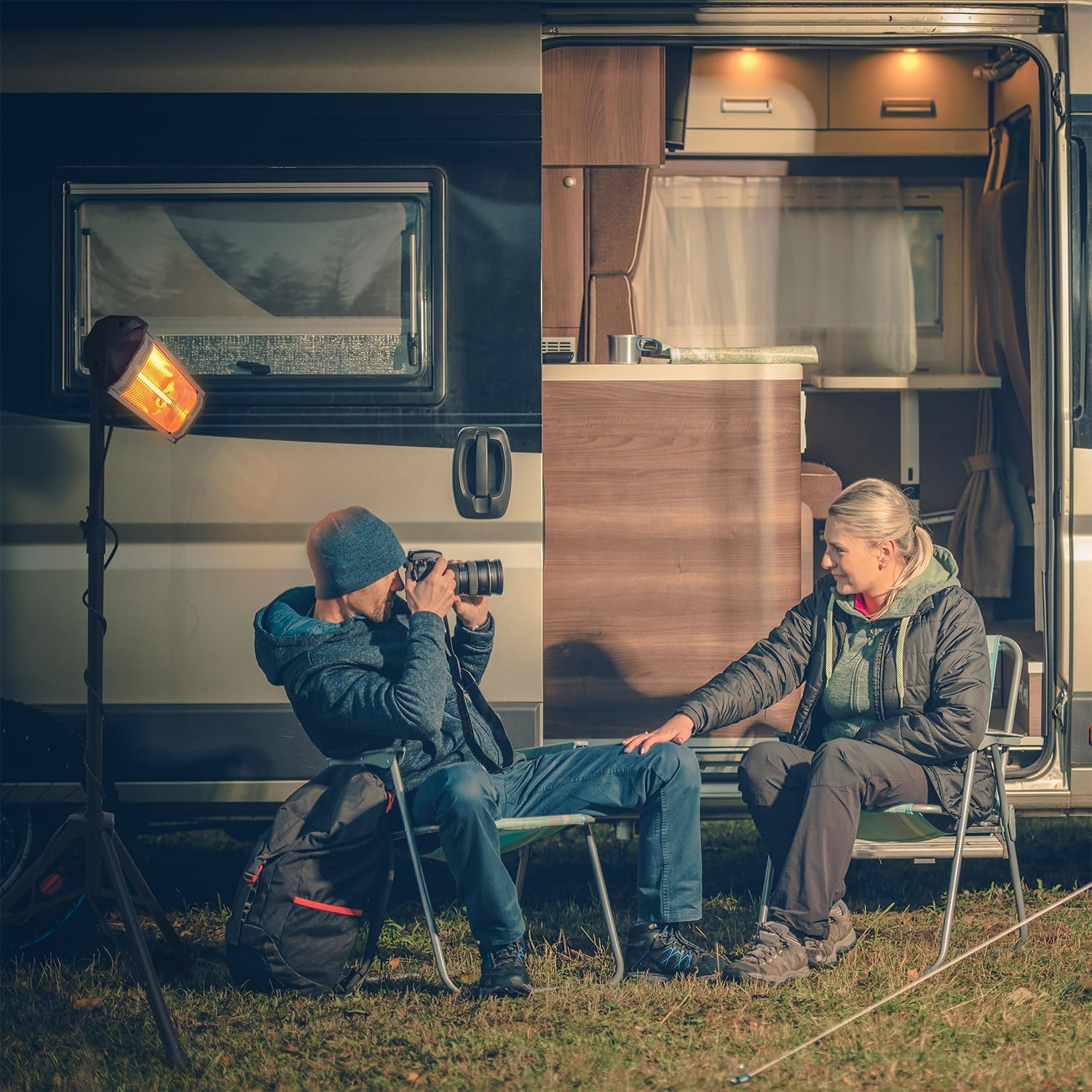
Figure 4: 8-foot Power Cord
4. Operating Instructions
The Heat Storm HS-1500-TT Infrared Heater is designed for simple operation, offering multiple heat levels and a remote control for convenience.
4.1 Powering On/Off
- Ensure the heater is securely plugged into a standard 120V outlet.
- Use the power button on the unit or the remote control to turn the heater ON or OFF.
4.2 Adjusting Heat Levels
The heater typically offers three heat levels (Low, Medium, High) or a numerical scale (e.g., L1, L2, L3) depending on the specific model variant. Use the corresponding buttons on the unit or remote control to cycle through the available heat settings.
4.3 Timer Function
Some models may include a timer function, allowing you to set the heater to operate for a specific duration before automatically shutting off. Consult your remote control or unit interface for timer settings.
5. Maintenance
Proper maintenance ensures the longevity and safe operation of your Heat Storm Infrared Heater.
- Cleaning: Ensure the heater is unplugged and completely cool before cleaning. Use a soft, damp cloth to wipe down the exterior. Do not use abrasive cleaners or allow water to drip into the interior of the heater.
- Storage: When not in use, store the heater in a cool, dry place. If using the tripod, it can be collapsed for more compact storage.
- Bulb Replacement: The carbon fiber infrared bulb is designed for long life. If replacement becomes necessary, contact Heat Storm customer support for guidance and approved replacement parts.
6. Troubleshooting
If you encounter issues with your Heat Storm HS-1500-TT Infrared Heater, refer to the following common troubleshooting tips:
- Heater Not Turning On:
- Check if the power cord is securely plugged into a functioning 120V outlet.
- Ensure the unit's power switch is in the 'ON' position.
- Verify the heater is upright and stable; the tip-over safety switch may have activated if the unit was disturbed.
- If the power switch itself appears faulty or damaged (e.g., melting), discontinue use immediately and contact customer support.
- Insufficient Heat Output:
- Confirm the heater is set to the highest heat level.
- Remember that infrared heaters warm objects and people directly, not the surrounding air. Ensure you are within the direct path of the infrared rays.
- For larger open areas, multiple units may be required for broader coverage.
- Remote Control Not Working:
- Check and replace the batteries in the remote control.
- Ensure there are no obstructions between the remote and the heater's sensor.
For issues not covered here, or if troubleshooting steps do not resolve the problem, please contact Heat Storm Customer Support.
7. Specifications
| Feature | Specification |
|---|---|
| Brand | Heat Storm |
| Model Number | HS-1500-TT |
| Special Features | Infrared Heating, Noiseless, Portable, Tip-Over Protection, Waterproof, Weatherproof |
| Color | Black |
| Form Factor | Tripod |
| Indoor/Outdoor Usage | Outdoor |
| Product Dimensions | 5"D x 29"W x 72"H |
| Recommended Uses | Garage, Outdoor Heating, Patio |
| Mounting Type | Tripod |
| Heating Coverage | 100-300 sq ft |
| Fuel Type | Electric (Corded) |
| Number of Speeds | 1 (Adjustable Heat Levels) |
| Voltage | 120 Volts |
| Amperage | 12.5 Amps |
| Max Temperature Setting | 100 Degrees Fahrenheit |
| Item Weight | 10 pounds |
| UPC | 854271005277 |

Figure 5: Product Dimensions
8. Warranty and Support
Warranty: This Heat Storm HS-1500-TT Infrared Heater comes with a 1-Year Manufacturer's Warranty. Please retain your proof of purchase for warranty claims.
Customer Support: For technical assistance, warranty inquiries, or to order replacement parts, please visit the official Heat Storm website or contact their customer service department directly.
Heat Storm Official Website: Visit the Heat Storm Store on Amazon
Related documentsHS-1500-TT


Ask a question about this manual
Ask about setup, troubleshooting, compatibility, parts, safety, or missing instructions. Manuals+ will review the question and use this page’s manual context to help answer it.