
Introduction
Thank you for choosing the DOSS SoundBox Touch Wireless Bluetooth Speaker. This manual provides essential information for setting up, operating, and maintaining your speaker to ensure optimal performance and longevity. Please read these instructions carefully before use.
Product Overview
Speaker Components
The DOSS SoundBox Touch features dual high-performance drivers for 12W full-bodied stereo sound and enhanced bass. Its compact design makes it highly portable.
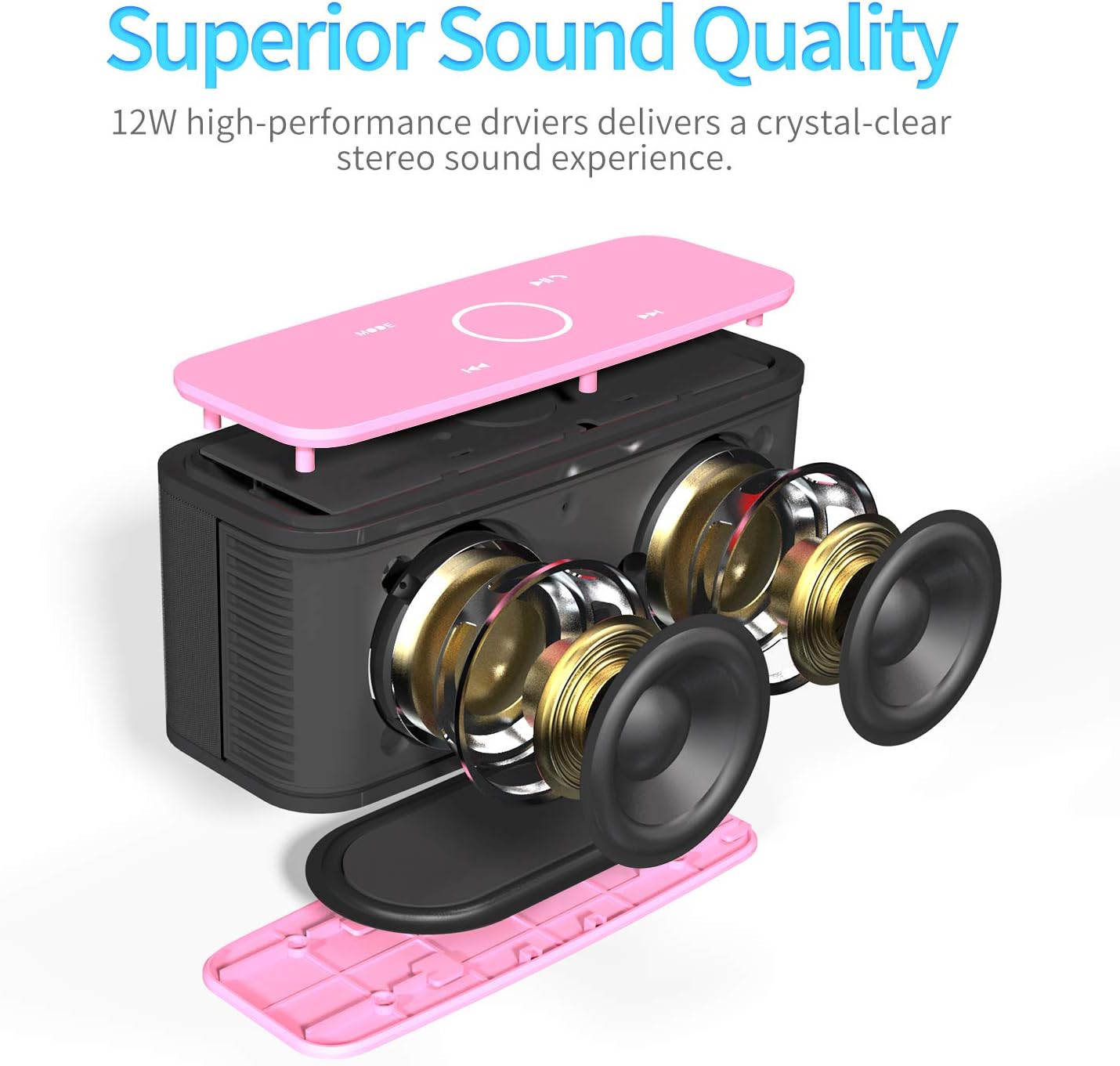
Exploded view of the DOSS SoundBox Touch speaker, illustrating its internal components including the dual drivers and passive radiators designed for superior sound quality.
Controls and Ports
The speaker is equipped with intuitive capacitive touch controls on the top panel and essential ports on the rear for versatile connectivity.

Top view of the DOSS SoundBox Touch speaker, highlighting the illuminated capacitive touch controls for easy operation including mode selection, volume adjustment, play/pause, and track skipping.
Rear view of the DOSS SoundBox Touch speaker, displaying the physical power button, 3.5mm line-in auxiliary port, TF (Micro SD) card slot, and micro USB charging port.
Setup
Charging the Speaker
Before initial use, fully charge the speaker. Connect the included micro USB cable to the charging port on the rear of the speaker and to a USB power source. A full charge typically takes 3-4 hours and provides up to 20 hours of playtime at 50% volume.
Power On/Off
To power on the speaker, press and hold the physical power button located on the rear panel until you hear an audible prompt and the top panel lights illuminate. To power off, press and hold the same button until the lights turn off.
Bluetooth Pairing
- Ensure the speaker is powered on and in Bluetooth mode (indicated by a blue light on the touch panel).
- On your device (smartphone, tablet, etc.), enable Bluetooth and search for available devices.
- Select "DOSS SoundBox" from the list of devices to pair.
- Once paired, the speaker will emit an audible confirmation.
Official DOSS SoundBox Bluetooth Speaker - Full Operation Guide video. This video demonstrates the power on/off sequence, Bluetooth pairing process, and basic touch control functions for music playback and call management.
Operating Instructions
Music Playback
- Play/Pause: Tap the central circular touch control.
- Volume Up: Swipe clockwise on the central circular touch control.
- Volume Down: Swipe counter-clockwise on the central circular touch control.
- Next Track: Tap the 'Next Track' icon (right arrow).
- Previous Track: Tap the 'Previous Track' icon (left arrow).
Call Handling
- Answer/End Call: Tap the 'Phone' icon on the touch panel.
- Reject Call: Press and hold the 'Phone' icon.
Mode Selection
Press the 'MODE' touch button to switch between available input sources: Bluetooth, Line-in (AUX), and TF Card (Micro SD card).
Maintenance
- Keep the speaker clean by wiping it with a soft, dry cloth.
- Avoid exposing the speaker to extreme temperatures or direct sunlight for prolonged periods.
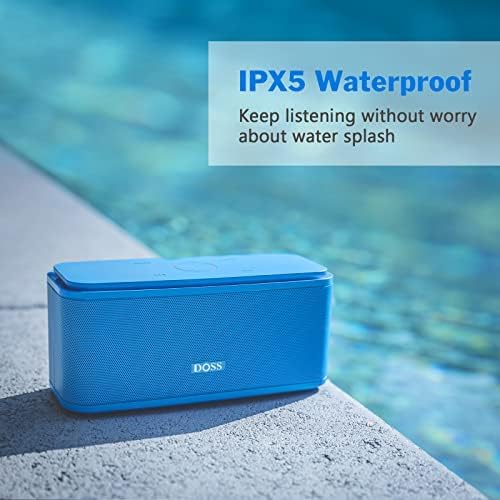
- The speaker has an IPX5 water-resistant rating, meaning it can withstand gentle splashes of water. Do not submerge the speaker in water.
- Store the speaker in a cool, dry place when not in use.
Troubleshooting
Common Issues and Solutions
- Speaker not powering on: Ensure the battery is charged. Connect to a power source and try again.
- Unable to pair via Bluetooth: Make sure the speaker is in Bluetooth pairing mode. Check that your device's Bluetooth is enabled and within range (up to 33 feet). Try restarting both the speaker and your device.
- No sound: Check the volume levels on both the speaker and your connected device. Ensure the correct input mode is selected.
- Intermittent connection/sound: Move the speaker closer to your device. Avoid obstacles that may interfere with the Bluetooth signal. Ensure no other devices are causing interference.
- Touch controls unresponsive: Ensure the speaker is powered on. Clean the touch panel surface if dirty.
Specifications
| Feature | Detail |
|---|---|
| Brand | DOSS |
| Model Name | SoundBox |
| Speaker Maximum Output Power | 12 Watts |
| Connectivity Technology | Bluetooth 5.0, AUX, TF Card |
| Audio Output Mode | Stereo |
| Battery Average Life | 20 Hours (at 50% volume) |
| Battery Charge Time | 3-4 Hours |
| Water Resistance Level | IPX5 (Water Resistant) |
| Control Method | Touch |
| Item Dimensions (D x W x H) | 2.9"D x 6.6"W x 2.7"H |
| Item Weight | 1.2 Pounds |

Visual representation of the DOSS SoundBox Touch speaker's dimensions, indicating its compact and portable size.
What's in the Box
- DOSS SoundBox Touch Wireless Bluetooth Speaker
- Micro USB Charging Cable
- User Manual (this document)
Warranty and Support
Manufacturer's Warranty
The DOSS SoundBox Touch Wireless Bluetooth Speaker comes with a 1-year manufacturer's warranty covering any quality-related concerns from the date of purchase.
Customer Support
For any issues or assistance with your product, please contact DOSS customer support:
- Phone: 1-833-275-3677
- Email: support@dossav.com

DOSS customer support information, including contact phone number and email for assistance.