1. Introduction
Thank you for choosing the Vremi 50 Pint Dehumidifier. This manual provides important information for the proper operation, maintenance, and troubleshooting of your new appliance. Please read it thoroughly before use and keep it for future reference.
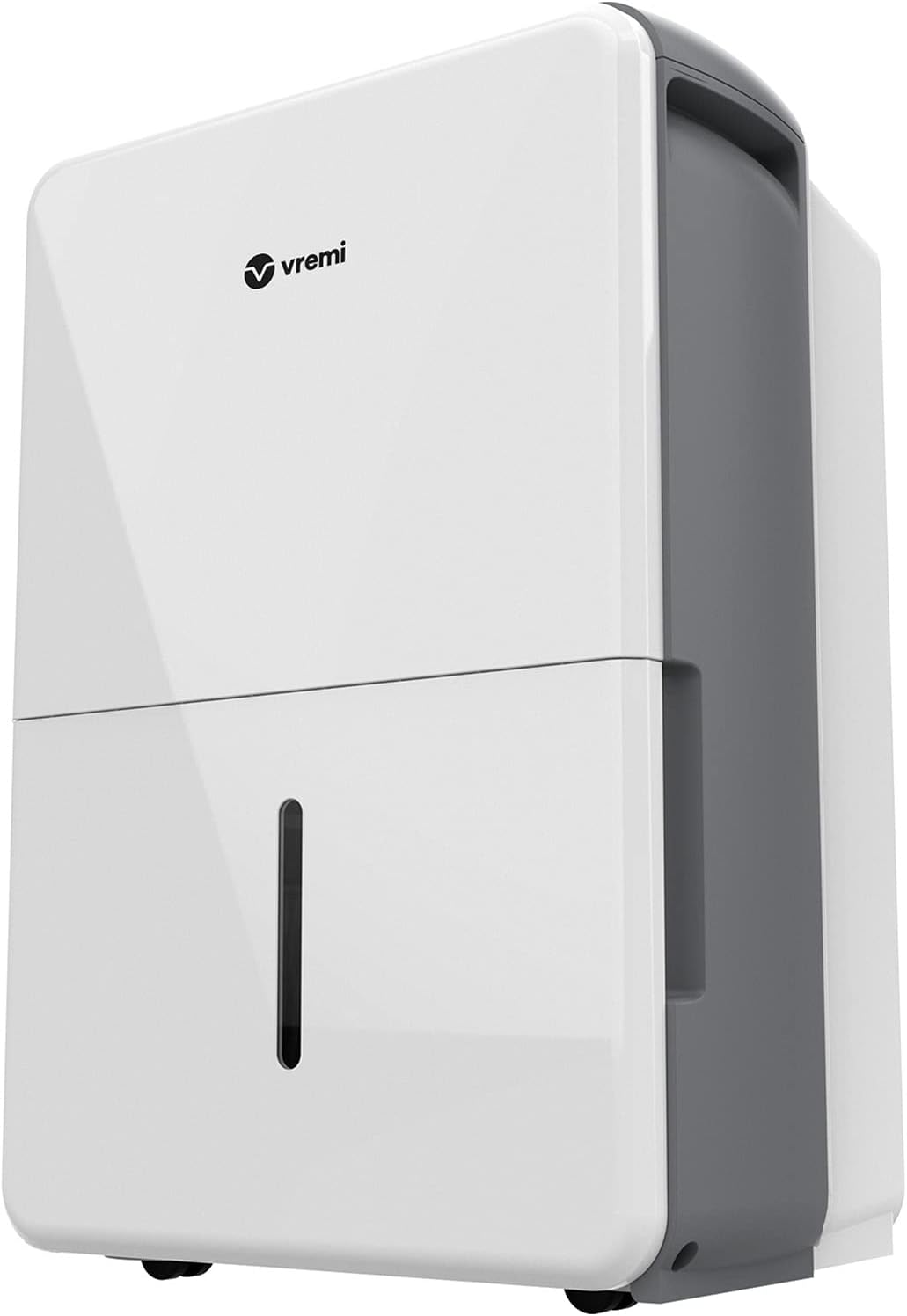
Front view of the Vremi 50 Pint Dehumidifier, showcasing its sleek white design with a visible water level indicator.
2. Safety Instructions
To prevent injury to the user or property damage, please observe the following safety precautions. Failure to follow these instructions may result in electric shock, fire, or injury.
- Always plug the unit into a grounded electrical outlet.
- Do not operate the dehumidifier with a damaged power cord or plug.
- Do not place the unit near heat sources or in direct sunlight.
- Ensure adequate clearance around the unit for proper airflow (at least 8 inches).
- Unplug the unit before cleaning or performing any maintenance.
- This appliance is intended for indoor use only.
- Keep out of reach of children and pets.
- Proposition 65 Warning: This product can expose you to chemicals including lead, which is known to the State of California to cause cancer and birth defects or other reproductive harm. For more information go to www.P65Warnings.ca.gov.
3. Package Contents
Verify that all items are included in your package:
- Vremi 50 Pint Dehumidifier
- Removable Water Tank
- Removable Washable Filter
- Grounded Power Cord
- Caster Wheels (pre-installed)
- User Manual (this document)
4. Product Features
The Vremi 50 Pint Dehumidifier is designed for efficient moisture removal and user convenience.
- High Capacity: Rated to remove 50 pints of moisture per day (70 Pint 2012 DOE Rating Standard), ideal for spaces from 3,000 sq. ft. to 4,500 sq. ft.
- Quiet Operation: Features a quiet fan designed to minimize noise during operation.
- User-Friendly Design: Sleek, clean look with convenient built-in wheels and handles for easy portability.
- Automatic Shut-off: Automatically turns off when the water tank is full to prevent overflow.
- Continuous Draining Option: Includes a drain hose outlet for continuous draining (hose not included).
- Turbo Mode: Increases fan speed for maximum moisture removal in high humidity conditions.
- Automatic Defrost: Prevents coils from freezing in low-temperature environments.
- Memory Feature: Retains previous settings after a power outage.
- Visible Water Level: Allows for easy monitoring of the water tank's fill level.

Illustration of the dehumidifier's all-in-one features: Filter, Comfort, Continuous, Turbo, and Timer modes.

The dehumidifier positioned in a living space, highlighting its quiet, efficient, and portable design, along with the Energy Star certification.

Close-up view of the dehumidifier with its removable water tank pulled out for emptying or cleaning.

Overhead view illustrating the multi-directional movement provided by the integrated caster wheels for easy mobility.
5. Setup
Follow these steps to set up your Vremi Dehumidifier:
- Unpack: Carefully remove the dehumidifier from its packaging. Retain packaging materials for future storage or transport.
- Placement: Place the unit on a flat, stable surface in the area where humidity control is desired. Ensure there is at least 8 inches of space around the unit for proper air circulation. The dehumidifier is designed for indoor spaces between 3,000 and 4,500 sq. ft.
- Power Connection: Plug the grounded power cord into a suitable electrical outlet.
- Continuous Draining (Optional): For continuous operation without emptying the water tank, attach a standard garden hose (not included) to the drain hose outlet located at the back of the unit. Ensure the hose is sloped downwards to allow for gravity drainage into a floor drain or large container.

Close-up of the drain access port on the side of the dehumidifier, showing where a hose can be connected for continuous drainage.
6. Operating Instructions
The control panel on top of the unit allows you to manage all functions.

Top view of the dehumidifier's control panel, displaying buttons for Filter, Comfort, Continuous, Turbo, Timer, and Power, along with a digital humidity display.
- Power On/Off: Press the 'Power' button to turn the unit on or off.
- Setting Humidity Level: To adjust your ideal moisture setting, first ensure the 'Continuous' operating mode is OFF. Then, use the up/down arrow buttons to set the desired humidity percentage (e.g., 50% for optimal comfort). The unit will cycle on and off to maintain this level.
- Continuous Mode: Press the 'Cont.' button for continuous dehumidification, regardless of the set humidity level. The unit will run until the tank is full or manually turned off.
- Turbo Mode: Activate 'Turbo' mode to increase fan speed for faster moisture removal. This is useful in very damp conditions.
- Timer Function: Use the 'Timer' button to set a delayed start or stop time for the unit.
- Auto Shut-off: The unit will automatically shut off when the water tank is full. Empty the tank to resume operation.
- Auto Defrost: The unit features an automatic defrost function to prevent ice buildup on the coils, ensuring efficient operation in cooler environments.
- Memory Feature: In case of a power interruption, the unit will automatically restart with the last used settings once power is restored.
7. Maintenance
Regular maintenance ensures optimal performance and longevity of your dehumidifier.
- Emptying the Water Tank: When the 'Full' indicator light illuminates, the water tank needs to be emptied. Carefully pull out the tank, discard the collected water, and slide it back into place until it clicks.
- Cleaning the Air Filter: The removable washable filter should be cleaned monthly or more frequently depending on usage and air quality.
- Turn off and unplug the dehumidifier.
- Remove the filter from the back of the unit.
- Wash the filter with warm, soapy water. Rinse thoroughly.
- Allow the filter to air dry completely before reinserting.
- General Cleaning: Wipe the exterior of the unit with a soft, damp cloth. Do not use harsh chemicals or abrasive cleaners.

Close-up view of the removable air filter, demonstrating its accessibility for easy cleaning.
8. Troubleshooting
If you encounter issues with your dehumidifier, refer to the following common problems and solutions:
| Problem | Possible Cause | Solution |
|---|---|---|
| Unit does not turn on. | No power; Power cord not plugged in; Water tank full or not properly seated. | Check power outlet; Ensure power cord is securely plugged in; Empty and re-seat water tank. |
| Unit is running but not collecting water. | Humidity level too low; Room temperature too low; Air filter clogged; Unit size too small for space. | Adjust desired humidity setting lower; Ensure room temperature is above 41°F (5°C); Clean air filter; Consider if unit is appropriate for room size. |
| Unit is icing up on coils. | Room temperature too low; Air filter clogged. | Increase room temperature; Clean air filter. The unit has auto-defrost, but severe conditions may cause icing. |
| Unit is noisy. | Unit not on a level surface; Air filter clogged; Normal operating sound. | Place on a level surface; Clean air filter; Some fan noise is normal, especially in Turbo mode. |
| Water leaking from unit. | Water tank not properly seated; Drain hose connection loose or clogged (if using continuous drain). | Re-seat water tank; Check drain hose connection and ensure proper slope for drainage. |
If the problem persists after trying these solutions, please contact Vremi customer support.
9. Specifications
| Specification | Detail |
|---|---|
| Brand | Vremi |
| Model Name | Dehumidifier |
| Model Number | VRM012003N |
| Dehumidification Capacity | 50 Pints per Day (70 Pint 2012 DOE Rating Standard) |
| Coverage Area | 3,000 - 4,500 Square Feet |
| Water Tank Capacity | 1.8 Gallons (1.6 Gallons Tank Volume) |
| Product Dimensions (D x W x H) | 11.6"D x 16.9"W x 24.3"H |
| Item Weight | 41.6 Pounds |
| Color | White |
| Material | Plastic |
| Wattage | 25 watts |
| Number of Speeds | 2 |
| UPC | 855601006032 |

Diagram showing the dimensions of the Vremi 50 Pint Dehumidifier: 11.6 inches deep, 16.9 inches wide, and 24.3 inches high.
10. Warranty and Support
For warranty information, please refer to the documentation included with your product or visit the official Vremi website. For customer support, inquiries, or technical assistance, please contact Vremi customer service through their official channels.
You can also refer to the official User Manual PDF for more detailed information: Download User Manual (PDF)


