
1. Introduction
Thank you for purchasing the MIFA A30 Bluetooth Speaker. This manual provides essential information for setting up, operating, and maintaining your device. Please read it thoroughly before use to ensure optimal performance and longevity of your speaker.
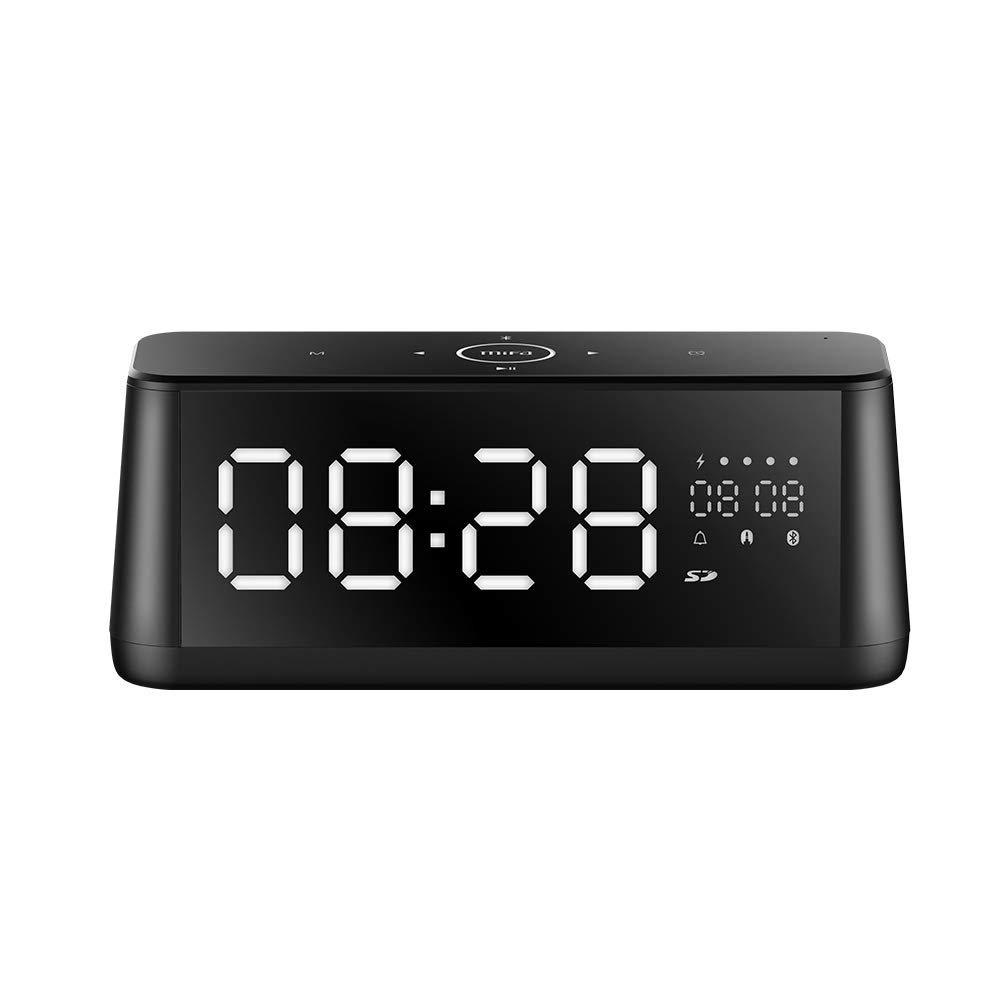
Image 1.1: Front view of the MIFA A30 Bluetooth Speaker, displaying the time on its large LED screen.
2. Safety Information
- Do not expose the speaker to extreme temperatures, direct sunlight, or high humidity.
- Avoid dropping or subjecting the speaker to strong impacts.
- Do not disassemble, repair, or modify the device yourself. Contact authorized service personnel for any repairs.
- Keep the speaker away from water and other liquids, despite its waterproof rating, to prevent damage to ports when open.
- Use only the specified charging cable and adapter.
- Clean the speaker with a soft, dry cloth. Do not use abrasive cleaners.
3. Package Contents
Please check the package for the following items:
- MIFA A30 Bluetooth Speaker
- USB Charging Cable
- 3.5mm Audio Cable
- User Manual (this document)
4. Product Overview
4.1. Components
The MIFA A30 speaker features a robust design with advanced audio components for high-quality sound reproduction.

Image 4.1: Exploded view illustrating the internal components of the MIFA A30, including two 15-watt drivers and two low-frequency passive radiators.
4.2. Control Panel and Ports
The speaker's top panel features capacitive touch controls, and the rear panel houses various connectivity ports.
Image 4.2: Top-down view of the MIFA A30 control panel, indicating the functions of each touch button for mode, playback, volume, and clock adjustment.
- M (Mode) Button: Short press to switch between Bluetooth, TF Card, and AUX modes.
- Bluetooth Control: Long press to turn off Bluetooth, short press to turn on.
- Previous Track Button: Short press to go to the previous track.
- Play/Pause/Hands-Free Button: Short press to play/pause music. Short press to answer/end calls. Long press to reject calls.
- Next Track Button: Short press to go to the next track.
- Clock Button: Long press for clock adjustment.
- Volume Up: Rotate clockwise to increase volume.
- Volume Down: Rotate counter-clockwise to decrease volume.
- Mic: Built-in microphone for hands-free calls.
- LED Display: Shows time, date, battery level, and current mode.
5. Setup
5.1. Charging the Speaker
Before first use, fully charge the speaker. Connect the provided USB charging cable to the speaker's charging port and the other end to a USB power adapter (not included) or a computer's USB port. The LED display will indicate charging status.
5.2. Powering On/Off
- To Power On: Press and hold the Play/Pause button until the LED display lights up.
- To Power Off: Press and hold the Play/Pause button until the LED display turns off. The speaker will automatically screen out and power off to save battery after a period of inactivity.
6. Operating Instructions
6.1. Bluetooth Pairing
- Ensure the speaker is powered on and in Bluetooth mode (indicated by the Bluetooth icon on the LED display). If not, short press the 'M' button to switch to Bluetooth mode.
- On your smartphone or tablet, enable Bluetooth and search for available devices.
- Select "MIFA A30" from the list of devices.
- Once paired, the speaker will emit a confirmation sound, and the Bluetooth icon on the display will stop flashing.
- The speaker will automatically re-connect to the last paired device when powered on, if the device is within range.
6.2. Audio Playback
- Play/Pause: Short press the Play/Pause button.
- Next Track: Short press the Next Track button.
- Previous Track: Short press the Previous Track button.
- Volume Adjustment: Rotate the volume control clockwise to increase volume, counter-clockwise to decrease volume.
6.3. Hands-Free Calling
When connected via Bluetooth to a smartphone:
- Answer Call: Short press the Play/Pause button.
- End Call: Short press the Play/Pause button during a call.
- Reject Call: Long press the Play/Pause button when a call comes in.
6.4. TF Card Playback
- Insert a Micro-SD (TF) card with supported audio files (FLAC/APE/MP3/WMA/WAV) into the TF card slot.
- Short press the 'M' button to switch to TF Card mode. The speaker will automatically begin playing music from the card.
6.5. AUX Input
- Connect one end of the 3.5mm audio cable to the speaker's AUX input port and the other end to the audio output of your device (e.g., MP3 player, computer).
- Short press the 'M' button to switch to AUX mode.
- Audio will now play through the speaker from your connected device.
6.6. Clock and Display Settings
- Clock Adjustment: Long press the Clock button to enter time setting mode. Use the Next/Previous buttons to adjust values and the Play/Pause button to confirm.
- Display Luminance: The LED display has 7 adjustable luminance levels. Refer to the full product documentation for specific adjustment steps, typically involving short presses of the Clock button or a combination with volume controls.
7. Maintenance
- Cleaning: Wipe the speaker's surface with a soft, dry, lint-free cloth. Do not use liquid or aerosol cleaners.
- Storage: When not in use for extended periods, store the speaker in a cool, dry place, away from direct sunlight and extreme temperatures.
- Battery Care: To prolong battery life, avoid fully discharging the battery frequently. Charge the speaker regularly, even if not in use.
8. Troubleshooting
| Problem | Possible Cause | Solution |
|---|---|---|
| Speaker does not power on. | Low battery. | Charge the speaker for at least 2 hours. |
| No sound. | Volume too low; incorrect mode; device not connected. | Increase speaker and device volume. Ensure correct mode (Bluetooth/AUX/TF Card). Re-pair Bluetooth device or check AUX cable connection. |
| Bluetooth pairing fails. | Speaker not in pairing mode; device too far; interference. | Ensure speaker is in Bluetooth mode. Move device closer to speaker. Turn off other Bluetooth devices. Try forgetting "MIFA A30" on your device and re-pairing. |
| TF Card not playing. | Incorrect mode; unsupported file format; card error. | Switch to TF Card mode. Ensure files are FLAC/APE/MP3/WMA/WAV. Reinsert TF card or try a different card. |
9. Specifications
| Feature | Detail |
|---|---|
| Model Name | A30 |
| Speaker Type | Bookshelf |
| Connectivity Technology | Bluetooth 4.2, Auxiliary (3.5mm), Micro-SD (TF Card) |
| Audio Output Mode | Stereo |
| Speaker Maximum Output Power | 30 Watts (2 x 15W drivers) |
| Bass Enhancement | Two low-frequency boosters |
| Battery Capacity | 4000 mAh |
| Playtime | Up to 10-12 hours (depending on volume and content) |
| Control Method | Capacitive Touch Panel |
| Display | 7.2" x 2.8" Mirror LED Screen with 106 LEDs, 7-level adjustable luminance |
| Supported Audio Formats | FLAC/APE/MP3/WMA/WAV |
| Built-in Microphone | Yes, for hands-free calls |
| Waterproof | Yes (Note: Ensure ports are covered for water resistance) |
| Color | Black |
| Mounting Type | Tabletop Mount |
10. Warranty and Support
The MIFA A30 Bluetooth Speaker typically comes with a 30-day warranty from the date of purchase, covering manufacturing defects. Please retain your proof of purchase for warranty claims.
For technical support, troubleshooting assistance beyond this manual, or warranty inquiries, please contact MIFA customer service through their official website or the retailer where the product was purchased. Provide your product model (A30) and purchase details when seeking support.


