
1. Introduction
This manual provides essential instructions for setting up, operating, and maintaining your Gimebox H96 Max X3 Android TV Box. Designed to transform your television into a smart entertainment hub, this device offers access to various streaming services, applications, and media content. Please read this manual thoroughly to ensure proper usage and to maximize your device's performance.

Figure 1: Gimebox H96 Max X3 Android TV Box and Remote Control.
2. Package Contents
Before proceeding with the setup, please verify that all items are present in the package:
- Gimebox H96 Max X3 Android TV Box
- Remote Control
- Power Adapter
- HDMI Cable
- User Manual (this document)
3. Setup Instructions
Follow these steps to set up your Gimebox H96 Max X3 Android TV Box:
- Connect to TV: Use the provided HDMI cable to connect the H96 Max X3 TV Box to an available HDMI port on your television.
- Connect Power: Plug the power adapter into the DC IN port on the TV Box, then connect the adapter to a power outlet. The device should power on automatically or can be turned on using the remote control.
- Network Connection: Connect to the internet via Wi-Fi (2.4G/5G dual-band supported) or by plugging an Ethernet cable into the LAN port for a wired connection.
- Initial Setup: Follow the on-screen instructions to complete the initial setup, including language selection, time zone, and Google account login.
- Optional: Connect External Devices: For enhanced functionality, you can connect USB devices such as external storage or a wired game controller (e.g., Xbox wired controller) to the available USB 3.0 or USB 2.0 ports.
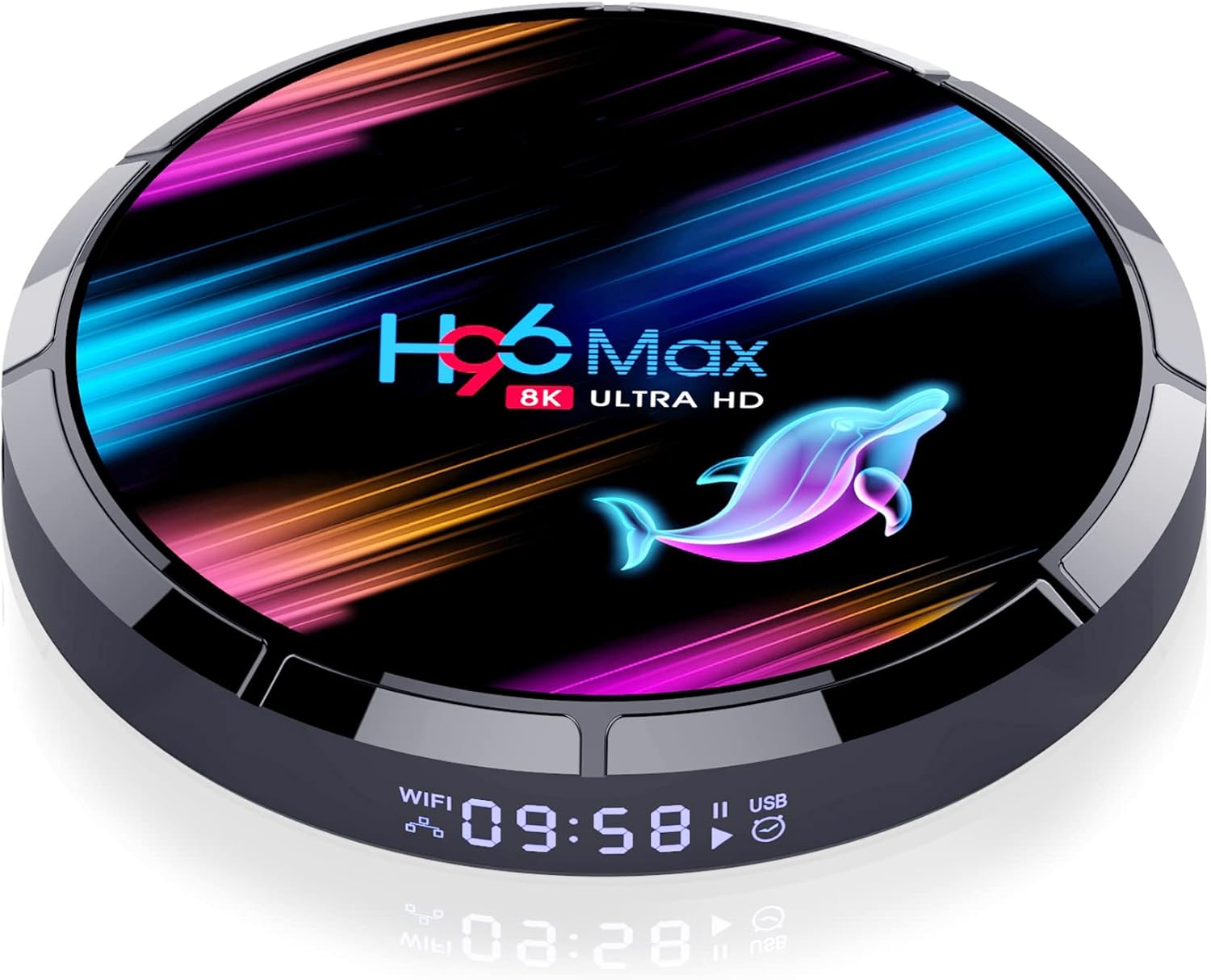
Figure 2: Rear ports of the H96 Max X3, including HDMI, LAN, and power input.
Video 1: An overview of the H96 Max Android TV Box, demonstrating its features, setup process, and user interface. This video highlights the device's ability to transform an older TV into a smart TV, its storage capacity, Android TV OS 11, and smooth performance for streaming and gaming.
4. Operating Instructions
Once your H96 Max X3 is set up, you can begin using its features:
- Navigation: Use the provided remote control to navigate the Android TV interface. The interface is designed for smooth and responsive interaction.
- Applications: Access a wide range of applications through the pre-installed app store or by sideloading APKs. Popular streaming services like Netflix, Disney+, and Prime Video are supported.
- Media Playback: The device supports various media formats and resolutions up to 8K, providing clear and vibrant visuals.
- Gaming: Enjoy Android games. For optimal gaming experience, connecting a wired USB game controller is recommended.
- Connectivity: Utilize the dual-band Wi-Fi (2.4G/5G) for stable wireless internet or the 1000M LAN for high-speed wired connections. Bluetooth 4.0 allows for connecting compatible accessories.

Figure 3: The H96 Max X3 user interface, showing various applications.
5. Maintenance
To ensure the longevity and optimal performance of your H96 Max X3 Android TV Box, consider the following maintenance tips:
- Cleaning: Gently wipe the device with a soft, dry cloth. Avoid using liquid cleaners or abrasive materials.
- Ventilation: Ensure the device is placed in a well-ventilated area to prevent overheating. Do not cover ventilation openings.
- Software Updates: Periodically check for and install available software updates to benefit from new features and security enhancements.
- Power Cycle: If the device becomes unresponsive, disconnect the power adapter for a few seconds and then reconnect it.
6. Troubleshooting
If you encounter issues with your H96 Max X3, refer to the following common troubleshooting steps:
- No Power: Ensure the power adapter is securely connected to both the device and a working power outlet. Try a different outlet if necessary.
- No Picture: Verify that the HDMI cable is correctly connected to both the TV Box and your television. Ensure your TV input is set to the correct HDMI source.
- No Sound: Check the volume settings on both the TV Box and your television. Ensure audio cables (if used) are properly connected.
- Network Connection Issues: For Wi-Fi, ensure the correct password is entered and the device is within range of your router. For wired connections, check the Ethernet cable. Restart your router and the TV Box.
- Remote Control Not Responding: Check the batteries in the remote control. Ensure there are no obstructions between the remote and the TV Box.
- Slow Performance: Close unused applications. Clear cache for apps that are running slowly. Consider a factory reset as a last resort (this will erase all data).
7. Specifications
Detailed technical specifications for the Gimebox H96 Max X3 Android TV Box:
| Feature | Detail |
|---|---|
| Brand | Gimebox |
| Model | H96 Max X3 |
| Operating System | Android 9.0 |
| CPU | Amlogic S905X3 64-bit Quad core ARM Cortex A55 |
| GPU | G31 MP2 |
| RAM | 4GB DDR3 |
| Internal Storage | 128GB EMMC |
| Wireless Connectivity | 802.11 b/g/n / Wi-Fi 2.4G/5G |
| Bluetooth | 4.0 |
| USB Ports | 1x USB 3.0, 1x USB 2.0 |
| LAN | Ethernet: 10/1000M, standard RJ-45 |
| Video Output | HD2.1 (Supports 4K/8K, 3D) |
| Dimensions | 3 x 3 x 3 inches |
| Item Weight | 13.4 ounces |
8. Warranty and Support
For warranty information, please refer to the documentation provided at the time of purchase or contact your retailer. For technical support, please visit the Gimebox official website or contact their customer service department.