
Introduction
This manual provides detailed instructions for setting up, operating, and maintaining your Jamo Studio Series S 803 Compact 5.0 Home Theater System. This system is designed to deliver an immersive audio experience for movies, music, and more.

Image: A single Jamo Studio Series S 803 bookshelf speaker in white, showcasing its modern design with wood grain accents.
What's in the Box
Your Jamo Studio Series S 803 HCS system includes the following components:
- 2 x S 803 Bookshelf Speakers (Front Left/Right)
- 2 x S 801 Speakers (Surround Left/Right)
- 1 x S 81 CEN Center Channel Speaker

Image: All five speakers of the Jamo Studio Series 5.0 Home Theater System arranged together, including two bookshelf speakers, two surround speakers, and one center channel speaker.
Setup
1. Speaker Placement
Proper speaker placement is crucial for optimal sound performance. Consider the following guidelines:
- Front Left/Right Speakers (S 803): Place these speakers equidistant from your primary listening position and at ear level. They should be angled slightly inward towards the listener.
- Center Channel Speaker (S 81 CEN): Position the center speaker directly above or below your television, centered horizontally. Ensure it is as close to ear level as possible.
- Surround Left/Right Speakers (S 801): Place these speakers to the sides or slightly behind your main listening position, ideally at or slightly above ear level.

Image: A close-up front view of the Jamo S 803 Bookshelf Speaker, highlighting the tweeter and woofer.

Image: A close-up front view of the Jamo S 81 CEN Center Channel Speaker, showing its horizontal design with multiple drivers.
2. Connecting Speakers to Your Receiver
Use high-quality speaker wire to connect your speakers to your audio/video receiver. Ensure correct polarity (positive to positive, negative to negative) for each connection.
- Speaker Terminals: The S 803 bookshelf speakers feature dual binding posts for 'MAIN' and 'HEIGHT' connections, allowing for Dolby Atmos compatibility with optional S 8 ATM modules. The S 801 surround speakers and S 81 CEN center channel speaker have single 'MAIN' binding posts.
- Banana Plugs: The binding posts are compatible with banana plugs for secure and easy connection.
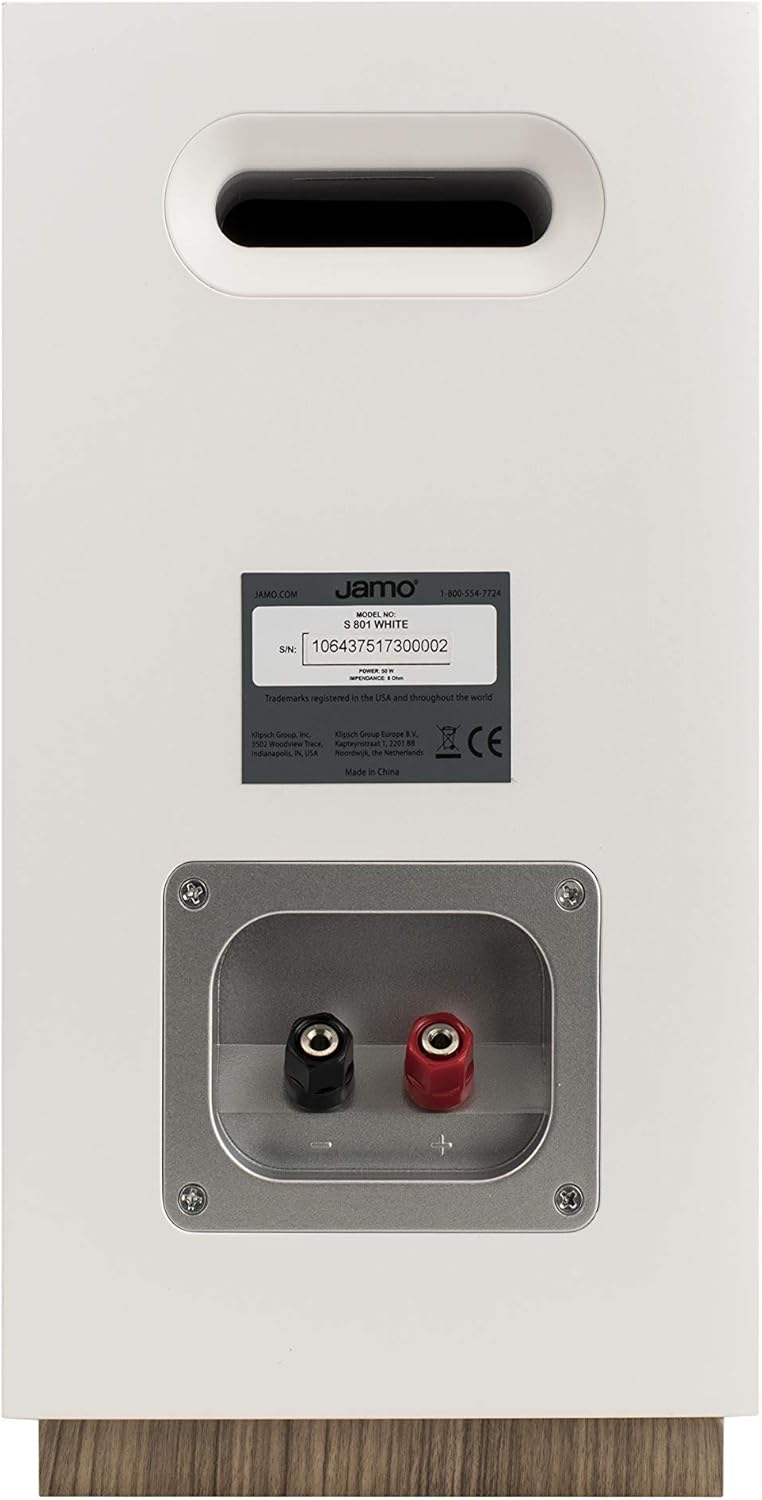
Image: Rear view of a Jamo S 803 Bookshelf Speaker, showing the 'MAIN' and 'HEIGHT' speaker terminals for connecting to an AV receiver.
3. Dolby Atmos Compatibility
The Jamo S 803 bookshelf speakers are Dolby Atmos ready. This means you can integrate optional Jamo S 8 ATM Dolby Atmos modules (sold separately) directly on top of the S 803 speakers. These modules reflect sound off the ceiling to create an overhead sound effect, enhancing the immersive experience without requiring in-ceiling speakers. Connect the S 8 ATM modules to the 'HEIGHT' terminals on the S 803 speakers and then connect the S 803 'MAIN' terminals to your Dolby Atmos-compatible AV receiver.
Video: A detailed review of the Jamo Studio 8 S803 HCS system, covering build quality, speaker components, frequency response, power requirements, and Dolby Atmos compatibility.
Operating Your System
Once all speakers are connected to your AV receiver, follow your receiver's instructions for initial setup, including speaker calibration. This typically involves setting speaker sizes, distances, and levels to optimize sound for your listening environment.
- Power On: Turn on your AV receiver and select the appropriate input source.
- Volume Control: Adjust the volume using your receiver's remote control. Start at a low volume and gradually increase it to a comfortable listening level.
- Sound Modes: Experiment with different sound modes on your receiver (e.g., Stereo, Dolby Digital, DTS) to find the best audio experience for your content.
Maintenance
To ensure the longevity and optimal performance of your Jamo speakers, follow these maintenance tips:
- Cleaning: Gently wipe the speaker cabinets with a soft, dry cloth. Avoid using abrasive cleaners or solvents.
- Grilles: The speakers feature fully magnetic grilles. These can be removed for cleaning or for a different aesthetic preference. Clean grilles with a soft brush or vacuum with a brush attachment.
- Placement: Avoid placing speakers in direct sunlight or near heat sources, as this can damage the cabinet finish and internal components.
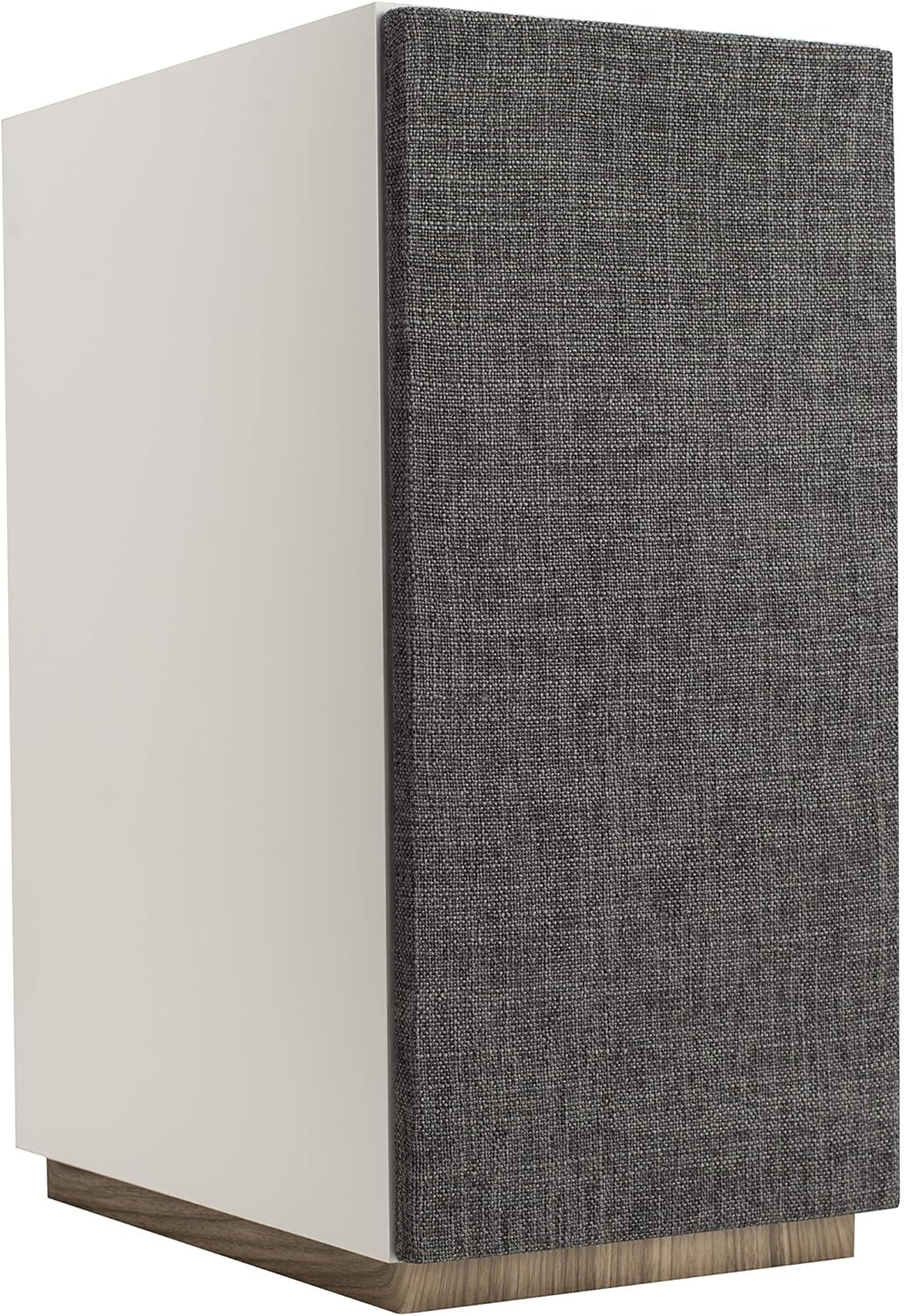
Image: A Jamo S 803 Bookshelf Speaker with its magnetic fabric grille attached, providing a clean and minimalist appearance.
Troubleshooting
| Problem | Possible Cause | Solution |
|---|---|---|
| No sound from speakers | Incorrect wiring, receiver input not selected, volume too low. | Check all speaker wire connections for correct polarity. Ensure the correct input source is selected on your receiver. Increase volume. |
| Distorted sound | Overdriven amplifier, damaged speaker wire, incorrect speaker settings. | Reduce volume. Inspect speaker wires for damage. Check receiver's speaker settings (e.g., crossover frequencies). |
| Lack of bass | No subwoofer connected, subwoofer level too low, incorrect speaker size setting. | Ensure a subwoofer is connected and powered on. Adjust subwoofer volume. Set front speakers to "Small" in receiver settings to redirect bass to the subwoofer. |
Specifications
| Feature | Specification |
|---|---|
| Model Name | S 803 HCS-WH |
| Speaker Type | Bookshelf (S 803), Surround (S 801), Center (S 81 CEN) |
| Surround Sound Channel Configuration | 5.0 |
| Special Feature | Dolby Atmos Enabled (S 803) |
| Recommended Uses | Home Theater |
| Color | White |
| Item Weight | 51.9 pounds (total package) |
| Manufacturer | Jamo |
| Connectivity Technology | Wired |
| Mounting Type | Shelf Mount |
Warranty and Support
Jamo products are built with quality and reliability in mind. This product comes with a Full Warranty. For specific warranty terms, conditions, and duration, please refer to the warranty card included with your product or visit the official Jamo website.
For technical support, troubleshooting assistance, or service inquiries, please contact Jamo Customer Support. Contact information can typically be found on the Jamo website or in your product packaging.
You can also visit the Jamo Store on Amazon for more product information and support resources.


