
Adam Equipment LBX 30
Adam Equipment Latitude LBX 30 Compact Bench Scale User Manual
Model: LBX 30 | Brand: Adam Equipment
1. Introduction and Overview
The Adam Equipment Latitude compact bench scales offer exceptional value for various weighing applications, including general weighing, checkweighing, percentage weighing, and parts counting. Designed for ease of operation, the Latitude series is suitable for diverse environments such as production facilities, warehouses, and field use.
This scale is highly portable, powered by either the included AC adapter or its internal rechargeable battery, which provides up to 240 hours of operation on a single charge. For added convenience, the Latitude can be charged via any USB power source, including vehicle USB connections, external USB power banks, or computers.
Key Features:
- Operates with a low voltage USB input, offering flexible powering options.
- Rugged construction ensures durability in industrial settings.
- Features parts counting with user-defined sample sizes.
- Simple key operation for straightforward setup and use.
- Includes checkweighing functionality with an audible alarm.
- Equipped with a backlit LCD for clear display readings.
- Auto Shut Off feature conserves battery life.
2. Setup
2.1 Unpacking and Inspection
Carefully remove the scale from its packaging. Inspect all components for any signs of damage. Ensure all parts listed below are present:
- Latitude LBX 30 Bench Scale unit
- Stainless Steel Weighing Pan
- AC Power Adapter
- User Manual (this document)
2.2 Placement
Place the scale on a stable, level surface, free from vibrations, drafts, and direct sunlight. Avoid placing it near heat sources or air conditioning vents, which can affect accuracy.
2.3 Leveling the Scale
The Latitude LBX 30 is equipped with adjustable leveling feet and a level indicator (bubble level) to ensure accurate measurements. Adjust the feet until the bubble in the level indicator is centered.

Figure 2.3.1: Adjustable Leveling Feet and Level Indicator
This image highlights the adjustable leveling feet and the integrated level indicator (bubble level) on the Adam Equipment Latitude LBX 30 scale, crucial for ensuring accurate measurements by placing the scale on a perfectly level surface.
2.4 Power Connection
Connect the supplied AC power adapter to the scale's power input port and then to a suitable power outlet. The internal rechargeable battery will begin charging. The scale can also be powered or charged via a standard USB connection.

Figure 2.4.1: Dual Power Options
This image illustrates the dual power capabilities of the Adam Equipment Latitude LBX 30, showing it can be powered by an AC adapter or its internal rechargeable battery, which offers up to 240 hours of use per charge.
3. Operation
3.1 Basic Weighing
- Press the ON/OFF button to turn on the scale.
- Wait for the display to show "0.000 kg" (or your selected unit) and stabilize.
- Place the item to be weighed on the center of the weighing pan.
- Read the weight displayed on the LCD.
- To clear the weight, remove the item and press the ZERO button if the display does not return to zero automatically.
3.2 Taring (Subtracting Container Weight)
- Place an empty container on the weighing pan.
- Press the TARE button. The display will return to "0.000 kg" (or your selected unit), indicating the container's weight has been tared out.
- Add the material to be weighed into the container. The display will show only the net weight of the material.
- To exit tare mode, remove both the container and its contents, then press the TARE button again.
3.3 Unit Conversion
Press the UNITS button to cycle through available weighing units (e.g., kg, g, lb, oz). The currently selected unit will be displayed on the LCD.
3.4 Parts Counting
The scale can count items based on a preset sample size.
- With the scale at zero, press the FUNC button until "COUNT" mode is indicated.
- Place a known quantity of items (e.g., 10, 20, 50, 100) on the pan.
- Use the arrow keys (if available, or follow on-screen prompts) to select the sample size that matches the quantity you placed.
- Press ENTER (or equivalent) to confirm the sample. The scale will now display the count of items.
- Add more items, and the scale will display the total count.

Figure 3.4.1: Parts Counting Function
This image demonstrates the parts counting feature of the Adam Equipment Latitude LBX 30 scale, showing a quantity of screws on the weighing pan and the display indicating the count, ideal for inventory management.
3.5 Checkweighing
Checkweighing allows you to determine if an item's weight falls within a specified range (HI/OK/LO).
- Press the FUNC button until "CHECK" mode is indicated.
- Set the desired HI (upper limit) and LO (lower limit) values using the keypad or function buttons.
- Place the item on the pan. The scale will indicate if the weight is HI, OK, or LO, often with an audible alarm for out-of-range items.
Figure 3.5.1: Checkweighing LEDs
This image highlights the checkweighing LEDs (HI, OK, LO) on the Adam Equipment Latitude LBX 30 scale, which provide visual feedback on whether a weighed item falls within a predefined acceptable range.
3.6 Hold Function
Press the HOLD button to freeze the displayed weight, even if the item is removed from the pan. This is useful for recording measurements. Press HOLD again to release.
4. Maintenance
4.1 Cleaning
To maintain accuracy and prolong the life of your scale, regular cleaning is recommended. The stainless steel weighing pan can be removed for easy cleaning.
- Disconnect the scale from the power source before cleaning.
- Wipe the scale body with a damp cloth and mild detergent. Avoid abrasive cleaners or solvents.
- Ensure no liquid enters the internal components of the scale.
- The stainless steel pan can be washed with soap and water. Dry thoroughly before reattaching.
Figure 4.1.1: Stainless Steel Weighing Pan
This image highlights the durable 304 stainless steel and recessed top pan of the Adam Equipment Latitude LBX 30 scale, designed for easy cleaning and robust use in various environments.
4.2 Battery Care
The internal rechargeable battery provides long operational life. To maximize battery lifespan:
- Charge the battery fully before first use.
- Avoid completely discharging the battery frequently.
- If storing the scale for an extended period, charge the battery to approximately 50% and recharge every few months.
5. Troubleshooting
This section provides solutions to common issues you might encounter with your Latitude LBX 30 scale.
| Problem | Possible Cause | Solution |
|---|---|---|
| Scale does not turn on. | No power or discharged battery. | Ensure AC adapter is properly connected and power outlet is active. Charge the battery for several hours. |
| Inaccurate readings. | Scale not level, pan not seated correctly, drafts, or vibrations. | Level the scale using the adjustable feet and level indicator. Ensure the pan is seated properly. Move the scale to a stable, draft-free location. |
| Display shows "OVERLOAD" or "Err". | Weight exceeds maximum capacity. | Remove excess weight from the pan. The maximum capacity for LBX 30 is 30 kg. |
| Display is dim or flickering. | Low battery. | Recharge the battery using the AC adapter or a USB power source. |
6. Specifications
| Feature | Detail |
|---|---|
| Model | LBX 30 |
| Brand | Adam Equipment |
| Maximum Capacity | 30 Kilograms (65 lb) |
| Readability | 5g (0.01lb) |
| Pan Size | 7.1" x 9.6" / 180mm x 245mm |
| Product Dimensions (L x W x H) | 29 x 25.5 x 10.5 cm |
| Product Weight | 2.5 kg |
| Display Type | Backlit LCD |
| Power Source | AC Adapter (included) or Internal Rechargeable Battery |
| Battery Life | Up to 240 hours |
| Special Features | Auto Shut Off, Backlit Display, Parts Counting, Checkweighing, USB Charging Capability |
| Country of Origin | China |

Figure 6.1: Scale Dimensions
This image provides a visual representation of the physical dimensions (length, width, height) of the Adam Equipment Latitude LBX 30 compact bench scale, indicating its compact footprint.
7. Product Images

Figure 7.1: Front Angled View
This image provides an angled view of the Adam Equipment Latitude LBX 30 Compact Bench Scale, showcasing its overall design, stainless steel pan, and control panel with LCD display.

Figure 7.2: Front View
A direct front view of the Adam Equipment Latitude LBX 30 scale, highlighting the control buttons and the clear digital display.

Figure 7.3: Side View
This image shows the side profile of the Adam Equipment Latitude LBX 30 scale, illustrating its compact design and the adjustable leveling feet.
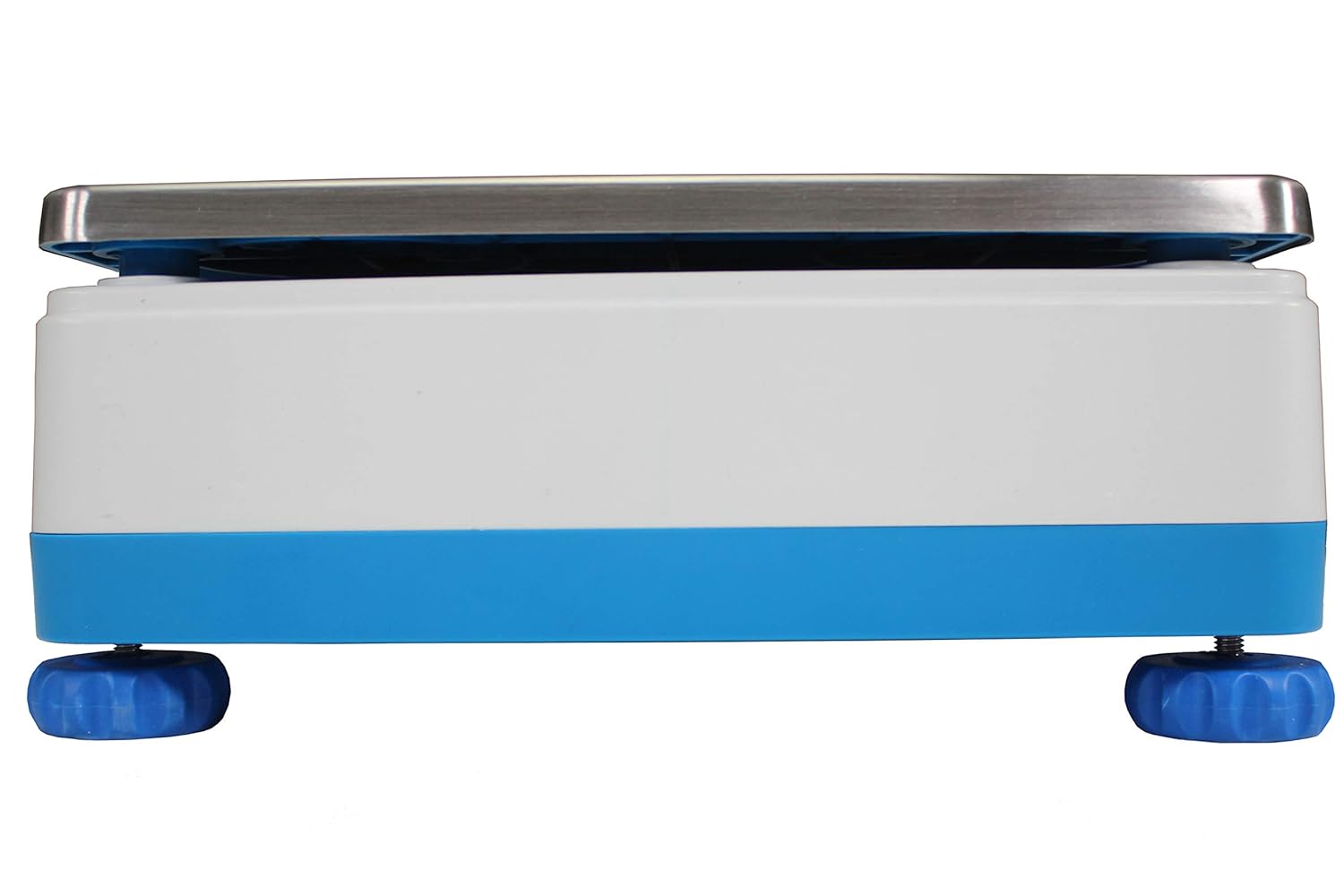
Figure 7.4: Back View
A view of the back of the Adam Equipment Latitude LBX 30 scale, showing the rear casing and any connection ports.

Figure 7.5: Capacity and Readability
This graphic highlights the maximum capacity (65lb/30kg) and readability (0.01lb/5g) of the Adam Equipment Latitude LBX 30 scale, emphasizing its precision.

Figure 7.6: Food Safe Precision Weighing
This image depicts the Adam Equipment Latitude LBX 30 scale in a food service setting, demonstrating its suitability for professional kitchens and catering due to its food-safe precision.
8. Support and Warranty Information
Information regarding specific warranty terms and direct customer support contacts for the Adam Equipment Latitude LBX 30 scale was not available in the provided product data. For detailed warranty information, technical support, or service inquiries, please refer to the official Adam Equipment website or contact their customer service directly.
You may find contact details and support resources on the manufacturer's official website: www.adamequipment.com
Related documentsLBX 30


Ask a question about this manual
Ask about setup, troubleshooting, compatibility, parts, safety, or missing instructions. Manuals+ will review the question and use this page’s manual context to help answer it.