
1. Introduction
The Novation 49SL MkIII is a versatile 49-key MIDI and CV equipped keyboard controller designed to be the central hub of your studio. It offers comprehensive control over both hardware and software, featuring an 8-track polyphonic sequencer and deep integration with various Digital Audio Workstations (DAWs).
This manual provides essential information for setting up, operating, maintaining, and troubleshooting your 49SL MkIII, ensuring you can maximize its potential in your music production workflow.

Figure 1: The Novation 49SL MkIII keyboard controller.
2. Setup
2.1 Unpacking and Initial Inspection
Carefully remove all components from the packaging. Ensure the following items are present:
- Novation 49SL MkIII Keyboard Controller
- Premium braided USB cable
- 12V DC power supply
- Printed Getting Started Guide
- Safety information sheet
Inspect the unit for any signs of damage. If any components are missing or damaged, contact Novation support immediately.
2.2 Connecting the Controller
The 49SL MkIII offers extensive connectivity options for integration into any studio setup.
- Power Connection: Connect the 12V DC power supply to the 'POWER IN' port on the rear panel and plug it into a suitable power outlet.
- USB Connection: For computer-based setups, connect the premium braided USB cable from the 49SL MkIII's USB port to an available USB port on your computer. This provides both power (if sufficient) and MIDI communication.
- MIDI Connections:
- Use the MIDI IN, MIDI OUT, and MIDI OUT2/THRU ports to connect to external MIDI hardware such as synthesizers, drum machines, or other controllers.
- CV/Gate Connections:
- The 49SL MkIII features two sets of CV, Gate, and Mod outputs (CV/GATE/MOD 1 and CV/GATE/MOD 2) for controlling modular synthesizers and other CV-compatible gear.
- An analog Clock Out is also available for synchronizing external equipment.
- Pedal Inputs: Three pedal inputs (Sustain, Expression, Footswitch) are provided for connecting external pedals to enhance performance control.
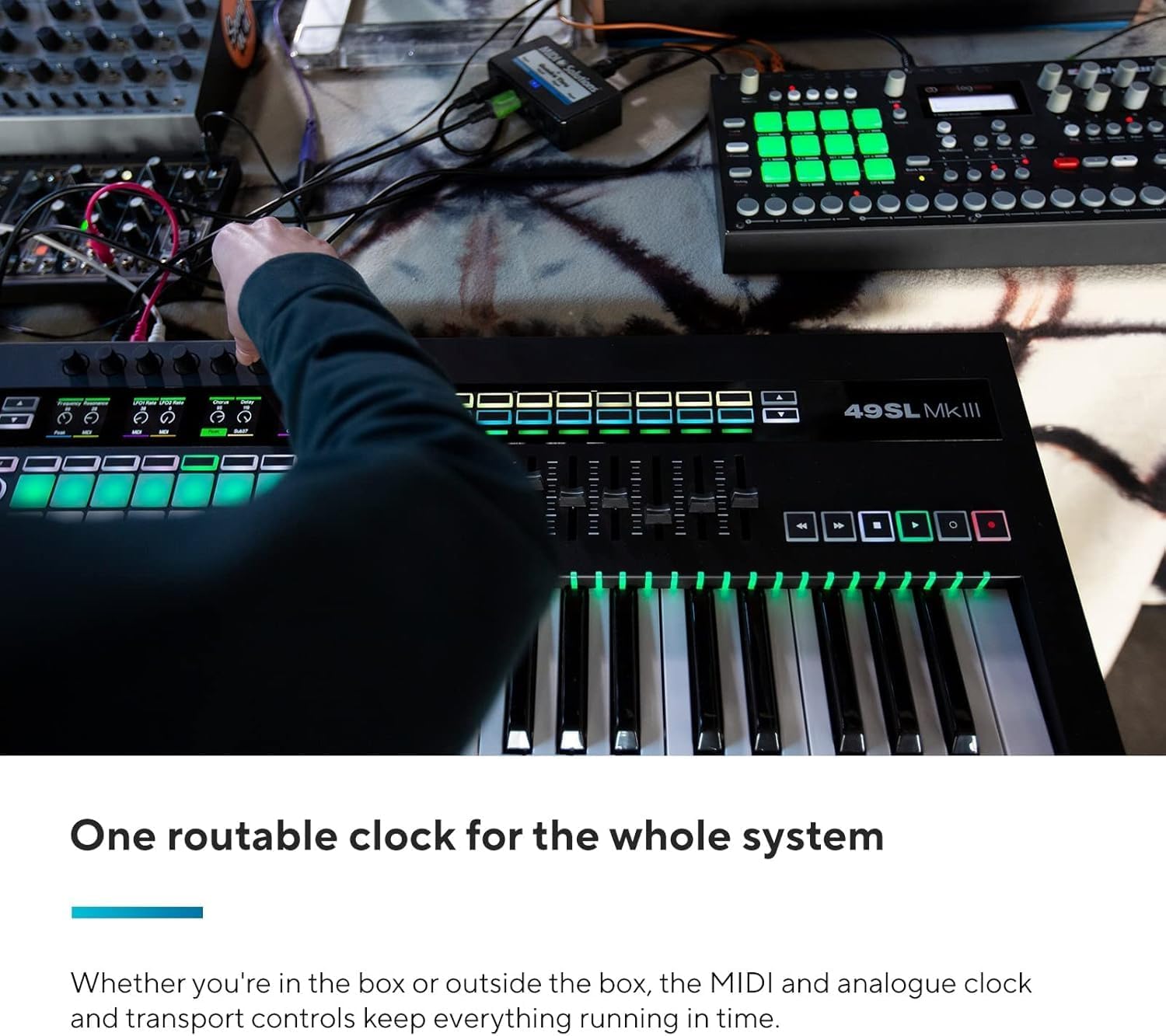
Figure 2: Rear panel showing USB, MIDI, CV/Gate, and pedal connections.
3. Operation
3.1 Absolute Hardware Control
The 49SL MkIII is designed to seamlessly integrate and control your MIDI hardware and CV/Gate synthesizers. Plug all your external gear into the controller to manage your entire studio directly from its internal 8-track polyphonic pattern-based sequencer. All connected devices remain in sync.

Figure 3: The 49SL MkIII as a central hardware controller.
3.2 Keybed and Feel
Experience Novation's finest synth-style semi-weighted keybed, featuring a sprung action optimized for experienced players. The velocity-sensitive pads allow for expressive finger drumming and rhythm creation.

Figure 4: Detailed view of the semi-weighted keybed.
3.3 DAW Integration
The 49SL MkIII offers deep integration with popular DAWs, including Ableton Live, Logic, and Reason. It also provides HUI compatibility for Cubase, Pro Tools, Studio One, and Reaper. The five color LCD screens provide full parameter feedback, allowing you to monitor and control your software instruments and effects directly from the hardware.

Figure 5: The 49SL MkIII integrated with a DAW setup.
3.4 Internal 8-Track Sequencer
Utilize the internal 8-track pattern-based sequencer to construct your musical productions. This sequencer can be used with both software and hardware, keeping everything synchronized with a routable clock for your entire system.

Figure 6: Close-up of the sequencer and control surface.
3.5 Scales, Modes, and Zones
Work with various scales and keys, and set up multiple zones and layers across the keyboard. The vibrant on-key RGB LED feedback provides instant visual cues for active notes, scales, and zones.
4. Maintenance
To ensure the longevity and optimal performance of your Novation 49SL MkIII, follow these general maintenance guidelines:
- Cleaning: Use a soft, dry, lint-free cloth to clean the surface of the controller. Avoid abrasive cleaners, solvents, or waxes, as these can damage the finish.
- Dust Protection: When not in use, cover the unit with a dust cover to prevent dust and debris from accumulating on the keys, pads, and controls.
- Environmental Conditions: Operate and store the 49SL MkIII in a dry environment, away from extreme temperatures, direct sunlight, and high humidity.
- Cable Management: Ensure all cables are connected securely and are not under undue strain. Avoid kinking or sharply bending cables.
5. Troubleshooting
If you encounter any issues with your Novation 49SL MkIII, consider the following basic troubleshooting steps:
- No Power:
- Verify that the 12V DC power supply is securely connected to both the unit and a working power outlet.
- If using USB power, ensure the USB cable is connected to a powered USB port on your computer.
- No MIDI/CV Output:
- Check all MIDI and CV/Gate cable connections.
- Ensure the correct MIDI channels and CV/Gate settings are configured on both the 49SL MkIII and your external hardware/software.
- Restart your computer and the 49SL MkIII.
- Software Not Recognizing Controller:
- Ensure the USB cable is properly connected.
- Check your DAW's MIDI settings to confirm the 49SL MkIII is selected as an input/output device.
- Install or update the latest drivers and firmware for the 49SL MkIII from the Novation website.
- Pads/Keys Not Responding:
- Check for any physical obstructions.
- Ensure the unit is powered on and connected.
- Perform a factory reset if necessary (refer to the full user manual for instructions).
For more detailed troubleshooting or persistent issues, please refer to the official Novation support resources or contact their customer service.
6. Specifications
| Feature | Detail |
|---|---|
| Brand | Novation |
| Model Name | 49SL MkIII |
| Model Number | AMS-SL49-MK3 |
| Number of Keys | 49 |
| Keybed Type | Synth-style semi-weighted |
| Connectivity Technology | USB |
| Connector Type | MIDI, USB |
| Special Feature | 8-track Sequencer |
| Compatible Devices | PC, Synthesizer, Groovebox |
| Supported Software | Ableton, Logic Pro, Reason, HUI (Cubase, Pro Tools, Studio One, Reaper) |
| Platform | Windows 10, Windows 7 (and macOS compatible) |
| Item Dimensions (D x W x H) | 11.8"D x 32.15"W x 3.94"H |
| Item Weight | 12.26 Pounds |
| Color | Black |
| Material Type | Plastic |
| Model Year | 2018 |
| UPC | 815301001065 |
7. Warranty & Support
7.1 Warranty Information
The Novation 49SL MkIII comes with a 2-year limited warranty covering manufacturing defects. Please retain your proof of purchase for warranty claims.
For full details regarding warranty terms and conditions, please refer to the safety information sheet included with your product or visit the official Novation website.
7.2 Customer Support
For technical assistance, product registration, driver downloads, firmware updates, or further information, please visit the official Novation support page:
Visit the Novation Store on Amazon
You can also find comprehensive FAQs and community forums on the Novation website.


