
1. Introduction
Thank you for choosing the CATIGA CD-8185 8-Digit Basic Calculator. This manual provides essential information for setting up, operating, and maintaining your calculator. Designed for ease of use with a large, readable LCD screen and responsive buttons, this calculator is ideal for home, office, and school environments.
The CATIGA CD-8185 features dual power sources (solar and battery) to ensure reliable operation in various lighting conditions.
2. Product Overview
2.1 Key Features
- Easy-to-Use Design: Large, tilted display for comfortable viewing and reduced eye strain.
- Large Responsive Buttons: Spaciously sized keys minimize input errors and provide tactile feedback.
- Robust Construction: Durable plastic body designed for daily use.
- Versatile Functions: Includes addition, subtraction, multiplication, division, percentage, and Clear Entry (CE) functions.
- Dual Power Source: Operates on both solar power and a pre-installed battery, ensuring continuous functionality. The calculator automatically turns off after approximately 6 minutes of inactivity to conserve power.
2.2 Calculator Components
Familiarize yourself with the main components of your CATIGA CD-8185 calculator:

Image 1: Front view of the CATIGA CD-8185 calculator, showing the 8-digit LCD display and the layout of the large, responsive buttons.
- LCD Display: 8-digit liquid crystal display for clear numerical output.
- Solar Panel: Located above the display, provides power in well-lit conditions.
- Number Keys (0-9): For inputting numerical values.
- Operation Keys (+, -, ×, ÷): For basic arithmetic operations.
- Percentage Key (%): For percentage calculations.
- Square Root Key (√): For calculating square roots.
- Clear Entry Key (CE): Clears the last entered number or operation.
- On/Clear Key (ON/C): Turns the calculator on or clears all current calculations.
- Equals Key (=): Completes a calculation.
- Decimal Point Key (.): For entering decimal numbers.
- Sign Change Key (+/-): Changes the sign of the displayed number.
- Anti-Slip Rubber Pads: Located on the underside for stability during use.
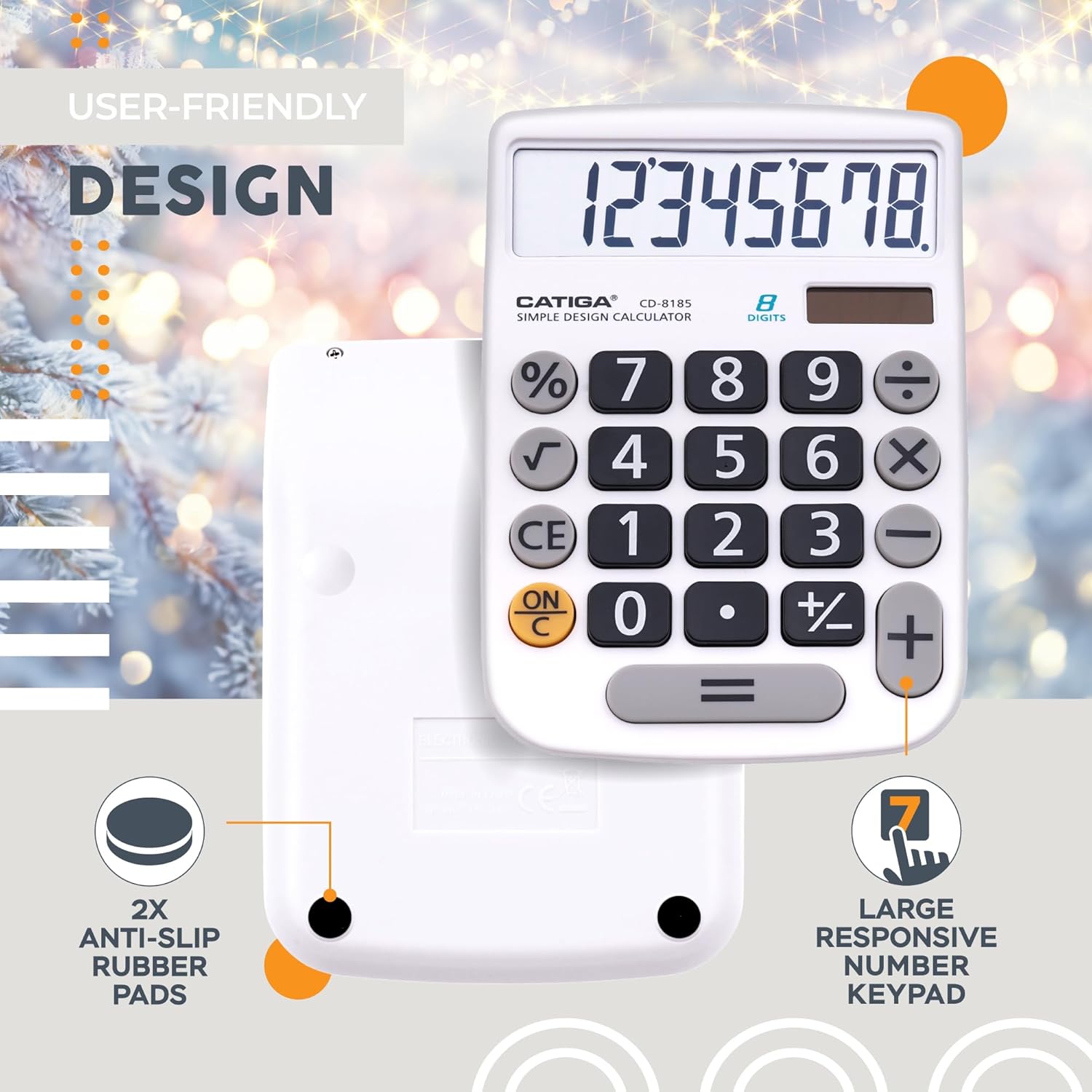
Image 2: Rear view of the CATIGA CD-8185 calculator highlighting the anti-slip rubber pads and the large, responsive number keypad for user comfort.
3. Setup
3.1 Powering On
The CATIGA CD-8185 calculator is equipped with a dual power system: solar and battery. It comes with a pre-installed battery. To power on the calculator, simply press the ON/C button. Ensure sufficient light for solar power operation, or rely on the internal battery in low-light conditions.
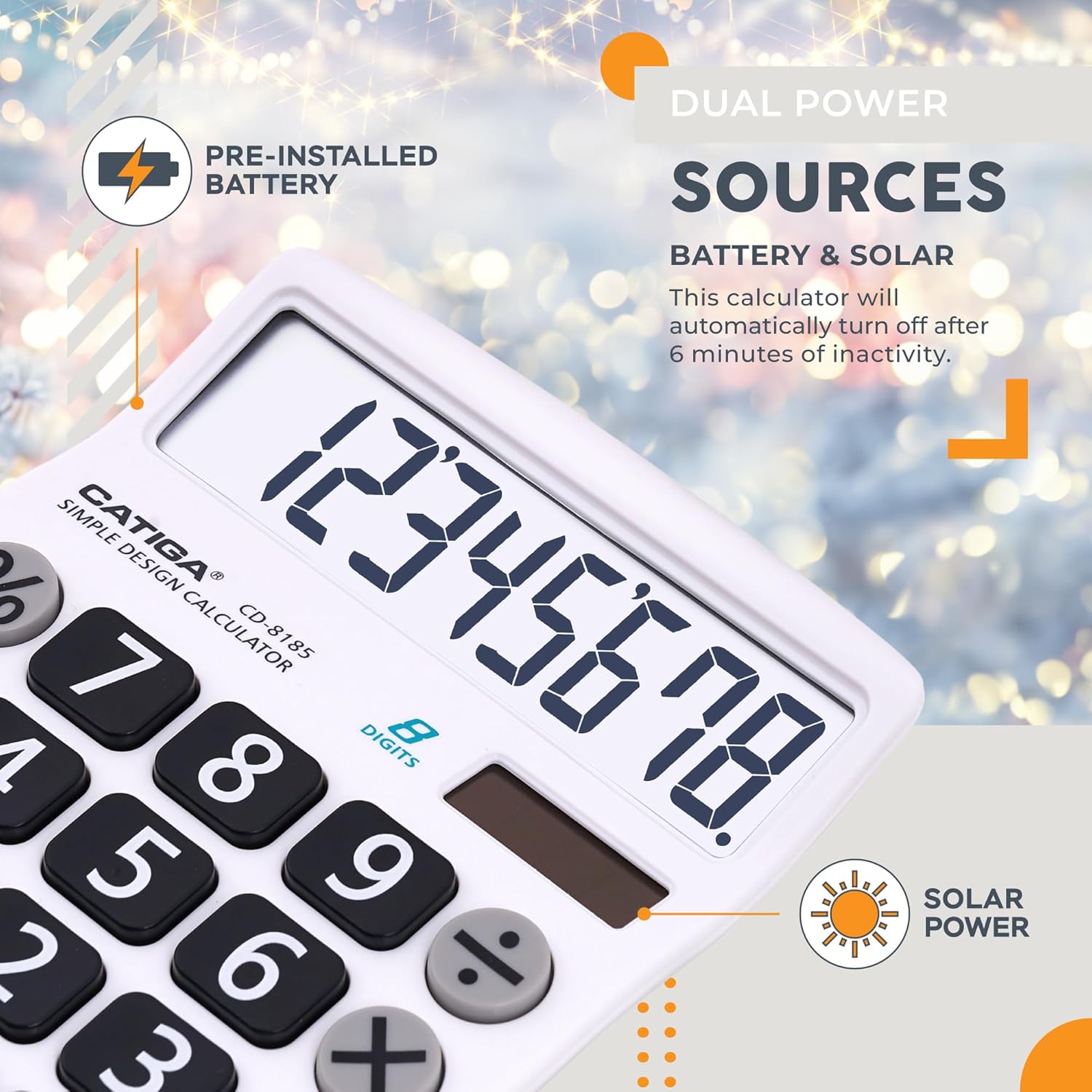
Image 3: Illustration of the calculator's dual power sources, showing the solar panel and indicating the pre-installed battery. The text also notes the 6-minute auto-off feature.
3.2 Automatic Power Off
To conserve energy, the calculator will automatically turn off after approximately 6 minutes of inactivity. Press the ON/C button to turn it back on.
4. Operating Instructions
4.1 Basic Arithmetic Operations
Perform standard calculations using the number keys and operation keys:
- Addition (+): Enter the first number, press +, enter the second number, then press =.
- Subtraction (-): Enter the first number, press -, enter the second number, then press =.
- Multiplication (×): Enter the first number, press ×, enter the second number, then press =.
- Division (÷): Enter the first number, press ÷, enter the second number, then press =.
4.2 Special Functions
- Percentage (%): To calculate a percentage (e.g., 10% of 200): Enter 200, press ×, enter 10, press %.
- Square Root (√): Enter the number, then press √.
- Clear Entry (CE): Press CE to clear the last entered number or operation without affecting previous calculations.
- Clear All (ON/C): Press ON/C once to clear the current display. Press it twice to clear all memory and calculations.
- Decimal Point (.): Use the . key to enter decimal numbers.
- Change Sign (+/-): Press +/- to change the sign of the displayed number from positive to negative or vice versa.

Image 4: The calculator's large, easy-to-read 8-digit LCD display and its ergonomic angled design for improved viewing. Dimensions are approximately 5.5 inches (14 cm) by 4 inches (10.2 cm).
5. Maintenance
Proper care will extend the life of your calculator:
- Cleaning: Wipe the calculator with a soft, dry cloth. Do not use abrasive cleaners or solvents.
- Storage: Store the calculator in a cool, dry place away from direct sunlight and extreme temperatures.
- Battery Replacement: While the calculator uses solar power, the internal battery may eventually need replacement. If the display becomes dim or unresponsive in adequate light, the battery may be low. Consult a qualified technician for battery replacement if necessary.
6. Troubleshooting
If you encounter issues with your CATIGA CD-8185 calculator, refer to the following common problems and solutions:
| Problem | Possible Cause | Solution |
|---|---|---|
| Calculator does not turn on or display is blank. | Insufficient light for solar power; low battery. | Ensure the calculator is in a well-lit area. If the problem persists, the internal battery may need replacement. |
| Display is dim or numbers are hard to read. | Low battery power. | Move the calculator to a brighter area to utilize solar power. If the issue continues, consider battery replacement. |
| Calculator turns off unexpectedly. | Automatic power-off feature activated due to inactivity. | This is normal behavior. Press ON/C to resume operation. |
| Incorrect calculation results. | Incorrect input or sequence of operations. | Press ON/C twice to clear all previous calculations and memory, then re-enter your calculation carefully. |
7. Specifications
| Feature | Detail |
|---|---|
| Brand | CATIGA |
| Model Number | CD-8185 |
| Display Type | LCD |
| Number of Digits | 8 |
| Power Source | Solar and 1 CR2 Alkaline Battery (included) |
| Automatic Shut-off | Approx. 6 minutes of inactivity |
| Material | Plastic |
| Product Dimensions | Approx. 14 cm (L) x 10.2 cm (W) x 1.8 cm (H) / 5.5 in (L) x 4 in (W) x 0.7 in (H) |
| Color | White (as per current product variant) |
8. Warranty and Support
For warranty information or technical support regarding your CATIGA CD-8185 calculator, please refer to the documentation included with your purchase or contact CATIGA customer service directly. Contact details can typically be found on the product packaging or the official CATIGA website.
Please retain your proof of purchase for any warranty claims.