
Philips BRI921/00
Philips Lumea 7000 Series IPL Hair Removal Device User Manual
Model: BRI921/00
Your guide to long-lasting smooth skin.
1. Introduction
The Philips Lumea 7000 Series IPL (Intense Pulsed Light) device is designed to provide effective and long-lasting hair removal in the comfort of your home. Utilizing advanced IPL technology, it works by applying gentle pulses of light to the hair root, which puts the hair follicle into a resting phase, preventing hair regrowth. This manual provides essential information for safe and optimal use of your device.
With consistent use, you can achieve up to 12 months of hair-free smooth skin and significant hair reduction in as few as 3 treatments. The device comes with specialized attachments for different body areas and is supported by the Philips Lumea App for personalized guidance.

Figure 1: Philips Lumea 7000 Series IPL Hair Removal Device with included accessories.
2. Safety Information
Before using your Philips Lumea device, please read all safety instructions carefully. Improper use can lead to skin irritation or injury.
- Skin Tone and Hair Color Suitability: The Philips Lumea is effective on a wide range of hair and skin types. It is suitable for naturally dark blonde, brown, and black hair, and for skin tones I-IV (fair to dark brown). It is not suitable for very dark skin tones (V and VI), red, light-blonde, white, or grey hair, as these hair and skin types do not absorb enough light to be effective.
- Eye Protection: The device is equipped with Skin Contact Sensors that prevent unintentional flashing unless the device is in full contact with the skin. This feature helps protect your eyes. Avoid looking directly into the light flash.
- Sun Exposure: Avoid sun exposure before and after treatment. Tanned skin can be more sensitive to IPL treatment.
- Medical Conditions: Consult your doctor before use if you have any underlying medical conditions, especially skin conditions, or are taking medications that may affect skin sensitivity.
- Sensitive Areas: Use caution and the appropriate attachment for sensitive areas like the face. The face attachment includes an integrated light filter for extra safety.

Figure 2: The device features Skin Contact Sensors for safe operation, ensuring flashes only occur when in full skin contact.
3. Product Overview
Your Philips Lumea 7000 Series package includes the following components:
- Philips Lumea IPL Device (BRI921/00): The main handheld unit.
- Body Attachment (4 cm²): Designed for efficient treatment of larger body areas such as legs, arms, and stomach.
- Face Attachment (2 cm²): Specifically designed for use on the face, featuring an integrated light filter for enhanced safety and precision.
- Satin Compact Pen Trimmer: A discrete beauty tool for quick touch-ups between treatments.
- Storage Pouch: For convenient storage and travel.
- Power Adapter (24V / 1500mA): For connecting the device to a power source.
- Cleaning Cloth: For maintaining the device.
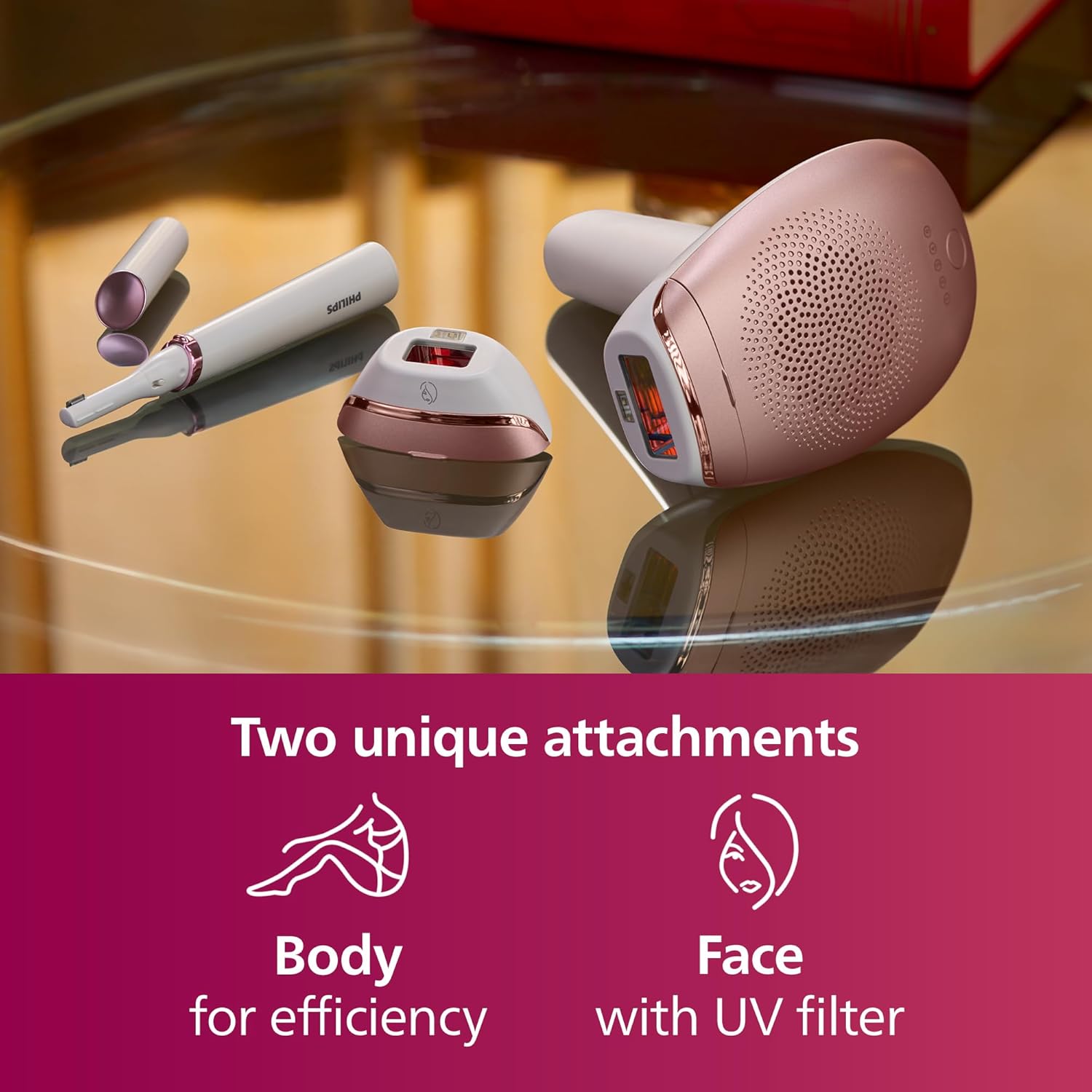
Figure 3: The Philips Lumea comes with two unique attachments for targeted treatment on the body and face.
4. Setup
- Prepare the Skin: Ensure the area to be treated is clean, dry, and free of any lotions, oils, or deodorants. Shave the hair from the treatment area before each session. Do not wax or epilate, as the hair root needs to be present for the IPL to be effective.
- Connect the Device: Plug the power adapter into the device and then into a wall outlet. The device is corded for continuous use.
- Attach the Correct Head: Select the appropriate attachment (body or face) for the area you intend to treat and securely click it into place on the device.
- Power On: Press the power button to turn on the device. The intensity indicator lights will illuminate.
5. Operating Instructions
Follow these steps for effective and safe IPL treatment:
- Select Intensity Setting: The device offers five adjustable light intensity settings. Start with a lower setting and gradually increase it until you find a comfortable yet effective level for your skin. Refer to the skin tone and hair color chart in the user manual for guidance.
- Position the Device: Place the attachment window firmly against your skin. The Skin Contact Sensors will ensure the device is properly positioned before a flash can be emitted.
- Apply Treatment: Press the flash button. A flash of light will be emitted. Move the device to the next adjacent area, ensuring slight overlap to cover all areas. Continue this process until the entire desired area has been treated.
- Treatment Schedule: For optimal results, follow the recommended treatment schedule:
- Initial Phase: Perform 4 treatments, one every two weeks.
- Maintenance Phase: After the initial phase, perform 8 treatments, one every four weeks.
- After 12 treatments, you can expect up to 12 months of hair-free smooth skin. Individual results may vary.
- Philips Lumea App: Download the free Philips Lumea App for a personalized IPL experience. The app acts as your coach, helping you track your progress, reminding you of upcoming sessions, and providing guidance to optimize your routine for long-lasting results.

Figure 4: Visible hair reduction can be observed after just three bi-weekly treatments.

Figure 5: The Philips Lumea IPL app helps optimize your routine with personalized schedules and guidance.
6. Maintenance
Proper maintenance ensures the longevity and optimal performance of your Philips Lumea device.
- Cleaning: After each use, unplug the device and allow it to cool down. Use the provided cleaning cloth to gently wipe the treatment window and the surface of the attachments. Ensure no hair or skin residue remains. Do not use abrasive cleaners or harsh chemicals.
- Storage: Store the device and its attachments in the provided storage pouch in a cool, dry place, away from direct sunlight and moisture.
- Cord Care: Avoid wrapping the power cord tightly around the device. Store the cord loosely to prevent damage.
7. Troubleshooting
If you encounter any issues with your Philips Lumea device, refer to the following common troubleshooting tips:
| Problem | Possible Cause / Solution |
|---|---|
| Device is not flashing. |
|
| Treatment feels uncomfortable or painful. |
|
| No visible hair reduction after several treatments. |
|
| Device overheats and shuts down. |
|
If the problem persists, please contact Philips customer support for further assistance.
8. Specifications
- Model Number: BRI921/00
- Brand: Philips
- Technology: Intense Pulsed Light (IPL)
- Power Source: Corded (24V / 1500mA adapter)
- Attachments: Body (4 cm²), Face (2 cm²)
- Light Intensity Settings: 5 adjustable levels
- Dimensions (Package): Approximately 25.6 x 23.2 x 12.5 cm
- Weight (Package): Approximately 1.2 kg
- Country of Origin: Hungary
- Included Accessories: Satin Compact pen trimmer, storage pouch, adapter, cleaning cloth.
9. Warranty and Support
Your Philips Lumea 7000 Series device comes with a manufacturer's guarantee. Please refer to the warranty card included in your product box for specific terms and conditions, including the duration of the guarantee.
For product support, frequently asked questions, or to register your product, please visit the official Philips website or contact Philips customer service in your region. Keep your proof of purchase for warranty claims.
Online Resources: For additional tips, video tutorials, and the latest information, visit the Philips Lumea support page.
Related documentsBRI921/00


Ask a question about this manual
Ask about setup, troubleshooting, compatibility, parts, safety, or missing instructions. Manuals+ will review the question and use this page’s manual context to help answer it.