
1. Introduction
This manual provides essential information for the safe and effective operation of your SMART SENSOR AS8900 Portable Multi-Gas Monitor. Please read this manual thoroughly before using the device and retain it for future reference. The AS8900 is a handheld digital air quality tester designed to detect and monitor four types of gases: Oxygen (O2), Carbon Monoxide (CO), Hydrogen Sulfide (H2S), and Combustible Gas (LEL).
2. Package Contents
Upon opening the package, verify that all items listed below are present and in good condition:
- 1 x SMART SENSOR AS8900 Multi-Gas Monitor
- 1 x User Manual
- 1 x Charging Adaptor
- 1 x USB Cable
- 1 x Hand Carry Case
- 1 x Calibration Certificate
- 1 x CNEX Certificate
- 1 x Color Gift Paper Box
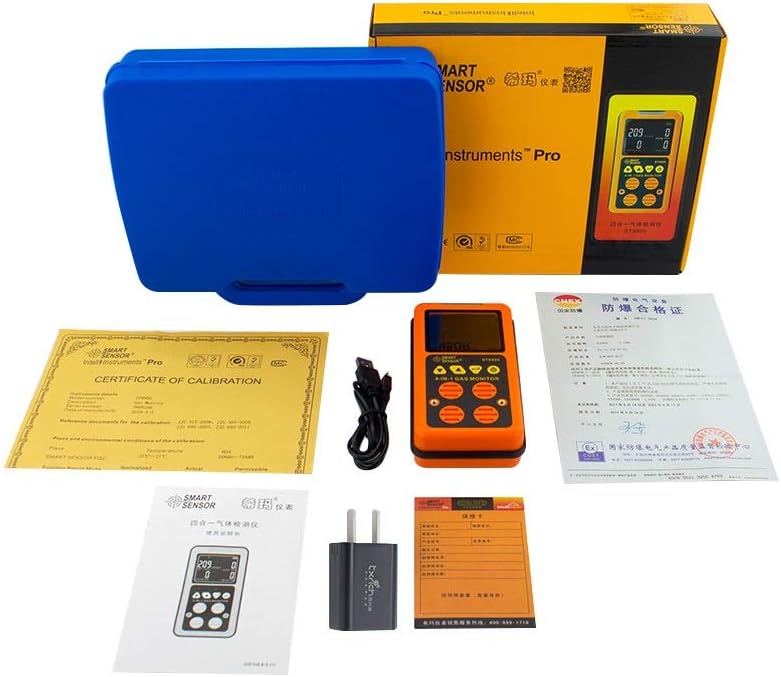
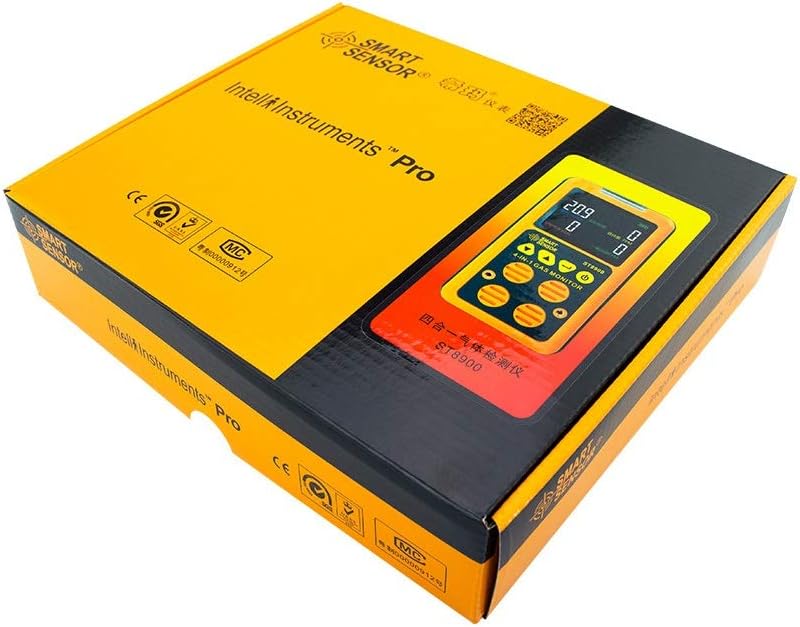
Video 2.1: An unboxing video showcasing the contents of the SMART SENSOR AS8900 Multi-Gas Monitor package, including the device, accessories, and documentation.
3. Product Overview
The SMART SENSOR AS8900 is a compact and portable multi-gas monitor featuring a color LCD display for real-time gas concentration values. It is designed for ease of use and portability with a unique clip design.
3.1. Device Components

- Light Alarm: Visual indicator for alarms.
- Power Indicator: Shows device power status.
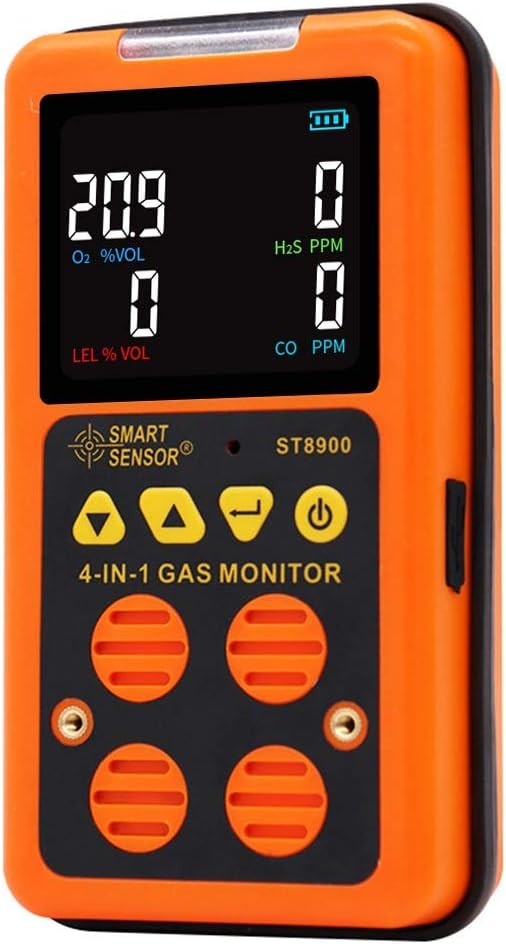
- Big Color LCD Display: Displays real-time gas concentration values.
- Brand Logo: SMART SENSOR branding.
- Sound Alarm: Audible indicator for alarms.
- Down Button: Navigation and setting adjustment.
- Up Button: Navigation and setting adjustment.
- Power On/Off Button: Controls device power.
- Enter Button: Confirms selections and settings.
- Sampling Pump Connecting Ports: For external sampling pump connection.
- High Sensitive Sensors: Detects gas concentrations.
3.2. Rear Features and Dimensions


4. Specifications
| Feature | Specification |
|---|---|
| Gas Types Detected | Oxygen (O2), Carbon Monoxide (CO), Hydrogen Sulfide (H2S), Combustible Gas (LEL) |
| O2 Measurement Range | 0 ~ 30% vol |
| CO Measurement Range | 0 ~ 999 ppm |
| H2S Measurement Range | 0 ~ 500 ppm |
| Combustible Gas (LEL) Range | 0 ~ 100% LEL |
| Resolution | O2: 0.1% vol, CO: 1 ppm, H2S: 1 ppm, LEL: 1% LEL |
| Detecting Principle | Electrochemical sensors |
| Alarm Types | Sound, Light, Vibration (adjustable values, sound up to 80dB) |
| Operating Temperature | -10 ~ 50°C (LEL: 0 ~ 40°C) |
| Operating Humidity | 15 ~ 95% RH (standard) |
| Power Source | 3.7V Li-battery (Built-in, rechargeable) |
| Battery Runtime | 6 hours (continuous, may vary with conditions) |
| Product Net Weight | 360g |
| Size | 138 x 75 x 43 mm |
| Certifications | JJG693, JJG695, JJG915, GB3836 series anti-explosion standard |
5. Setup
5.1. Charging the Device
Before initial use, fully charge the AS8900 Multi-Gas Monitor. Connect the provided USB cable to the device and the charging adapter to a power outlet. The power indicator will show charging status.

5.2. Powering On/Off
- To Power On: Press and hold the Power On/Off button (refer to Figure 3.1) until the display illuminates.
- To Power Off: Press and hold the Power On/Off button until the device shuts down.
6. Operating Instructions
6.1. Understanding the Display
The color LCD display provides real-time readings for all four detected gases. Each gas type (O2, H2S, CO, LEL) has a dedicated section on the screen showing its current concentration.
6.2. Navigating Menus and Settings
Use the Up and Down buttons to navigate through menu options. Press the Enter button to select an option or confirm a setting. The Power On/Off button may also function as a back or escape button in some menus.
7. Alarm Functions
The AS8900 features high/low and TWA/STEL alarm functions. When gas concentrations reach preset alarm values, the device will activate three alarm methods: sound, light, and vibration. Alarm values are adjustable to meet specific requirements.
- Sound Alarm: An audible alert (up to 80dB) to indicate a hazardous condition.
- Light Alarm: A visual flashing light to draw attention to the alarm.
- Vibration Alarm: A tactile alert, useful in noisy environments or when the device is worn on the body.
7.1. Adjusting Alarm Values
Refer to the detailed instructions in the full user manual for specific steps on how to access and adjust the high/low and TWA/STEL alarm thresholds for each gas type. Incorrect settings can compromise safety.
8. Maintenance
8.1. General Care
- Keep the device clean and free from dust and debris. Use a soft, dry cloth for cleaning.
- Avoid exposing the device to extreme temperatures, humidity, or direct sunlight for prolonged periods.
- Store the device in its protective carry case when not in use.
8.2. Calibration
Regular calibration is crucial for maintaining the accuracy of the gas monitor. Refer to the full user manual or contact customer support for information on calibration procedures and recommended intervals. A calibration certificate is included with your device.
8.3. Battery Care
To prolong battery life, avoid fully discharging the battery frequently. Charge the device regularly, especially if it will be stored for an extended period.
9. Troubleshooting
If you encounter issues with your AS8900 Multi-Gas Monitor, refer to the following common problems and solutions:
| Problem | Possible Cause | Solution |
|---|---|---|
| Device does not power on | Low battery; device malfunction | Charge the device fully. If issue persists, contact support. |
| Inaccurate readings | Needs calibration; sensor obstruction | Perform calibration. Ensure sensors are clear of debris. |
| Alarm constantly active | High gas concentration; incorrect alarm settings | Evacuate area if gas is present. Check and adjust alarm thresholds. |
| Display not working | Device malfunction; extreme temperature | Restart the device. Ensure operating within specified temperature range. Contact support if necessary. |
For issues not listed here, please refer to the comprehensive troubleshooting section in the full user manual or contact SMART SENSOR customer support.
10. Safety Information
The SMART SENSOR AS8900 is designed to enhance safety by detecting hazardous gas levels. However, it is not a substitute for proper safety procedures and training. Always adhere to local safety regulations and guidelines.
- Do not operate the device if it appears damaged or is not functioning correctly.
- Ensure the device is calibrated regularly to maintain accuracy.
- Use the device only in environments within its specified operating temperature and humidity ranges.
- Do not attempt to open or repair the device yourself, as this may void the warranty and pose safety risks.
- In case of an alarm, follow established safety protocols for gas leaks or hazardous conditions.
11. Certifications
The SMART SENSOR AS8900 Multi-Gas Monitor complies with the following standards and regulations:
- JJG693
- JJG695
- JJG915
- GB3836 series anti-explosion standard
A calibration certificate and a CNEX certificate are included with the product, verifying its adherence to quality and safety standards.
12. Warranty and Support
For warranty information, technical support, or service inquiries, please refer to the warranty card included in your product package or visit the official SMART SENSOR website. Please have your model number (AS8900) and serial number ready when contacting support.

