
ANLEON S3
ANLEON S3 Personal Wireless In-Ear Monitor System
Model: S3 - User Manual
Introduction
The ANLEON S3 Personal Wireless In-Ear Monitor System is designed to provide musicians and performers with clear, reliable, and high-fidelity audio monitoring on stage. This system allows for precise control over your personal mix, ensuring you hear exactly what you need to, without the clutter of stage monitors. The S3 system is ideal for drummers, keyboardists, guitar players, vocalists, bass players, and any musician requiring freedom of movement while maintaining excellent audio feedback.
Important Safety Instructions
- Power Source: Use only the specified power adapter (9V/300mA) provided with the unit. Ensure the voltage is compatible with your region.
- Water and Moisture: Do not expose this equipment to rain or moisture. Do not use near water or in excessively humid environments.
- Ventilation: Ensure proper ventilation for the transmitter unit. Do not block any ventilation openings.
- Heat: Keep the unit away from heat sources such as radiators, heat registers, stoves, or other apparatus (including amplifiers) that produce heat.
- Cleaning: Clean only with a dry cloth. Avoid using liquid cleaners or aerosols.
- Servicing: Do not attempt to service this product yourself. Refer all servicing to qualified service personnel. Servicing is required when the apparatus has been damaged in any way, such as power-supply cord or plug is damaged, liquid has been spilled or objects have fallen into the apparatus, the apparatus has been exposed to rain or moisture, does not operate normally, or has been dropped.
- Earphone Use: Prolonged listening at high volume levels can cause permanent hearing damage. Always set the volume to a comfortable level before placing earphones in your ears.
What's Included
Your ANLEON S3 Personal Wireless In-Ear Monitor System package should contain the following items:
- 1 x S3 Stereo Body-Pack Receiver (518-554Mhz)
- 1 x S3 Stereo Transmitter (518-554Mhz)
- 1 x Earphones
- 1 x User Manual
- 1 x 9V/300mA Power Adaptor (110V-240V)
Product Overview
S3 Stereo Transmitter

Front view of the ANLEON S3 Stereo Transmitter, showing the display and control buttons.
The S3 Stereo Transmitter is the central unit of your in-ear monitor system. It features a clear display showing channel and frequency information, along with buttons for navigation and settings adjustment. The front panel includes a headphone output for direct monitoring of input signals.

Rear view of the ANLEON S3 Stereo Transmitter, highlighting the XLR/1/4" combo inputs and audio loop outputs.
The rear panel of the transmitter is equipped with two XLR/1/4" combo input connectors (L and R) for connecting line-level audio sources from a mixing console. It also features audio loop outputs (L and R) for passing the signal to additional IEM systems or recording devices without signal degradation. The power input and antenna connection are also located here.
S3 Stereo Body-Pack Receiver

The ANLEON S3 Body-Pack Receiver connected to earphones, showing its compact design and display.
The S3 body-pack receiver is a compact, portable unit that receives the audio signal from the transmitter. It features a display for channel and battery status, volume controls, and a 3.5mm headphone jack for connecting your in-ear monitors. The receiver is powered by batteries and includes a belt clip for easy attachment.

Side view of the ANLEON S3 Body-Pack Receiver, showing the antenna and battery compartment access.
This view illustrates the side profile of the receiver, including the removable antenna and the access point for battery replacement. The robust design ensures durability during live performances.Earphones
The included earphones are designed for in-ear monitoring, providing isolation from ambient stage noise and delivering clear audio directly to the performer's ears. They connect to the 3.5mm jack on the body-pack receiver.
Initial Setup Guide
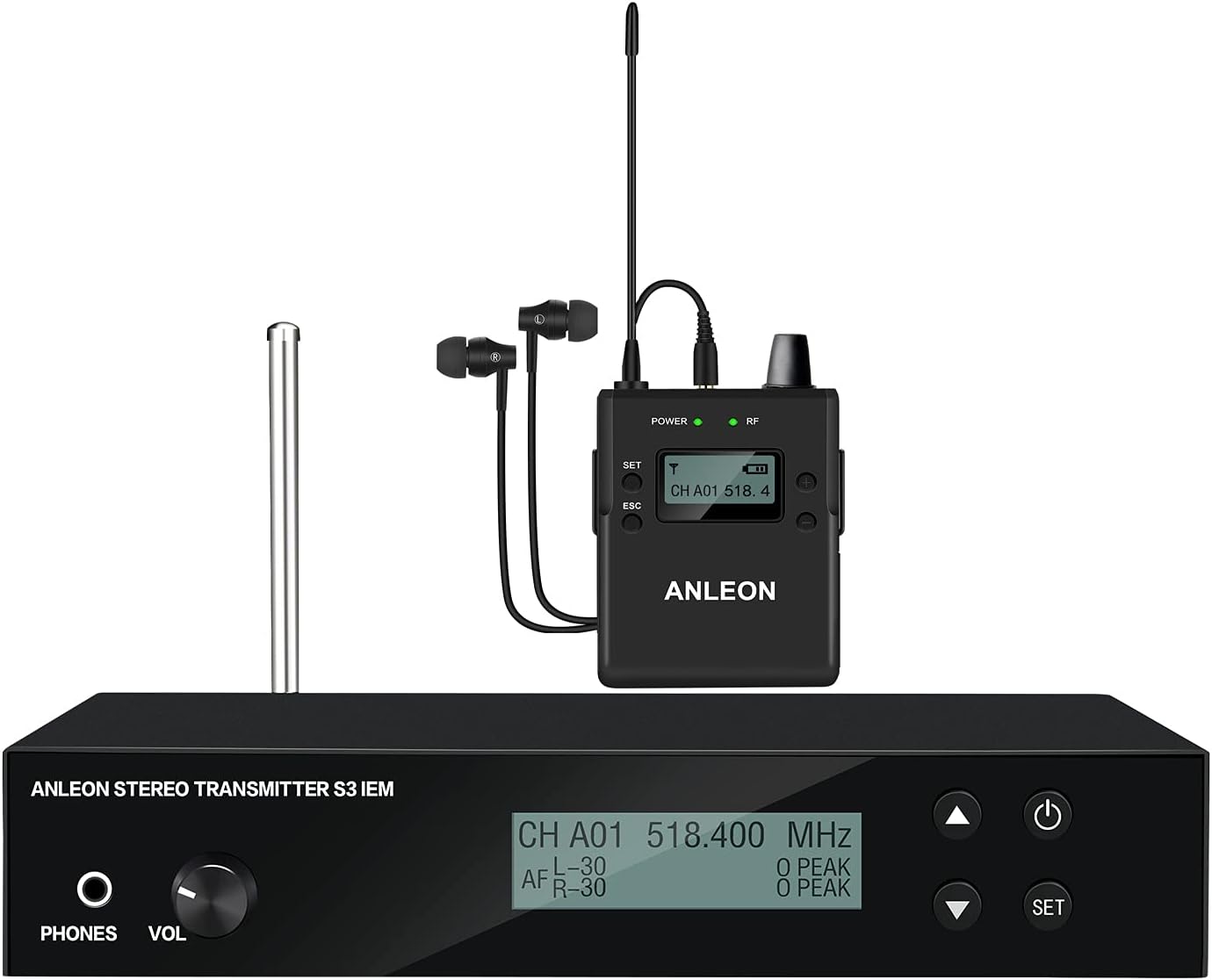
A complete ANLEON S3 system setup, showing the transmitter connected to a mixing console and the receiver with earphones.
1. Connecting the Transmitter
- Connect the provided power adapter to the 9V DC input on the rear of the S3 Stereo Transmitter and plug it into a power outlet.
- Connect your audio source (e.g., mixing console's auxiliary send, instrument output) to the XLR/1/4" combo input connectors (L and R) on the rear of the transmitter. For mono signals, connect to the L input and set the transmitter/receiver to mono operation.
- Attach the antenna to the antenna connector on the rear of the transmitter.
2. Powering On and Frequency Selection
- Transmitter: Press the power button on the transmitter. The display will illuminate.
- Use the 'SET' button and arrow keys on the transmitter to select your desired operating frequency within the 518.000 to 554.000 MHz band. Ensure the selected frequency is clear of interference in your environment.
- Receiver: Insert batteries into the S3 body-pack receiver. Press the power button.
- Use the controls on the receiver to match its frequency to that of the transmitter. The 'RF' indicator on both units should light up, indicating a successful connection.
3. Personal Mix Control
The S3 system features Personal Mix Control, allowing you to adjust the volume and mix of two independent signals directly from the body-pack receiver. This is particularly useful when receiving a stereo mix or two separate mono feeds from the mixing console.
4. Mono/Stereo Operation
The system supports both mono and stereo operation. For improved signal-to-noise performance when only a single audio signal is required, connect your mono source to the transmitter's left XLR-3F socket and set both the transmitter and receiver to mono mode. For stereo operation, connect both L and R inputs and ensure both units are set to stereo mode.
Operation
Adjusting Volume
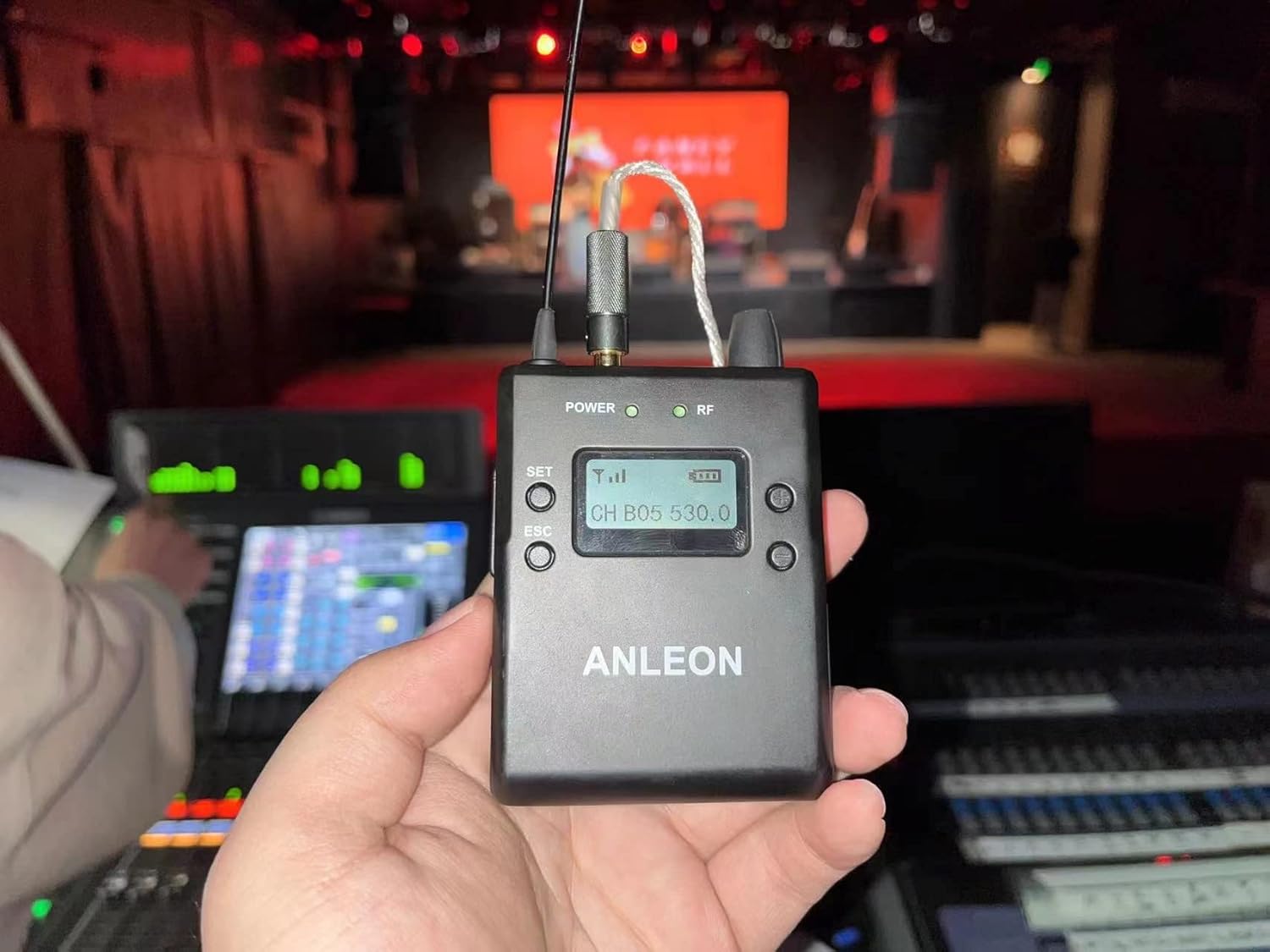
A hand holding the ANLEON S3 Body-Pack Receiver, demonstrating its portability and ease of access to controls during use.
Once the receiver is powered on and linked to the transmitter, connect your earphones. Use the volume control on the body-pack receiver to adjust your personal listening level. Start with a low volume and gradually increase it to a comfortable level to prevent hearing damage.
Monitoring Input Signals
The S3 Transmitter includes a headphone output, allowing you to monitor the audio signals being sent to the system directly. This is useful for sound engineers or performers who need to verify the input signal before it is transmitted wirelessly.
Using Multiple Systems
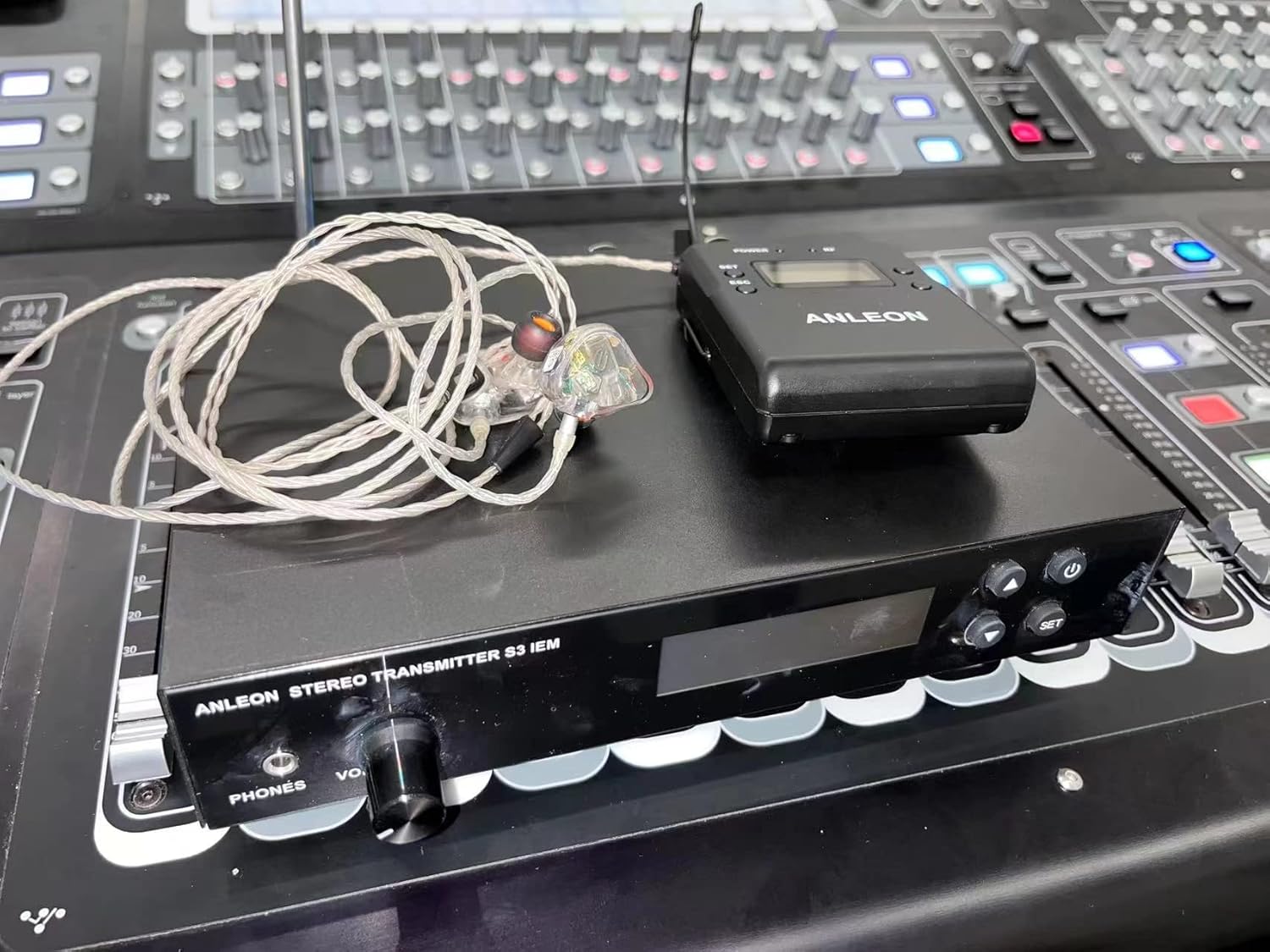
The ANLEON S3 system set up on a mixing console, illustrating its integration into a professional audio environment.
Up to 8 complete S3 systems can be used simultaneously within the same frequency band. Any number of S3 stereo receivers can operate on the same frequency with a single S3 stereo transmitter, making it flexible for bands or ensembles where multiple members need to hear the same mix.
Care and Maintenance
- Cleaning: Wipe the units with a soft, dry cloth. Do not use abrasive cleaners or solvents.
- Storage: When not in use, store the system in a cool, dry place, away from direct sunlight and extreme temperatures.
- Battery Replacement: Replace batteries in the body-pack receiver when the low battery indicator appears on the display to ensure uninterrupted performance. Always use fresh, high-quality batteries.
- Antenna Care: Handle antennas carefully. Avoid bending or forcing them, as this can affect signal integrity.
Troubleshooting Common Issues
- Audio signal has a high level of background noise or static:
- Ensure the receiver's "High Boost" setting is OFF. High Boost, when ON, can amplify background noise.
- When connecting to a mixer, carefully adjust the signal level sent to the S3 transmitter. If the input signal is too low, it can result in a signal with high background noise. Ensure the input level is strong but not clipping.
- If two-signal transmission is not required, use Mono Mode for improved signal-to-noise performance. Connect any unit that only delivers a mono signal to the transmitter's left XLR-3F socket and set the transmitter/receiver to mono operation.
- No sound from receiver:
- Check if both transmitter and receiver are powered on and have fresh batteries (receiver).
- Verify that the transmitter and receiver are tuned to the same frequency.
- Ensure the audio source is properly connected to the transmitter and is sending a signal.
- Check earphone connection to the receiver and earphone functionality.
- Intermittent signal or dropouts:
- Ensure the transmitter and receiver antennas are fully extended and unobstructed.
- Reduce the distance between the transmitter and receiver.
- Check for strong RF interference from other wireless devices in the area. Try changing the operating frequency.
Technical Specifications
| Feature | Specification |
|---|---|
| Model Name | S3 |
| Operating Frequencies Band | 518.000 to 554.000 MHz |
| Modulation Mode | FM stereo |
| Maximum Deviation | ±40 kHz |
| Frequency Response | 60 Hz to 13 kHz (+/- 3 dB) |
| Dynamic Range | 90 dB (typical), A-weighted |
| Total Harmonic Distortion | <1% at (1 kHz, ±20 kHz Deviation) |
| Connectivity Technology | Wireless (RF) |
| Battery Life (Receiver) | 8 Hours |
| Impedance (Earphones) | 32 Ohm |
| Item Weight | 4.29 pounds (total package) |
| Package Dimensions | 14.53 x 10.94 x 3.66 inches |
Warranty and Customer Support
ANLEON products are manufactured to high-quality standards. For information regarding warranty coverage, technical support, or service inquiries, please refer to the contact information provided with your product packaging or visit the official ANLEON website. Please retain your proof of purchase for any warranty claims.
Related documentsS3


Ask a question about this manual
Ask about setup, troubleshooting, compatibility, parts, safety, or missing instructions. Manuals+ will review the question and use this page’s manual context to help answer it.