
1. Introduction
This manual provides detailed instructions for the proper use and maintenance of your CATIGA CD-8185 Desktop Calculator. Please read this manual thoroughly before using the calculator to ensure optimal performance and longevity.

Figure 1: CATIGA CD-8185 Desktop Calculator
The CATIGA CD-8185 is an 8-digit desktop calculator designed for everyday use in home, office, or school environments. It features a large, easy-to-read LCD display, responsive buttons, and dual power sources for reliable operation.
2. Setup
2.1 Powering On
The calculator is equipped with dual power sources: solar power and a pre-installed CR2 battery. It will automatically draw power from the solar panel in well-lit environments. If lighting is insufficient, it will switch to battery power.
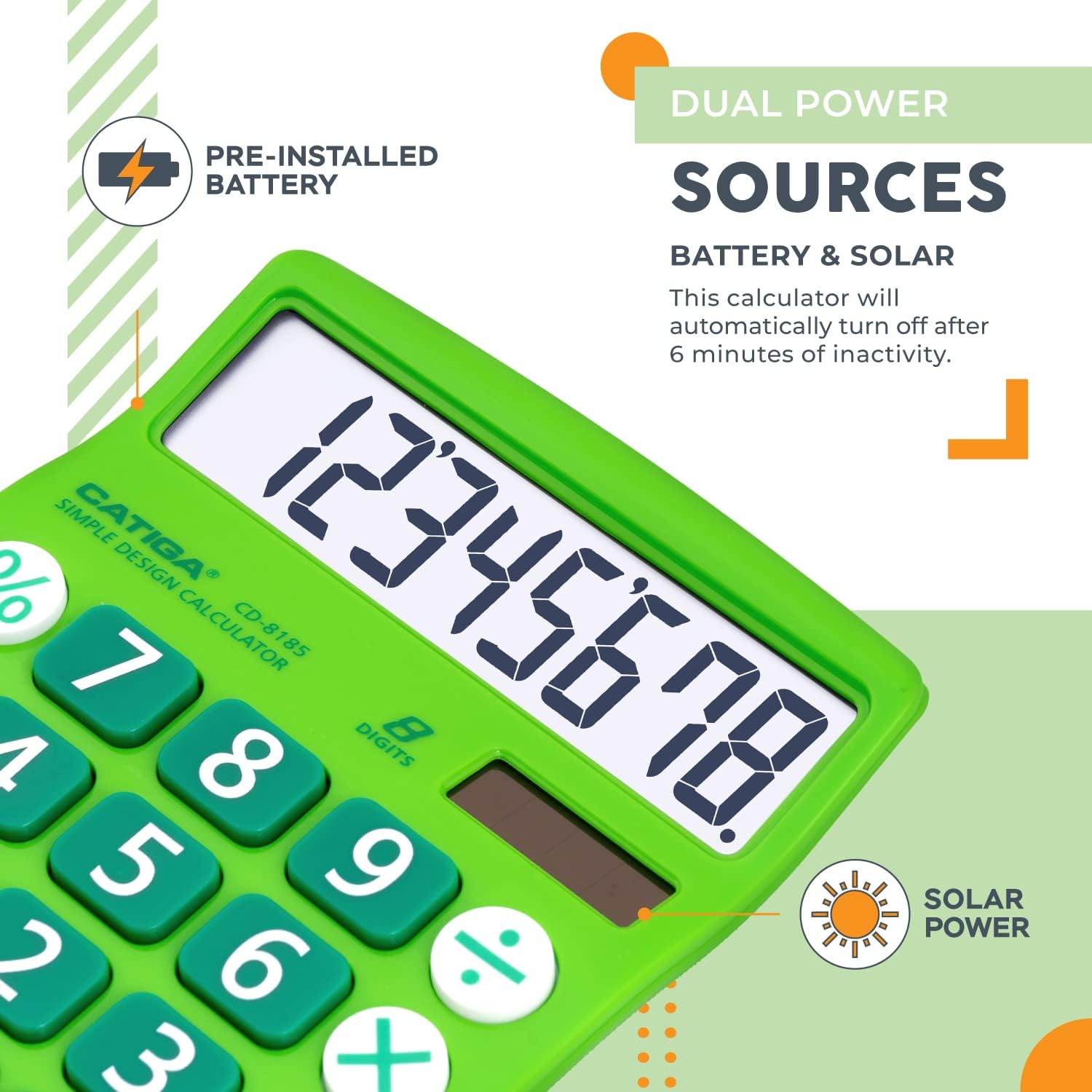
Figure 2: Dual Power Sources
To turn on the calculator, press the ON/C button. The display will show '0'.
2.2 Automatic Shut-off
To conserve power, the calculator will automatically turn off after approximately 6 minutes of inactivity. Press the ON/C button to reactivate it.
2.3 Battery Installation/Replacement
The calculator comes with a pre-installed CR2 battery. If the display becomes dim or unresponsive in low light conditions, the battery may need replacement. Refer to the back of the calculator for the battery compartment. Use a small screwdriver to open the compartment, replace the CR2 battery, and secure the cover.
3. Operating Instructions
3.1 Basic Arithmetic Operations
Perform addition, subtraction, multiplication, and division using the respective buttons:
- Addition (+): Enter the first number, press +, enter the second number, then press =.
- Subtraction (-): Enter the first number, press -, enter the second number, then press =.
- Multiplication (x): Enter the first number, press x, enter the second number, then press =.
- Division (÷): Enter the first number, press ÷, enter the second number, then press =.
3.2 Percentage Calculations
To calculate percentages, use the % button. For example, to calculate 15% of 200:
- Enter 200.
- Press x.
- Enter 15.
- Press %. The result (30) will be displayed.
3.3 Clear Functions
- Clear Entry (CE): Clears the last entered number or operation without affecting previous calculations.
- All Clear / On (ON/C): Clears all calculations and resets the calculator to zero. Also functions as the power on button.
3.4 Display and Keypad

Figure 3: Calculator Dimensions and Display Features
The calculator features a large, tilted 8-digit LCD display for enhanced readability. The buttons are designed to be large and responsive, reducing input errors during calculations.
4. Maintenance
4.1 Cleaning
To clean the calculator, gently wipe the surface with a soft, dry cloth. Do not use liquid cleaners, abrasive pads, or chemical solvents, as these can damage the display or casing.
4.2 Storage
Store the calculator in a cool, dry place away from direct sunlight and extreme temperatures. Avoid placing heavy objects on top of the calculator to prevent damage to the display or buttons.
4.3 Battery Care
If the calculator will not be used for an extended period, it is recommended to remove the battery to prevent leakage and potential damage to the device.
5. Troubleshooting
- Calculator does not turn on: Ensure there is sufficient light for the solar panel or check if the CR2 battery needs replacement. Press ON/C.
- Display is dim or blank: This usually indicates low battery power or insufficient light for the solar panel. Replace the battery or move to a brighter area.
- Incorrect calculations: Press ON/C to clear all previous entries and start a new calculation. Double-check your input.
- Calculator turns off unexpectedly: This is a normal power-saving feature. The calculator automatically shuts off after approximately 6 minutes of inactivity. Press ON/C to resume.
6. Specifications
| Feature | Description |
|---|---|
| Model Number | CD-8185 |
| Display | 8-Digit LCD |
| Power Source | Dual (Solar & 1x CR2 Battery) |
| Product Dimensions | 6 x 4.25 x 0.75 inches |
| Item Weight | 4.6 ounces |
| Automatic Shut-off | Approx. 6 minutes of inactivity |
| Manufacturer | Jeoly / Catiga Electronic Co. Ltd |
7. Warranty and Support
CATIGA is committed to providing quality products and customer satisfaction.
- Return Policy: This product is eligible for a 30-day refund or replacement policy from the date of purchase.
- Customer Support: For any inquiries or assistance, please contact CATIGA customer support. Lifetime phone support is available from 9 AM to 5 PM PST.

Figure 4: Customer Support and Warranty Information
For further information or to register your product, please visit the official CATIGA website.
8. Product Videos
No relevant official product videos from the seller were found in the provided data to embed in this manual.
