
1. Product Overview
The YOUTHINK Electricity Usage Monitor is designed to measure the power consumption of electronic devices. It helps users identify high-energy-cost appliances, save energy, and reduce carbon dioxide emissions. This device features an upgraded blue-backlit LCD display for clear visibility and includes overload protection for safe operation.
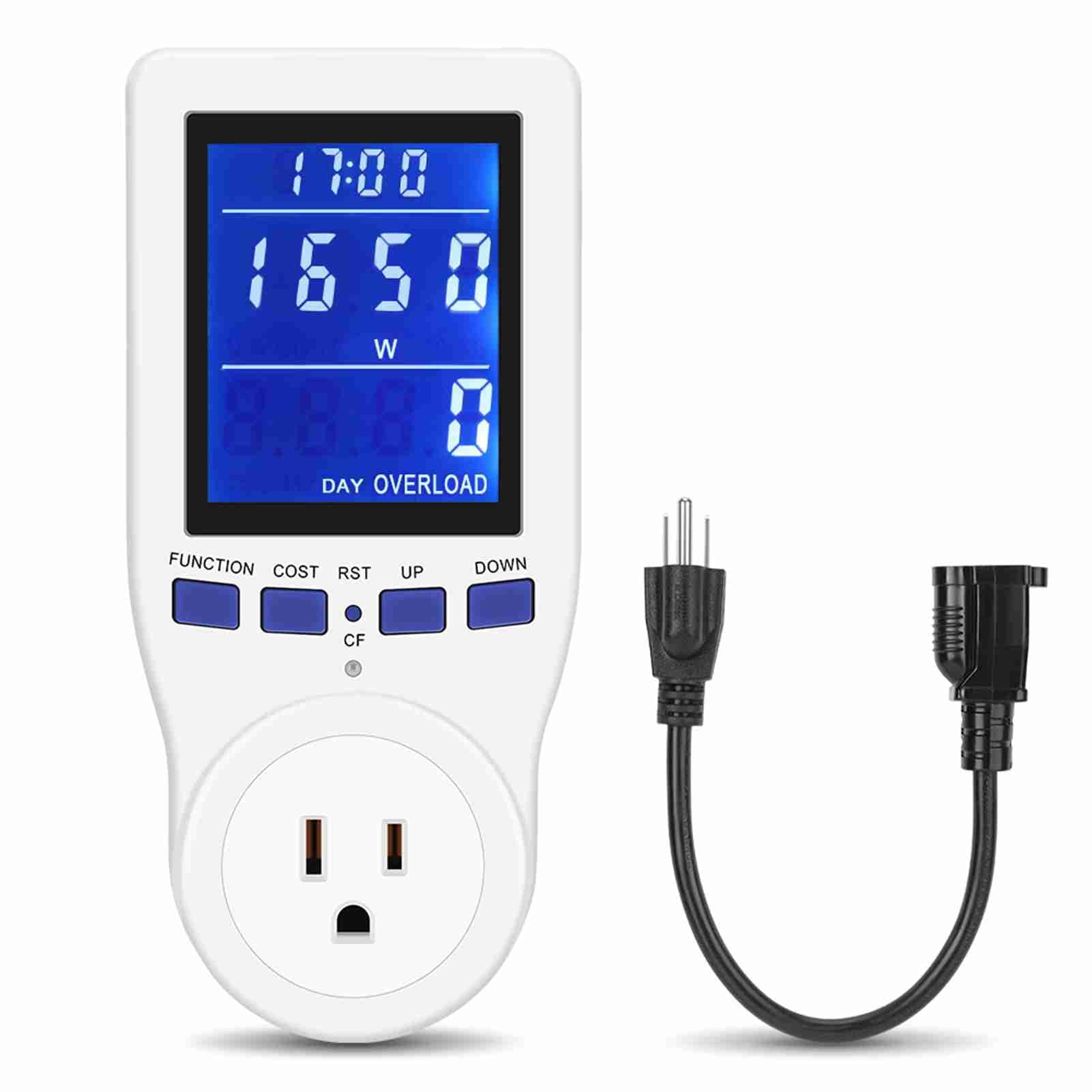
Figure 1: Front view of the YOUTHINK Electricity Usage Monitor.
2. Setup Instructions
- Unpack: Carefully remove the electricity usage monitor from its packaging.
- Plug In: Insert the monitor into a standard wall outlet.
- Connect Appliance: Plug the appliance you wish to monitor into the socket on the front of the electricity usage monitor.
- Power On: Ensure the appliance is powered on to begin monitoring its electricity usage.

Figure 2: The electricity monitor in use, showing real-time monitoring of an appliance.
2.1 Important Considerations for Placement
When plugging the monitor into a power strip or multi-outlet, be aware that the monitor's size may block adjacent sockets. Using an extension cable can improve outlet utilization.

Figure 3: Illustration showing how the monitor can block adjacent sockets and how an extension cable can resolve this.
3. Operating Instructions
3.1 LCD Display
The monitor features an upgraded blue-backlit LCD display with a 180° full-width field of view, ensuring data is clearly visible even in low-light conditions. The display shows various parameters such as time, power, energy, voltage, and more.

Figure 4: The monitor's LCD display, highlighting its 180° wide viewing angle for clear readings.
3.2 Navigation Buttons
The monitor has several buttons for navigating through different display modes and settings:
- FUNCTION: Press to cycle through the 8 different measurement modes.
- COST: Used for setting cost parameters (refer to advanced settings for details).
- RST (Reset): Resets accumulated data.
- UP/DOWN: Used for adjusting values in setting modes.
3.3 Measurement Modes
The monitor offers 8 distinct modes for comprehensive energy analysis:
- Time / CO₂ Emissions (CO₂/KG) / Quantity Display
- Time / Voltage (V) / Frequency (Hz) Display
- Time / Current (A) / Frequency (Hz) Display
- Time / Cumulative Electrical Quantity (KWh) Display
- Time / Cost Display
- Time / Power Factor Display
- Time / Maximal Power (W) Display
- Time / Minimum Power (W) Display

Figure 5: Visual representation of the 8 measurement modes available on the monitor.
3.4 Data Hold Function
The monitor is equipped with a data hold function. This means that the last recorded data will be saved even if you unplug the appliance from the meter or remove the meter from the wall outlet. This allows for convenient data review without loss.

Figure 6: The monitor displaying data, illustrating the data hold function.
4. Safety Features
4.1 Overload Protection
The monitor includes an overload protection feature. If the power consumption of the connected appliance exceeds the rated power of 1650W, the LCD will display "OVERLOAD" and emit an audible warning. The device will automatically disconnect the power supply to prevent damage and ensure safety. It is recommended to avoid using the monitor with high-power devices for extended periods.

Figure 7: The monitor's display showing an "OVERLOAD" warning, indicating the activation of the overload protection feature.
5. Maintenance
- Cleaning: Wipe the monitor with a soft, dry cloth. Do not use abrasive cleaners or solvents.
- Storage: Store the device in a cool, dry place away from direct sunlight and extreme temperatures.
- Handling: Avoid dropping the device or subjecting it to strong impacts.
6. Troubleshooting
| Problem | Possible Cause | Solution |
|---|---|---|
| Display is blank | Not plugged in; power outage; device malfunction. | Ensure the monitor is securely plugged into a live outlet. Check household power. If problem persists, contact support. |
| "OVERLOAD" message displayed | Connected appliance exceeds 1650W. | Unplug the high-power appliance immediately. Do not use the monitor with appliances exceeding its rated capacity. |
| Incorrect readings | Improper connection; internal error. | Ensure the appliance is fully plugged into the monitor. Try resetting the monitor. |
| Buttons unresponsive | Temporary software glitch. | Unplug the monitor from the wall outlet for a few seconds, then plug it back in. |
7. Specifications
- Brand: YOUTHINK
- Model: 794419951090
- Power Source: Corded Electric
- Color: White
- Item Dimensions (L x W x H): 9.45 x 3.54 x 3.54 inches
- Minimum Operating Voltage: 120 Volts
- Measurement Type: Ammeter
- Compatible Devices: All electronic devices with standard power plugs
- Maximum Rated Power: 1650W (for overload protection)
8. Warranty and Support
YOUTHINK is committed to product quality. If you encounter any issues or are not satisfied with your Electricity Usage Monitor, please contact our customer support. We take full responsibility for the product quality of our household kilowatt meters.
For support, please refer to the contact information provided with your purchase or visit the official YOUTHINK website.