1. Introduction
This manual provides essential instructions for the safe and efficient use of your GreatPowerDirect AC Adapter Model YS35-3601000U. This adapter is designed to provide a stable 36V 1A power supply for compatible devices, such as the CND LED Light Lamp 90200. Please read this manual thoroughly before use and retain it for future reference.
2. Safety Information
- Ensure the adapter's voltage and current ratings match your device's requirements. Using an incompatible adapter can damage your device or the adapter itself.
- Do not expose the adapter to water, moisture, or extreme temperatures.
- Avoid dropping or subjecting the adapter to strong impacts.
- Do not attempt to open or repair the adapter. Refer all servicing to qualified personnel.
- Keep the adapter away from children.
- Always unplug the adapter from the power outlet when not in use or during electrical storms.
- Ensure proper ventilation around the adapter during operation to prevent overheating.
3. Product Overview
The GreatPowerDirect AC Adapter Model YS35-3601000U is a compact power supply unit designed for reliable performance. It features a standard AC plug for wall outlets and a barrel connector for device input.
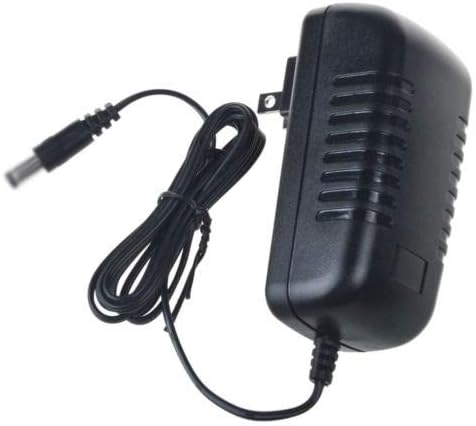
Figure 3.1: Front view of the GreatPowerDirect AC Adapter, showing the main unit, power cord, and the barrel connector at the end of the cord. This adapter is designed to convert AC power to a stable DC output for compatible electronic devices.
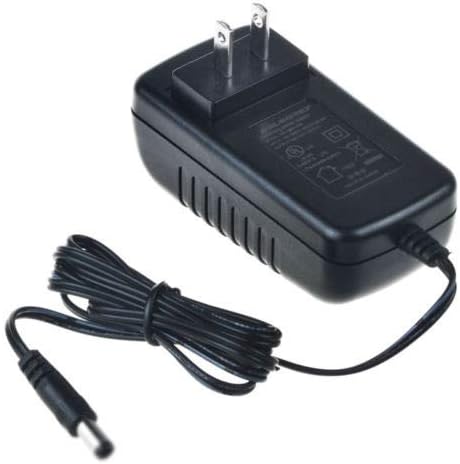
Figure 3.2: Top-down view of the GreatPowerDirect AC Adapter, highlighting the two-prong AC plug for wall outlets and the product label on the adapter's casing. The label typically contains important specifications such as input/output voltage and current.
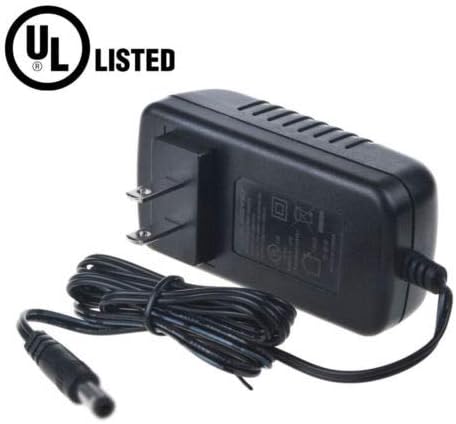
Figure 3.3: Angled view of the GreatPowerDirect AC Adapter, prominently featuring the UL Listed certification mark. This certification indicates that the product has been tested and meets specific safety standards.
4. Setup Instructions
- Verify Compatibility: Before connecting, ensure your device requires a 36V DC input and draws no more than 1A of current. Also, confirm the barrel connector size is compatible.
- Connect to Device: Insert the barrel connector end of the adapter cable firmly into the power input port of your device (e.g., CND LED Light Lamp 90200).
- Connect to Power Outlet: Plug the AC adapter into a standard wall power outlet. Ensure the outlet is easily accessible.
- Power On Device: Once connected, power on your device according to its own operating instructions.
Note: Always connect the adapter to the device first, then to the wall outlet.
5. Operating the Adapter
The AC adapter operates automatically once connected. It converts the alternating current (AC) from your wall outlet into direct current (DC) suitable for your electronic device. There are no user-adjustable settings on the adapter itself.
- The adapter may become slightly warm during operation; this is normal.
- If the adapter becomes excessively hot, disconnect it immediately and check for compatibility issues or device malfunctions.
6. Maintenance
- Cleaning: Disconnect the adapter from both the power outlet and your device before cleaning. Use a soft, dry cloth to wipe the exterior. Do not use liquid cleaners or solvents.
- Storage: When not in use, store the adapter in a cool, dry place, away from direct sunlight and moisture. Avoid tightly winding the cable to prevent damage.
- Inspection: Periodically inspect the adapter and its cable for any signs of damage, such as frayed wires, cracked casing, or bent pins. If damage is found, discontinue use and replace the adapter.
7. Troubleshooting
| Problem | Possible Cause | Solution |
|---|---|---|
| Device not powering on. |
|
|
| Adapter is hot to the touch. |
|
|
| Sparking when plugging in. |
|
|
8. Specifications
| Feature | Detail |
|---|---|
| Model Number | YS35-3601000U |
| Brand | GreatPowerDirect |
| Input Voltage | AC 100-240V (Standard US Listed) |
| Output Voltage | DC 36V |
| Current Rating | 1 Amps |
| Power Source | AC |
| Connector Type | Barrel Connector |
| Main Power Connector Type | 2 Pin (US Standard) |
| Specification Met | CE, UL Listed |
| Item Weight | 8 Ounces (approx. 227 grams) |
9. Warranty and Support
For warranty information or technical support, please refer to the documentation provided with your purchase or contact GreatPowerDirect customer service directly. Keep your purchase receipt as proof of purchase.
For further assistance, please visit the manufacturer's website or contact their support channels.
