Introduction
This manual provides instructions for the safe and efficient use of your GreatPowerDirect GPD081006-13145 DC Power Adapter. This adapter is designed to provide power to compatible devices, including Vector VEC1378 and VEC1376 Meridian Lanterns. Please read this manual thoroughly before use and retain it for future reference.
Setup
Follow these steps to set up your DC power adapter:
- Unpack the DC power adapter from its packaging.
- Ensure the power adapter is compatible with your device's power requirements (voltage and current). Refer to your device's manual for specific power input details.
- Connect the barrel connector of the adapter to the power input port of your device (e.g., Vector VEC1378 or VEC1376 Meridian Lantern). Ensure a snug fit.
- Plug the AC plug of the adapter into a standard wall outlet (100-240V AC, 50/60Hz).
- Verify that your device powers on or begins charging as expected.
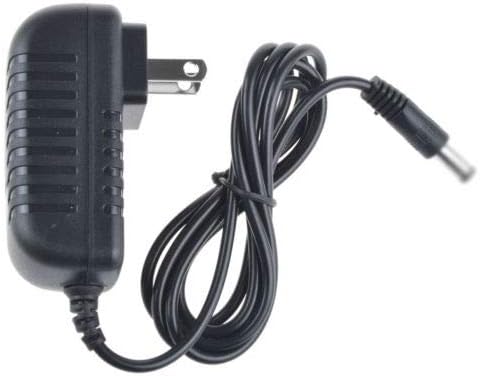
This image shows the GreatPowerDirect DC power adapter from a top-down perspective, highlighting its compact design, standard US two-prong plug, and the attached power cable with a barrel connector.
Operating Instructions
The GreatPowerDirect DC Power Adapter operates automatically once connected to a power source and a compatible device.
- Once connected, the adapter will supply power to your device. No further user interaction is typically required for basic operation.
- Always ensure the adapter is securely plugged into both the wall outlet and the device to maintain a stable power connection.
- Disconnect the adapter from the wall outlet when not in use for extended periods to conserve energy and for safety.
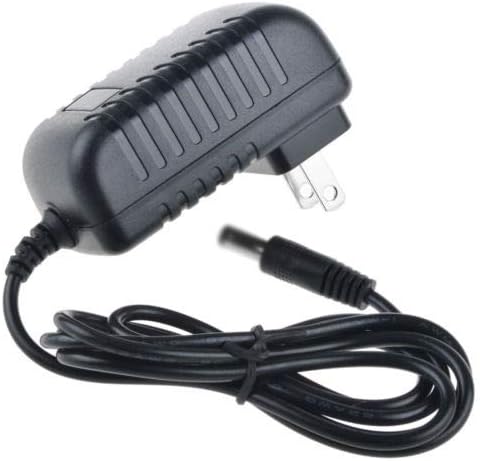
An angled view of the GreatPowerDirect DC power adapter, illustrating the main power brick unit and the neatly coiled output cable terminating in a barrel connector. This view provides a better sense of the adapter's dimensions.
Maintenance
Proper maintenance ensures the longevity and safe operation of your power adapter.
- Keep the adapter clean and dry. Avoid exposure to moisture, liquids, or extreme temperatures.
- Do not attempt to open or repair the adapter. Refer all servicing to qualified personnel.
- Inspect the power cord and connectors periodically for any signs of damage, such as fraying, cuts, or bent pins. Discontinue use immediately if damage is observed.
- Clean the exterior of the adapter with a soft, dry cloth. Do not use liquid cleaners, solvents, or abrasive materials.
Troubleshooting
If you encounter issues with your power adapter, refer to the following common solutions:
- Device not powering on or charging:
- Ensure the adapter is firmly plugged into both the wall outlet and your device.
- Check if the wall outlet is functional by plugging in another known working device.
- Verify that the adapter's specifications (voltage, current) match your device's power requirements.
- Inspect the adapter cable and connectors for any visible damage. If damaged, discontinue use.
- Adapter feels excessively hot:
- A slight warmth during operation is normal. If the adapter becomes excessively hot to the touch, disconnect it immediately from both the wall and the device.
- Ensure adequate ventilation around the adapter; do not cover it or place it in an enclosed space.
- If the issue persists, discontinue use and contact customer support.
Specifications
| Model Number | GPD081006-13145 |
| Brand | GreatPowerDirect |
| Manufacturer | GreatPowerDirect |
| Power Source | Corded Electric |
| Connector Type | Barrel connector |
| Compatible Devices | Adapter (Vector VEC1378, VEC1376 Meridian Lanterns) |
| Item Weight | 8 ounces |
| Main Power Connector Type | 2 Pin |
| Certifications | CE, FCC, RoHS |
Warranty and Support
For warranty information or technical support, please refer to the GreatPowerDirect website or contact their customer service directly. Please have your model number (GPD081006-13145) and purchase details ready when contacting support.


