
Introduction
This manual provides essential instructions for the safe and efficient operation, maintenance, and care of your KitchenAid 1.7L Food Processor. Please read all instructions carefully before first use and retain for future reference.
Important Safety Instructions
- Read all instructions before operating the food processor.
- To protect against risk of electrical shock, do not immerse the base unit in water or other liquid.
- Close supervision is necessary when any appliance is used by or near children.
- Unplug from outlet when not in use, before assembling or disassembling parts, and before cleaning.
- Avoid contact with moving parts. Blades are sharp. Handle with care.
- Do not operate any appliance with a damaged cord or plug, or after the appliance malfunctions or has been dropped or damaged in any manner.
- Do not use outdoors.
- Do not let cord hang over edge of table or counter.
- Always ensure the lid is securely locked in place before operating the appliance.
- Never feed food by hand. Always use the food pusher.
Components and Features
Your KitchenAid 1.7L Food Processor comes with several components designed for versatile food preparation:
- Base Unit: Contains the motor and controls.
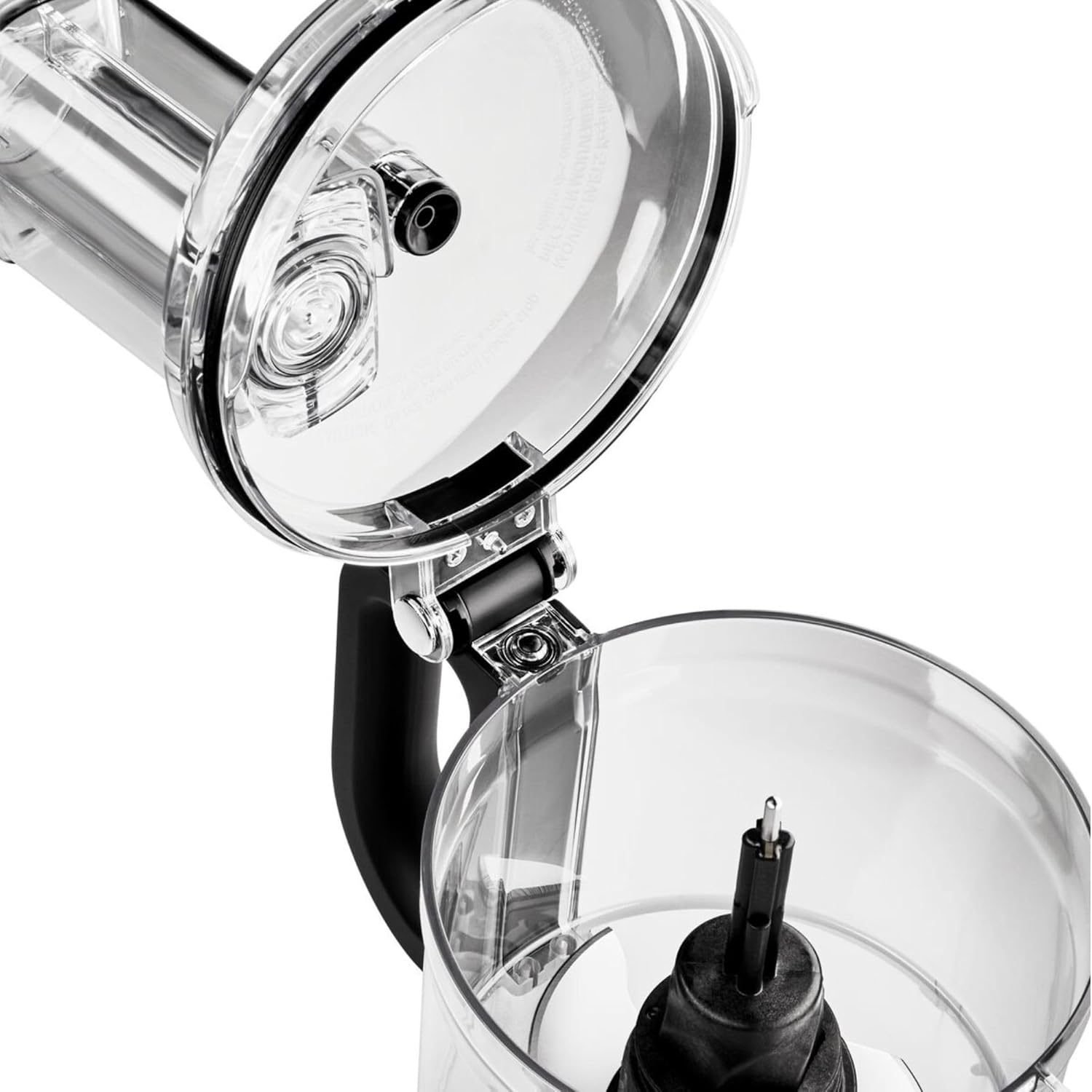
- 1.7L Work Bowl: BPA-free, designed for various processing tasks.
- Lid with 2-in-1 Feed Tube: Allows for adding ingredients during operation.
- Food Pusher: Used to guide food through the feed tube.
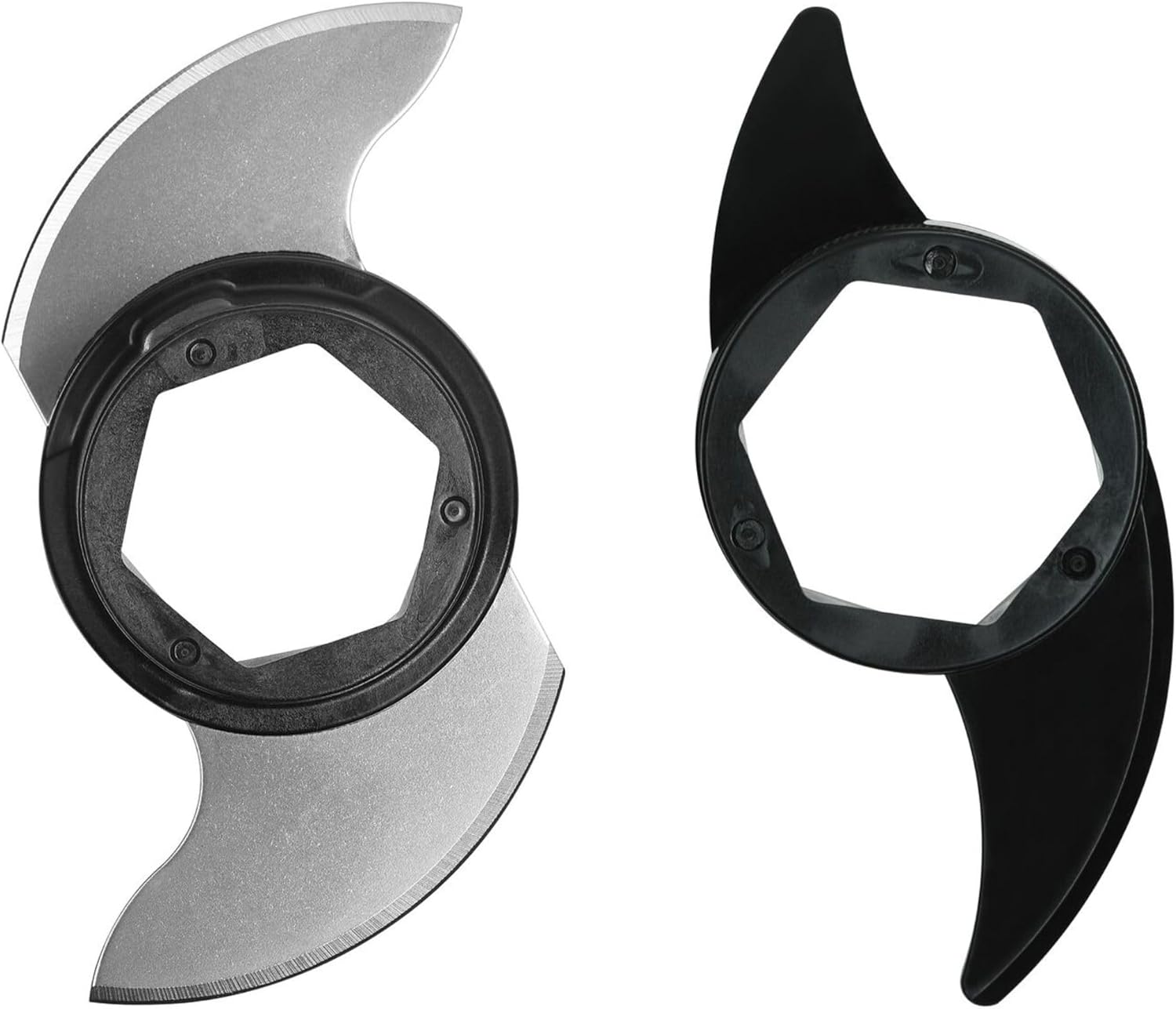
- Multi-Purpose Blade: For chopping, mincing, and pureeing.
- Dough Blade: For kneading dough.
- Reversible Slicing/Shredding Discs (4mm & 6mm): For medium and thick slicing or shredding.



Setup
- Unpack: Carefully remove all parts from the packaging. Wash all parts except the base unit before first use.
- Position the Base: Place the food processor base unit on a clean, dry, and stable surface.
- Assemble the Work Bowl: Place the 1.7L work bowl onto the base unit, aligning the handle with the right side of the base. Rotate clockwise until it locks into place.
- Insert Blade/Disc:
- For chopping/kneading: Place the desired blade (multi-purpose or dough) onto the drive adapter in the center of the work bowl.
- For slicing/shredding: Place the drive adapter onto the center post, then place the desired reversible disc onto the drive adapter. Ensure the desired side (slice or shred, 4mm or 6mm) is facing up.

A hand carefully placing a slicing disc onto the drive adapter within the work bowl. - Attach the Lid: Place the lid onto the work bowl, aligning the lid tab with the work bowl handle. Rotate clockwise until the lid securely locks into place. The food processor will not operate unless the lid is properly locked.
- Insert Food Pusher: Place the food pusher into the feed tube opening on the lid.
Operating Instructions
The KitchenAid 1.7L Food Processor features two speeds and a pulse function for precise control.
Controls:
- '1' (Low Speed): Ideal for softer ingredients, mixing, and kneading.
- '2' (High Speed): Suitable for harder ingredients, slicing, shredding, and faster processing.
- 'O/Pulse': Press and hold for short bursts of power. Release to stop. Useful for controlled chopping or when you need to clear the blade.
General Operation:
- Ensure the food processor is properly assembled and the lid is locked.
- Plug the power cord into a grounded electrical outlet.
- Add ingredients to the work bowl or feed tube as required for your task.
- Select the desired speed ('1' or '2') or use the 'Pulse' function.
- For continuous operation, press '1' or '2'. To stop, press 'O/Pulse' or unplug the unit.
- When using the feed tube, use the food pusher to guide ingredients. Do not force food.
Specific Tasks:
- Chopping/Mincing: Use the multi-purpose blade. Add ingredients to the work bowl. Use the 'Pulse' function for coarse chops or '1' for finer results.
- Kneading Dough: Use the dough blade. Add flour and other dry ingredients, then liquids. Process on '1' until a dough ball forms.
- Slicing/Shredding: Use the appropriate reversible disc. Place ingredients into the 2-in-1 feed tube. Use the food pusher to guide them while the processor is running on '2'.

The KitchenAid food processor actively shredding zucchini, demonstrating its slicing/shredding capability.
Maintenance and Cleaning
Proper cleaning and maintenance ensure the longevity and performance of your food processor.
- Unplug: Always unplug the food processor before cleaning.
- Disassemble: Remove the lid, work bowl, and blade/disc from the base unit.
- Dishwasher Safe Parts: The work bowl, lid, food pusher, multi-purpose blade, dough blade, and slicing/shredding discs are top-rack dishwasher safe. For best results, rinse immediately after use.
- Hand Washing: For hand washing, use warm, soapy water. Exercise extreme caution when handling blades and discs as they are very sharp.
- Clean Base Unit: Wipe the base unit with a damp cloth. Do not immerse the base unit in water or other liquids.
- Storage: All accessories can be conveniently stored directly inside the work bowl for space-saving storage. The integrated cord wrap on the base helps keep the counter tidy.
Troubleshooting
If you encounter issues with your food processor, refer to the following common problems and solutions:
- Appliance does not turn on:
- Ensure the power cord is securely plugged into a working electrical outlet.
- Verify that the work bowl and lid are correctly assembled and locked into place. The safety interlock system prevents operation if not properly secured.
- Motor stops during operation:
- The food processor may have overheated due to prolonged use or processing very dense ingredients. Unplug the unit and let it cool down for at least 30 minutes before attempting to use it again.
- Check if the work bowl is overloaded. Reduce the amount of ingredients and try again.
- Food is not processed evenly:
- Ensure ingredients are cut into appropriate sizes before adding to the work bowl or feed tube.
- Use the 'Pulse' function for better control over chopping consistency.
- For slicing/shredding, ensure consistent pressure on the food pusher.
- Loud noise or vibration:
- Check that the work bowl, lid, and blade/disc are correctly assembled and securely locked.
- Ensure the food processor is on a stable, flat surface.
Specifications
| Brand | KitchenAid |
| Model Number | 5KFP0719EBM |
| Power | 250 Watts |
| Voltage | 230 Volts |
| Bowl Capacity | 1.7 Liters |
| Number of Speeds | 2 + Pulse function |
| Material | Stainless Steel, BPA-free Plastic |
| Product Dimensions (L x W x H) | 19.5 x 19.5 x 39 cm |
| Item Weight | 3.89 Kilograms |
Warranty and Support
For information regarding your product's warranty, please refer to the warranty card included with your purchase or visit the official KitchenAid website. For technical support, replacement parts, or service inquiries, please contact KitchenAid customer service through their official channels.
Online Support: Visit www.kitchenaid.com for FAQs, product registration, and contact information.


