
1. Introduction
This manual provides essential information for the safe and efficient operation of your NEC C861Q-AVT2 86-inch 4K UHD LED LCD Display. The C861Q-AVT2 is designed for commercial environments, offering clear, detailed imagery with a 4K UHD resolution, 350 cd/m² brightness, and an anti-glare surface for optimal readability in various lighting conditions. Its robust design includes a full metal chassis, real-time temperature sensors, and integrated cooling fans for reliable 24/7 operation.
Key features include multiple connectivity options such as HDMI 2.0 and DisplayPort 1.2, an integrated media player for USB or SD card playback, and a Raspberry Pi Compute Module slot for direct source integration.
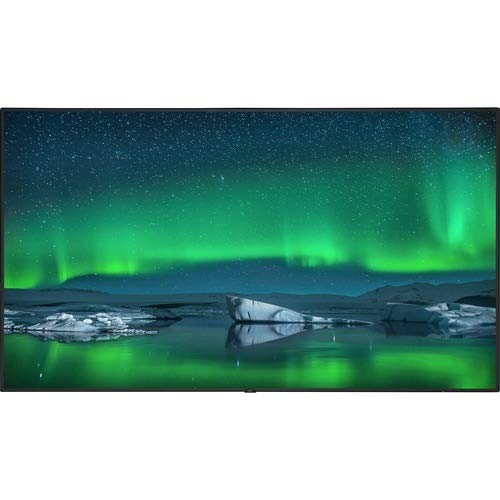
Front view of the NEC C861Q-AVT2 86-inch 4K UHD LED LCD Display, showcasing its slim bezel and large screen.
2. Safety Information
Please read all safety instructions carefully before using the display. Failure to follow these instructions may result in electric shock, fire, or damage to the product.
- Power Source: Connect the display only to the type of power source indicated on the label. Ensure the power cord is securely plugged into a grounded outlet.
- Ventilation: Do not block ventilation openings. Ensure adequate space around the display for proper airflow to prevent overheating.
- Liquid Exposure: Do not expose the display to rain, moisture, or spill liquids onto it. If liquid enters the display, disconnect power immediately and contact qualified service personnel.
- Cleaning: Unplug the display from the power outlet before cleaning. Use a soft, dry cloth. Do not use liquid cleaners or aerosol cleaners.
- Mounting: Ensure the display is mounted securely to a stable surface or wall using appropriate mounting hardware. If wall-mounting, use a compatible mount such as the WMK-3255S to meet ADA compliance requirements.
- Servicing: Do not attempt to service this product yourself. Refer all servicing to qualified service personnel.
3. What's in the Box
Carefully unpack the box and ensure all items are present:
- NEC C861Q-AVT2 86-inch 4K UHD LED LCD Display
- Stand (for table mounting)
- Power Cord
- Remote Control (not explicitly listed but standard for displays)
- User Manual (this document)
4. Setup
4.1 Mounting the Display
The NEC C861Q-AVT2 can be used with the included stand for table mounting or with a compatible VESA wall mount (sold separately).
- Table Mount: Attach the provided stand to the display following the instructions in the separate stand assembly guide. Place the display on a stable, level surface.
- Wall Mount: If wall-mounting, ensure the wall mount is rated for the display's weight (approximately 127.4 pounds or 57.8 kg). Follow the wall mount manufacturer's instructions carefully. For ADA compliance, consider using the WMK-3255S wall mount.
4.2 Connecting External Devices
The display offers various input ports:
- HDMI: Connect up to three HDMI devices (e.g., media players, computers) to the HDMI 2.0 ports.
- DisplayPort: Connect DisplayPort devices to the DisplayPort 1.2 inputs. Daisy chain functionality is also supported.
- USB: Use the USB ports for connecting storage devices for the integrated media player or for service purposes.
- Raspberry Pi Compute Module Slot: Insert a compatible Raspberry Pi Compute Module for integrated source functionality.
4.3 Power Connection
- Ensure all external devices are connected.
- Connect the power cord to the display's power input.
- Plug the other end of the power cord into a grounded electrical outlet.
5. Operating Instructions
5.1 Powering On/Off
Press the power button on the display or the remote control to turn the display on or off. The power indicator light will illuminate when the display is on.
5.2 Input Selection
Use the 'Input' or 'Source' button on the remote control to cycle through available input sources (HDMI 1, HDMI 2, HDMI 3, DisplayPort 1, DisplayPort 2, Internal Media Player, Raspberry Pi Module).
5.3 Picture Settings
Access the on-screen display (OSD) menu using the remote control to adjust picture settings such as:
- Brightness
- Contrast
- Color Temperature
- Aspect Ratio
- Advanced settings via SpectraView Engine for color, intensity, gamma, or uniformity control.
5.4 Integrated Media Player
The display features an integrated media player. Insert a USB drive or SD card containing audio, video, or image files into the designated slot. Select the 'Internal Media Player' input source to access and play your content.
6. Maintenance
6.1 Cleaning the Display
- Screen: Gently wipe the screen with a soft, lint-free cloth. For stubborn marks, lightly dampen the cloth with water or a non-abrasive, display-safe cleaning solution. Do not spray liquid directly onto the screen.
- Casing: Wipe the casing with a soft, dry cloth. Avoid using harsh chemicals or abrasive materials.
6.2 Ventilation
Ensure that the ventilation openings on the display are not obstructed. Proper airflow is crucial for maintaining optimal operating temperature and extending the lifespan of the display, especially during 24/7 operation.
7. Troubleshooting
If you encounter issues with your display, refer to the following common troubleshooting steps:
- No Power:
- Check if the power cord is securely connected to both the display and the electrical outlet.
- Verify that the power outlet is functional by plugging in another device.
- No Signal:
- Ensure the correct input source is selected on the display.
- Check the connection cables (HDMI, DisplayPort) between the display and the source device. Try a different cable if possible.
- Verify that the source device is powered on and outputting a signal.
- Poor Picture Quality:
- Adjust picture settings (brightness, contrast, sharpness) via the OSD menu.
- Ensure the source device is outputting a resolution compatible with the display's native 4K UHD resolution.
- Check for any physical damage to the screen or cables.
- Display Overheating:
- Ensure adequate ventilation around the display. Clear any obstructions from the vents.
- If the issue persists, contact customer support.
8. Specifications
| Feature | Specification |
|---|---|
| Brand | NEC |
| Model Number | C861Q-AVT2 |
| Screen Size | 86 Inches |
| Display Technology | LED LCD |
| Resolution | 4K UHD (3840 x 2160) |
| Brightness | 350 cd/m² |
| Special Features | Anti-Glare Screen, Integrated ATSC Tuner, Flat Panel, Full Metal Chassis, Integrated Media Player, Raspberry Pi Compute Module Slot |
| Refresh Rate | 60 Hz |
| Connectivity Technology | USB, DisplayPort 1.2 (x2, daisy chain), HDMI 2.0 (x3) |
| Product Dimensions | 2.9 x 75.9 x 43.3 inches (7.37 x 192.79 x 109.98 cm) |
| Item Weight | 127.4 pounds (57.8 kg) |
| Mounting Type | Table Mount (VESA compatible for wall mount) |
| Operating Hours | 24/7 operation capable |
9. Warranty and Support
9.1 Warranty Information
This NEC C861Q-AVT2 display comes with a full 3-year commercial warranty. Please retain your proof of purchase for warranty claims.
9.2 Customer Support
For technical assistance, troubleshooting beyond this manual, or warranty service, please contact NEC customer support. Refer to the contact information provided with your purchase documentation or visit the official NEC website for support details.


