
1. Product Overview
This document provides instructions for using the 1994 Ford Truck & Van Service Manual CD-ROM. This multimedia CD contains comprehensive repair and service information for various 1994 Ford truck and van models. It consolidates the content of four original shop manuals into a convenient digital format.
The CD-ROM covers 4x2 and 4x4 configurations for the following vehicles:
- Ford Bronco
- Ford F-150, F-250, F-350 Pickup Trucks
- Ford F-Series Super Duty
- Ford E-150, E-250, E-350 Econoline Vans (including Club Wagon, Super Wagon, Cargo Van)
- RV "Cutaway" & Chassis and Commercial "Cutaway" Chassis
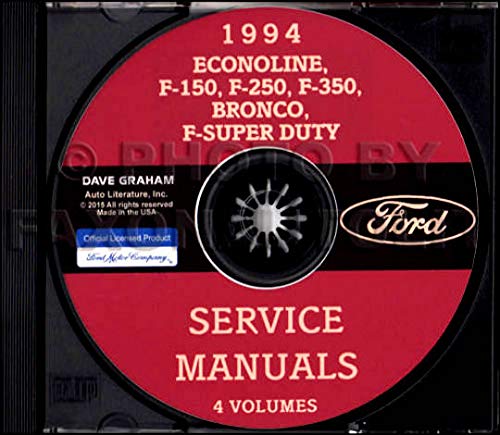
The image displays the cover of the 1994 Ford Service Manuals CD-ROM. The disc is red with black text, featuring the Ford logo and listing covered models: Econoline, F-150, F-250, F-350, Bronco, F-Super Duty. It also states 'SERVICE MANUALS' and '4 VOLUMES'.
2. Setup and System Requirements
2.1 System Requirements
To ensure proper functionality of the CD-ROM, your computer system should meet the following general requirements:
- Operating System: Compatible with Windows (specific version not provided, generally Windows 95/98/NT/2000/XP/Vista/7/8/10 for older software compatibility).
- Processor: Pentium-class processor or equivalent.
- RAM: Minimum 64 MB RAM (128 MB or more recommended).
- CD-ROM Drive: Functional CD-ROM or DVD-ROM drive.
- Display: SVGA monitor with at least 800x600 resolution.
- Software: A PDF reader (e.g., Adobe Acrobat Reader) may be required to view some manual sections.
2.2 Installation
Follow these steps to access the manual content:
- Insert the 1994 Ford Service Manual CD-ROM into your computer's CD-ROM drive.
- If an auto-run feature is enabled, the CD's main interface or an installation prompt may appear automatically. Follow the on-screen instructions.
- If auto-run does not initiate, navigate to 'My Computer' or 'This PC', locate your CD-ROM drive (e.g., D:), and double-click on it.
- Look for an executable file (e.g., 'setup.exe', 'start.exe', or 'index.html') and double-click it to launch the manual interface or installation process.
- Ensure any necessary software (like a PDF reader) is installed on your system to view the manual files.
3. Operating Instructions
Once the CD-ROM interface is launched, you can navigate through the various sections of the service manual. The content is organized into several key volumes:
- 1994 Ford Truck Body & Chassis Service Manual: Contains 2133 pages covering the structural and foundational components of the vehicles.
- 1994 Ford 7.3L DI Turbo Diesel Service Manual Supplement: A 282-page supplement specifically for the 7.3L Direct Injection Turbo Diesel engine.
- 1994 Ford Econoline, F-Series Trucks & Bronco Powertrain / Drivetrain Service Manual: Comprises 1862 pages detailing engine (including gas engines), transmission, and drivetrain systems.
- Ford F-Series Truck & Bronco Electrical & Vacuum Trouble Shooting Manual: A 371-page guide for diagnosing and resolving electrical and vacuum system issues.
Use the provided navigation tools within the CD-ROM interface (e.g., menus, search functions, hyperlinks) to locate specific topics, diagrams, and repair procedures. It is recommended to familiarize yourself with the interface to efficiently find the information you need.
4. Maintenance
To ensure the longevity and continued functionality of your service manual CD-ROM, follow these maintenance guidelines:
- Handling: Always hold the CD by its edges to avoid touching the data surface.
- Cleaning: If the CD becomes dirty, gently wipe it with a soft, lint-free cloth from the center outwards. Do not use abrasive cleaners or solvents.
- Storage: Store the CD in its original case or a protective sleeve when not in use. Keep it away from direct sunlight, extreme temperatures, and high humidity.
- Avoid Scratches: Protect the CD from scratches, as these can lead to data read errors and make the manual inaccessible.
5. Troubleshooting
If you encounter issues while using the 1994 Ford Service Manual CD-ROM, consider the following troubleshooting steps:
- CD Not Reading:
- Ensure the CD is clean and free of scratches.
- Verify the CD is inserted correctly into the drive.
- Test your CD-ROM drive with another known-good CD to confirm it is functioning properly.
- Manual Interface Not Launching:
- Manually navigate to the CD-ROM drive in 'My Computer' or 'This PC' and look for an executable file (e.g., 'start.exe', 'index.html') to launch the program.
- Check if your operating system's security settings are preventing the program from running.
- Content Not Displaying Correctly (e.g., blank pages, missing images):
- Ensure you have a compatible PDF reader installed and updated on your system.
- Verify your display drivers are up to date.
- Slow Navigation or Loading:
- Close other applications running in the background to free up system resources.
- Ensure your computer meets the recommended system requirements.
6. Specifications
| Product Type | Multimedia CD-ROM |
| Publisher | FORD MOTORS TRUCK PICKUP |
| Publication Date | January 1, 2018 (CD-ROM release) |
| Language | English |
| Coverage Year | 1994 |
| Covered Models | Bronco, F-150, F-250, F-350, F-Series Super Duty, E-150, E-250, E-350 Econoline Van, Club Wagon, Super Wagon, Cargo Van, RV "Cutaway" & Chassis, Commercial "Cutaway" Chassis |
| Included Manuals (Volumes) |
|
7. Support
For technical assistance regarding the content or functionality of this CD-ROM, please refer to the contact information provided on the CD packaging or within the CD's main interface, if available. As this is a third-party compilation of official Ford manuals, direct support from Ford Motor Company for this specific CD-ROM product may vary.
8. Warranty Information
Warranty terms for this multimedia CD-ROM product are typically provided by the seller or publisher at the time of purchase. Please consult your purchase documentation or the CD packaging for specific warranty details. This product contains reproductions of original Ford service manuals; any warranty pertaining to the content's accuracy or completeness would be subject to the original Ford publications.