
Introduction
This manual provides detailed instructions for the safe and efficient operation of your SENCOR SPT 5800 CD Player. This device combines a CD player, Bluetooth connectivity, MP3 playback via USB, AUX input, and an FM radio, offering versatile audio entertainment. Please read this manual thoroughly before using the product and retain it for future reference.
Safety Instructions
- Do not expose the unit to rain or moisture to prevent fire or electric shock.
- Do not block ventilation openings. Ensure adequate space around the unit for proper airflow.
- Use only the specified power source (AC 230 V / 50 Hz) or recommended batteries (8 x 1.5 V D / LR20).
- Avoid placing the unit near heat sources such as radiators, heat registers, stoves, or other apparatus (including amplifiers) that produce heat.
- Protect the power cord from being walked on or pinched, particularly at plugs, convenience receptacles, and the point where they exit from the apparatus.
- Unplug this apparatus during lightning storms or when unused for long periods.
- Refer all servicing to qualified service personnel. Servicing is required when the apparatus has been damaged in any way, such as power-supply cord or plug is damaged, liquid has been spilled or objects have fallen into the apparatus, the apparatus has been exposed to rain or moisture, does not operate normally, or has been dropped.
Product Features
- Output Power: 25 W RMS (2 x 12.5 W)
- Speakers: Two 4 ohm 4" active speakers with two passive speakers for enhanced bass.
- Disco Mode: Integrated LED lights with 7 colors and selectable patterns.
- Equalizer: Pre-set modes including Rock, Pop, Jazz, Flat, and Classic.
- Media Compatibility: Supports CD-R/RW, Bluetooth, MP3, and USB devices.
- CD Playback: Programmable playback with memory for 20 audio CD tracks and 99 MP3 CD tracks.
- Bluetooth: Version V2.1 + EDR for wireless audio streaming.
- Connectivity: USB port, 3.5 mm AUX IN jack, and 3.5 mm AUX-OUT (headphone) jack.
- FM Radio: Stereo FM receiver (87.5 - 108 MHz) with digital station search, frequency display, and 30 preset channels.
- Display: Backlit LCD display.
- Power Options: AC 230 V / 50 Hz or 8 x 1.5 V D / LR20 batteries.
Product Overview
Familiarize yourself with the main components and controls of your SENCOR SPT 5800.

Figure 1: Front view of the SENCOR SPT 5800, showing the central control panel, LCD display, speakers with orange LED lighting, and the included remote control.

Figure 2: Angled view of the SENCOR SPT 5800, highlighting the robust design and green LED speaker illumination.
Controls and Connections
- Power Button: Turns the unit on or off.
- Source Button: Selects input mode (CD, Bluetooth, USB, AUX, FM).
- Volume Knob: Adjusts the audio output level.
- Tuning/Skip Buttons: For radio tuning or track navigation.
- Play/Pause Button: Controls playback.
- Stop Button: Stops playback.
- Program/Repeat Button: For programming CD tracks or repeating playback.
- Light Button: Controls the disco LED lights.
- EQ Button: Cycles through equalizer presets.
- USB Port: For connecting USB storage devices.
- AUX IN Jack: 3.5mm input for external audio devices.
- AUX OUT (Headphone) Jack: 3.5mm output for headphones.
- FM Antenna: Telescopic antenna for radio reception.
Setup
Power Connection
- AC Power: Connect the AC power cord to the unit's AC input and then to a standard wall outlet (AC 230 V / 50 Hz).
- Battery Power: For portable use, open the battery compartment on the bottom of the unit. Insert 8 x 1.5 V D / LR20 batteries, ensuring correct polarity. Close the compartment securely.
Antenna Setup
For optimal FM radio reception, fully extend the telescopic FM antenna. Adjust its position for the best signal.
Operating Instructions
General Operation
- Power On/Off: Press the Power button to turn the unit on or off.
- Source Selection: Press the Source button repeatedly to cycle through available modes: CD, Bluetooth, USB, AUX, FM Radio. The selected mode will be displayed on the LCD.
- Volume Adjustment: Rotate the Volume knob clockwise to increase volume and counter-clockwise to decrease it.
CD Playback
- Open the CD compartment cover.
- Place a CD (CD-R/RW) with the label side facing up onto the spindle.
- Close the CD compartment cover.
- Press the Source button to select CD mode. The unit will read the disc.
- Press the Play/Pause button to start playback.
- Use the Skip buttons to navigate between tracks.
- To program tracks, press the Program button during stop mode and follow the on-screen instructions.
Bluetooth Pairing
- Press the Source button to select Bluetooth mode. The display will show "BT" and flash, indicating it's in pairing mode.
- Enable Bluetooth on your external device (smartphone, tablet, etc.) and search for available devices.
- Select "SENCOR SPT 5800" from the list of devices.
- Once paired, the "BT" indicator will stop flashing, and you can play audio from your device through the SPT 5800.
USB Playback
- Insert a USB flash drive containing MP3 files into the USB port.
- Press the Source button to select USB mode. The unit will automatically detect and begin playing MP3 files.
- Use the Skip buttons to navigate between tracks.
AUX Input
- Connect an external audio device (e.g., smartphone, MP3 player) to the AUX IN jack using a 3.5mm audio cable (not included).
- Press the Source button to select AUX mode.
- Control playback and volume from your external device.
FM Radio
- Press the Source button to select FM Radio mode.
- Extend the telescopic antenna for better reception.
- Press and hold the Tuning buttons to automatically scan for the next available station. Briefly press to fine-tune.
- To save a station, press the Program button, use the Skip buttons to select a preset number, and press Program again to confirm.
Equalizer Function
Press the EQ button repeatedly to cycle through the available equalizer presets: Rock, Pop, Jazz, Flat, Classic. Select the one that best suits your audio preference.
Disco Light Mode
Press the Light button to activate or change the LED disco light patterns and colors. The unit features 7 colors and various patterns.
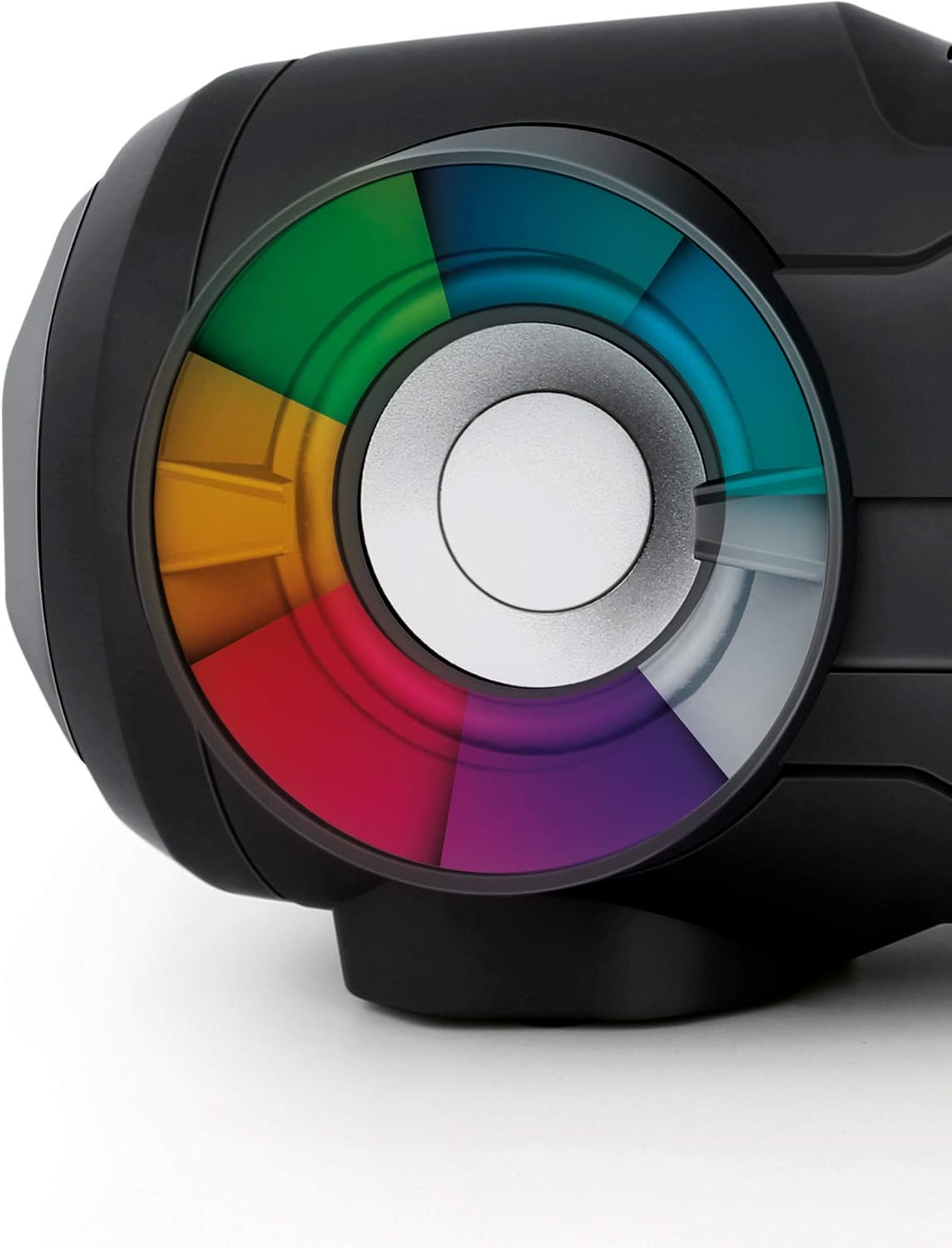
Figure 3: Detail of a speaker with the multi-color LED light effect, illustrating the disco mode feature.
Remote Control
The included remote control allows for convenient operation of the SPT 5800 from a distance. Ensure the remote's battery is inserted correctly and point it towards the unit's IR receiver.
- Power: On/Off
- Source: Select input mode
- Volume +/-: Adjust volume
- Play/Pause, Stop, Skip: Control playback
- EQ: Change equalizer presets
- Light: Control disco lights
- Mute: Mute audio output
- Number Buttons: Direct track selection (CD/USB) or preset station selection (FM).
Maintenance
- Cleaning: Wipe the unit with a soft, dry cloth. Do not use abrasive cleaners or solvents.
- CD Lens Care: If CD playback issues occur, use a commercially available CD lens cleaner disc.
- Storage: When not in use for extended periods, remove batteries and store the unit in a cool, dry place.
Troubleshooting
| Problem | Possible Cause | Solution |
|---|---|---|
| Unit does not power on. | No power supply; batteries depleted or incorrectly inserted. | Check AC power connection or replace/reinsert batteries. |
| No sound. | Volume too low; incorrect source selected; headphones connected. | Increase volume; select correct source; disconnect headphones from AUX OUT. |
| CD skips or does not play. | CD is dirty, scratched, or inserted incorrectly; lens is dirty. | Clean or replace CD; reinsert correctly; use a CD lens cleaner. |
| Bluetooth pairing fails. | Device too far; Bluetooth not enabled on external device; unit not in pairing mode. | Ensure devices are close; enable Bluetooth; select Bluetooth mode on SPT 5800. |
| Poor FM reception. | Antenna not extended or positioned incorrectly; weak signal. | Fully extend and adjust the telescopic antenna. |
Specifications
- Model: SPT 5800
- Output Power: 25 W RMS (2 x 12.5 W)
- Speakers: 2 x 4" active speakers, 2 x passive bass speakers
- Supported Media: CD-R/RW, MP3 (via USB)
- Bluetooth Version: V2.1 + EDR
- FM Frequency Range: 87.5 - 108 MHz
- Connectivity: USB, AUX IN (3.5mm), AUX OUT (3.5mm headphone)
- Power Supply: AC 230 V / 50 Hz or 8 x 1.5 V D / LR20 batteries
- Power Consumption: 48 W
- Dimensions (W x H x D): 500 x 196 x 211 mm
- Weight: 3.4 kg
- Color: Black/Turquoise (Note: Product color may vary, the provided product was listed as Rose, but images show Black/Turquoise. Manual refers to the general model.)
Warranty and Support
SENCOR products are designed and manufactured to the highest quality standards. For warranty information and technical support, please refer to the warranty card included with your purchase or visit the official SENCOR website. Keep your proof of purchase for any warranty claims.
For further assistance, please contact SENCOR customer service.


