1. Product Overview
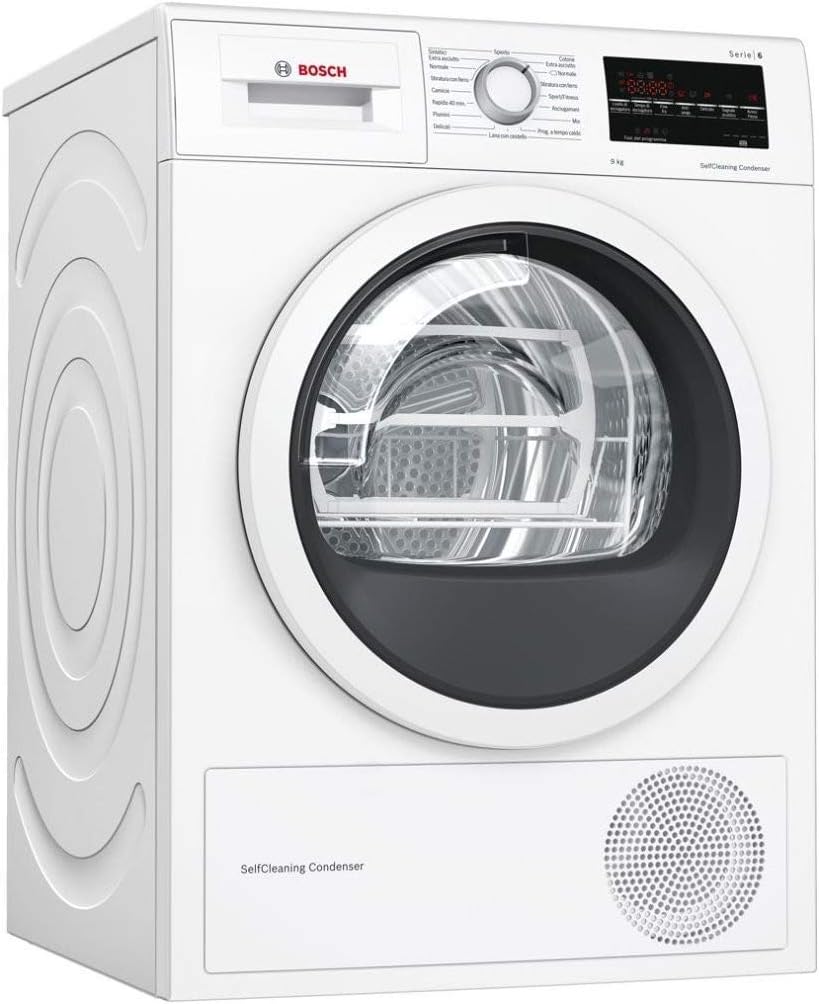
The Bosch Serie 6 WTW85449IT is a 9 kg capacity heat pump condenser tumble dryer designed for efficient and gentle drying. This appliance features a SelfCleaning Condenser, which automatically cleans itself up to four times during each drying cycle, ensuring consistent energy efficiency (A++) and optimal drying performance without manual intervention. The dryer incorporates AutoDry technology, which uses sensors to continuously monitor temperature and humidity levels, protecting laundry from excessive heat and over-drying. This results in perfectly dried clothes, whether for immediate storage or easy ironing.
The Sensitive Drying System ensures clothes are dried gently and evenly. Warm, mild air circulates from all directions, and the laundry is gently mixed by soft curved carriers within the drum, preventing items from lying flat and reducing creasing. The appliance also features an anti-vibration design for enhanced stability and quiet operation. Special programs include Mix, Wool with basket, Towels, Sport/Fitness, Duvet, Quick 40 min, Shirts, and Delicates/Silk. An interior LED light illuminates the glass porthole, and a large multifunction LED display provides clear information. Child safety lock and an audible signal at the end of the program are also included.
2. Setup
2.1 Unpacking and Placement
Carefully remove the dryer from its packaging. Ensure all packing materials are removed before installation. Place the dryer on a clean, level, and stable surface. The anti-vibration design helps reduce noise and movement during operation, but proper leveling is crucial for optimal performance and stability. Ensure adequate ventilation around the appliance.


2.2 Electrical Connection
Connect the dryer to a properly installed earthed socket. Ensure the voltage and frequency match the specifications on the appliance's rating plate. Do not use extension cords or multi-sockets.
2.3 Water Drainage
As a condenser dryer, this appliance collects moisture from the laundry in a condensate container. This container must be emptied after each drying cycle. Alternatively, the dryer can be connected to a drain hose for automatic condensate discharge, eliminating the need to manually empty the container.
3. Operating Instructions
3.1 Control Panel Overview
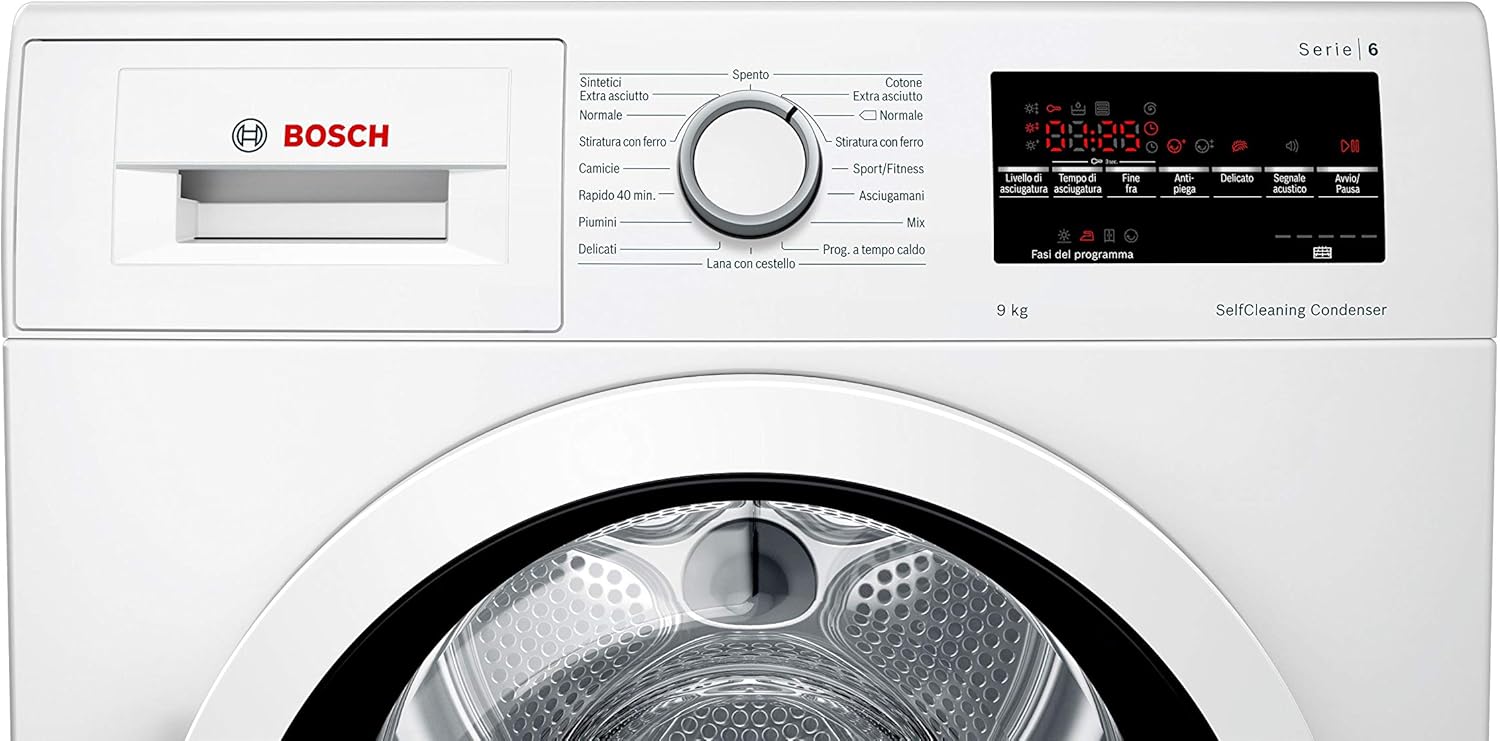
The control panel consists of a program selector dial, TouchControl buttons, and a large LED display. The dial is used to select drying programs, while the buttons allow for additional settings like start/pause, delicate, audible signal, ironing level, drying time, and drying level adjustment.
3.2 Program Selection
Turn the program selector dial to choose the desired drying program. Available programs include:
- Cottons: For durable cotton items. Options for Extra Dry, Normal, and Iron Dry.
- Synthetics: For synthetic or blended fabrics. Options for Extra Dry, Normal, and Iron Dry.
- Mix: For mixed loads of cotton and synthetic items.
- Delicates/Silk: For heat-sensitive fabrics.
- Wool with basket: For wool items, using the special drying basket.
- Sport/Fitness: For sportswear.
- Towels: For towels.
- Duvet: For large items like duvets or pillows.
- Quick 40 min: A fast drying program for small loads.
- Shirts: For shirts and blouses.
After selecting a program, use the TouchControl buttons to adjust settings such as drying level, anti-crease phase (60 min), or delayed start (1-24 h).
3.3 AutoDry and Sensitive Drying System
The AutoDry system automatically detects the dryness level of your laundry and stops the program once the desired dryness is reached, preventing over-drying and saving energy. The Sensitive Drying System uses a unique drum structure and soft curved paddles to tumble laundry gently, ensuring even drying and minimizing creasing.

3.4 Loading the Dryer
Sort laundry by fabric type and desired dryness level. Do not overload the dryer; ensure there is enough space for items to tumble freely. Close the door firmly before starting a program.

3.5 Using the Drying Basket
The special drying basket is designed for items that should not be tumbled, such as woolens, delicate shoes, or soft toys. Place the basket inside the drum and lay the items flat on it. Select the appropriate program, such as 'Wool with basket'.


4. Maintenance
4.1 SelfCleaning Condenser
The SelfCleaning Condenser automatically cleans itself during the drying cycle. This means you do not need to manually clean the condenser, ensuring the dryer maintains its high energy efficiency and performance over time.
4.2 Lint Filter Cleaning
The lint filter must be cleaned after every drying cycle to ensure optimal performance and prevent lint buildup. Open the dryer door, remove the filter, and wipe away any accumulated lint. Rinse under running water if necessary and ensure it is completely dry before reinserting.
4.3 Emptying the Condensate Container
If the dryer is not connected to a drain hose, the condensate container will collect water during the drying process. Empty this container after each cycle to prevent the dryer from stopping prematurely. The LED display will indicate when the container needs emptying.
4.4 Exterior Cleaning
Wipe the exterior of the dryer with a soft, damp cloth. Do not use abrasive cleaners or solvents, as these can damage the surface.
5. Troubleshooting
This section provides solutions to common issues you might encounter. For more detailed troubleshooting, refer to the complete user manual or contact customer service.
- Dryer not starting: Ensure the power plug is correctly inserted, the door is fully closed, and a program has been selected and started. Check if the child safety lock is activated.
- Laundry not drying properly: Check if the lint filter is clean and the condensate container is empty. Ensure the load size is appropriate for the selected program and that the correct program and dryness level were chosen.
- Unusual noises: Small items like coins or buttons might be in the drum. Check the drum and lint filter. Ensure the dryer is level.
- Error codes on display: Note down the error code and consult the full manual for specific instructions. If the issue persists, contact customer service.
6. Technical Specifications
| Feature | Specification |
|---|---|
| Brand | Bosch |
| Model Number | WTW85449IT |
| Dimensions (L x W x H) | 59.8 x 65.2 x 84.2 cm |
| Weight | 51.5 Kilograms |
| Energy Efficiency Class | A++ (Range A+++ to D) |
| Capacity | 9 kg / 112 Litres |
| Annual Energy Consumption | 200 kWh per year |
| Noise Level | 64 Decibels |
| Drying Type | Condensation with Heat Pump |
| Loading Type | Front Load |
| Color | White |
| Material | Glass (Porthole) |
| Voltage | 200 Kilovolts (Note: This value seems unusually high and might be a data entry error. Refer to product label for actual operating voltage.) |
7. Warranty and Support
For warranty information, please refer to the warranty card included with your appliance or visit the official Bosch website for your region. In case of technical issues or questions, please contact Bosch customer service. Have your model number (WTW85449IT) and serial number ready when contacting support.


