
Introduction
The ORIA Indoor Outdoor Thermometer is a digital hygrometer and thermometer system designed to monitor temperature and humidity in multiple locations. It features a main display unit and three wireless sensors, providing comprehensive environmental data for your home, office, or other spaces. The LCD display includes a backlight for easy reading in various lighting conditions.

The ORIA Indoor Outdoor Thermometer system, showing the main display unit and its three accompanying remote sensors.
What's Included
Your ORIA Indoor Outdoor Thermometer package includes the following components:
- 1 x Indoor Outdoor Thermometer (Main Display Unit)
- 3 x Wireless Sensors
- 1 x User Manual
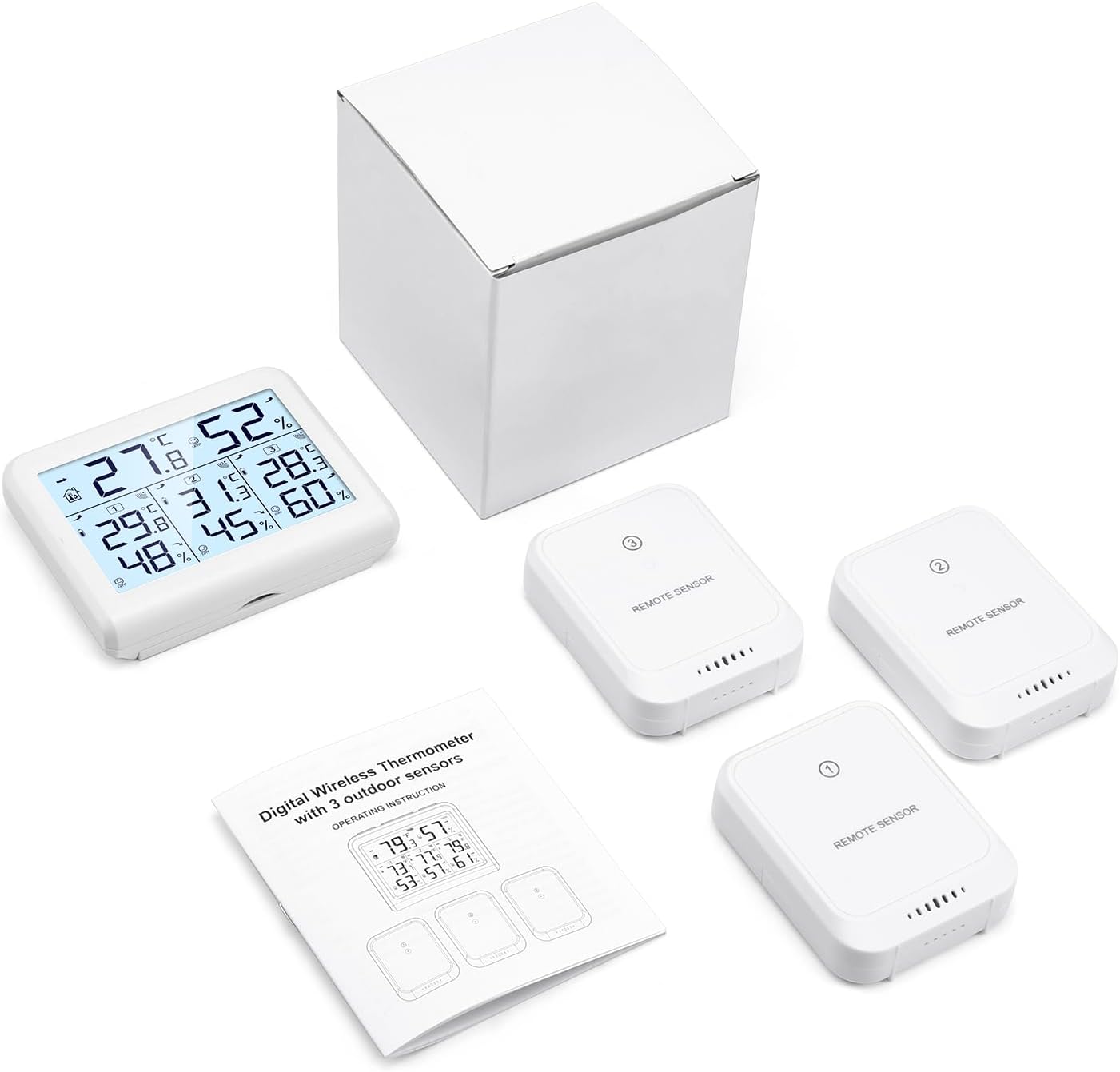
All components included in the ORIA Indoor Outdoor Thermometer package.
Setup
Battery Installation
- Main Display Unit: Snap off the back cover. Insert 3 AAA batteries (not included) into the battery compartment, ensuring correct polarity. Close the back cover.
- Wireless Sensors: Push the back cover of each sensor in the direction of the arrow to open. Insert 2 AAA batteries (not included) into each sensor, ensuring correct polarity. Close the back cover.
Sensor Connection
For proper connection, install the batteries in the main display unit first, then install the batteries in the sensors. The sensors should automatically connect to the main unit. If a specific channel is lost, press the CHANNEL/+ button on the main unit until the channel indication flashes. Allow approximately 30 minutes for all sensors to stabilize and provide accurate readings.

The main display unit showing readings from three connected sensors, highlighting the 328ft/100m transmission distance.
Operating Instructions
Display Readings
The large LCD display shows indoor temperature and humidity, along with readings from up to three outdoor/remote sensors. Data updates every 60 seconds.
- Indoor Temperature: 0°C to 60°C (32°F to 140°F)
- Outdoor Temperature: -40°C to 60°C (-40°F to 140°F)
- Humidity: 10% to 99%
The display also features a comfort indicator:
- DRY: Humidity less than 45%
- COMFORT (COM): 45% to 65% humidity
- WET: Humidity more than 65%

Detailed view of the LCD screen displaying various environmental metrics and comfort levels.
Backlight Function
Press the "Light" button to activate the backlight. It will automatically turn off after 10 seconds of inactivity to conserve battery. This feature allows for clear data reading even in low-light conditions.
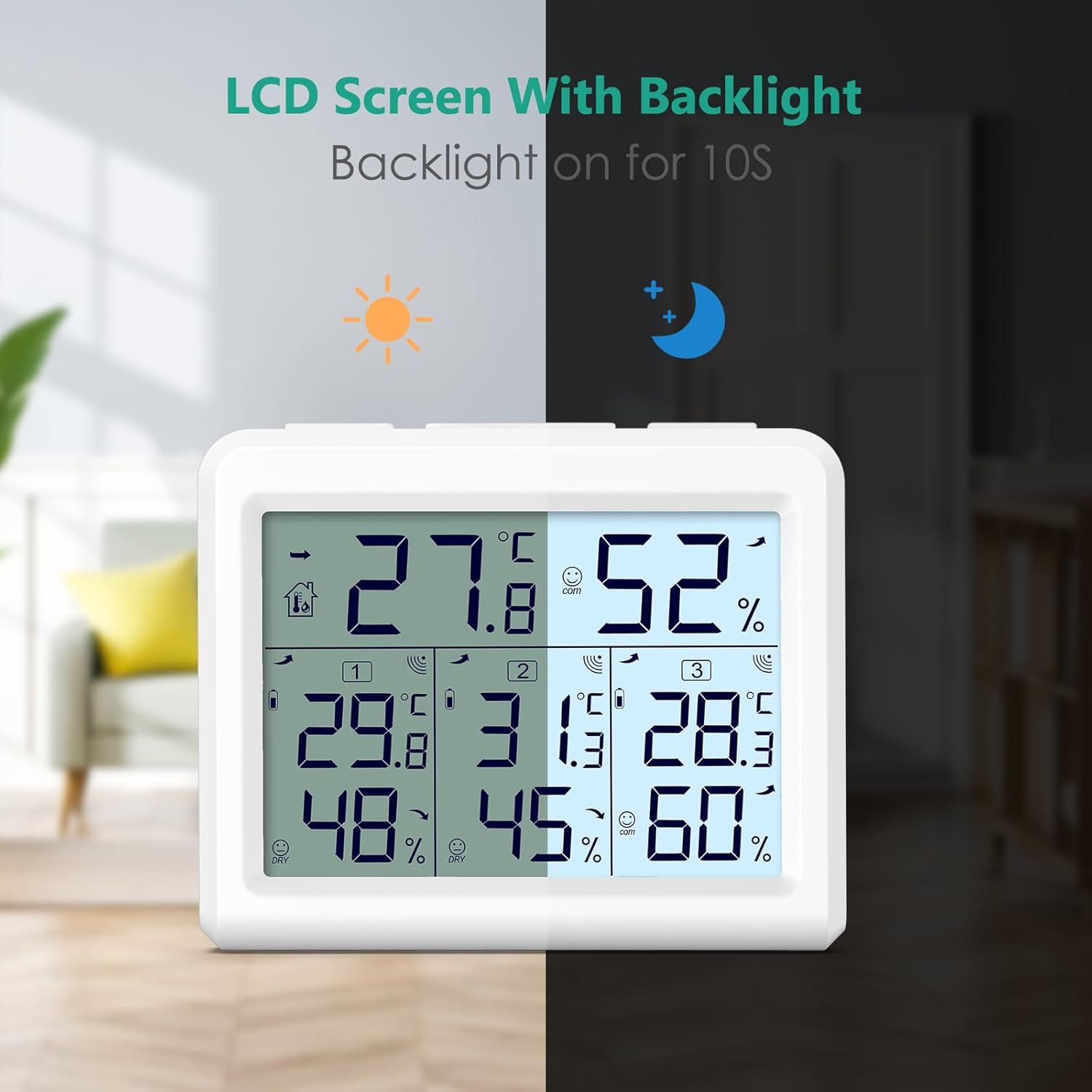
The LCD screen with its backlight feature, demonstrating enhanced readability at night.
Max & Min Record
The unit records the maximum and minimum temperature and humidity values for both indoor and outdoor readings. These records are updated every 60 seconds.
Temperature Unit Switch
Press the ℃/℉ button to switch between Celsius and Fahrenheit temperature units.
Placement Options
The main display unit and wireless sensors offer various placement options to suit your needs:
- Wall Mount: The main unit and sensors can be mounted on a wall using the integrated hanging holes.
- Desktop Stand: The main unit features a built-in stand for convenient placement on a desk, table, or shelf.
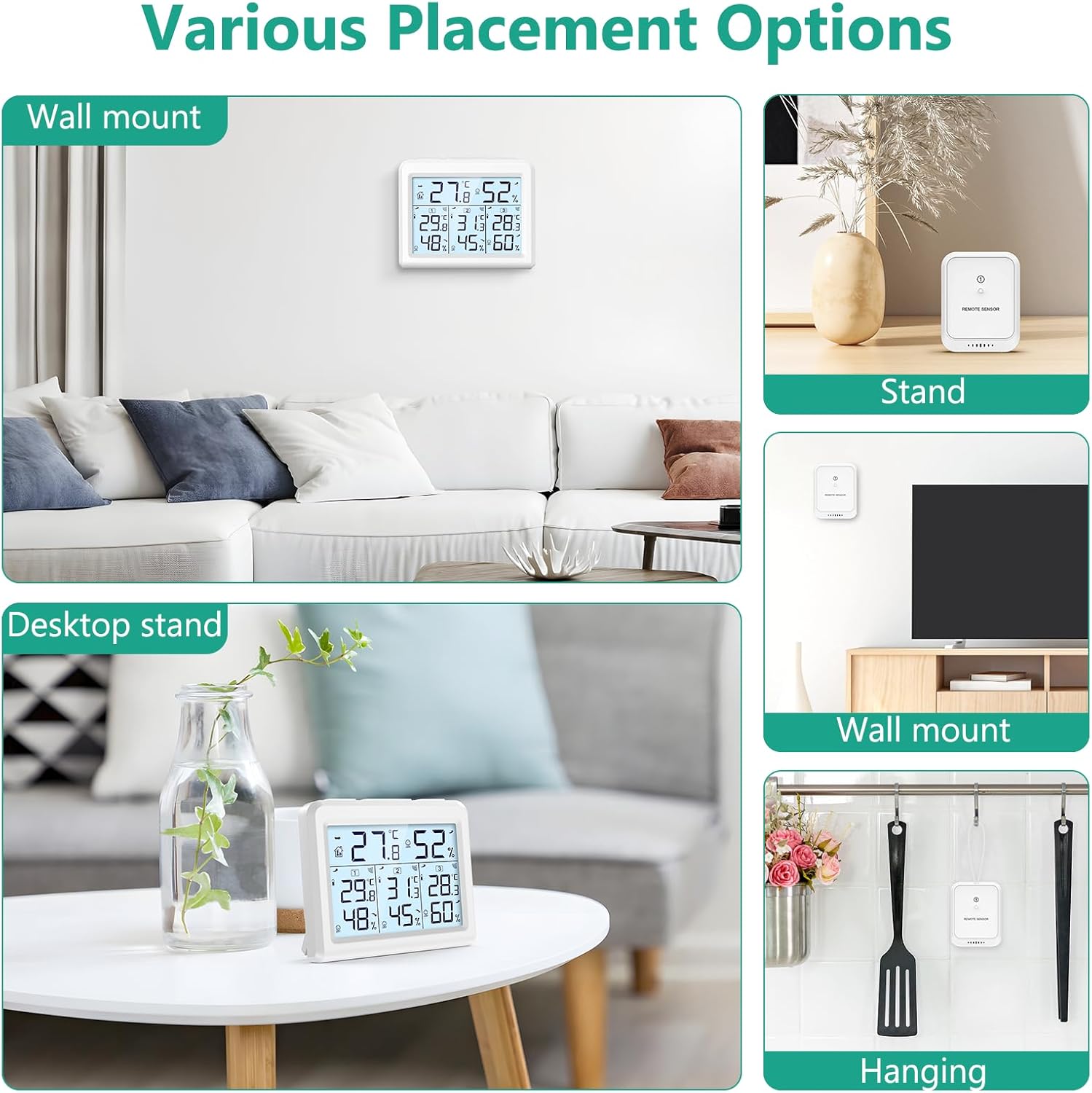
Illustrations of different ways to place the main unit and remote sensors, such as wall-mounted or on a desktop stand.
The system is ideal for monitoring environments in various locations such as your house, office, bedroom, warehouse, or greenhouse.

The thermometer is suitable for use in a variety of indoor and outdoor settings.
Maintenance
Battery Replacement
When the low battery icon appears on the display for either the main unit or a sensor, it indicates that the batteries need to be replaced. Follow the battery installation steps outlined in the Setup section.
Care and Handling
The wireless transmitters are not waterproof. To ensure longevity and accurate operation, avoid placing them in direct open air where they might be exposed to rain. It is recommended to place them under outdoor eaves or in another sheltered location.
Troubleshooting
- Sensor Not Connecting / Lost Channel:
Ensure batteries are installed correctly in both the main unit and the sensor (main unit first, then sensor). If a specific channel is lost, press the CHANNEL/+ button on the main unit until the channel indication flashes. If issues persist, try re-installing the batteries in both the main unit and the problematic sensor. - Inaccurate Readings:
Verify that the humidity sensors are placed in the same location (approximately 1-3 meters apart) and allow about 30 minutes for all sensors to stabilize. The sensors should agree within 10% (accuracy is +/- 5%). Temperature accuracy is +/- 1°C. - No Display / Unit Not Powering On:
Check battery orientation and ensure fresh batteries are used.
Specifications
| Feature | Specification |
|---|---|
| Model Number | WA54-Parent |
| Color | White |
| Material | Plastic |
| Power Source | Battery Powered |
| Main Unit Battery | 3 AAA batteries (not included) |
| Sensor Battery | 2 AAA batteries per sensor (not included) |
| Indoor Temperature Range | 0°C to 60°C (32°F to 140°F) |
| Outdoor Temperature Range | -40°C to 60°C (-40°F to 140°F) |
| Humidity Range | 10% to 99% |
| Temperature Accuracy | ±1°C |
| Humidity Accuracy | ±5% |
| Wireless Range | Up to 100m / 328ft (open air) |
| Display Style | LCD |
| Special Features | Max & Min Record, Backlight |

Key features and dimensions of the ORIA Wireless Thermo-hygrometer.
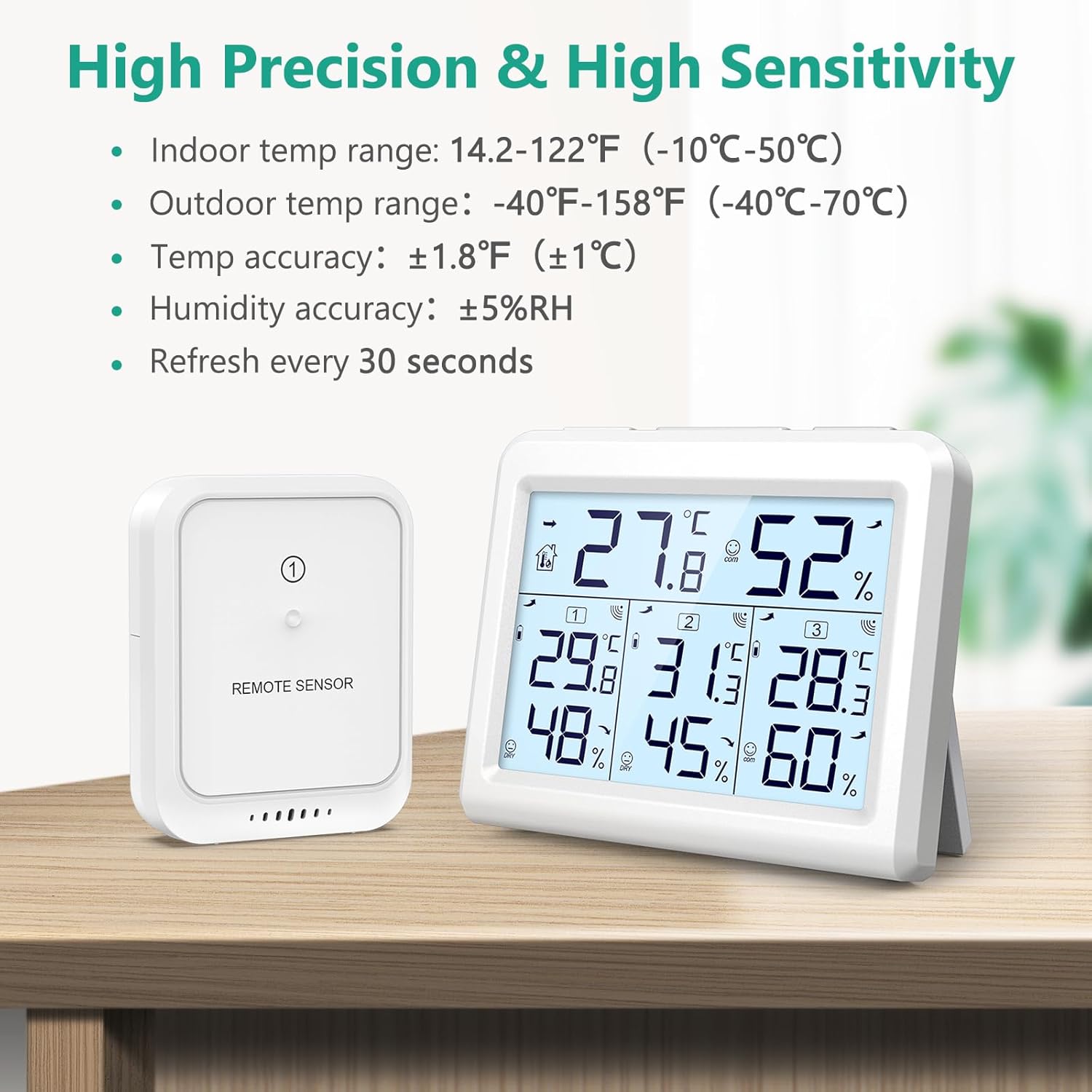
Details on the high precision and sensitivity of the ORIA thermometer.
Official Product Videos
ORIA 3 Wireless Sensors Thermometer
This video provides an overview of the ORIA thermometer with its three wireless sensors, demonstrating its core functionalities and design.
ORIA Digital Thermometer Hygrometer-Product Details
A detailed look at the features and design aspects of the ORIA Digital Thermometer Hygrometer.
ORIA Temperature Humidity Monitor, Indoor Outdoor Thermometer with 3 Wireless Sensors
This video showcases the ORIA Indoor Outdoor Thermometer, highlighting its ability to monitor temperature and humidity with three wireless sensors.
Warranty & Support
For any product inquiries, technical support, or warranty information, please contact ORIA customer service. Refer to the contact details provided on the product packaging or the official ORIA website for the most up-to-date support information.