
Introduction
The Lowrance Elite-7 Ti2 is a versatile fish finder and chartplotter designed to enhance your fishing experience. It integrates advanced sonar technologies, detailed mapping capabilities, and wireless connectivity to help you locate fish and navigate waters with precision. This manual provides essential information for setting up, operating, and maintaining your Elite-7 Ti2 unit.

Figure 1: Lowrance Elite-7 Ti2 Fish Finder displaying both mapping and sonar data.
Key Features
- Enhanced Display Technology: Features a high-resolution, 7-inch SolarMAX display for improved clarity and target separation.
- FishReveal Smart Target View: Combines clear CHIRP sonar fish targets with high-resolution DownScan Imaging views of bottom detail, structure, and bait fish.
- Genesis Live: Allows real-time creation of custom maps with 0.5-foot contours for unmapped areas or updates to existing maps.
- Preloaded High-Detail Mapping: Comes with preloaded US Inland mapping, featuring 4,000 lakes with 1-foot contours to aid in locating productive fishing spots.
- Wireless Networking: Enables sharing of sonar, mapping, waypoint, and route data between Elite Ti2 displays without physical cable connections.
- Smartphone Notifications: Receive text messages and calls directly on the display, minimizing distractions from your phone.
Setup
Mounting
The Lowrance Elite-7 Ti2 is designed for transom mount installation. Ensure the mounting location provides a clear view of the display and allows for proper cable routing. Refer to the included mounting template for precise drilling and hardware installation.
Power Connection
The unit is battery powered. Connect the power cable to a 12V DC power source, ensuring proper polarity. It is recommended to install an inline fuse for protection. Consult the wiring diagram in the separate installation guide for detailed instructions.

Figure 2: Rear view of the Elite-7 Ti2 unit, highlighting connection ports for power and transducer.
Transducer Installation
The Elite-7 Ti2 comes with an HDI Transducer. Install the transducer according to the instructions provided with the transducer kit. Proper placement is crucial for optimal sonar performance. Ensure the transducer cable is securely routed and connected to the corresponding port on the back of the Elite-7 Ti2 unit.
Operating Instructions
Powering On/Off
Press and hold the power button located on the side of the unit to power on or off. A short press will bring up the system menu for quick adjustments.
Navigating the Touchscreen
The Elite-7 Ti2 features an intuitive touchscreen interface. Tap icons to select functions, swipe to navigate menus, and pinch-to-zoom on maps and sonar screens. Physical buttons on the side provide quick access to common functions and menu navigation.
Sonar Operation (Active Imaging & FishReveal)
The Active Imaging sonar provides highly detailed images of fish and underwater structure. Utilize FishReveal to combine the clarity of CHIRP sonar fish targets with the high-resolution views of DownScan Imaging, making fish easier to identify against structure.
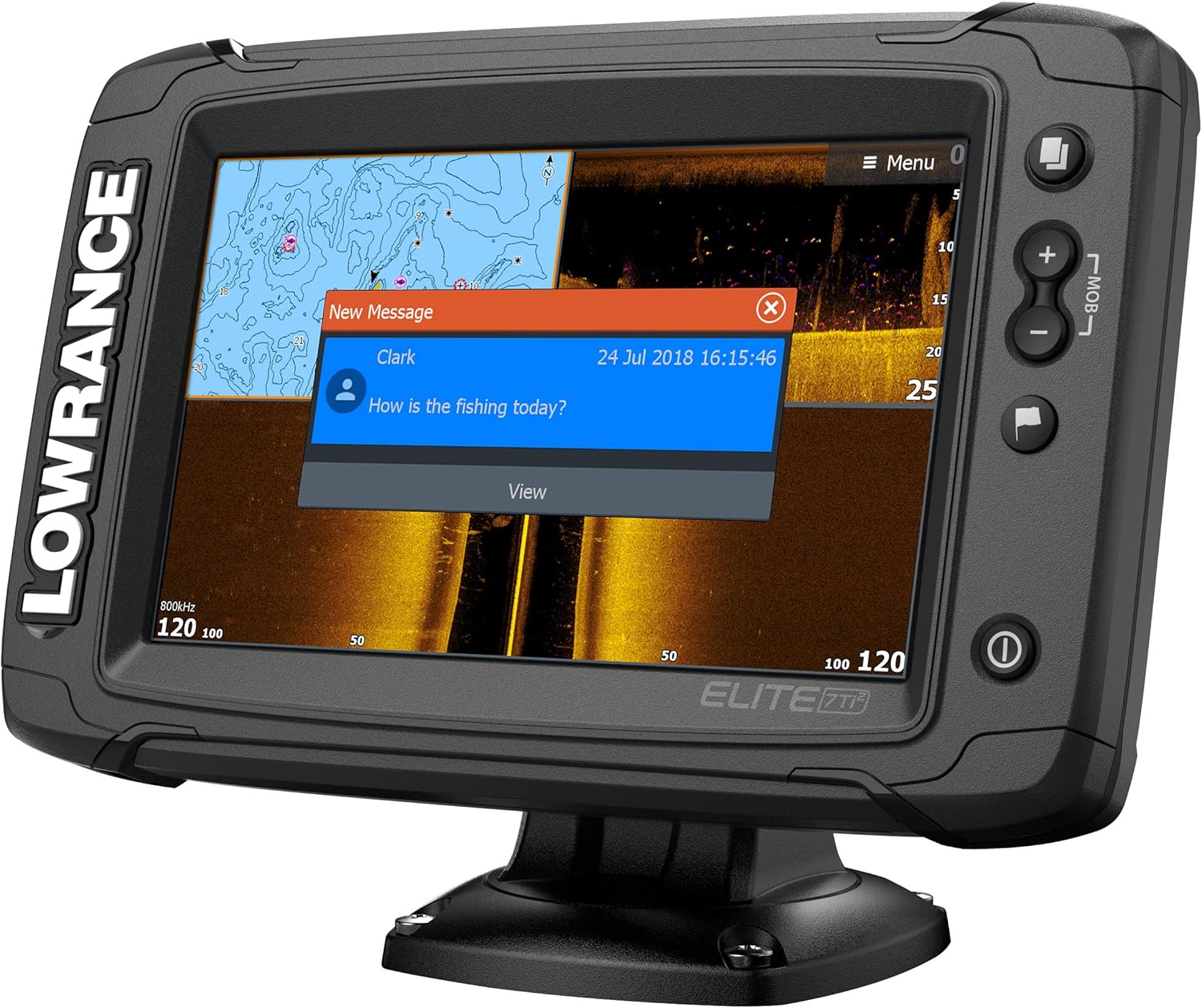
Figure 3: Sonar display on the Elite-7 Ti2, showing detailed underwater imaging.
Mapping and Navigation (Genesis Live)
Leverage the preloaded C-MAP US Inland mapping for detailed charts of 4,000 lakes. With Genesis Live, you can create real-time custom maps with 0.5-foot contours of unmapped areas or update existing maps directly on your screen. This feature helps in identifying subtle depth changes and structure.

Figure 4: Detailed C-MAP chart displayed on the Elite-7 Ti2.

Figure 5: Genesis Live feature actively creating and displaying real-time contour maps.
Wireless Networking
The Elite-7 Ti2 supports wireless networking, allowing you to share sonar data, mapping information, waypoints, and routes with other compatible Elite Ti2 displays on your vessel without the need for additional cables. This simplifies multi-unit setups and data synchronization.
Smartphone Integration
Connect your smartphone wirelessly to the Elite-7 Ti2 to receive notifications for texts and calls directly on the display. This feature allows you to stay connected without diverting your attention from the fish finder screen.

Figure 6: Smartphone notification displayed on the Elite-7 Ti2 screen.
Official Product Video
Video 1: An overview of the Lowrance HDS LIVE Series of Fish Finders, demonstrating key features and benefits. This video provides a visual guide to the advanced capabilities of Lowrance fish finders, including sonar imaging, mapping, and connectivity.
Maintenance
- Cleaning: Clean the display and unit exterior with a soft, damp cloth. Avoid abrasive cleaners or solvents.
- Connections: Periodically check all cable connections for corrosion or damage. Ensure they are securely fastened.
- Software Updates: Check the Lowrance website for available software updates to ensure optimal performance and access to new features.
- Storage: When not in use for extended periods, store the unit in a dry, temperate environment.
Troubleshooting
This section addresses common issues you might encounter with your Elite-7 Ti2 unit. For more detailed troubleshooting, refer to the comprehensive user manual available on the Lowrance support website.
| Problem | Possible Cause | Solution |
|---|---|---|
| Unit does not power on | No power, loose connection, blown fuse. | Check power cable connection, inspect fuse, ensure battery is charged. |
| No sonar readings | Transducer not connected, incorrect settings, air bubbles under transducer. | Verify transducer connection, check sonar settings, clean transducer face. |
| GPS not acquiring signal | Unit not in open sky, GPS antenna obstructed. | Move to an open area, ensure no obstructions above the unit. |
Specifications
| Attribute | Detail |
|---|---|
| Brand | Lowrance |
| Model Name | 000-14634-001 |
| Power Source | Battery Powered |
| Screen Size | 7 Inches |
| Display Type | LCD or LED touchscreen |
| Item Weight | 6.4 Pounds |
| Mounting Type | Transom Mount |
| Item Package Dimensions | 13.5 x 10 x 10 inches |
| Package Weight | 2.9 Kilograms |
| Item Dimensions LxWxH | 12.6 x 9.06 x 9.84 inches |
| Color | Black |
| Material | Plastic |
| Model Year | 2019 |
| Included Components | Lowrance Elite-7 Ti2 C-MAP US Inland HDI Transducer |
Warranty and Support
The Lowrance Elite-7 Ti2 comes with a 2-Year Warranty. For warranty claims, technical support, or additional product information, please visit the official Lowrance website or contact their customer service department. Keep your proof of purchase for warranty validation.
For further assistance, you may also refer to the Lowrance Store on Amazon.


