
1. Introduction
Thank you for choosing the TESSAN TS-PS08US00 10-in-1 Surge Protector Power Strip. This device is designed to provide convenient power distribution and surge protection for your electronic devices. It features 6 AC outlets, 2 USB-C ports, and 2 USB-A ports, all within a compact design with a flat plug and a 5-foot extension cord.
2. Safety Information
Please read and understand all safety instructions before using this product. Failure to follow these instructions may result in electric shock, fire, or serious injury.
- Do not exceed the maximum power rating of 1250W (10A, 125V).
- This product is for indoor use only. Do not expose to moisture or use in wet environments.
- Do not disassemble or modify the power strip.
- Keep away from children and pets.
- Ensure the plug is fully inserted into the wall outlet.
- Do not use with aquariums or other water-related products.
- Avoid running the cord under carpets or rugs, as this can cause overheating.
3. Product Features
- 10-in-1 Power Solution: Provides 6 AC outlets, 2 USB-C ports (PD 20W Max, 15W Max), and 2 USB-A ports (12W Max per port) for simultaneous charging of up to 10 devices.
- 2100 Joules Surge Protection: Safeguards your valuable electronics from power surges and spikes.
- Flat Plug Design: The ultra-thin 0.36-inch flat plug with a 45-degree angle allows furniture to sit closer to the wall, saving space.
- 5 FT Extension Cord: Offers extended reach to power devices where needed.
- Mountable Design: Equipped with 2 mounting holes for secure installation on walls or under desks.
- Anti-Slip Rubber Feet: Four rubber feet on the bottom prevent the power strip from sliding on surfaces.

Image: The TESSAN 10-in-1 Power Strip showing its 6 AC outlets, 2 USB-A ports, and 2 USB-C ports, along with a 5-foot cable and power switch.

Image: A comparison illustrating the space-saving benefit of the TESSAN flat plug design against a standard plug, allowing furniture to sit closer to the wall.

Image: The TESSAN power strip highlighting its two mounting holes for installation and four anti-slip rubber feet for stability on surfaces.
4. Setup
- Unpack: Carefully remove the power strip from its packaging.
- Placement: Choose a dry, indoor location away from heat sources and direct sunlight. The flat plug allows for placement behind furniture.
- Plug In: Insert the power strip's flat plug into a standard 3-prong wall outlet.
- Power On: Flip the ON/OFF switch on the power strip to the 'ON' position. The 'Power' indicator light will illuminate.
- Mounting (Optional): If desired, use the two mounting holes on the back of the power strip to secure it to a wall or desk using appropriate screws (not included).
5. Operating Instructions
The TESSAN power strip is designed for ease of use. Simply plug in your devices and ensure the power switch is on.
- AC Outlets: Plug your AC-powered devices into any of the 6 available outlets. These outlets are widely spaced to accommodate larger power adapters without blocking adjacent ports.
- USB Ports: Connect your USB-powered devices (smartphones, tablets, smartwatches, etc.) to the 2 USB-A ports or 2 USB-C ports. The USB-C2 port supports Power Delivery (PD) up to 20W for faster charging of compatible devices.
- Power Switch: Use the master ON/OFF switch to control power to all connected devices simultaneously.
- Protected Indicator: The 'Protected' indicator light confirms that the surge protection feature is active and functioning.
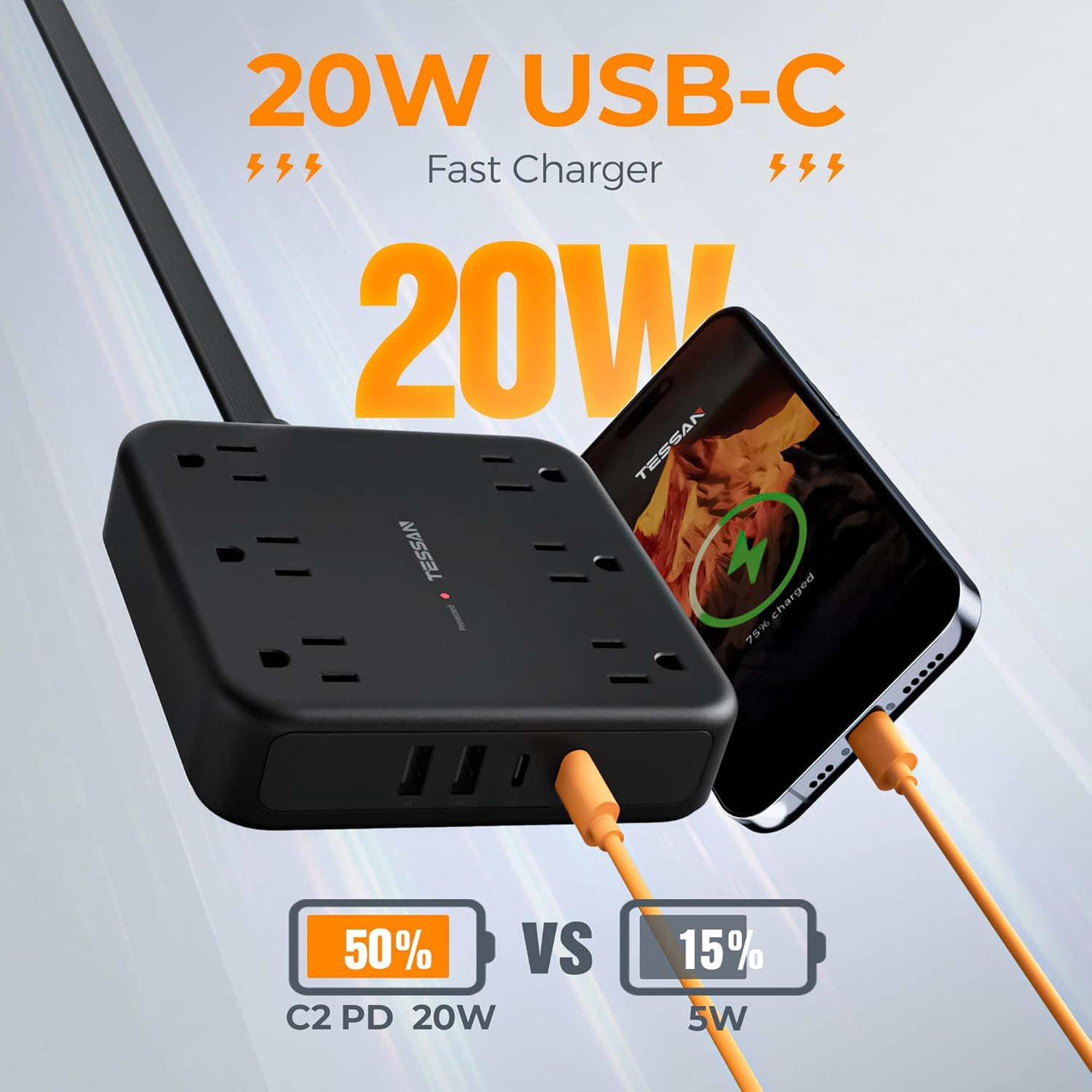
Image: The TESSAN power strip actively charging a smartphone using one of its 20W USB-C ports, demonstrating its fast-charging capability.

Image: An illustration of the TESSAN power strip's universal compatibility, showing it can charge laptops, table lamps, sound boxes, small fans, cameras, cellphones, game controllers, mobile power banks, earphones, smartwatches, and tablets.
Video: An official TESSAN video showcasing the 5FT Black Extension Cord, demonstrating its features and compact design.
6. Maintenance
- Cleaning: Disconnect the power strip from the wall outlet before cleaning. Use a dry, soft cloth to wipe the surface. Do not use liquid cleaners or aerosols.
- Inspection: Periodically check the power cord and the unit for any signs of damage, such as fraying, cuts, or loose connections. If damage is found, discontinue use immediately.
- Storage: When not in use for extended periods, store the power strip in a cool, dry place.
7. Troubleshooting
- No Power: Ensure the power strip is securely plugged into a working wall outlet and the ON/OFF switch is in the 'ON' position. Check the circuit breaker in your home.
- 'Protected' Light Off: If the 'Protected' indicator light is off, it may indicate that the surge protection has been compromised due to a significant power surge. The power strip may still function as an extension cord, but its surge protection capabilities are no longer active. It is recommended to replace the unit.
- Device Not Charging: Verify that the device is properly connected to the power strip and that the device itself is functioning correctly. Try a different port or cable.
8. Specifications
| Product Dimensions | 4.65 x 4.65 x 1.1 inches |
| Item Weight | 14.9 ounces |
| Item Model Number | TS-PS08US00 |
| Brand | TESSAN |
| Color | Black |
| Total Power Outlets | 6 AC Outlets |
| USB Ports | 2 USB-C (PD 20W Max, 15W Max), 2 USB-A (12W Max per port) |
| Voltage | 125 Volts |
| Surge Protection | 2100 Joules |
| Cable Length | 5 FT |
9. Warranty and Support
TESSAN products are designed and manufactured to the highest quality standards. For warranty information and customer support, please refer to the documentation included with your purchase or visit the official TESSAN website. Keep your purchase receipt as proof of purchase.
For further assistance, please contact TESSAN customer service.