
1. Important Safety Information
Please read all instructions carefully before installation and use. Failure to follow these instructions may result in property damage, serious injury, or death. If you do not understand these instructions or have doubts about the safety of the installation, please contact a qualified installer or Mount-It! customer support.
- Weight Capacity: Do not exceed the maximum weight capacity of 44 lbs (20 kg). This mount is designed for displays weighing up to 44 lbs. Exceeding this limit may result in instability and potential failure.
- Mounting Surface: The wall or mounting surface must be capable of supporting the combined weight of the mount and the display. Ensure the wall structure is sound and appropriate for the chosen mounting method.
- Tools and Hardware: Use only the tools and hardware specified in this manual. Ensure all screws are tightened securely but do not overtighten.
- Children and Pets: Keep children and pets away from the installation area during the mounting process.
- Regular Inspection: Periodically check the mount for any signs of damage, loose parts, or instability.
2. Package Contents
Verify that all components are present and undamaged before proceeding with installation. If any parts are missing or defective, please contact Mount-It! customer support.
- Wall Plate
- TV Bracket (VESA Plate)
- Mounting Hardware (various screws, anchors, and washers for TV and wall attachment)

Image: Main components of the Mount-It! MI-203T Tilting TV Wall Mount Bracket.
3. Product Specifications
| Brand | Mount-It! |
| Model Number | MI-203T |
| Material | Alloy Steel |
| Item Weight | 1.01 pounds (0.46 kg) |
| VESA Compatibility | 75x75mm, 100x100mm |
| Screen Size Compatibility | 24, 27, 30, 32 inches (some up to 40 inches) |
| Weight Capacity | 44 lbs (20 kg) |
| Movement Type | Tilt |
| Maximum Tilt Angle | +10° / -15° |
| Distance from Wall | 1.4 inches (3.5 cm) |
4. Before Installation
Before beginning installation, ensure your TV or monitor meets the following requirements:
- VESA Compatibility: Check the back of your TV/monitor for four threaded mounting holes. Measure the horizontal and vertical distance between these holes. This mount supports VESA patterns of 75x75mm (3"x3") and 100x100mm (4"x4").
- Screen Size: This mount is designed for screens between 24 and 32 inches, and some up to 40 inches, provided they meet VESA and weight requirements.
- Weight: The weight of your TV/monitor must not exceed 44 lbs (20 kg).

Image: Visual guide for checking VESA mounting hole patterns on your display. The mount fits 3"x3" (75x75mm) or 4"x4" (100x100mm) patterns.
Wall Type Considerations: This mount is suitable for installation on:
- Wood Studs
- Concrete Walls
- Brick Walls
WARNING: Do NOT mount on drywall alone. Drywall cannot support the weight of the mount and your display.

Image: The mount supports TVs from 13" to 32" with VESA 75x75 or 100x100, and a maximum weight of 44 lbs.
5. Installation Instructions
Follow these steps for a secure installation:
- Attach TV Bracket: Secure the VESA plate (TV bracket) to the back of your TV or monitor using the appropriate screws from the hardware kit. Ensure it is centered and firmly attached.
- Mark Wall Position: Hold the wall plate against the wall at your desired mounting height. Use a level to ensure it is perfectly horizontal. Mark the pilot hole locations with a pencil.
- Install Wall Plate: Drill pilot holes at the marked locations. For wood studs, drill directly into the center of the stud. For concrete or brick walls, use a masonry drill bit and insert the provided wall anchors before securing the wall plate with screws. Ensure the wall plate is firmly attached to the wall.
- Mount TV: Carefully lift your TV/monitor (it is recommended to have assistance) and hook the attached VESA plate onto the installed wall plate.
- Secure TV: Locate the quick-release security screw on the bottom of the wall plate. Tighten this screw to lock the TV/monitor onto the wall plate, preventing accidental dislodgement.

Image: Step-by-step visual guide for installing the wall mount: 1. Attach wall bracket to wall. 2. Attach VESA plate to TV. 3. Mount TV onto wall bracket.
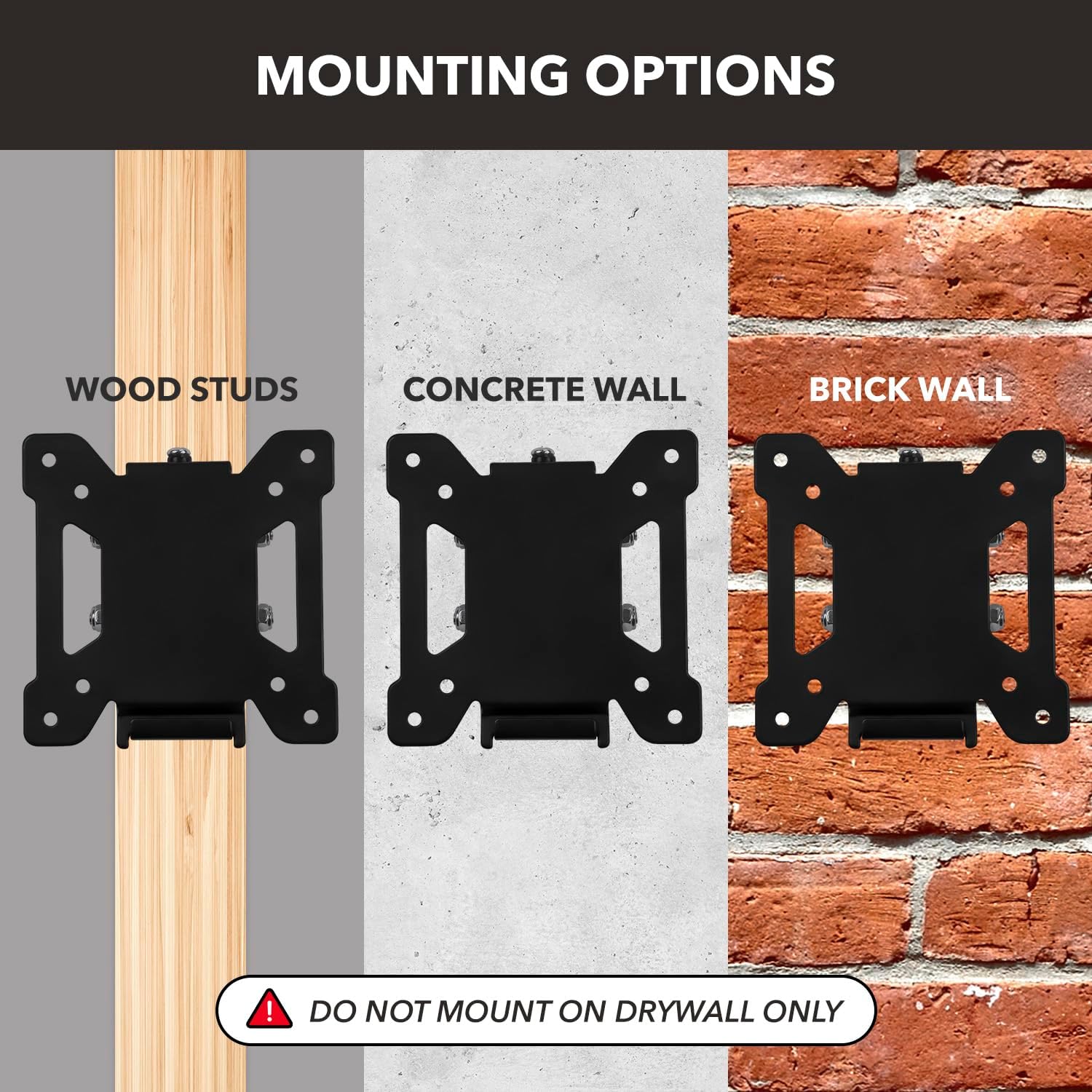
Image: Illustration of suitable mounting surfaces including wood studs, concrete walls, and brick walls. A warning indicates not to mount on drywall alone.
Video: Official Mount-It! video demonstrating the features and installation of the MI-203T Tilting TV Wall Mount.
6. Operation
The Mount-It! MI-203T features a tilting mechanism to optimize your viewing experience.
- Tilting Adjustment: To adjust the tilt angle, gently push or pull the top or bottom edge of your TV/monitor. The mount allows for a tilt range of +10° (upwards) to -15° (downwards).
- Glare Reduction: Utilize the tilt function to reduce glare from lights or windows, providing a more comfortable viewing angle.

Image: The mount allows for tilting the screen up to +10 degrees and down to -15 degrees to reduce glare and improve viewing angles.
7. Maintenance
To ensure the longevity and safe operation of your Mount-It! MI-203T wall mount, perform the following maintenance:
- Regular Checks: Periodically (e.g., every 3-6 months) inspect all mounting screws and connections to ensure they remain tight and secure.
- Cleaning: Clean the mount with a soft, dry cloth. Avoid using abrasive cleaners or harsh chemicals, as these can damage the finish.
- Damage Inspection: If you notice any signs of damage, wear, or corrosion, discontinue use and contact Mount-It! customer support for assistance.
8. Troubleshooting
If you encounter issues with your Mount-It! MI-203T wall mount, refer to the following common solutions:
- TV is not level:
Solution: Ensure the wall plate was installed horizontally using a level. If not, you may need to re-adjust the wall plate. Check that the TV bracket is properly seated on the wall plate. - TV is difficult to tilt or does not hold its position:
Solution: The tilt mechanism relies on friction. Ensure the tilt adjustment screws (if present and accessible) are not excessively tight or loose. Adjust as needed to achieve desired tension. - Mount feels unstable or wobbly:
Solution: Immediately remove the TV from the mount. Re-check all wall mounting hardware to ensure it is securely fastened to a suitable wall structure (wood stud, concrete, or brick). Verify that the TV's weight does not exceed the 44 lbs capacity. If the issue persists, consult a professional installer. - Missing parts or damaged components:
Solution: Do not proceed with installation. Contact Mount-It! customer support for replacement parts.
9. Warranty and Support
For specific warranty information, product registration, or technical support, please visit the official Mount-It! website or contact their customer service department directly. Contact details are typically provided in the product packaging or on the manufacturer's website.


