1. Introduction
The Ubiquiti UniFi Cloud Key Gen2 Plus (UCK-G2-PLUS) is a multi-application device designed to simultaneously manage your UniFi networking and video devices. It offers easy deployment and comprehensive control over your network infrastructure and surveillance system. The front panel display provides vital system statistics for your UniFi networking hardware and UniFi Protect video cameras. A built-in battery offers protection against power loss, ensuring safe shutdown. For video storage, it includes a 1 TB HDD, which is upgradeable to 5 TB.

Figure 1.1: Ubiquiti UniFi Cloud Key Gen2 Plus device.
2. Setup
The Cloud Key Gen2 Plus is designed for quick and easy configuration. It can be set up over Bluetooth using the UniFi mobile applications.
2.1. Physical Connections
Identify the ports on the back panel for power and network connectivity.

Figure 2.1: Back panel with various ports.
- Power Button: Used to power on/off the device.
- USB Type C Power Port: For power input (PoE & DC Adapter).
- Ethernet Port: Connects to your network for data and Power over Ethernet (PoE).
- microSD Slot: For additional storage or backups.
- USB Type C Port: For data transfer or connecting peripherals.
- Reset Button: Used to reset the device to factory defaults.
2.2. Initial Configuration
The Cloud Key Gen2 Plus supports Bluetooth setup via the UniFi mobile applications for a streamlined initial configuration process.
Video 2.1: Overview of the Ubiquiti Network Controller and its capabilities.
3. Operating the Device
Once set up, the UniFi Cloud Key Gen2 Plus provides a centralized management interface for your UniFi network and Protect surveillance system.
3.1. Front Panel Display
The compact front panel display shows vital system statistics, including network status, Protect camera status, and time.
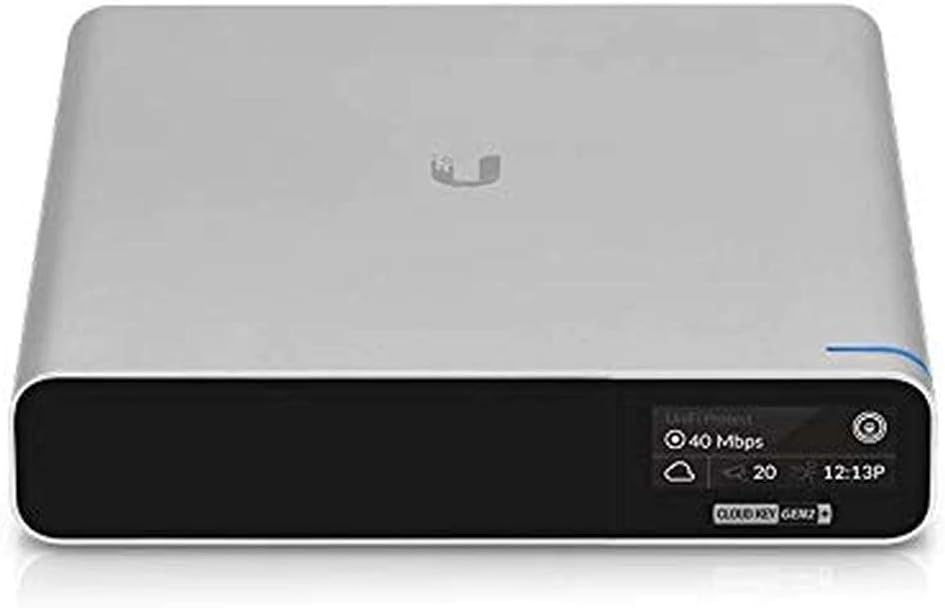
Figure 3.1: Front panel display showing system information.
3.2. Storage and Expansion
The device includes a 1 TB 2.5” hard drive for video storage, which can be upgraded to 5 TB for extensive data needs.
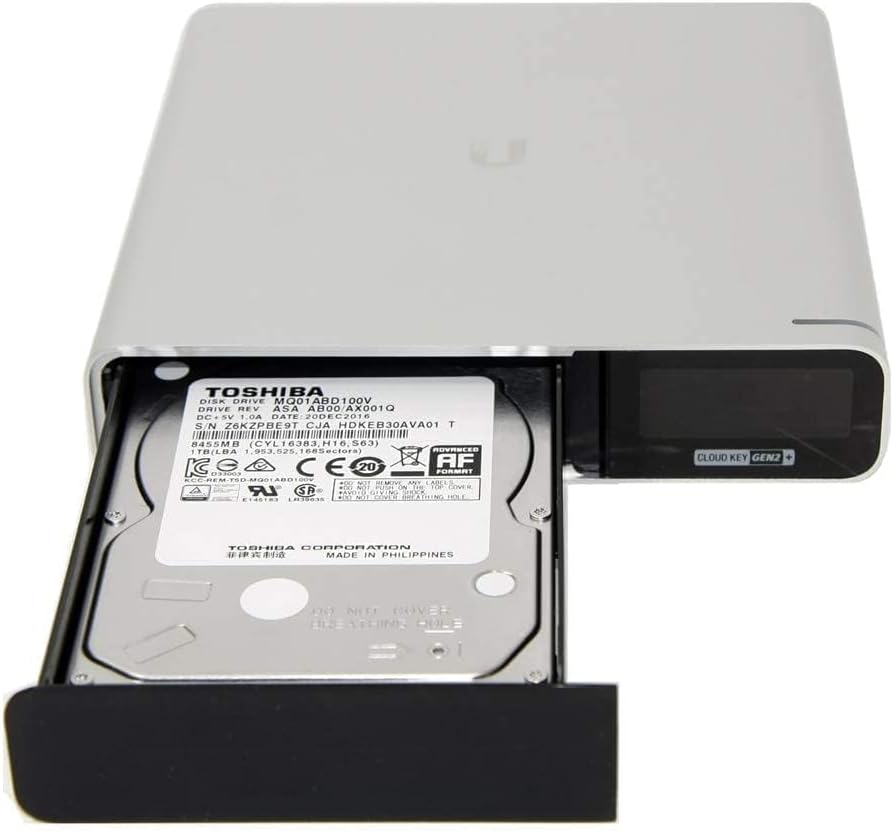
Figure 3.2: Hard drive bay with 1TB HDD installed.
4. Maintenance
Regular maintenance ensures optimal performance and longevity of your UniFi Cloud Key Gen2 Plus.
- Firmware Updates: Periodically check for and install firmware updates through the UniFi controller interface to ensure the latest features and security patches.
- Hard Drive Management: Monitor the storage usage of the 1 TB HDD. If needed, the hard drive can be upgraded to a larger capacity (up to 5 TB) by following the instructions for HDD replacement.
- Cleaning: Keep the device free from dust and debris to prevent overheating. Use a soft, dry cloth for cleaning.
- Battery Backup: The built-in battery provides protection against power loss, allowing for a safe shutdown. Ensure the device is connected to a stable power source to keep the battery charged.
5. Troubleshooting
If you encounter issues with your UniFi Cloud Key Gen2 Plus, consider the following troubleshooting steps:
- Device Unresponsive: If the device is unresponsive, check the power connection (PoE or USB-C). If powered, try pressing the reset button briefly to restart.
- Network Connectivity Issues: Ensure the Ethernet cable is securely connected to both the Cloud Key and your network switch. Verify that your network switch is providing PoE if you are powering the device via Ethernet.
- Controller Access Problems: If you cannot access the UniFi controller interface, ensure your computer is on the same network as the Cloud Key. Try clearing your browser's cache or using a different browser.
- Video Storage Issues: If UniFi Protect is not recording or showing errors, check the status of the internal HDD via the controller interface. Ensure there is sufficient storage space.
- Factory Reset: As a last resort, a factory reset can resolve persistent issues. Refer to the device's quick start guide for the exact procedure, as this will erase all configurations and data.
6. Specifications
| Feature | Detail |
|---|---|
| Model Name | UCK-G2-PLUS |
| Wireless Type | Bluetooth |
| Item Weight | 1.1 pounds |
| Product Dimensions | 5.16 x 5.28 x 1.07 inches |
| Number of Processors | 8 |
| Power Source | PoE & DC Adapter |
| Voltage | 9 Volts |
| Batteries | 1 Lithium Polymer batteries required (included) |
| Special Feature | Motion Detection, Built-In Battery |
| Frequency Band Class | Dual-Band |
| Recommended Uses For Product | Home |
7. What's in the Box
The UniFi Cloud Key Gen2 Plus package includes:
- Cloud Key Gen2 Plus device
8. Warranty and Support
For warranty information and technical support, please refer to the official Ubiquiti Networks website or contact their customer service. Details regarding specific warranty periods and support options can typically be found in the product packaging or on the manufacturer's website.