
1. Introduction
Thank you for choosing Glovii Heated Leather Motorcycle Gloves, model GS1. These gloves are designed to provide warmth and protection in low temperatures, enhancing comfort during motorcycle riding and other outdoor activities. Constructed from natural leather with a polyester lining, they feature an integrated heating system and are touchscreen compatible.
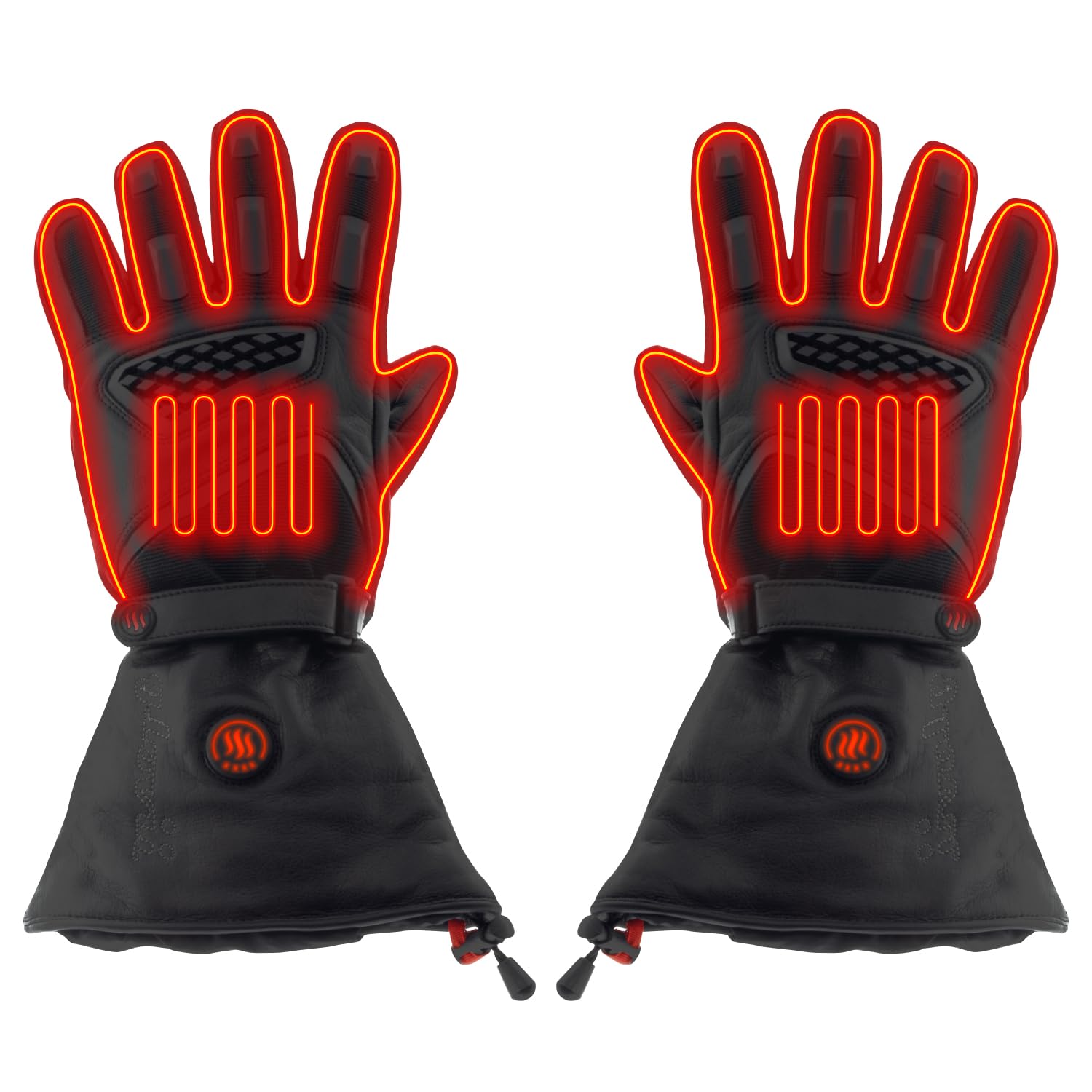
Image 1.1: A pair of Glovii GS1 XL heated leather motorcycle gloves, showcasing their design and heating elements.
2. Setup
2.1 Unpacking and Initial Inspection
- Carefully remove all components from the packaging.
- Verify that all included items are present: a pair of Glovii GS1 gloves, two rechargeable Lithium-Ion batteries, and a charger with multiple plug adapters.
- Inspect the gloves and accessories for any visible damage.
2.2 Charging the Batteries
- Connect the charger to a power outlet using the appropriate adapter for your region.
- Connect each Lithium-Ion battery to the charger. Ensure a secure connection.
- Allow the batteries to charge fully before first use. The charging indicator on the charger will typically change color or turn off when charging is complete.
- A full charge may take several hours.

Image 2.1: The Glovii battery charger with two rechargeable Lithium-Ion batteries, ready for charging.
2.3 Inserting Batteries into Gloves
- Locate the battery pocket inside the cuff of each glove.
- Carefully insert a fully charged battery into each pocket.
- Connect the power cable from the glove to the battery. Ensure the connection is firm.
- Close the battery pocket securely, often with a zipper or hook-and-loop fastener.

Image 2.2: A close-up view showing the battery pack correctly inserted and connected within the glove cuff.
3. Operating Instructions
3.1 Powering On/Off and Adjusting Heat Levels
The Glovii GS1 gloves feature three heating temperature levels, controlled by a single button located on the back of each glove.
- To Power On: Press and hold the power button on the back of the glove for approximately 3 seconds. The button will illuminate, indicating the gloves are on and heating.
- To Adjust Heat Level: Briefly press the power button to cycle through the three heating levels (High, Medium, Low). The color or number of illuminated segments on the button will indicate the current heat setting.
- To Power Off: Press and hold the power button again for approximately 3 seconds until the light turns off.
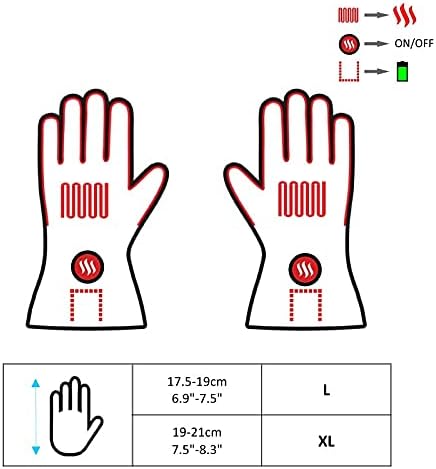
Image 3.1: A diagram showing the internal carbon fiber heating elements and the external power/temperature control button on the gloves.
3.2 Touchscreen Compatibility
The fingertips of the Glovii GS1 gloves are designed to be touchscreen friendly, allowing you to operate smartphones or other touch-sensitive devices without removing your gloves.
3.3 Usage Recommendations
- These gloves are specifically designed for use in low temperatures, such as during autumn, winter, and spring.
- Battery life varies depending on the selected heat level. On the highest setting, batteries may last approximately 2 hours. Lower settings will extend battery life.
4. Maintenance
4.1 Cleaning the Gloves
- Before cleaning, always remove the batteries from the gloves.
- The natural leather exterior should be cleaned with a damp cloth and a mild leather cleaner. Avoid soaking the gloves.
- Do not machine wash or tumble dry the gloves, as this can damage the heating elements and leather.
- Allow gloves to air dry completely before reinserting batteries or storing. Keep away from direct heat sources.
4.2 Battery Care and Storage
- Always fully charge batteries before storing them for extended periods.
- Store batteries in a cool, dry place, away from direct sunlight and extreme temperatures.
- For long-term storage, it is recommended to charge the batteries every 3-6 months to maintain their lifespan.
- If batteries show signs of damage or swelling, discontinue use immediately and dispose of them according to local regulations.
4.3 General Storage
When not in use, store the gloves in their provided carrying case in a dry place to protect them from dust and damage.
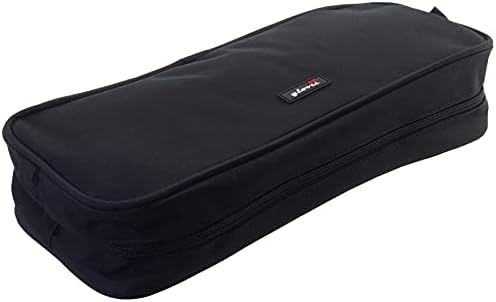
Image 4.1: The black carrying case provided for storing the Glovii heated gloves and accessories.
5. Troubleshooting
- Gloves Not Heating:
- Ensure batteries are fully charged.
- Check that batteries are correctly inserted and securely connected to the glove's power cable.
- Verify that the power button has been pressed and held for 3 seconds to turn the gloves on.
- Uneven Heating:
- Ensure the gloves are worn correctly and fit snugly to allow even heat distribution.
- Check for any kinks or damage to the internal wiring (if visible and safe to inspect).
- Short Battery Life:
- Battery life is significantly reduced on higher heat settings. Use lower settings for extended warmth.
- Ensure batteries are fully charged before each use. Over time, battery capacity may decrease.
- Consider purchasing additional battery packs for prolonged use in cold conditions.
- Touchscreen Not Responding:
- Ensure the touchscreen-compatible fingertips are making proper contact with the device screen.
- Some screen protectors or device settings may affect responsiveness.
6. Specifications
| Feature | Specification |
|---|---|
| Model Number | GS1 |
| Size | XL |
| Color | Black |
| Exterior Material | 100% Natural Leather |
| Lining Material | 100% Polyester |
| Heating Element | Carbon Fiber Heating Wire |
| Power Source | Rechargeable Lithium-Ion Batteries (2 included) |
| Heat Levels | 3 (High, Medium, Low) |
| Weight | 290 Grams (approx. per pair) |
| Dimensions (L x W x H) | 10 x 5 x 1.27 cm (approx.) |
| Hand Orientation | Ambidextrous |
| Closure Type | Zipper |
| Intended Use | Motorcycle Racing, Low Temperature Activities |
7. Warranty and Support
For information regarding product warranty, please refer to the documentation provided at the time of purchase or contact your retailer. Glovii products are manufactured by SUNEN.
For technical support or further inquiries, please visit the official Glovii website or contact the customer service department of your retailer.


