Introduction
This manual provides comprehensive instructions for the setup, operation, and maintenance of your Nakamichi Shockwafe Elite 7.2.4 SSE Dolby Atmos Soundbar System. Please read this manual thoroughly before using the product to ensure proper functionality and to maximize your audio experience.
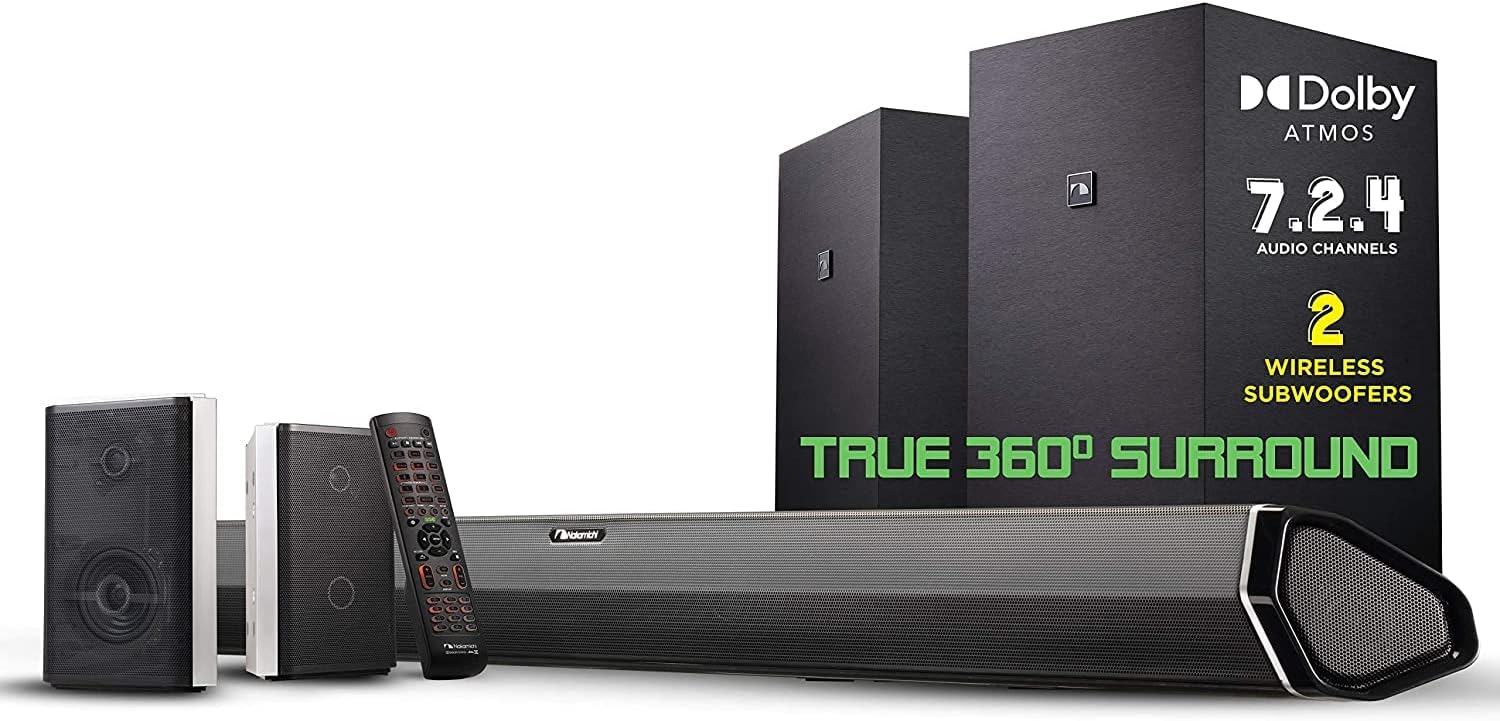
Image: The Nakamichi Shockwafe Elite 7.2.4 SSE system, featuring the soundbar, two wireless subwoofers, and two rear speakers.
What's in the Box
Verify that all components listed below are included in your package:
- Soundbar power adapter with AC cord
- 2 subwoofer AC cords
- 2 RCA surround speaker cables
- 1 HDMI cable
- 1 optical cable
- 1 3.5mm Aux-In cable
- 52-key backlit remote control with AAA batteries
- 4 surround speaker mounting screws
- 2 soundbar mounting screws
- 6 soundbar and surround speaker wall-mount brackets
- 12 wall screws and brackets
- A wall-mount guide
- A USB cable for music and firmware upgrade
Setup
1. Component Placement
Optimal placement of your soundbar, subwoofers, and rear speakers is crucial for achieving the best 360° surround sound experience. Consider your room's acoustics and seating arrangement.

Image: Recommended speaker placement for the Nakamichi Shockwafe Elite 7.2.4 SSE system, illustrating sound dispersion around the listening area.
2. Connections
Connect your soundbar to your television and other devices using the provided cables.
- HDMI ARC: For optimal audio quality and control, connect the soundbar to your TV's HDMI ARC port using the HDMI cable.
- Optical/Coaxial: Use these ports for alternative audio connections if HDMI ARC is not available or preferred.
- Aux-In: Connect external audio devices using the 3.5mm Aux-In cable.
- Subwoofers & Rear Speakers: The dual wireless subwoofers connect wirelessly to the soundbar. The two 2-way rear speakers connect to the subwoofers via RCA cables.

Image: Detailed view of the soundbar's advanced connectivity options, including HDMI inputs for 4K HDR video playback and Dolby Vision compatibility.
3. Calibration
To optimize the sound output for your specific room, manual calibration is recommended. This system does not feature automatic calibration.
- Access the Calibration menu on your TV screen using the remote control.
- Navigate to Advanced Sound Setup.
- Select Room Size Calibration and input the precise distances of your speakers (soundbar, subwoofers, rear speakers) from your listening area and walls.
- Proceed to Volume Level Calibration. Play test tones for each speaker and adjust individual channel volumes to ensure balanced sound at your primary listening position.
- Experiment with different content (movies, music) and fine-tune the settings until you achieve your desired audio profile.
Operating Instructions
1. Remote Control
The 52-key backlit remote control provides full command over your soundbar system. Use it to:
- Select input sources (HDMI, Optical, Coaxial, Aux, Bluetooth).
- Adjust master volume, bass, and treble levels.
- Switch between various DSP (Digital Signal Processing) modes.
- Access the on-screen menu for advanced settings and calibration.
2. Sound Modes (DSP Modes)
Optimize your audio experience for different content types:
- Movie: Enhances cinematic sound effects and dialogue clarity.
- Music: Provides a balanced audio profile for music playback.
- Game: Optimizes surround sound for immersive gaming.
- Sports: Enhances crowd noise and commentary for sports broadcasts.
- News: Prioritizes vocal clarity for news and talk shows.
- Direct: Delivers native audio experience without pre-configured equalizers.
3. Dialogue Enhancement
The Nakamichi Shockwafe Elite system is designed to deliver crystal-clear dialogue without the need for artificial enhancers. The raw output power ensures that mids and higher frequencies are distinct and full of energy.
4. Adaptive Height Dispersion (AHD)
The up-firing speakers feature AHD technology, allowing you to tailor the sound to your listening position. While presets are available, individual adjustment during calibration is recommended for optimal results.
Key Features
- 7.2.4 Channel Dolby Atmos: Experience true 360° surround sound with dedicated channels for immersive audio.
- Dual Wireless Subwoofers: Two 8-inch wireless subwoofers deliver deep, room-filling bass with even distribution and minimal localization.
- Two 2-Way Rear Speakers: Each rear speaker features a tweeter for clear high frequencies and a full-range driver for precise surround effects.
- SSE Technology: Three advanced audio processing engines work in harmony to enhance directionality, spaciousness, and detail in any audio soundtrack.
- Advanced Connectivity: Supports Dolby Vision, 4K UHD pass-thru, and High Dynamic Range (HDR). Includes 1 HDMI ARC, 3 HDMI, 1 Optical, and 1 Coaxial inputs. HDMI 2.1 ports support 4K120Hz, VRR, ALLM, and FRL for gaming.
- Pro-Cinema Surround Engine: Capable of delivering up to 24.1.10 channels for Dolby Atmos and 30.2 channels for DTS:X PRO.
- PerfectHeight Mechanism: Allows adjustment of up-firing speaker direction for optimal sound reflection towards your listening position.

Image: Comparison of sound coverage with dual subwoofers versus a single subwoofer, highlighting maximum sweet spots and evenly distributed bass.
Video: An official Nakamichi video explaining the benefits of dual subwoofers for enhanced bass performance and sound distribution.
Maintenance
To ensure the longevity and optimal performance of your Nakamichi soundbar system, follow these maintenance guidelines:
- Cleaning: Use a soft, dry cloth to clean the surfaces of the soundbar, subwoofers, and rear speakers. Avoid using liquid cleaners or abrasive materials.
- Ventilation: Ensure adequate ventilation around all components to prevent overheating. Do not block any ventilation openings.
- Cable Management: Keep cables neatly organized and free from kinks or excessive tension to prevent damage.
- Environmental Conditions: Avoid exposing the system to extreme temperatures, humidity, or direct sunlight.
Troubleshooting
If you encounter any issues with your Nakamichi soundbar system, refer to the following common solutions:
- No Sound: Check all cable connections (HDMI ARC, Optical, etc.). Ensure the correct input source is selected on the soundbar. Verify TV audio output settings are configured for external speakers.
- No Bass from Subwoofers: Ensure subwoofers are powered on and wirelessly paired with the soundbar. Check RCA connections for rear speakers if applicable. Review subwoofer settings in the on-screen menu.
- Unbalanced Sound: Re-run the manual calibration process, paying close attention to speaker distances and individual channel volume levels.
- Audio Lag/Lip Sync Issues: Check your TV's audio settings for any lip sync adjustments. Some apps or devices may introduce latency; try adjusting settings on the source device.
- CEC Issues: If experiencing conflicts with other devices (e.g., Nvidia Shield), try disabling CEC features on either the soundbar or the conflicting device.
Specifications
| Model Name | Shockwafe Series |
| Speaker Type | Soundbar |
| Surround Sound Channel Configuration | 7.2 |
| Speaker Maximum Output Power | 800 Watts |
| Subwoofer Diameter | 8 Inches (Dual Wireless Subwoofers) |
| Connectivity Technology | Bluetooth, HDMI ARC, Optical, Coaxial, 3.5mm Aux-In |
| Compatible Devices | Television, Home Theater |
| Product Dimensions | 3"D x 45.5"W x 3.6"H |
| Item Weight | 64.7 Pounds |
| Control Method | Remote |
| Power Source | Corded Electric |
| Model Number | SHOCKWAFE ELITE 7.2 SSE |
Warranty and Support
Your Nakamichi Shockwafe Elite 7.2.4 SSE Dolby Atmos Soundbar System comes with a Limited Warranty. For detailed terms and conditions, please refer to the warranty documentation included in your package.
For customer support, technical assistance, or service inquiries, please visit the Nakamichi website or refer to the contact information provided in your product documentation.


