
ESSLNB 3216583107
ESSLNB 15x70 Astronomy Binoculars Instruction Manual
Model: 3216583107
Introduction
This manual provides detailed instructions for the proper use, setup, and maintenance of your ESSLNB 15x70 Astronomy Binoculars. Please read this manual thoroughly before operating the binoculars to ensure optimal performance and longevity of the product.
Safety Information
- Do not look directly at the sun through the binoculars, as this can cause severe and permanent eye damage.
- Keep binoculars away from children without adult supervision.
- Store the binoculars in a dry, cool place to prevent damage to optical components.
- Avoid dropping or subjecting the binoculars to strong impacts.
Package Contents
Verify that all items listed below are included in your package:
- 1x ESSLNB 15x70 Binoculars
- 1x Storage Bag
- 1x Phone Adapter
- 1x Neck Strap
- 1x Tripod Mounting Adapter
- 2x Objective Lens Caps
- 2x Eyepiece Caps
- 1x Cleaning Cloth
- 1x Instruction Manual (this document)
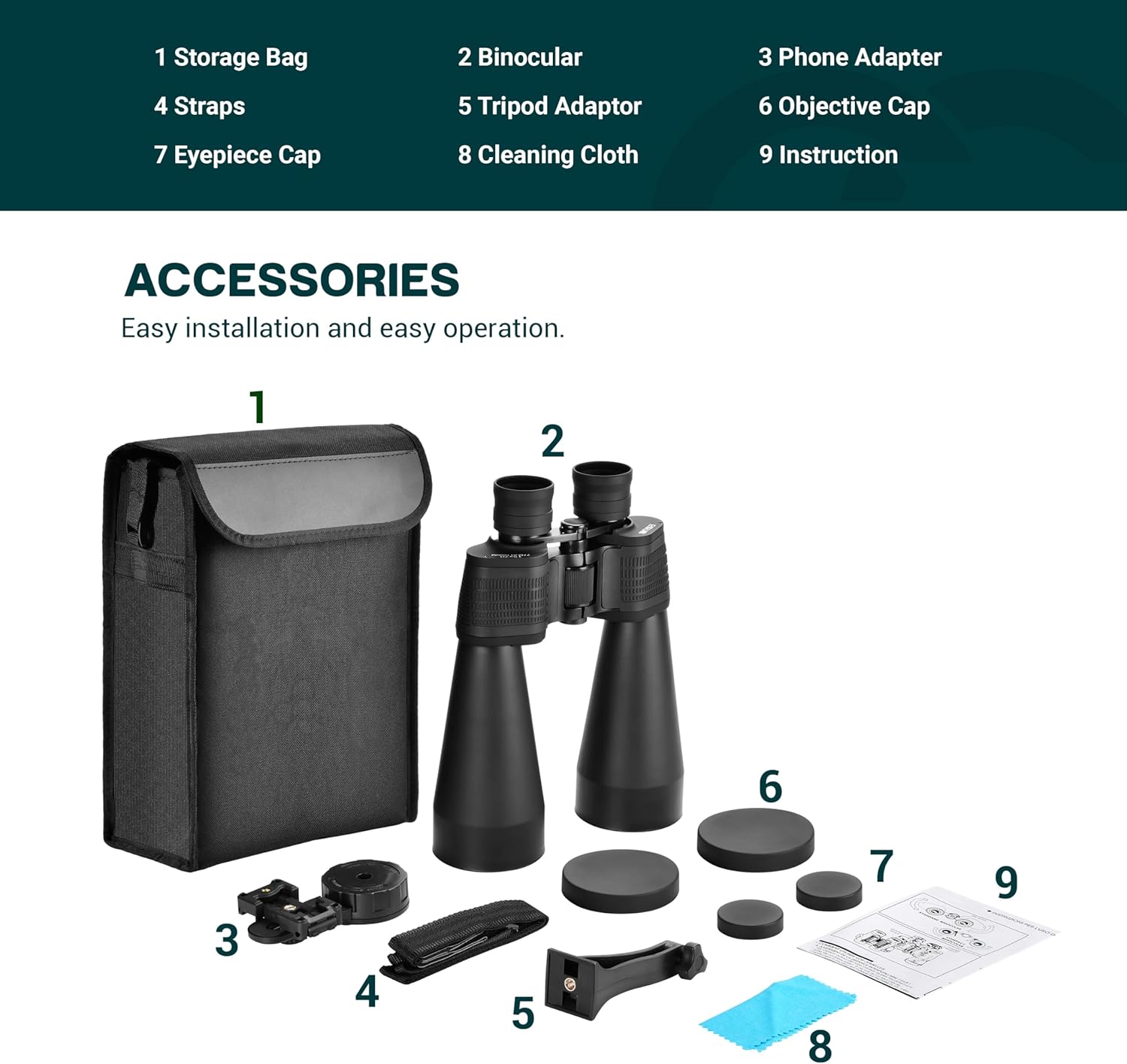
Figure 1: Included accessories for the ESSLNB 15x70 Binoculars.
Product Overview
The ESSLNB 15x70 Astronomy Binoculars are designed for long-distance terrestrial and astronomical viewing, offering 15X magnification and 70mm objective lenses for bright, clear images.

Figure 2: ESSLNB 15x70 Astronomy Binoculars.
Key Components:
- Objective Lenses: The large 70mm lenses gather light for bright images.
- Eyepieces: 25mm green film FMC eyepieces provide a wide field of view and comfortable viewing.
- Center Focus Wheel: Used for general focusing of both barrels simultaneously.
- Diopter Adjustment Ring: Located on the right eyepiece, used to compensate for differences in vision between your left and right eyes.
- Tripod Adapter Interface: Allows for mounting on a tripod for stable viewing.
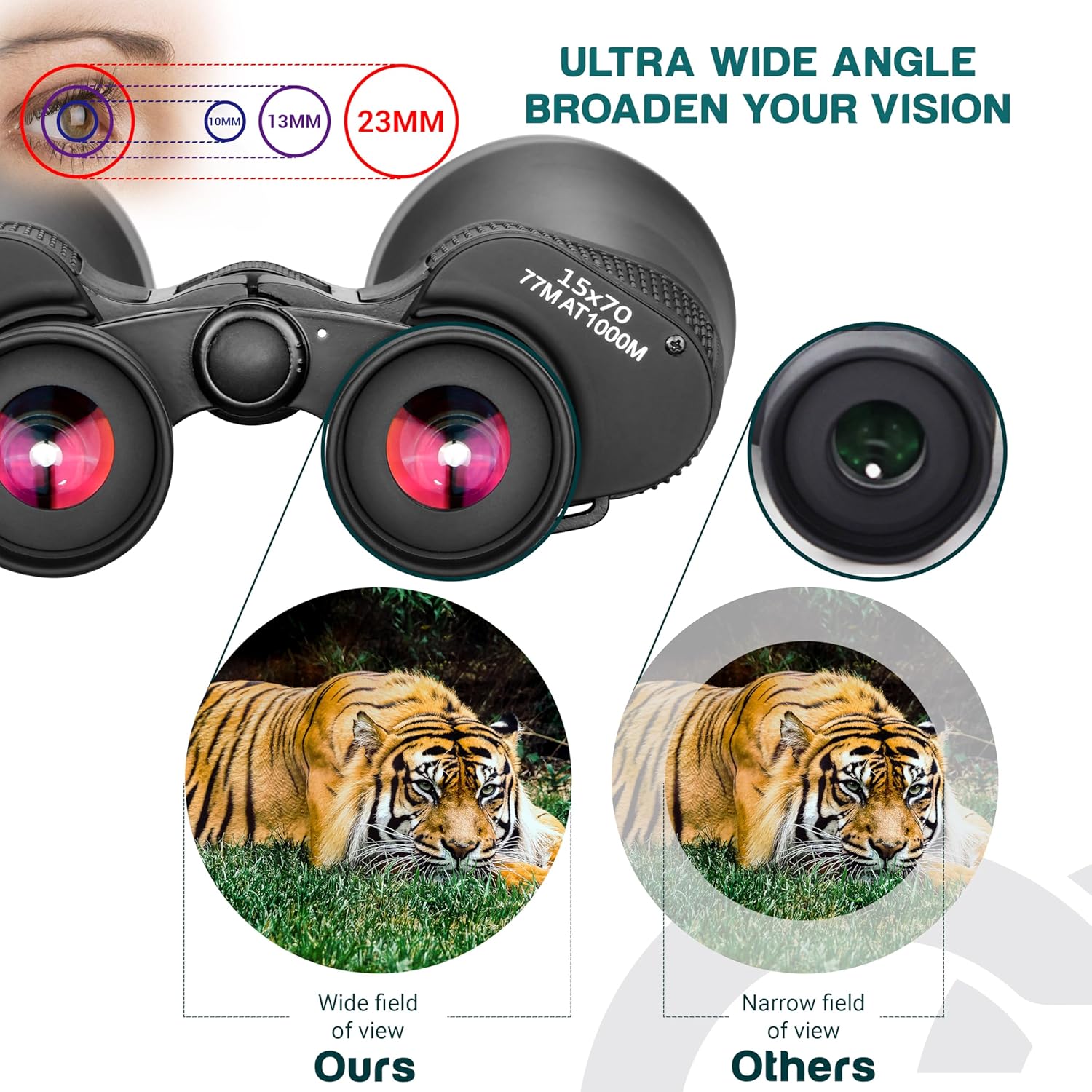
Figure 3: Binocular components including focus and diopter adjustments.
Setup
1. Adjusting Interpupillary Distance (IPD)
Hold the binoculars with both hands and look through the eyepieces. Adjust the distance between the two barrels by moving them closer or further apart until you see a single, clear circular field of view. This ensures the binoculars are aligned with your eyes.
2. Focusing the Binoculars
- Close your right eye and look through the left eyepiece. Rotate the central focus wheel until the image is clear and sharp.
- Close your left eye and look through the right eyepiece. Rotate the diopter adjustment ring on the right eyepiece until the image is clear and sharp.
- Now, with both eyes open, the image should be in focus. For subsequent viewing, use only the central focus wheel to adjust for different distances.

Figure 4: Step-by-step focusing procedure.
3. Attaching the Phone Adapter
The included phone adapter allows you to capture images or videos through the binoculars. Attach the adapter to one of the eyepieces, then secure your smartphone to the adapter. Adjust the phone's camera position to align with the eyepiece for a clear view. The adapter features 180° angle and length adjustment for optimal positioning.

Figure 5: Binoculars with phone adapter attached.
4. Attaching the Tripod Adapter
For extended viewing sessions or to minimize shake, attach the binoculars to a tripod using the provided tripod adapter. Screw the adapter into the central hinge of the binoculars, then mount the adapter onto your tripod's quick-release plate or screw mount. This provides steady, hands-free viewing.

Figure 6: Binoculars mounted on a tripod.
Operating the Binoculars
General Viewing
Once focused, hold the binoculars steady and scan your desired area. The 15X magnification and 70mm objective lenses provide a large, bright image, suitable for observing distant objects, wildlife, or celestial bodies like the moon and stars.
Viewing with Eyeglasses
The binoculars feature a 17mm long eye relief, which is beneficial for eyeglass wearers. If you wear glasses, you may find it more comfortable to view with your glasses on. Adjust the eyecups by twisting them down or folding them back to achieve the full field of view without vignetting.
Low Light Performance
The 70mm objective lenses and FMC (Fully Multi-Coated) prism system enhance light transmission, providing better image brightness in low-light conditions compared to binoculars with smaller objective lenses or less advanced coatings.
Maintenance
Cleaning the Lenses
To clean the lenses, first use a soft brush or compressed air to remove any dust or loose debris. Then, use the provided cleaning cloth or a specialized lens cleaning cloth with a small amount of lens cleaning fluid. Wipe gently in a circular motion. Avoid using abrasive materials or excessive force, as this can scratch the lens coatings.
Storage
When not in use, store the binoculars in their carrying bag in a dry, cool, and dust-free environment. Ensure all lens caps are in place to protect the optics from dust and scratches.
Waterproof and Fogproof Features
The binoculars are designed with a water-resistant exterior and are fogproof, offering protection against unexpected rain or humid conditions. While they are robust, avoid submerging them in water.
Troubleshooting
- Blurry Image: Re-adjust the central focus wheel and the diopter ring as described in the "Focusing the Binoculars" section.
- Double Image: Adjust the interpupillary distance (IPD) by moving the barrels closer or further apart until a single circular field of view is achieved.
- Dark or Dim Image: Ensure objective lens caps are removed. Check for proper lighting conditions. In very low light, image brightness will naturally be reduced.
- Difficulty with Phone Adapter: Ensure your phone's camera is perfectly aligned with the eyepiece. Adjust the adapter's position and length as needed.
Specifications
| Feature | Specification |
|---|---|
| Brand | ESSLNB |
| Model Number | 3216583107 |
| Magnification | 15X |
| Objective Lens Diameter | 70 mm |
| Eyepiece Diameter | 25 mm |
| Prism Type | FMC (Fully Multi-Coated) |
| Eye Relief | 17 mm |
| Field of View (at 1000M) | 67 meters |
| Special Features | Focus Knob, Waterproof, Fogproof |
| Product Dimensions | 11.61 x 8.46 x 3.15 inches |
| Item Weight | 4.74 pounds |
Warranty and Support
For warranty information, please refer to the documentation provided with your purchase or contact ESSLNB customer support directly. The product typically includes a standard return policy of 30 days from the date of purchase. Protection plans may also be available for extended coverage.
For technical assistance or further inquiries, please visit the official ESSLNB website or contact their customer service department.
Related documents3216583107


Ask a question about this manual
Ask about setup, troubleshooting, compatibility, parts, safety, or missing instructions. Manuals+ will review the question and use this page’s manual context to help answer it.