
1. Introduction
Thank you for choosing the Riwbox XBT-880 Wireless Bluetooth Headphones. This manual provides detailed instructions to help you set up, operate, and maintain your headphones for optimal performance. Please read this guide thoroughly before use.
2. Product Overview
The Riwbox XBT-880 headphones are designed for a superior audio experience, offering both wireless Bluetooth and wired connectivity. Key features include:
- Impressive Sound Quality: Equipped with 40mm large diameter aperture drivers for precise deep bass and high clarity sound.
- Comfortable Over-Ear Pads: Ear cushions made with soft, elastic protein material for extended comfortable wear.
- Hands-Free Calling & Built-in Microphone: Provides quick and stable Bluetooth connection for calls and audio, with a high-quality microphone. Works in both wireless and wired modes.
- Lightweight & Foldable Design: Stylish design with reflective metal accents, robust construction, and a foldable mechanism for easy storage and portability.
Product Components
Familiarize yourself with the main components and controls of your Riwbox XBT-880 headphones.

The image above illustrates the control layout on the earcup. Functions include power on/off, play/pause, volume up/down, next/previous song, and answer/end call.
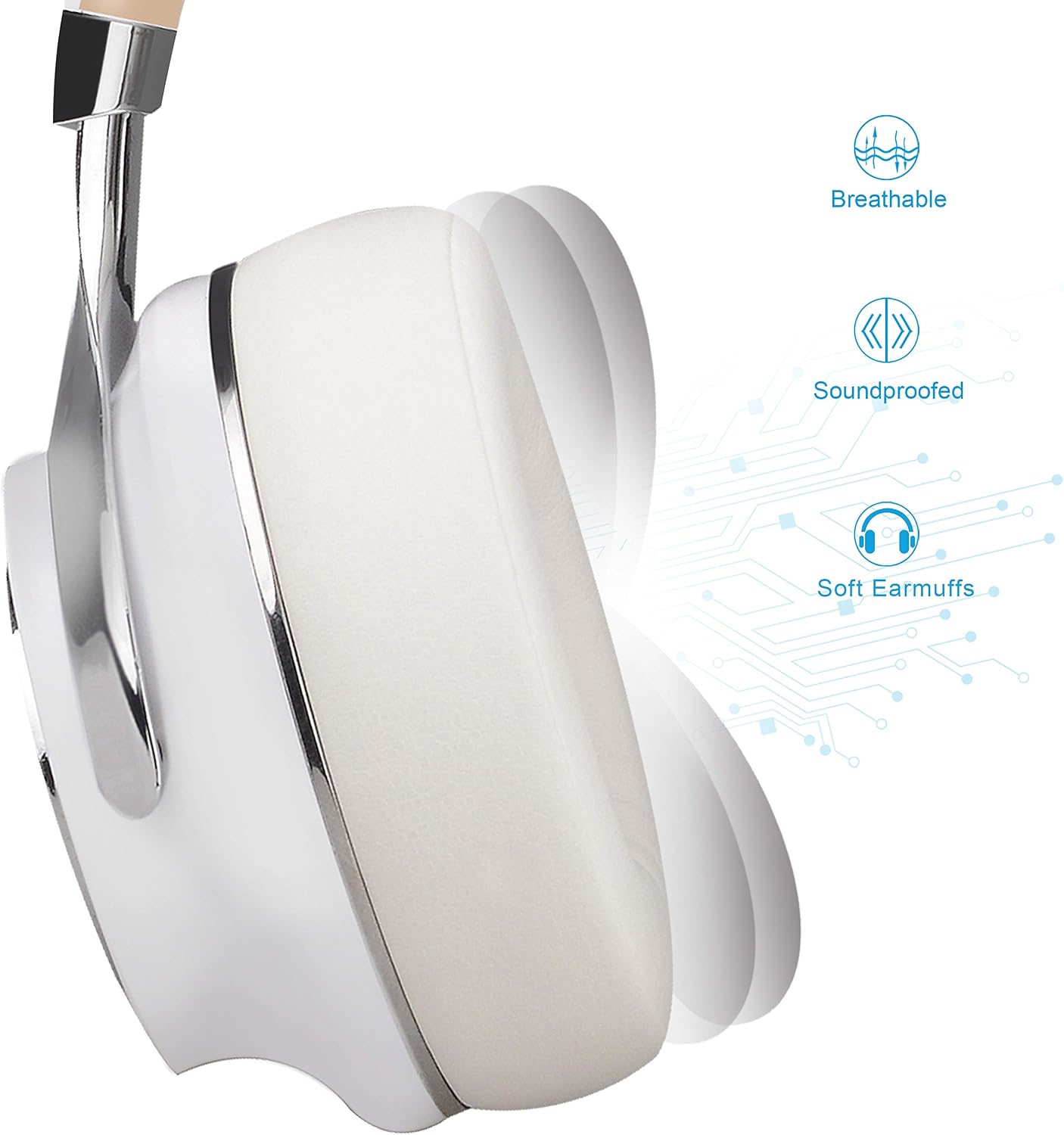
The soft earmuffs are designed for comfort during prolonged use, providing both breathability and sound isolation.

The headphones feature a foldable design, making them easy to store and transport.

The XBT-880 headphones are compatible with a wide range of Bluetooth-enabled devices.
Official Product Video: Riwbox Foldable Wireless Bluetooth Headphones, XBT-880
This video provides an overview of the Riwbox XBT-880 headphones, showcasing their foldable design and key features.
3. Setup
3.1 Charging the Headphones
Before initial use, fully charge your headphones. Connect the provided Micro-USB charging cable to the charging port on the headphone and the other end to a USB power source (e.g., computer USB port, USB wall adapter). The LED indicator will show red during charging and turn blue when fully charged. A full charge typically takes approximately 4 hours.

The red light indicates that the headphones are currently charging. Once charging is complete, the light will turn blue.
3.2 Powering On/Off
- To Power On: Press and hold the Power button (usually the central button on the earcup) for approximately 3 seconds until the LED indicator flashes blue.
- To Power Off: Press and hold the Power button for approximately 3 seconds until the LED indicator flashes red and then turns off.
3.3 Bluetooth Pairing
- Ensure the headphones are powered off.
- Press and hold the Power button for about 5-7 seconds until the LED indicator flashes red and blue alternately. This indicates pairing mode.
- On your device (smartphone, tablet, PC), enable Bluetooth and search for available devices.
- Select "Riwbox XBT-880" from the list of found devices.
- Once connected, the LED indicator on the headphones will flash blue slowly, and you will hear a confirmation tone.
4. Operating Instructions
4.1 Wireless Mode (Bluetooth)
Once paired, your headphones will automatically connect to the last paired device when powered on and within range.
- Play/Pause: Short press the Power button.
- Volume Up: Short press the "+" button.
- Volume Down: Short press the "-" button.
- Next Song: Long press the "+" button.
- Previous Song: Long press the "-" button.
- Answer/End Call: Short press the Power button.
- Reject Call: Long press the Power button.
4.2 Wired Mode (Auxiliary Cable)
The XBT-880 headphones can be used in wired mode even if the battery is depleted. Simply connect the provided 3.5mm audio cable to the headphone's AUX port and to your audio device.

The in-line controls on the auxiliary cable allow for basic functions:
- Play/Pause Music: Press the central button once.
- Next Song: Press the central button twice.
- Previous Song: Press the central button three times.
- Answer/End Call: Press the central button once.
- Hang Up: Press the central button once during a call.
Official Product Video: Riwbox: Wired Foldable Headphones With Microphone | Full Review
This video provides a comprehensive review, including details on using the headphones in wired mode with the microphone.
5. Maintenance
5.1 Cleaning
To maintain the appearance and functionality of your headphones:
- Wipe the earcups and headband with a soft, dry cloth.
- Do not use abrasive cleaners, alcohol, or chemical solvents.
- Avoid getting moisture into any openings.
5.2 Storage
When not in use, store your headphones in a cool, dry place. Utilize the foldable design for compact storage to prevent damage.

6. Troubleshooting
If you encounter issues with your Riwbox XBT-880 headphones, refer to the following common solutions:
| Problem | Possible Solution |
|---|---|
| Headphones do not power on. | Ensure the headphones are fully charged. Connect to a power source and check the charging indicator. |
| Cannot pair with device. | Ensure headphones are in pairing mode (flashing red and blue). Turn off and on your device's Bluetooth. Move headphones closer to the device. Clear previous Bluetooth connections on your device. |
| No sound or low volume. | Check volume levels on both headphones and connected device. Ensure headphones are properly paired or the 3.5mm cable is securely connected. Test with a different audio source. |
| Microphone not working. | Ensure the microphone is not obstructed. If using wired mode, ensure the cable with the in-line microphone is used and fully inserted. Check device settings for microphone input. |
| Intermittent connection. | Reduce distance between headphones and device. Avoid obstacles that may interfere with the Bluetooth signal. Ensure no other devices are interfering with the Bluetooth connection. |
7. Specifications
| Feature | Detail |
|---|---|
| Brand | Riwbox |
| Model Number | XBT-880 |
| Connectivity Technology | Wired, Wireless (Bluetooth) |
| Bluetooth Version | 5 |
| Bluetooth Range | Up to 33 feet (10 meters) |
| Ear Placement | Over Ear |
| Driver Size | 40mm (implied from feature bullets) |
| Microphone | Built-in, also on detachable cable |
| Control Type | Volume Control, Touch, Button |
| Battery Charge Time | 4 hours |
| Headphone Jack | 3.5 mm Jack |
| Material | Plastic, Rubber (ear cushions are protein leather) |
| Additional Features | Detachable Cable, Foldable, Lightweight |
8. Warranty & Support
8.1 Product Warranty
The Riwbox XBT-880 headphones come with a 1 Year Warranty. Please retain your proof of purchase for warranty claims.
8.2 Customer Support
For any questions, technical assistance, or warranty inquiries, please contact Riwbox customer support through the retailer's platform or the official Riwbox website. Refer to the packaging or product documentation for specific contact details.
