
Pulsar G12KBN
Contents
Pulsar G12KBN Dual Fuel Generator User Manual
Model: G12KBN | Brand: Pulsar
1. Introduction
The Pulsar G12KBN is a heavy-duty portable dual fuel generator designed to provide reliable power for various applications, from powering major appliances during outages to supporting demanding work environments. With 12,000 peak watts on gasoline and 10,800 peak watts on LPG, this unit offers versatile fuel options and robust performance.
1.1 Safety Information
WARNING: Carbon Monoxide Hazard
Generators produce carbon monoxide (CO), an odorless, colorless, and poisonous gas. Breathing CO can cause nausea, dizziness, fainting, or death. Operate generators outdoors only, far away from windows, doors, and vents. Never operate a generator inside a home, garage, basement, crawl space, or any other enclosed or partially enclosed area.
WARNING: Electrical Shock Hazard
Never operate the generator in wet conditions. Ensure all electrical connections are secure and properly grounded. Do not overload the generator's capacity.
WARNING: Fire Hazard
Gasoline and LPG are highly flammable. Store fuel in approved containers in a well-ventilated area away from ignition sources. Do not refuel a hot or running engine. Always ensure proper ventilation when operating on LPG.
WARNING: Hot Surfaces
Engine and muffler become very hot during operation and remain hot for a while after the engine stops. Avoid touching hot surfaces to prevent burns.
2. Product Features
- Power Output: 12,000 peak watts / 9,500 rated watts (gasoline) & 10,800 peak watts / 8,550 rated watts (LPG).
- Dual Fuel Capability: Operates on both gasoline and LPG, offering flexibility during power outages or in remote locations.
- Engine: Powerful 457cc, single-cylinder, 4-stroke, air-cooled, OHV engine with electric start.
- Fuel Tank Capacity: 8-gallon fuel tank provides up to 12 hours of continuous operation at half load on gasoline.
- Outlets: Equipped with (4) 120V 20A AC outlets, (1) 120V/240V 30A Twist-Lock outlet, (1) 120V/240V 50A outlet, and (1) 12V DC output for versatile power options.
- Portability: Features convenient drop-down handles and 10-inch never-flat wheels for easy mobility and storage.
- Safety & Convenience: Includes low oil shut-off, a 3-in-1 digital meter for monitoring voltage, frequency, and hours, and automatic voltage regulation (AVR).
- Accessories: Comes with a propane hose for immediate LPG operation.
2.1 Product Overview

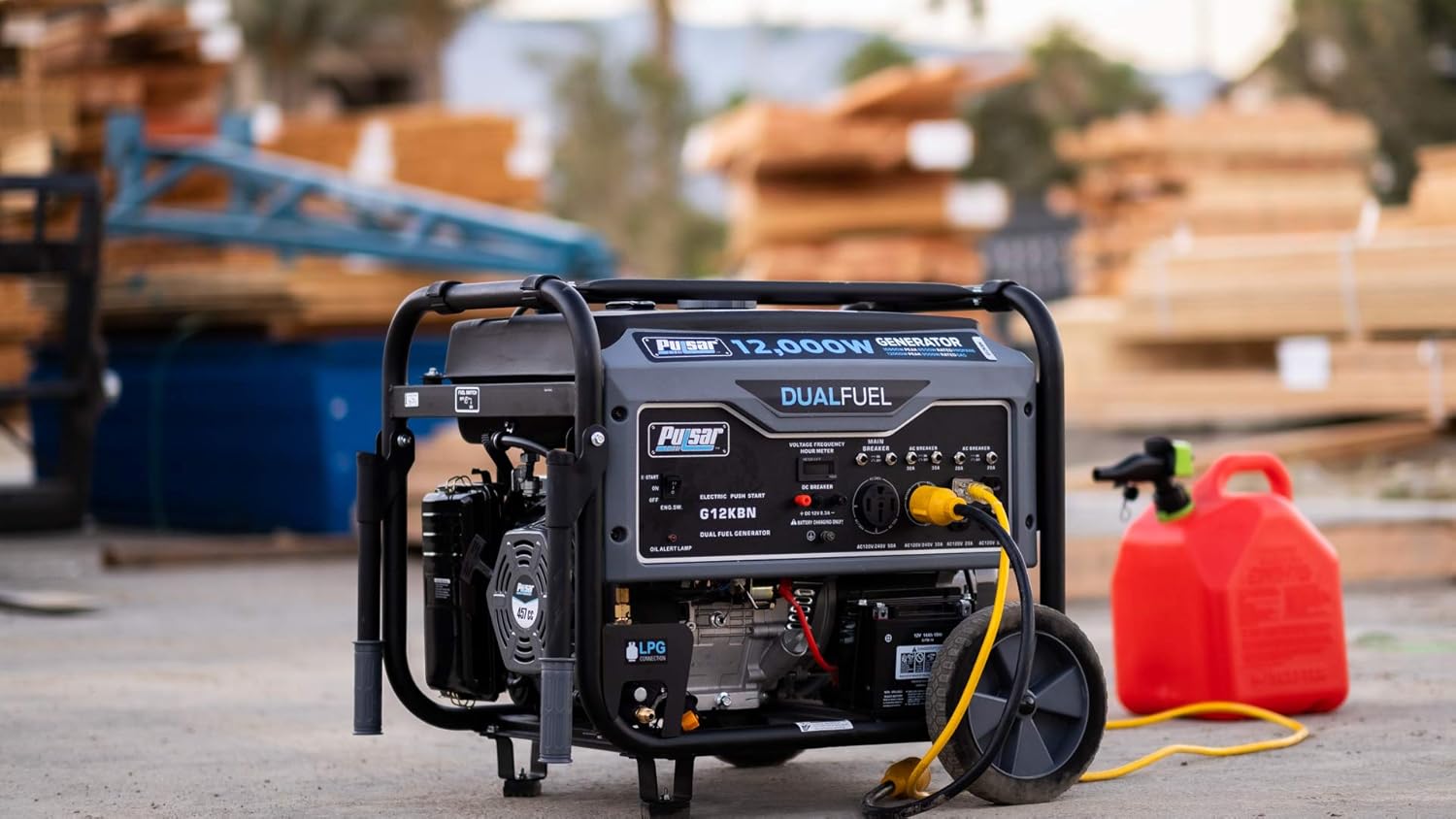
This image displays the overall design of the Pulsar G12KBN generator, highlighting its robust frame and control panel.

A closer look at the front panel, detailing the various AC outlets, DC output, and the digital multimeter.
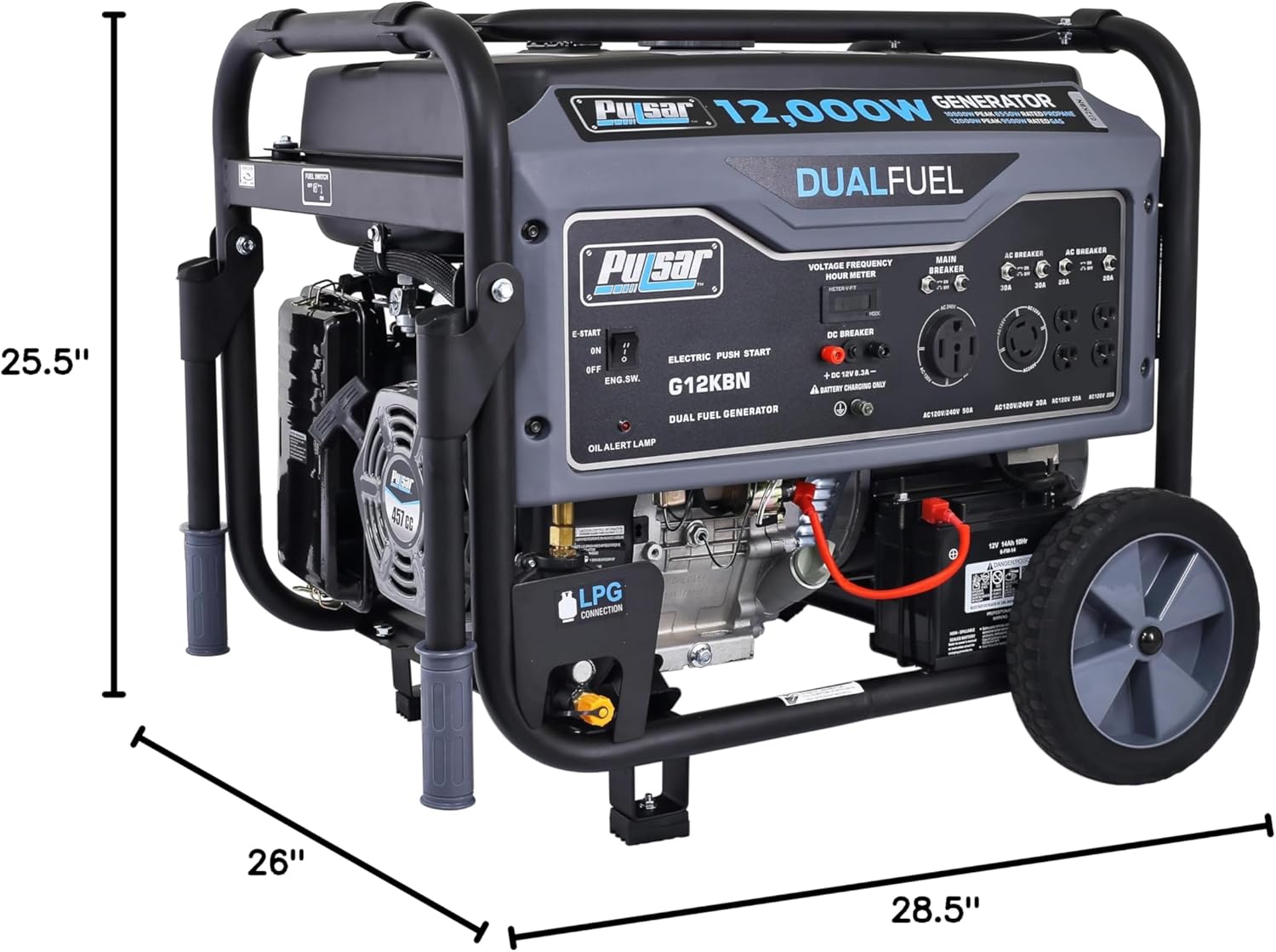
This image provides a visual representation of the generator's length, width, and height for planning placement and storage.
3. Setup
3.1 Unpacking and Assembly
- Carefully remove the generator and all components from the packaging.
- Attach the never-flat wheels to the generator frame using the provided hardware.
- Install the drop-down handles as per the assembly instructions.
3.2 Adding Engine Oil
The generator is shipped without engine oil. Before first use, add the recommended type and amount of oil.
- Place the generator on a level surface.
- Remove the oil fill cap/dipstick.
- Slowly add the recommended engine oil (e.g., SAE 10W-30) until it reaches the upper mark on the dipstick. Do not overfill.
- Securely replace the oil fill cap/dipstick.
- The low oil shut-off feature will prevent the engine from starting or running if the oil level is too low.
3.3 Connecting the Battery
For electric start functionality, connect the included battery.
- Locate the battery compartment.
- Connect the positive (+) battery cable (red) to the positive (+) battery terminal.
- Connect the negative (-) battery cable (black) to the negative (-) battery terminal.
- Ensure connections are tight and secure.
4. Operating Instructions
4.1 Fueling the Generator
The G12KBN operates on either gasoline or LPG (Liquid Propane Gas).
4.1.1 Gasoline Operation
- Ensure the engine is off and cool before adding gasoline.
- Use fresh, unleaded gasoline with an octane rating of 87 or higher.
- Fill the 8-gallon fuel tank, leaving some space for expansion. Do not overfill.
- Securely replace the fuel cap.
4.1.2 LPG Operation
- Ensure the engine is off and cool.
- Connect the provided propane hose to the generator's LPG inlet and to a standard 20lb (or larger) propane tank.
- Tighten all connections securely to prevent leaks.
- Slowly open the valve on the propane tank.
Always ensure the generator is off and cool before adding gasoline to prevent fire hazards.

The propane hose connects the generator to an external LPG tank for alternative fuel operation.

Demonstrates the generator's capability to power heavy-duty tools in a work environment.

Illustrates the generator's robust output suitable for high-demand applications like welding.

Shows the generator's utility for residential backup during power outages, ensuring continuous operation.
4.2 Starting the Generator
- Ensure the generator is on a level surface and all electrical loads are disconnected.
- Turn the fuel valve to the "ON" position.
- If starting on gasoline, ensure the choke is in the "CLOSED" position (cold engine) or "OPEN" (warm engine). If starting on LPG, the choke is typically not required.
- For electric start: Press and hold the "Electric Push Start" button until the engine starts. Release the button once the engine is running.
- For recoil start: Pull the recoil starter handle firmly and smoothly until the engine starts.
- Once the engine starts, slowly move the choke to the "OPEN" position (if used).
- Allow the generator to run for a few minutes to warm up before connecting electrical loads.
4.3 Connecting Electrical Loads
- Connect your appliances or tools to the appropriate outlets:
- (4) 120V 20A AC Outlets
- (1) 120V/240V 30A Twist-Lock Outlet
- (1) 120V/240V 50A Outlet
- (1) 12V DC Output (for battery charging only)
- Monitor the 3-in-1 digital meter for voltage and frequency readings to ensure stable power output.
- Do not exceed the generator's rated wattage. Overloading can trip circuit breakers or damage the generator/appliances.
4.4 Stopping the Generator
- Disconnect all electrical loads from the generator.
- Allow the generator to run for a few minutes without load to cool down.
- Turn the fuel valve to the "OFF" position.
- If operating on LPG, close the valve on the propane tank.
- Turn the engine switch to the "OFF" position.
5. Maintenance
Regular maintenance is crucial for the longevity and optimal performance of your Pulsar G12KBN generator.
- Engine Oil: Check oil level before each use. Change oil after the first 20 hours of operation, then every 50-100 hours or annually.
- Air Filter: Inspect and clean the air filter every 50 hours or more frequently in dusty conditions. Replace if damaged.
- Spark Plug: Inspect and clean the spark plug every 100 hours or annually. Replace if worn or fouled.
- Fuel System: For gasoline operation, use a fuel stabilizer if storing the generator for extended periods. Drain the carburetor if storing for more than 30 days.
- General Cleaning: Keep the generator clean and free of debris. Ensure cooling vents are not obstructed.
6. Troubleshooting
| Problem | Possible Cause | Solution |
|---|---|---|
| Engine will not start |
|
|
| No power output |
|
|
| Engine runs, then stops |
|
|
7. Specifications
| Specification | Value |
|---|---|
| Brand | Pulsar |
| Model Name | Pulsar |
| Part Number | G12KBN |
| Wattage | 12000 watts |
| Fuel Type | Gasoline/Propane |
| Power Source | Fuel Powered |
| Recommended Uses For Product | Residential |
| Item Weight | 0.01 Ounces |
| Voltage | 120240 Volts |
| Output Wattage | 12000 |
| Special Feature | Dual Fuel |
| Included Components | Portable Generator |
| Color | Space Gray |
| Product Dimensions | 28.5"L x 26"W x 25.5"H |
| Engine Type | 4 Stroke |
| Ignition System Type | electric start |
| Tank Volume | 8 Gallons |
| Engine Displacement | 457 Cubic Centimeters |
| Runtime | 12 hours |
| Total Power Outlets | 7 |
| Frequency | 60 Hz |
| Starting Wattage | 12000 Watts |
| Running Wattage | 9500 Watts |
| UPC | 814726024598 |
| Manufacturer | PULSAR PRODUCTS |
| Global Trade Identification Number | 00814726024598 |
| Size | 12,000 Watt |
| Style | Dual Fuel Generator |
| Horsepower | 16.09 |
| Item Package Quantity | 1 |
| Batteries Required? | No |
| ASIN | B07HCYW5GF |
| Date First Available | September 14, 2018 |
8. Warranty and Support
The Pulsar G12KBN Dual Fuel Generator comes with a 1-year limited warranty from the manufacturer.
For technical assistance, parts, or warranty claims, please contact Pulsar Products customer support. Refer to the contact information provided in your product packaging or visit the official Pulsar website.
You can also visit the Pulsar Store on Amazon for more product information and support resources.
Documents and downloads
Ask a question about this manual
Ask about setup, troubleshooting, compatibility, parts, safety, or missing instructions. Manuals+ will review the question and use this page’s manual context to help answer it.