
1. Introduction
Thank you for purchasing the Aigostar Flexo 10KZP LED Desk Lamp. This manual provides essential information for the safe and efficient operation of your new lamp. Please read it thoroughly before use and retain it for future reference.
Package Contents:
- Aigostar Flexo 10KZP LED Desk Lamp
- Power Adapter
- Button Battery (pre-installed or separate, for LCD memory)
- User Manual
2. Safety Instructions
To ensure safe operation, please observe the following precautions:
- Do not disassemble, repair, or modify the lamp. This may cause electric shock or fire.
- Use only the provided power adapter. Using an incompatible adapter may damage the lamp or cause a fire.
- Keep the lamp away from water, high humidity, and flammable materials.
- Do not expose the lamp to direct sunlight or extreme temperatures.
- Avoid looking directly into the LED light source for extended periods, as it may cause eye strain.
- Ensure the lamp is placed on a stable, flat surface to prevent tipping.
- Unplug the lamp from the power outlet before cleaning or if it will not be used for a long period.
3. Product Overview
Familiarize yourself with the components of your Aigostar Flexo 10KZP LED Desk Lamp.

- Flexible Neck: Allows for easy adjustment of the light direction.
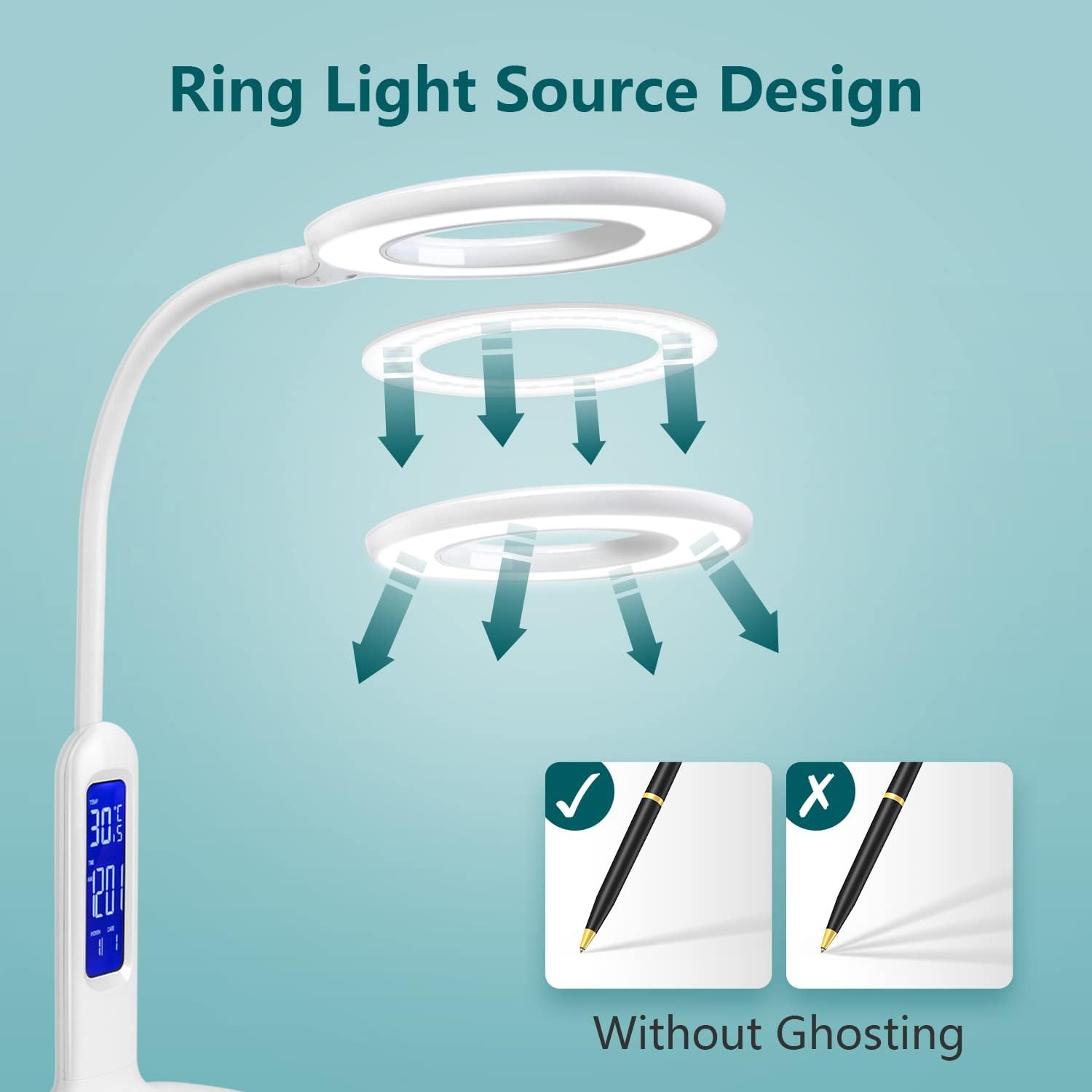
- Circular LED Light Head: Provides uniform and soft illumination.
- Multifunction LCD Screen: Displays time, date, temperature, and alarm status.
- Touch Control Panel: Located on the base for power, brightness, and color temperature adjustments, and LCD settings.
- Stable Base with Anti-slip Feet: Ensures the lamp remains securely in place.
4. Setup
- Unpack: Carefully remove all components from the packaging.
- Position the Lamp: Place the lamp on a stable, flat surface.
- Connect Power: Insert the power adapter into the DC input port on the back of the lamp base, then plug the adapter into a standard electrical outlet.
- Activate LCD Memory Battery: If the LCD screen does not retain settings after unplugging, locate the button battery compartment on the underside of the base. Remove any protective plastic film from the pre-installed button battery. This battery ensures the LCD display retains time, date, and alarm settings even when the lamp is unplugged.
5. Operating Instructions
5.1 Light Control
- Power On/Off: Touch the Power button on the base to turn the lamp on or off.
- Adjust Brightness:
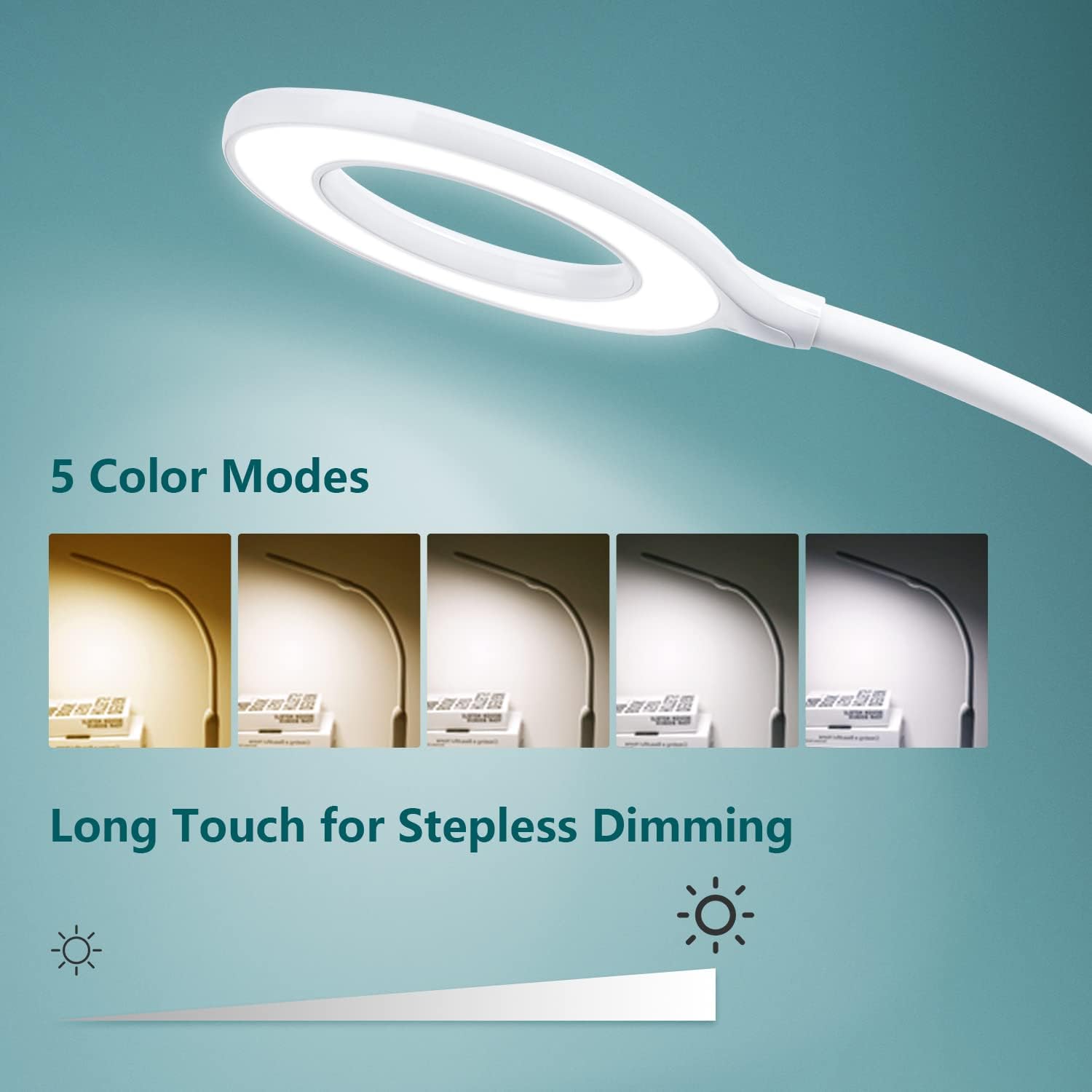
- Stepless Dimming: Long press the Brightness '+' or '-' buttons to continuously adjust the brightness level.
- Preset Brightness Levels: Short press the Brightness '+' or '-' buttons to cycle through 4 preset brightness levels.
- Change Color Temperature: Touch the Mode button (often represented by a sun or color temperature icon) to cycle through 5 different color temperature modes, ranging from warm white (2700K) to cool white (6500K).
5.2 LCD Display Settings
The LCD screen displays time, date, and temperature. It also features an alarm function.
- Setting Time and Date:
- Press the 'SET' button (usually located near the LCD) to enter time setting mode. The hour digit will flash.
- Use the 'UP' and 'DOWN' buttons (or '+' and '-' on the light control panel, depending on model) to adjust the hour.
- Press 'SET' again to move to minutes, then year, month, and day, adjusting each with the 'UP' and 'DOWN' buttons.
- Press 'SET' one last time to confirm and exit setting mode.
- Setting the Alarm:
- Press the 'MODE' button (near LCD) until the alarm icon appears.
- Press 'SET' to enter alarm setting mode. The alarm hour will flash.
- Adjust the alarm hour and minutes using the 'UP' and 'DOWN' buttons.
- Press 'SET' to confirm.
- To activate/deactivate the alarm, press the 'UP' button while in alarm display mode. An alarm icon will indicate activation.
- Temperature Display: The lamp automatically displays the ambient temperature.
5.3 Adjusting the Lamp Angle

The lamp features a flexible silicone neck that allows you to adjust the angle and direction of the light head freely. Gently bend the neck to position the light as desired for optimal illumination.

6. Maintenance
- Cleaning: Disconnect the power before cleaning. Use a soft, dry cloth to wipe the lamp. Do not use abrasive cleaners, solvents, or harsh chemicals, as these may damage the surface.
- Storage: If storing the lamp for an extended period, unplug it and store it in a cool, dry place.
- Battery Replacement (LCD): If the LCD display no longer retains settings when unplugged, the button battery may need replacement. Open the battery compartment on the underside of the base and replace it with a new compatible button battery (e.g., CR2032, check lamp for specific type).
7. Troubleshooting
| Problem | Possible Cause | Solution |
|---|---|---|
| Lamp does not turn on. | Power adapter not connected properly. No power from outlet. | Ensure the power adapter is securely plugged into the lamp and the wall outlet. Test the outlet with another device. |
| Light flickers or is dim. | Loose connection. Incorrect brightness setting. | Check power connections. Adjust brightness using the touch controls. |
| LCD display is blank or incorrect. | Protective film on battery not removed. Button battery depleted. Settings not configured. | Remove the protective plastic film from the button battery. Replace the button battery. Follow instructions in Section 5.2 to set time, date, and alarm. |
| Touch controls are unresponsive. | Temporary software glitch. Dirty touch panel. | Unplug the lamp for 30 seconds, then plug it back in. Clean the touch panel with a soft, dry cloth. |
8. Specifications
| Feature | Detail |
|---|---|
| Brand | Aigostar |
| Model Number | AIG-100400KZP |
| Product Dimensions (L x W x H) | 20 x 20 x 30 cm |
| Item Weight | 940 grams |
| Power Source | Corded Electric |
| Voltage | 230 Volts |
| Wattage | 7.00 Watts |
| Luminous Flux | 360 lm |
| Bulb Type | LED (SMD Technology) |
| Color Temperature Range | 2700K - 6500K (5 modes) |
| Brightness Levels | Stepless dimming, 4 preset levels |
| Color Rendering Index (CRI) | 80 |
| Special Features | 5 Brightness Levels, Calendar, Alarm, Temperature Display, Touch Control, Flexible Neck, Anti-blue Light |
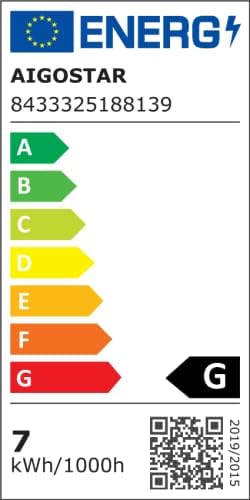
| Energy Label | A |
| Battery (for LCD) | 1 Lithium metal (included) |
| Color | White |
9. Warranty and Support
Aigostar products are designed and manufactured to the highest quality standards. For warranty information, please refer to the warranty card included with your purchase or contact Aigostar customer support.
If you encounter any issues or have questions regarding your Aigostar Flexo 10KZP LED Desk Lamp, please contact our customer service department. Contact details can typically be found on the product packaging or the official Aigostar website.
